Buy anything from 5,000+ international stores. One checkout price. No surprise fees. Join 2M+ shoppers on Desertcart.
Desertcart purchases this item on your behalf and handles shipping, customs, and support to KUWAIT.
🔒 Stay one step ahead with AI-powered security that’s always watching.
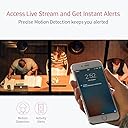
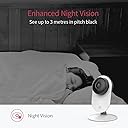
The YI Technology 87025 is a sleek, white indoor wireless IP security camera offering 1080p HD video with night color vision and 4x digital zoom. It features AI-driven smart detection to reduce false alarms, supports 2.4GHz Wi-Fi connectivity, and integrates with Alexa and Google Assistant for voice control. Footage can be stored securely via cloud subscription or locally on a microSD card (up to 64GB). Designed for versatile indoor use including baby monitoring and pet surveillance, it combines professional-grade monitoring with user-friendly mobile app access.


| ASIN | B01CW4AR9K |
| Alert Type | activity |
| Antenna Location | Indoor Security,Pet Monitoring,Outdoor Security,Baby Monitoring,Surveillance |
| Are Batteries Required | No |
| Best Sellers Rank | #1,153 in Dome Surveillance Cameras |
| Brand | YI |
| Built-In Media | USB charger |
| Color | White |
| Compatible Devices | Alexa |
| Connectivity Protocol | Wi-Fi |
| Connectivity Technology | Wi-Fi |
| Control Method | Voice |
| Controller Type | Amazon Alexa, Google Assistant |
| Customer Reviews | 4.0 out of 5 stars 39,075 Reviews |
| Effective Video Resolution | 1080 |
| Form Factor | Bullet |
| Global Trade Identification Number | 06970171172421 |
| Indoor Outdoor Usage | Indoor |
| Indoor/Outdoor Usage | Indoor |
| Item Dimensions | 3.15 x 1.26 x 4.49 inches |
| Item Type Name | security camera |
| Item Weight | 4.76 Ounces |
| Manufacturer | YI |
| Manufacturer Warranty Description | One year warranty from the manufacturer |
| Model Name | Y20W |
| Model Number | 87025 |
| Mount Type | Ceiling Mount |
| Night Vision | Night Color |
| Number of Channels | 8 |
| Number of Items | 1 |
| Other Special Features of the Product | Adjustable |
| Power Source | Corded Electric |
| Recommended Uses For Product | Indoor Security,Pet Monitoring,Outdoor Security,Baby Monitoring,Surveillance |
| Room Type | Nursery |
| Special Feature | Adjustable |
| Specific Uses For Product | Indoor |
| Unit Count | 1.0 Count |
| Video Capture Format | MP4 |
| Video Capture Resolution | 1080p |
| Voltage | 240 Volts |
| Waterproof Rating | IP67 |
| Wattage | 5 watts |
| Wireless Technology | Wi-Fi, Wireless |
| Zoom Ratio | 4 x zoom |
| Zoom Type | Digital Zoom |
A**Y
Super Easy Install and worth every penny.
I have only had this camera for a couple of days and there are some kinks to work, but once I read the instructions or reach out to someone I am sure I can resolve the minor issues. PROS 1. The set up was very easy. Took me less than 10 minutes. The app told me exactly what to do and when I turned the camera on it started talking to me and told me exactly what to do!! :) Compared to the first camera I purchased, which took me three tries and even then I couldn't get it to connect when I wasn't home. 2. This one works when you are away from home, you either use your phones data or you connect to secure wifi. 3. After I figured out the activity screen it is awesome, just zoom in on the area you want it to watch so you aren't picking up cars driving by on a distant road. 4. The notification is very quick, so if you want to see what is going on you can sign on and probably catch the person/animal still in the act. 5. You can change the sensitivity too, that way you aren't picking up flies. After I changed it to low I was able to still pick up a squirrel, cat and my children. CONS 1. It only does a short 6 second video, wish I could get a bit longer, but it works to notify me if someone is driving in my driveway when I'm not there. 2. I am not sure how long it sits before it picks up more activity but right now I believe it is about 4 - 6 minutes. Not bad, but it would be nice to have the option to increase the video length. Maybe there is but I haven't asked yet. 3. I need to figure out how to get the activity frame to stay and not reset at night. It keeps moving, so I reset it in the morning. But for $30 some dollars, that is minor. All in all, this camera is awesome and does the job I need it to do. When my kids are getting off the bus I can watch and make sure they safely get in the house. I am thinking of adding more camera's to the house.
V**A
Wow! Amazing wifi Security Cam for the price, feature and build quality!
I've been toying with both Nest and Kuna cameras, and while these 2 are pretty good, both requires a subscription and Kuna currently does not offer indoor cameras. Nest is way too expensive and if you add the subscription cost, you might as well pay ADT to monitor your home. And that's when Yi Tech comes to save the day! They make both outdoor and indoor cam. Their app is good (not great). Not as great as Kuna where it automatically sends you live snaps when it detects motion. But it's great for what I need it for. To monitor the garage. The video quality is pretty amazing considering my Kuna outdoor lamp only records at 720p. The Yi apps also notifies you instantly when it detects motion. The sensitivity can be adjusted for your personal needs. The build quality if very good. This cam is only $50? This is on par with other wifi cams that are in the hundreds. And this cam as 1 feature that destroys all other. It has an SD slot! Not only does it record to the SD Card you can view the recording just as if you were subscribed to their Cloud. The apps only records a scene when it detects motions so it's pretty friendly to the SD card and won't burn it out by constantly recording on it. When it detects motion, it sends you a notice, records it and it's ready for you to view on your phone instantly! How awesome is that? No need to pay Kuna / Nest $10+ a month. But if you want their cloud feature, you can pay for it. So it's a win / win. Update: You can actually change the settings so it will record all day or only record when there is activites detected. You can also select the regions to where the camera will only record when it detects motion in that area. (Kuna wants you to be a premium member to do this). If you want their cloud service, it's only $19.99 every quarter. If you pay the annual fee straight out, it's only $66. That's only $5.50 a month. And you get up to 5 cameras, and videos are stored for 7 days. (Only motion detected videos are recorded). If you want to record everything, they offer a Premium plan which is more expensive not not really necessary. Who wants to scan through videos with no action? Now, all I am waiting for is for Yi Tech to make outdoor light cameras like Kuna. I would love to swap out all my Kuna cam to Yi. Planning to get the Yi Dome for the Kitchen area. This is an amazing product. Well worth the price and then some. If they can improve on the apps where it sends you live snaps of activities, it would be GAME OVER!
S**Y
Good, but....
EDIT: I can no longer recommend these products to anyone. The company is really pushing for people to purchase the cloud packages. So much so that anytime you ask for support, the first thing they say is, you should upgrade to the premium plan, or have you upgraded to the cloud service. Now they are pushing ads when you launch the app and you cannot turn them off without, you guessed it, purchasing a premium plan. So please, before you purchase anything from Yi, check up the community forums and look at how many people are complaining about different things and the canned responses they get back. It is sad, I used to like these cheap little cameras and I would promote them and show them to people, now I will steer them away Original review below: I'll start off with I have purchased 4 of these cameras over the last few years. I had the old black 720p, the newer 720p that only came in white for some reason and then 2 of the 1080p versions. My older ones have worked great. I switched out the black base (720p) with the newer 1080p camera so that I could mount it in my front window to watch the porch area. I had to purchase a 10 foot usb cable to reach the outlet and to route it along the outside of the window frame, but it was cheap, and isn't really visible. So my take- Pros: 1. Cheap - The cameras are inexpensive and you don't have to use the cloud service when you use the SD card option. I see some of the reviews complaining that they can't see longer videos, but I haven't had that problem and all my cameras have the latest updates. 2. Easy to install - The app (Android in my case) was easy to install, then scan the back of the camera, identify your 2.4 Ghz WiFi (it doesn't work on 5Ghz yet), type in your password, point your phone at the camera and wait. Camera connects and you are good to go. I was even able to share one of my cameras with someone else so she could check in as well. She could make changes, but she could view it on her phone and on the desktop app. 3. Desktop app - You can install a PC software, which I use when I worked late so no one could sneak off the elevator at work and scare the &*^% out of me. 4. Motion record - It works pretty well and you can change the amount of movement needed for activation and how frequent it sends you the notice. 5. Mounting - you can pop off the vertical piece and there are 3 small screw holes in the base. I used these to mount the cam upside down in the front window. 6. Support (sorta)- The few times I've had to contact support for something they got back to me within 24 hours. I realize that they are not US based, so there is a time difference. I will also say that I had a camera that stopped connecting to my network and they sent a replacement right away. Cons - 1. Night shots - Night vision isn't very good, but that is probably more to do with the fact I'm shooting through a window. I have the cams angled to help, but still get some IR reflection. If a car drives by the headlights wipe out the video as well before it can shutter the lens. 2. Connections - I wouldn't have to mention this on the older cameras, but I did have a camera that stopped connecting to my network. I tried resetting the camera (SOOO many times), I tried it on other networks (I even setup a new dedicated network) and when it wouldn't work, tech support sent me a new 1080p camera. 3. Connections part deux - The new camera connects to the network well, but will go offline every so often. At first I thought one of my animals was unplugging it because that was how the camera seemed. I couldn't ping it, no connection or anything. I have now plugged it into a remote switching outlet that I can then power cycle the camera to get it to reconnect. Sometimes it will go 5 days before it needs to be 'rebooted', but I had to reboot at 6:30 last night and again at 7:30 this morning. Hopefully this one isn't getting ready to die too. 4. Audio - They advertise this as 2-way audio, which it is, but don't plan on using it as an intercom device. My voice would come out 'tinny' from the camera, which you should expect from a speaker that small. I have had some times where the audio didn't match the video, but it would only be off a fraction of a second upto a full second. It is more annoying really.
J**H
There are some issues, but I still love them overall
I love these little devices for how much they cost. I started by buying a pack of 4 and less than a day later I ordered 5 more. I was sold on being able to see 9 cameras at once like one of the product images shows...unfortunately that is only for the PC desktop version so far. The Mac version only shows 4 cameras at a time. There is a hack you can find online on how to launch the same program twice on a Mac, so then you could have 8 cameras showing up on two monitors if you really wanted. And the Ios app is pretty good too except that you can only go into one camera at a time, the rest of the cameras show up as an old thumbnail until you tap into it. would love to see more of a live feed on my phone. The two way audio on these isn't great, but it is so amazing to be able to chat with someone at the door step and not be there. I have to say that I didn't buy these so much for protecting my home from outside intruders as much as basically monitoring what my 4 boys are doing all throughout our home. I loved having the cameras so much that I went ahead and bought 9 of the 32 GB mini SD cards to put in each one of them so that I now I could go back in time and review footage! I ask my son for a drink and it turns out he was shaking it up. Someone gets hurt, we can go review the footage. Been able to catch the kids doing white lies. See who is beating up on who. Been able to check in on them and make sure they are doing there chores. Its like having an extra set of 9 eyes in the home. Kids need near constant supervision or they are bound to destroy stuff, make huge messes or get into fights with each other and of course I have one that points out away from home for more checking the front yard, traditionally type security. Wish the cables were longer, but I'm sure you could find a similar cable to do the trick. Also each one of them has to be plugged into a power source and then you just hook it up to your WIFI internet. The other really cool thing is when you are out and about or anywhere with an internet connection and you can just login on your phone and monitor the feed of your cameras. One time I saw the dog up on the table and I turned on the two way audio and said "Cody! get down!" and he got down. like I said the audio back and forth isn't that great, but it can get the job done. the picture quality is suprisingly good for like 20 bucks a pop. For me to able to have 9 cameras running with SD cards and ZERO cloud subscriptions and zero ongoing fees all for under $300 I thought was a pretty good deal. Cons: one of my cameras was not showing great color...it had a pink hue to them...I wrote into support and got some automated messages, but never heard back any answers to my questions. Another one is having issues connecting, despite turning off and on and hard resetting. And another one has some dead pixels which kind of bother me. Also the desktop app.....the feeds time out after 30-60 min and it keeps making me refresh the thing. I dont like that considering what these are... a live feed of cameras for security purposes....that really should just sit running 24/7 kind of thing ...I keep leaving feedback on their app, who knows where it goes though. oh I was going to say that I use my power that my house had setup for the Christmas lights...that is how I power the two cameras by the door. So I am actually returning the 3 cameras that had the issues and Amazon gives me 14 days to send them back meanwhile the new ones should be here by tomorrow or so....so a pretty painless return process...although all returns are kind of annoying. I have 9 right now .... but I am already scheming where I could use more coverage. Point one at the Backyard? The chicken coop? The hallway? So I do love them....also like the ability to turn off the status light so they don't draw as much attention. So despite some of the issues mentioned, I'm happy with what I got, going to replace these 3 and possibly add more to the fleet down the road. If you found this helpful, drop me a like! Go ahead and buy them already! You wont regret it.....and just get the SD cards now too while you are at it!
R**S
Incredible, Elegant Home Security Solution
Ok, so you're going to want to read this in its entirety as it contains information I wanted to know but couldn't find in any of the reviews or manufacturer comments. First off, WOW! This is going to sound like a shill review, but I assure you: I am a real person with no ties whatsoever to this company. I am a composer for film and TV shows with a home studio that is...well, it's expensive. While everything is insured and I keep redundant offsite backups of my files, it would still spell potential disaster for my career if my gear was stolen; when you're working with 12 hour deadlines for international clients you don't really get to say, "er, my studio was stolen and it'll be two weeks before I can replace it," because that's when they say, "cool, well we're going to find another composer." To replace and rebuild a studio takes a lot of time. Because of this, I get extremely paranoid every time I go out of town. I just went on my honeymoon last week and purchased this camera to try to provide a bit of piece of mind, and it did that and more. Read on. This camera does one thing, and it does it efficiently and in a way that I can't conceive of being more user friendly than it is: it monitors your home and alerts you to any and all kinds of activity that involve changes in the space-time continuum. Considering that thieves and fires both exist within space-time, this camera has you covered. Not only does it alert you to any potential baddies looking to sack your castle, but it captures more than enough visual evidence to get a conviction. When it detects any motion, it immediately starts recording in crisp 1080p quality, and it doesn't need a whole lot of light to capture clear images. Quick rabbit trail: I see people complaining that it "only" records 6 seconds of video (which does include audio). Boo hoo. This is not a surveillance camera; it is a monitoring system, and it's a damn good one. Traditional home security systems can be problematic; for every 100 false alarms there might be one legitimate alert, but by then your local PD probably won't take it too seriously. It's also an issue when you have guests, and constantly needing to remember to punch in codes and the like just isn't my style. Having your dog shot or your door broken down by the police because a mouse tripped a motion sensor while you were vacationing in Bermuda is no bueno. This puts your home security in YOUR hands. So let's cover some important details: -Just to recap, this camera sends an alert to your device (it's compatible with all major mobile device iOS's) and records 6 seconds of beautiful, high quality video and audio when it detects any motion. You can choose to discard or save the video. Choosing the latter option saves it to the drive on your mobile device. -You can at your leisure "check" your camera, which allows you to monitor your home in real time. It doesn't record anything when you do this; it is simply live streaming what is happening in your home at that moment. -It must be plugged in at all times, which is actually preferable; batteries introduce one more point of potential failure in a device that, above all else, needs to be reliable. -It must have access to wifi at all times (kind of a no brainer, but I figured I should mention it). -IMPORTANT (and very cool): multiple people can log into your account at the same time. This means that if you're going on vacay somewhere where cell reception might be spotty, you can get two or three of your closest mates to download the app, give them your login info, and ask them to enable alerts from the app. They would then be alerted just as you are when any activity is detected and will have access to the video. So yeah, in my not so humble opinion this camera is a huge win for anyone looking to work on their home security game. Buy it with confidence. It is an unusually fantastic product.
M**E
Exceeds expectations!
I originally wanted a Nest-like camera to use as a baby/nanny monitor and was confused by all of mixed reviews online across all products so wanted to set the help others who are in a similar position. I ended up ordering this Yi 1080p camera and the Wansview 1080p camera to do a trial, figuring I could always splurge on the Nest cam if the others didn’t work out. For anyone considering getting the Yi camera as a baby monitor, I highly recommend it for this over more traditional baby monitors. I’d also recommend it over the Wansview and the Nest. And here’s why... - Nest is obviously 3x the price out of the gate and has fewer features. Not sure why I’d recommend this path outside of integration with other Nest smart home devices. - The Wansview that I tried head-to-head with the Yi had worse picture quality (also didn’t love the fishbowl lens), and had a really significant lag even from the exact same spot as the Yi. Ended up sending this back immediately as it didn't even come close to as good as Yi in my opinion, despite the 4.5 star Amazon reviews. - WiFi allows us to monitor the baby anywhere. We can now step out of the house for a couple minutes or be at the neighbors and not have to worry. The 1080p connection has very minimal lag on our internet line (~1-3 seconds, which is solid). - Baby cry detection and motion detection are lifesavers and really work quite surprisingly well. I think the baby cry algorithm waits until it hears sustained crying of a few consecutive seconds too, which is helpful for avoiding a ton of false alarms. It’s not foolproof and you still want to be keeping an ear on your baby, but it’s good for capturing 80% of scenarios even with a white noise machine on and definitely met our needs. - Love that it records a 6 second clip with any of the alerts so you can review and decide if it’s worth paying attention to. - Exceptional video quality. I’m really impressed by this little gizmo and pleased by the value we got for the price. Would highly recommend and will be buying more to string our house together once we have a nanny start. Side note: The Yi Home Lite app on iOS is actually quite good too. A lot of bad reviews on Apple App Store about it since the original app was pulled by Apple, but they’ve made enough improvements to the Lite version that I honestly can’t tell if I’m missing any functionality. Also was a concern and was pleasantly surprised.
D**J
Good Camera (UPDATED REVIEW)
1st Edit (January 28, 2020) 3 Stars READ INITIAL REVIEW FIRST!!! After 8 months of use, I decided to update my initial review, and change my rating from 5 to 3 Stars. Let me explain why: 1. Kami from Yi: Yi decided to have a new line of products, focused on security (wireless and wired Cameras, a hub to avoid using Wifi for motion sensors and door sensors). It was such a strange and dumb decision, that actually two of Kami's cameras are physically identical to the New Yi Dome X (good camera BTW) and to the Outdoor camera. Only difference? That now it not only uses 2.4 Ghz, but also 5 Ghz Wifi. That's it! But now, instead of having to buy just new Yi products, to add to your system, you have to pay more money, and... USE ANOTHER APP!!! After some months, Yi made an update that made the Yi Home app, compatible with all Kami devices (including their hub and Zigbee? Z-Wave devices?). This shouldn't have happened in the first place. Kami is just a new line of Yi Products that should have been a part of the Yi Ecosystem from the beginning. 2. Amazon/Alexa compatibility: After an update, now you can use your Echo Show devices and you Firestick to see your cameras. Only problem? This doesn't work. To the point where this skill is rated 1 star. On my brand new Echo Show 8, the video feed freezes and gets stucked in Buffering (see attached photograph). 3. No Google Home compatibility, IFTTT or SmartThings: Not everyone has an Amazon/Alexa ecosystem. Other companies have all this compatibility (Wyze for example). 4. Home and Away mode: You can now change mode through the app. Only problem is that without IFTTT or SmartThings compatibility, in case you have an alarm system, you have to go into the app to set it manually and not automatically. If Yi wants to keep up with competition, it need all this compatibilities or make a Camera door ring bell, Siren, smart lock with keypad, etc. Right now, this is not the case, so Yi is being left behind. I've read rumors (and even filled one of Yi's surveys through email about this, but until then, they need to make things happen). 5. Desktop App with no upgrades: I understand almost everyone uses their phone. But watching 8 cameras, is impossible to do at the same time through your phone (you should be able to see 4!!!). Desktop app is the same as ever and has no updates. If you have a desktop app, please update it. 6. Outdoor camera still can't change sensitivity: From my first review, you can read that the Outdoor camera is WAY too sensitive (there's even a video). Every night I had the Siren trigger because of bugs/insects. This makes this function useless. You should be able to set the trigger for this, for X amount of seconds of continuous movement, not only sensitivity. I had to turn this off completely. If it worked, it would be an AWESOME function, actually really useful. 7. Baby Monitor: Through Kami, Yi had a crowdfunding campaign for this. I supported them, and will be updating when I get it (march, according to the Indiegogo campaign page) --------------------------------------------- 1st REVIEW (May 14, 2019) 5 Stars So, I've waited quite a while to write this review. I didn't know where to do it, so I'll copy/paste it in all of Yi's Cameras I own (1080p, Outdoor, Dome, and 3), since I'll write this review as an individual review for each type of Camera, and as a whole camera system. 1080p (4/5): At the moment of this writing, this is the best bang for the buck. You can get 4 of this for $118! or one for $29. The good thing about this is its simplicity and price. The fact that you can also mount this on the ceiling with screws makes it even better. One of the things you should take into consideration, is that even though this mentions its specs as a 112 degree FOV… it’s more of a real 90 degree. I mounted my cameras on corners of my home, so I was expecting to see both walls… which I didn’t or barely did. I discovered that there’s a setting called “Lens distortion correction”, that can make your FOV wider, sacrificing distortion (obviously), helps quite a bit, but 112, compared to other options (like the Yi 3) is on the lower side of specs. Night Vision is good. Quite contrasty, which I have to admit looks better to the eye, but won’t give you all the information something with a wider Dynamic Range can give you (like the Yi 3, again). This comes with “Baby Crying Detection”, which I haven’t tried, but soon will, as I bought this one to work as a WiFi baby monitor placed on top of my son’s crib. As all of the other Yi cameras, this has Motion Detection Alerts, which can also be switched On or Off with a Schedule, and you can change the frequency of the alerts. I bought the Cloud service for 5 cameras, Motion Based recording, which works OK… and also use 32 GB micro SD Cards, to store things locally. One of the downsides of ALL the Yi Cameras I own, is that for some reason I can’t record 24/7 on the micro SD card locally, and motion based on the cloud. That would make a lot more sense. Another downside, is that if you record 24/7, you can’t know where there’s movement in the recording, you have to scroll bit by bit, potentially missing things you might want/need to see. I guess most would want motion based recording, but take this into consideration if you buy the Cloud Service. Outdoor (3/5): Good camera, with good night vision (which for an Outdoor camera is a must). This also comes with an option to sound an Alarm if motion is detected (on a Schedule if you need, or always). This should sound for the whole time the motion is detected, not for only the 3 seconds it lasts. And the Alarm is not as loud as it should be. You should be able to change this to the amount of time the movement/motion happens (even though you only get 1 notification in the app). Night Vision is something that should be better in future firmware. It’s not that the night vision is bad, is that it triggers alerts when a bug flies in front and close to the camera. Even a bug flying for half a second at night, will trigger the Alarm and the notification. Even at the Lowest Sensitivity, it gives too many False Positives. Which is obviously a problem. (I’ll try to attach a video about a simple insect trigerring the alert and Alarm). The camera, since it’s designed to work on outdoors, works as expected. Rain (lot’s of it), wind, sun, etc., and still going strong. Please take into consideration that this cameras has a short cable, so placing it far away from the electrical outlet will create a need for an extension or some other option. Dome Camera (4.5/5): This is the one that has the most features. It can pan and tilt (go up/down or right/left). It can follow movement (called “Motion Tracking”) or it can scan from one spot to another (you choose the spots, called Bookmarks). The only reason I‘m taking 1 star off is that it has the same FOV as the 1080p and when you have it one spot, and motion is detected and it starts to follow movement… sometimes, when it tries to go back to its original position, it won’t. It’s not that big of a deal, but it’s something that annoys me, and it makes the biggest selling point of this camera, not so good (Motion Tracking), since you have to once in a while place the camera again where you want it to be focused normally. Night mode is similar to the 1080p Camera, which again, is quite contrasty. For the amount of features, this would be the best Yi camera, but if you can place your camera in a corner of your house, paying for this model and not the 1080p (or even the 3), won’t make much sense. 3 (5/5): This is the newest option from Yi. It has a much better night vision (a little on the flat side, but you get more information), MUCH better FOV. This also has, instead of the Baby Crying alert found on the 1080p, Abnormal Sound alerts, which you can set from 50dB (conversations), to 90dB (harmful/dangerous sounds), in 10dB steps. I have set mine at 60dB. One of the best features on this model, is that you can not only set Schedules for alerts, but Schedules for the camera to be on/off. This is awesome for some privacy in our Master bedroom. All these features, at the time I’m writing this, come with a $49 price per camera… which for my needs, was justified. The Yi 3 is a modern camera, with better technical specs and probably technology that the other cameras I own. I really don’t know if a firmware update could bring the 3’s features could migrate to past models or if it’s something about processor/chip capacity. ALL CAMERAS: Unfortunately these are not Smart Cameras, so there’s nothing to do with Alexa, Google Home or something like Samsung’s SmartThings here. Everything is handled via the App, which as far as I’ve seen, the interface is pretty much the same as every other camera. They have the GREAT advantage that you can have your information stored on a Cloud based system or in the SD card (which at least IMHO, it’s a great PLUS). Yi Ecosystem: One of the things that Yi has overlooked, is that the Yi App/Software is designed to work with one camera, not as a system. So for someone like me, that has 9 cameras (1 Dome, 1 Outdoor, 2 1080p and 5 Yi 3’s), it becomes a little bit of a problem. For example, I don’t have the chance to turn ON all camera’s setting an Away mode, or remove notifications in a Home mode… or any type of combination. If I need to turn on all cameras, I have to enter into the settings of each camera, one by one. This doesn’t make much sense. You can’t see two or several cameras at the same time… you can only see one. NOTE: Yi Home Camera 2 and Yi Cloud Cameras, are the models I didn’t need so I don’t have any opinion or anything to mention about them. At the moment of this writing, version 2 is not available anywhere.
N**Y
Considering the Nest? Look here first!
My wife and I are expecting our second child. For the first child we used a motorola baby monitor. After 10 months, the motorola baby monitor won't hold a charge, so I wanted to find a better solution. Also, I wanted to be able to keep an eye on the home while we are away and prevent any deliveries from being taken from the front porch. So I looked for a baby monitor that could also be used as a low cost security system. The Nest/Drop Cam seemed like a good option, but the cost was much higher than I wanted to spend, because I knew that I wanted 3 cameras, minimum. I rolled the dice, and purchased 1 of the YI 1080p Home Cameras. Setup was easy on my iphone 6. I like that I can configure the alerts in different ways for me and my wife. I like that with a 64mb card I can go way back in time. The resolution is really good and the camera is very concealable. All of my cameras are made for interior use, but for my front porch I shoot through the window, works fine 99% of the time, get some glare when the sun comes up, only lasts 5 minutes of the day. Night vision works really well and the system uses very little of my wifi bandwidth. CON: I didn't realized that there was NO App support for Kindle Fire when I bought this. In the evenings when the baby goes to bed, we always have a monitor on, if you are using your phone as the monitor you can't be doing anything else, it consumes that device. We have old Kindle Fire tablets that are no longer used, and my hope was to simply use that as a monitor and free up our phones. At the time of this review there is no app for kindle. I really hope that changes. All in all, I'm very happy with my purchase, I would recommend this camera to anyone in similar situations.
V**T
excellent ip camera
Good thing about this camera is easy to reuse mounting frame so i do not need to remove my existing one
M**L
Excelente opción para la casa
Excelente camara para la oficina, muy buena calidad de imagen y interface para el celular. Actualmente tengo 3 cámaras y estoy muy contento con la calidad y precio de estas cámaras. Se le pone una micro SD para grabar todos los movimientos y también los puedes ver desde el celular.
L**A
Easy installation and use
Excellent camera easy to install using it for my dog to see what she is doing during daytime. Connected to wifi good quality and so easy to use
D**M
Useless
Product no use as it was configured for China!! So refund was issued. Why was it sent !! Total waste of my time!!!
A**A
Liked it 👌
بطله بس تعمتد على سرعة النت 👍 اذا النت ضعيف عندك لا تاخذها
Trustpilot
2 weeks ago
2 months ago