🚀 Elevate your workspace with powerhouse printing that keeps you ahead of the curve!
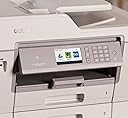
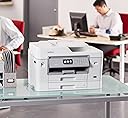
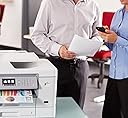
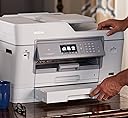
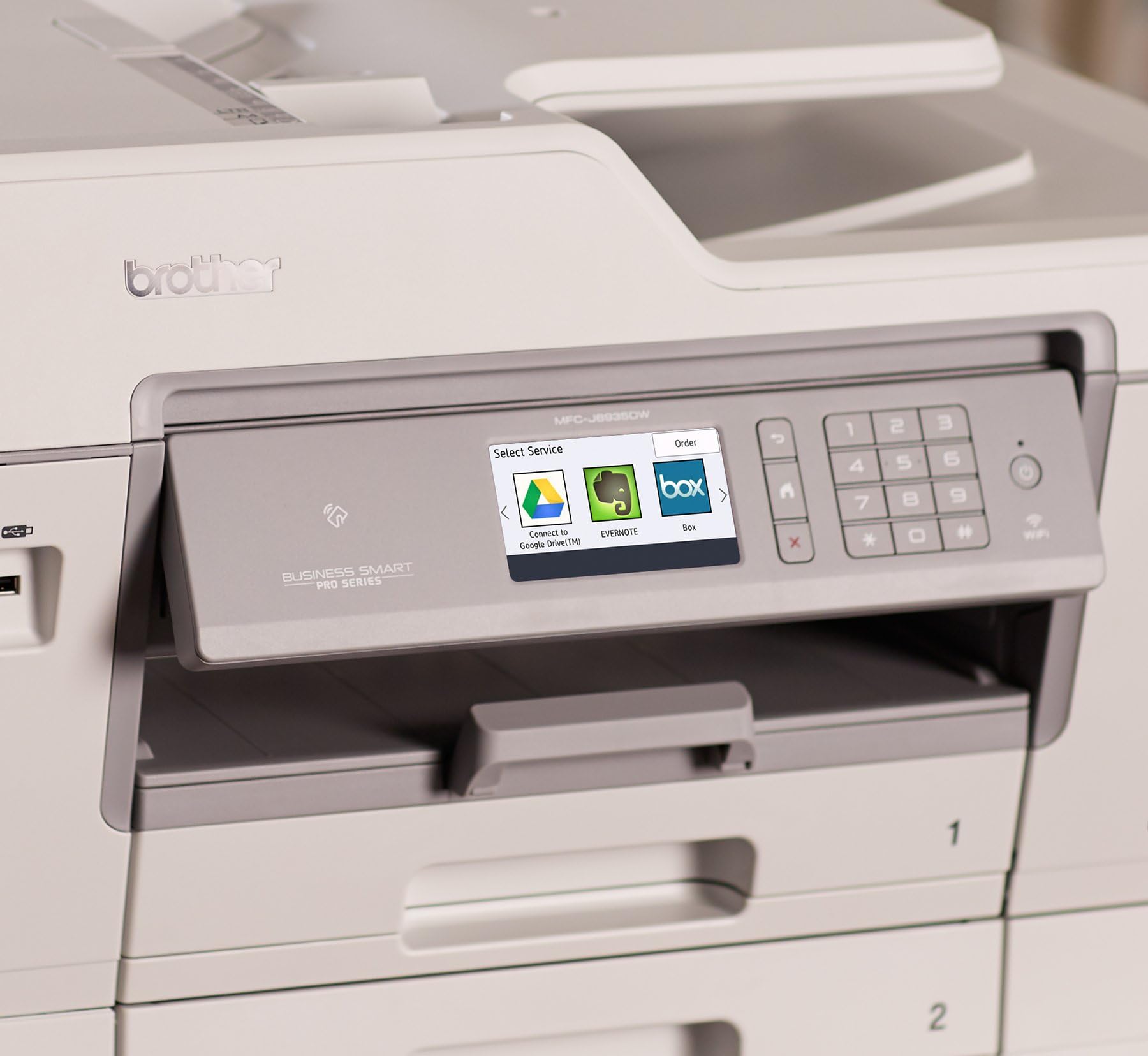
The Brother MFC-J6935DW is a premium all-in-one wireless inkjet printer designed for professional environments. It supports large ledger-size (11x17") printing and scanning, features automatic duplex printing and scanning, and integrates seamlessly with cloud services via a 3.7" color touchscreen. Its innovative INKvestment cartridge system offers high-yield, low-cost ink replacement, while desertcart Dash Replenishment ensures uninterrupted workflow by auto-ordering ink. With robust paper handling, multiple trays, and reliable connectivity, it’s engineered to boost office productivity and reduce operational costs.


| ASIN | B01LYA9D2C |
| Additional Printer functions | All In One |
| Best Sellers Rank | #496,839 in Office Products ( See Top 100 in Office Products ) #288 in Ink Tank Printers |
| Compatible Devices | Smartphones |
| Control Method | App |
| Controller Type | Vera |
| Customer Reviews | 4.1 4.1 out of 5 stars (1,156) |
| Date First Available | December 1, 2016 |
| Dual-sided printing | Yes |
| Duplex | Automatic |
| Global Trade Identification Number | 00012502643685 |
| Hardware Interface | Ethernet |
| Included Components | Brother MFCJ6935DW, LC3029BK,C,M,Y Inkvestment Super high yield starter inks, product safety quick set up and basic users guides, Installation CD-ROM for Windows and MAC OS, telephone line cord |
| Ink Color | Cyan, Magenta, Yellow, Black |
| Is Discontinued By Manufacturer | No |
| Item Weight | 51.8 pounds |
| Item model number | MFCJ6935DW |
| Manufacturer | Brother Printer |
| Max Input Sheet Capacity | 200 |
| Max copy resolution black-white | 600x600 dpi |
| Max copy resolution color | 600x600 dpi |
| Maximum Black and White Print Resolution | 600 x 600 dpi |
| Maximum Color Print Resolution | 4800 x 1200 dpi |
| Maximum Media Size | 11 x 17 inch |
| Memory Storage Capacity | 1 Bytes |
| Model Series | MFC |
| Number of Trays | 3 |
| Number of USB 2 Ports | 1 |
| Output sheet capacity | 50 |
| Print media | Paper (plain) |
| Printer Ink Type | ink |
| Processor Count | 1 |
| Product Dimensions | 18.8"D x 22.6"W x 14.7"H |
| Scanner Type | Sheetfed |
| Series Number | 6935 |
| Sheet Size | 11 inch x 17 Inches |
| Specific Uses For Product | business |
| Supported Media Sizes | Tabloid (11 x 17 inches) |
| Total USB Ports | 2 |
| UPC | 012502643685 |
| Warranty Type | limited warranty |
| Wattage | 20 watts |
P**D
Evolved version of Brother Inkjet series printers, at this writing it is nearly the best in it's class from Brother.
The Brother Inkjet MFC J69xx series has evolved over time. The J69 prefix on a brother model indicates the highest end of this style of inkjet printer from Brother. My old Brother J6910DW has been dying, and is just over 6 years old. My purchase of a new J6935DW is due to very positive experiences with older devices in this line. My ownership of Brother MFC inkjets has been ongoing for about 10 years, some have been low end, J915, others higher end such as this. Generally these are well made units, and work well with 3rd party inks. Color printing is very good, but photo printing is imperfect, if you are seeking a true photo printer this may not be your best choice. Some of the newer features which have impressed me is getting not only ink levels for each cartridge over a local Ethernet network (Brother has provided this for a long time), but information about paper levels too. It helps to know how low or high the paper volume per tray is. Occasionally a long project may be printed (my record is 235 duplex pages for a friends doctorate). Knowing if there is enough paper without having to go and look helps. It permits me to leave the printer and computer going, while tending to other business. My J6935DW came well wrapped, and set up was easy. The cartridges seem very similar to prior cartridges. Most of the print mechanism is similar. Except the paper feed. This has been changed for the better. Instead of 8.5 x 11 paper being fed with the long side perpendicular to the unit, the paper is now adjacent and fed in a way which would have been sideways considered with older printers in this line. That is the long end of the paper in a tray is now parallel to the printer. It comes out parallel as well. The new method of feeding, printing and ejecting paper means less movement occurs. Instead of 11 inch movement, only 8.5 inches are moved. This may not sound like a lot, but adds up, and there have been no feed problems. The output tray protrudes much less from the printer, and isn't in danger of being damaged. Older units often had almost an entire page length hanging off a very slim piece of plastic. The new shorter feed in and out seems to hold a higher percent of the paper within the printer body. While at the same time, the output tray while a few inches out from the body is also better built (larger, more solid, feels a lot more durable) than older models. The weight is also heavier than older models. This is nearly as heavy as some smaller color laser printers. Speed is very good, connectivity is great, the bundled software (Paperport with Windows) works well, the MAC software isn't something in use at my home at this time. Support for Windows 10 is excellent. While 3rd party ink is less expensive, the price difference isn't as great compared to Brother MFC models. Scanning, and in particular duplex scans of ledger size paper has always been a problem. The overall structure of the upper scan unit seems stronger, and manages large paper, even bundles of large paper far better than prior printers. If you scan, or duplex scan a lot of paper, this is a very good product. Finally there is a 3rd tray, sort of a utility tray, which in older devices was indicated as a printer tray, for the MFC J9635DW function has been extended. It is much easier to feed a variety of stuff through the auxiliary tray input than on any prior model based on my experience. While the J6935DW will be the highest ed of the Brother Inkijet line (for the moment). Other similar units in this series, of comparable design time, are likely very similar. Brother inkjet printers with 4 digits, that is MFC-Jxxxx will always handle ledger paper, the lower the model number, the less a printer model can manage paper (going from duplex to simplex scanning, then to simplex printing, and eventually to a 3 digit printer, which would be a home printer, not an office printer). Brother home printers are good, but not as durable as Brother office printers (generally). The ink cost, and marketing, are probably a bit of a stretch. Brother seems to be bifurcating market not only on paper handling, but on cost of ink as a consumable. The J6935DW uses the Brother Inkvestment concept. Which to me seems more about marketing than any quality of ink. Thus the Brother MFC inkjet line may be changing from models differentiated mostly by paper handling capability into a series delineated by both paper handling and ink cost. My use is in a home where there is considerable use of our printer, and a single shared printer on a local area network is preferred. If your use does not require ledger, duplex, long prints, or similar heavy use of a printer, other models are probably a much better choice as this is expensive. My Brother J6910DW cost a bit over $200 in 2011, today the J6935DW runs a bit over $300. This is nearly a 50% increase in cost, and while the printer is of much better quality, and paper handling has certainly improved, the quality of the output isn't very different from older and lesser units. Do not buy this for any increase in print quality, buy it for the volume it can print, low cost of brand name ink, paper handling, and scan features. My last mention here, is the printer still comes with a CD instead of a flash drive. Installing Paperport requires a CD / DVD reader. The drivers can be downloaded. My guess is future versions will either download Paperport to Windows computers via a printer proxy service or Paperport will be installed via a flash drive. Paperport does seem largely downloaded with this version, but the CD is the gatekeeper to assure license. It would be nicer if the printer were the key.
R**N
Next to no flaws. Brilliant!!!
First of all, please take note of the size of this unit as it is BIG! It's not for everyone; specially those who may have limited space in their home/office for this unit. Buyer beware. I've been a HP person all these years and decided to change over to Brother based on recommendations and reviews. It also had much to do about HP's scam of forcing you to sign up to their printer cartridge programs. You lost me for good HP. The Brother MFCJ6935DW printer is a damn fine printer in every way! It surpasses every HP I've ever owned previously. Setup from start to finish is super easy if you follow the supplied Quick Setup. I had it setup and running in about 3MINS tops. Zero issues. We have two PC's, three Android units and six Apple units in the household and they all work flawlessly with the Brother MFCJ6935DW. Flawlessly! Print speed is excellent..... print quality whether it be color or B&W is excellent.... ease of scan and the scan quality is excellent..... copying - whether thru auto feed or placed under the cover - is very quick and quality is top shelf. The twin high-capacity paper trays is a welcome addition that will serve me well. The display screen - albeit slightly small - is very easy to read and see under all lighting conditions. The screen also provides multiple functions the printer can do if you scroll thru it. I've already printed about 200+ pages in the week or so I've had it, both color and B&W - and the supplied starter ink cartridges still show full. Nice! A very small flaw if I may: There is a slight lag - very slight - when you print wirelessly [from the time you hit print to the time it actually starts printing] but it's most certainly not a hindrance in any way. Given the wireless source, this is to be expected. Overall, this printer has well surpassed my expectations in every way. It isn't cheap by any stretch of the imagination, however, once you have it setup and operating using its multi functions, you will NOT have buyer's remorse. A purchase highly recommended across the board. Like Nike says..... Amazon delivered as promised.
I**A
Esta impresora é a única que aguenta muita impressão sem dar manutenção
A**R
Meilleur modèle qualité prix qui offre un traitement de feuille 11x17 (impression et numérisation recto/verso). l’alimenter automatique sur le dessus est fonctionnel pour le format 11x17 aussi. Très utile. Programme de cartouche d'encre permet un bon coup de revient. Idéal pour le travail avec une belle qualité et vitesse d'impression, mais l'impression n'est pas faite pour de la photo graphie haute définition. Je le recommande!
F**E
Great all around printer. Printed beautiful photos and crisp documents. Uses large ink cartridges so won’t have to buy ink as often. The cartridges are easy to replace and much cheaper than the toner I had to purchase for my previous color lase printer. Printing photos is slow but Great quality. Documents print very fast.
K**N
Muito fácil de instalar e de manuseio. Qualidade de impressão poderia ser melhor.
M**I
wifi connection will lost if don’t use it have to on and off it every 2-3 hours it’s shi…. and tech support is supper week on Brother products
Trustpilot
2 days ago
1 month ago