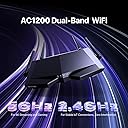
🚀 Unlock lightning-fast WiFi and total control—because your home deserves the best connection!
The Tenda AC1200 Smart WiFi Router (AC6) delivers dual-band speeds up to 1.2 Gbps with four high-gain antennas and Beamforming for superior coverage. Featuring a user-friendly app for easy setup, parental controls, guest WiFi, and access point mode, it’s designed to keep multiple devices connected smoothly with MU-MIMO technology. Ideal for professionals and families seeking reliable, high-speed internet throughout their home.


| ASIN | B06X1CHFJ5 |
| Batteries | 1 Lithium Ion batteries required. |
| Best Sellers Rank | #4,758 in Electronics ( See Top 100 in Electronics ) #40 in Computer Routers |
| Customer Reviews | 4.0 4.0 out of 5 stars (18,930) |
| Date First Available | November 1, 2016 |
| Is Discontinued By Manufacturer | No |
| Item Weight | 12 ounces |
| Item model number | AC6 |
| Manufacturer | Tenda |
| Product Dimensions | 5.57 x 1.93 x 8.66 inches |
D**S
GOOD BUY WORKS VERY WELL
First the item arrived within 2 days from the date of purchase I have to give them a thumbs up on that. The item was very easy to set up I have MoCA adapters around my house and this device is on one side of the house and the modem is on the other complete separate ends the modem provides signal and power for me to watch high-definition streaming in PlayStation 4 gaming I also watched most of my nudes through YouTube TV or YouTube also use Netflix Vudu Amazon prime and most other streaming sites. I first put the router in the basement it had the modem in my bedroom but because I had the cable company run a direct line to the side of the house where my entertainment system is in the basement I decided to switch the modem and put it directly on the direct line and put the router in the bedroom where is Powers the TV for streaming in the bathroom where it Powers TV for streaming So far after about two weeks or should I say a week and a half and I must say this router worked very well this router has really giving my Wi-Fi signal throughout my house stability and speed it is currently connected to a CCTV camera system a Blu-ray DVD player laptop computer two Chromecast and one Roku and I must say it is really doing a fantastic great job Hope this helps anyone in consideration a purchasing one also the app which allows you to monitor and control the system is very very user-friendly and very good I highly recommend this product happy shopping
M**D
Very basic but does the job.
At first I was going to return this as it was not getting link on any of the LAN ports. Note that only 2 pairs are active on these ports which is fine for 100mbs connections. Keep that in mind that it won't auto-sense between A and B cable types. I have a PoE switch and extender and my other router did not need a PoE splitter to work. This one will require a splitter. Other than the additional PoE splitter needed, this router does what is needed.
J**7
DO NOT buy this brand. Seriously. MAJOR security holes
I won't even lie. This router worked great for me - strong signal, fairly insane speeds; I was getting 75mbps down (5GHz channel) and I'm pretty sure I only have a 30mbps Comcast plan. Good admin interface, everything checks out, and the price sure was right. But some vulnerability/backdoor (specifically something IPV6-related, as I noticed lots of strange traffic through that, and I normally never used ipv6 previously) got my ENTIRE house full of computers infected with a Windows Management Instrumentation (WMI) related malware, where the attacker remotely modified my Windows installation to be set up as an Active Directory client, as if my PC thought it was on a corporate network, beholden to the IT administration's control. So my group policies almost all set themselves to "Managed", and I couldn't change them myself. It also spread itself to any new USB media I made with windows' official Media Creation Tool, I believe through auto-generated malicious autorun.inf's under invalid pathnames, like D:\System Volume Information\:\:autorun.inf (windows doesn't allow colons in pathnames), among many other weird and not-easily-detectable signs of tampering in my machine. Before I even noticed something was amiss, it had taken control of all the other PCs in the house including my girlfriend's. Even after a full drive wipe on any given computer, the malicious presence remained in the background. Just google "Tenda vulnerability", specifically Loki Labs' article "Tenda, is this a bad design or a backdoor?" to see what I'm talking about. Also read up on WMI malware, such as the recent Astaroth malware which I think might've been part of the type of virus I acquired, and how notorious and ancient it is as a method to compromise computers remotely. If you buy+use this router for a few days it's likely you'll even pick up a remote attacker on your network and not be able to notice it, except for some innocent-looking COM Surrogate Provider, rundll.32, Font Caching etc. (the list goes on and on) processes that blend in entirely with the operating system, because they are built-in to it. You'd be surprised just how insidious this type of infection can be, especially if you try to remove it without locking down your home network security impeccably before starting the reinstalls and everything. I've been tinkering with computers since I was almost a baby; develop software for a living and I've never seen anything quite like this until now. I'm still trying to get rid of it completely, after 2+ weeks of late nights and headaches, thinking I might've vanquished it this time only to find another subtle but unmistakable sign of infection. I've obviously ripped this router out and am preparing to return it, using my old wireless-N router for the moment, but even still this stupid attack seems to persist on all my computers, even on Ubuntu/linux (!!!), as I believe it got access to some of my laptops' UEFI firmware somewhere along the way... it's terrible, trust me, just don't mess with the Chinese brands if you value your time and privacy. I never cared either until this incident but you can bet your butt I have learned my lesson, firmly.
M**5
Worked well in the time we had it. We used this to boost our wifi signal as it was terrible with the original router we had. It worked very well.
A**W
Wer hier erwartet eine Alternative zur FritzBox zu erhalten oder gar eine Verbesserung zu dieser, der ist hier falsch. ABER: Wie immer kommt es auf den Verwendungszweck an. Der Router war sehr günstig, ich hatte eigentlich gar nichts erwartet, allerdings läuft er jetzt seit mehreren Wochen und ich hatte keinen Ausfall oder anderweitig Probleme. Für alle die nicht viel lesen wollen: Als günstiger AccessPoint oder Repeater ist er einwandfrei und die beste Wahl wenn man geringe Ansprüche an Bedienung hat. Preislich genial. Erfüllt seinen Zweck und hat sehr gute Reichweite und die Geschwindigkeit passt auch. Für alle die etwas genauer wissen wollen, wie er sich schlägt: Zuerst zur Einrichtung: Die Bedienoberfläche ist sehr primitiv gestaltet, die wichtigsten Funktionen sind dabei, logischerweise Sicherheitsstandards und Betriebsmodi etc. sogar Energiesparoptionen sind dabei. Ansonsten eine eher kahle Landschaft. Die Einrichtung war dennoch kinderleicht und sehr zügig. Ich nutze ihn allerdings auch als AccessPoint, daher musste ich eigentlich nichts einstellen, da der Router einen AccessPoint Modus besitzt. Zur Geschwindigkeit: Ob per LAN oder WLAN für meine Leitung ist der Router perfekt, ich merke keine Leistungseinbußen im Vergleich zur Fritzbox die den Hauptrouter repräsentiert. Zum WLAN: Unfassbar was außen stehende Antennen ausmachen können :D Ist natürlich klar, dass der Router einen Vorteil zu meiner FritzBox 7530 hat, die Reichweite ist sehr groß und kann durch die Antennen gezielt ausgerichtet werden. Super Sache, habe WLAN nun an Stellen wo ich kein Haus mehr hab :D Preis-Leistung: Nun ja, wie gesagt, für den Preis einfach Klasse was man an Technik bekommt. Für alle die viele Einstellungen benötigen und gerne auch tolle Grafiken zur Geschwindigkeit etc. die sollten lieber eine FritzBox kaufen. Ansonsten super Gerät, hat sogar einen Zeitplan um Nachts das WLAN auszuschalten. Klare Kaufempfehlung von mir.
J**G
El router que me facilita la compañía telefónica no alcanza a dar wifi a las habitaciones mas apartadas de mi piso. Durante un tiempo he utilizado un extensor wifi pero era muy inestable, por lo que me decidí a probar con un router que pudiera ofrecerme mejor señal. Me decidí por este router por su precio, pero sin embargo ha cumplido perfectamente con mis expectativas. He conectado el router al router de mi compañía telefónica a través de una cable RJ45. - Pesa poco y no tiene un tamaño excesivo, por lo que se puede situar fácilmente en cualquier lugar, además las antenas se pueden colocar en diferentes ángulos lo cual ofrece mas flexibilidad. - Gran alcance de señal, en mi casa recibo buena calidad y velocidad teniendo 3 habitaciones entre el router y el receptor. - La app para configurarlo es muy útil he intuitiva, no se necesita ningún conocimiento especial, y además incluye herramientas que configura automáticamente para optimizar la velocidad. - Estabilidad de señal y velocidad, llevo usándolo meses y no he tenido cortes o bajas excesivas de velocidad. - Para el wifi 5G requiere estar prácticamente al lado del router para no tener cortes, pero la velocidad es la máxima. - Tiene la opción de apagar las luces, lo que le hace perfecto para tenerlo en el dormitorio, además de otras opciones interesantes como programar a que horas quieres que se apague o encienda el wifi. En conclusión, para una casa o un piso normalito es perfecto, no creo que se necesite nada mas, yo estoy muy contento con la compra.
S**M
I've been running the Tenda AC6 for about a month now after my old Netgear finally gave up, and honestly for the price point this thing is performing way better than I expected. The dual-band setup gives you the standard 867Mbps on 5GHz and 300Mbps on 2.4GHz which isn't groundbreaking in 2024, but for a two-bedroom apartment with maybe 15 devices connected it's more than adequate, and the four 6dBi antennas actually push signal to corners where my old router struggled even though it cost twice as much. Setup took literally five minutes, just plugged it in, typed the IP address printed on the bottom into my browser and followed the prompts, no complicated configuration needed unless you want to dig into the advanced settings. The web interface is clean and responsive, though I noticed some menu options have slightly awkward English translations but nothing that makes it confusing to use. The Android app works well for basic monitoring and quick settings changes, I use it mainly to check what devices are connected and occasionally pause internet access for my kids' tablets when it's homework time. Performance-wise I'm getting consistent speeds that match what my ISP provides (200Mbps plan), tested with multiple devices and the throughput stays stable even with four people streaming simultaneously. The beamforming feature seems to actually work, my laptop in the home office gets noticeably better signal when I'm at my desk versus walking around with it. One thing that surprised me is the QoS bandwidth control actually functions properly, I've limited my work laptop to 50Mbps during the day so my wife's video calls don't get interrupted when I'm downloading large files. The parental controls are basic but functional, you can set time schedules and block specific sites though it's not as sophisticated as what you'd get with an Asus or Netgear router. Guest network setup is straightforward and isolates visitors from your main network properly, tested this with my phone and couldn't access any local devices which is exactly what you want. IPv6 support works out of the box with my cable provider which saved me some configuration headaches. Build quality feels decent for a budget router, the plastic doesn't feel cheap and the antennas stay in position without drooping over time. Heat management seems good too, it runs slightly warm but nowhere near the concerning temperatures my old router hit. The only real downside is the ethernet ports are 100Mbps not gigabit, so if you have devices that need faster wired connections this isn't the router for you, but for wireless-focused homes it's perfectly fine. For under forty bucks this is honestly stealing, especially compared to ISP rental fees that add up to more than this costs in just a few months.
P**K
Słaba jakość i wolny przesył
Trustpilot
2 months ago
1 month ago