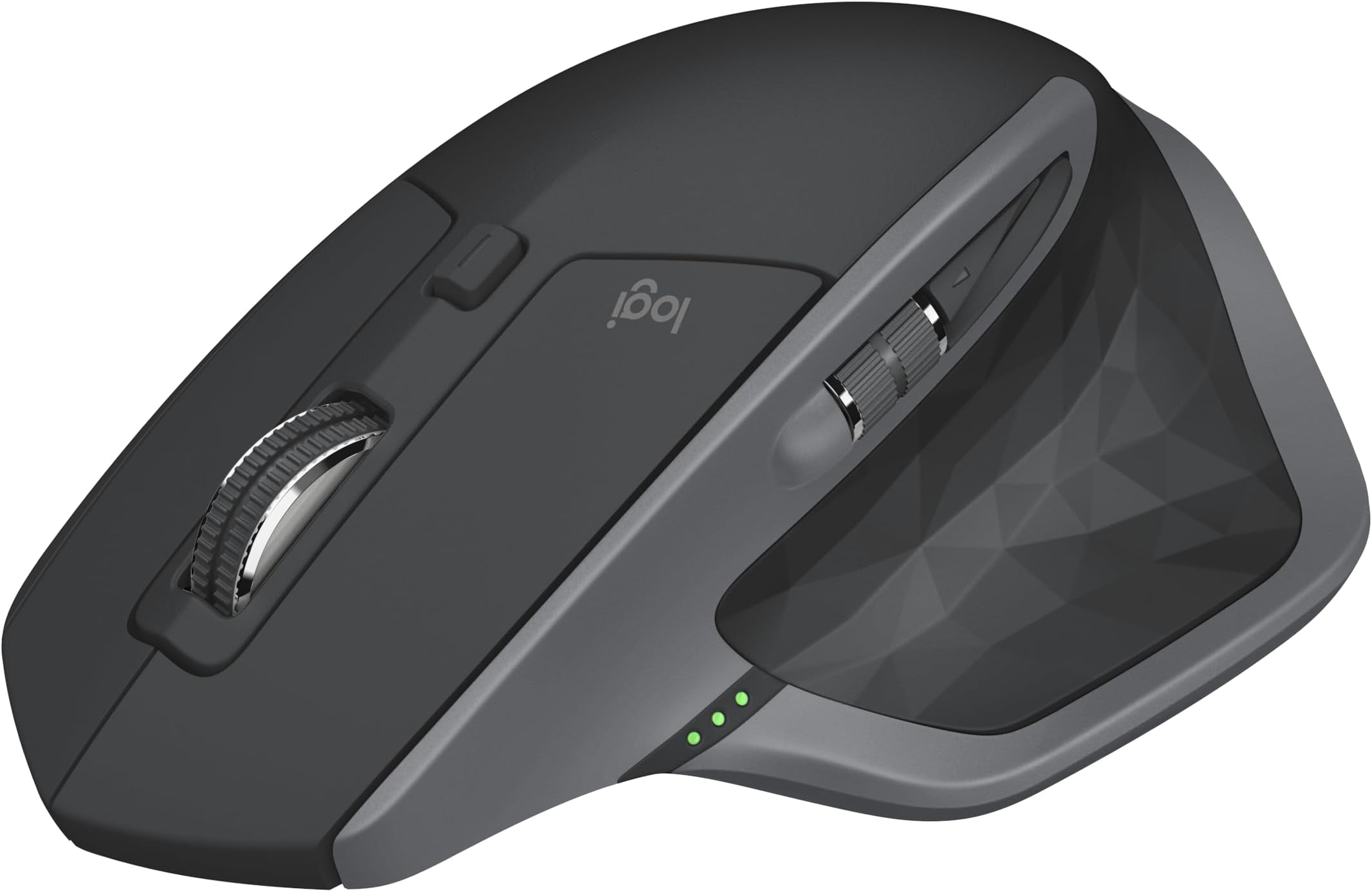
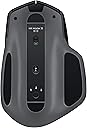
I have owned the previous MX Master for over two years. It was amazing in pretty much every respect. Over time it got scratched up from being in my travel bag so when the new version came out, I jumped on it. I've had no regrets since. It's everything the original version offered plus more. The MX Master 2S is overall unchanged physically. Same button placement, same shape, same size. The only identifiable thing are the new colors. The previous black+bronze was nice but curious color choice - a bit steampunk if you ask me. The new color options, blue, white, and black on graphite (my choice) is a more traditional color for peripherals. In terms of buttons, it's the same as the previous model - two main buttons on top, scroll wheel that acts as a third button and a wheel lock button to freespin the wheel when you need it. The main two top buttons feel clickier or crisper than my previous mouse. I don't know if Logitech changed the mechanism or my old mouse is just worn out. However the more tactile feel is a welcome change. The free spin button is something unique that I have not seen on any other mouse. Normally the wheel is a friction wheel offering bumpy tactile feel. This is useful for precise scrolling. When you click the center button, the mouse releases the friction of the mouse and allows it to free spin. This is immensely useful if you need to scroll quickly for large spreadsheets, documents, or webpages. I am a photographer and designer and having free spin is great for changing brush sizes, brush hardness, opacity, and other options in photo editing programs. There is also a horizontal scroll wheel and two buttons on the thumb. Admittedly I barely ever use the thumb scroll but it's a useful wheel to have to assign it to creative uses. The two forward and backward buttons unfortunately haven't changed at all. Most people complained about the size and shape of these. It's hard to touch-press them unless you're very used to the mouse. This has not changed at all. These buttons really need to be larger. Finally there is a hidden "gesture" button on thumb pad underneath the soft rubber. You push down to switch between windows in Windows 10. Alternatively you can assign this to something more useful. I almost never use it since I alt-tab everything. If you didn't know this button was there you would probably miss it. It is well hidden and the press down is awkward. Either way, it's an extra button you can use creatively. Overall the mouse design is excellent. The size is perfect and the slightly slanted wedge design is great to save your wrists from carpal tunnel injury over long time use. This is SIGNIFICANTLY better than a traditional flat mouse (I'm looking at you Apple Magic Mouse). While it's not a perfectly vertical mouse, it's large enough for your hands to cup it naturally and pivot on your wrist bone for more precise movements with less pain. My favorite feature is the multi-system switch button. On the bottom there is a button to switch between 3 systems. Previously there was a separate connect button that Logitech smartly did away with. Now there is just one button, press once to switch between 1, 2, or 3, and hold down to put the mouse in search/connect mode for a new device. This feature is simply amazing. I have a desktop, a laptop, and my fiance has a laptop. We all have each system assigned to a number. Simply one press will let you seamlessly switch between systems. There is no lag. There is no delay. There is no reconnect. Once you've paired it, you never have to do it again. The mouse works with Logitech's universal dongle as well as bluetooth. Honestly bluetooth is all you ever really need. I have the dongle on my desktop and just use bluetooth on the two other laptops. This is by far the BEST FEATURE of this mouse. I don't need to buy extra mice for other systems, I just take the same mouse with me. The mouse also works on pretty much every surface I've tried it on. I have a black table and several mice have given up working on it. They work for a bit but loose their way. I've tried this on really dark furniture, mouse pads, and even glass. It takes all surfaces like a champ! The second best feature is the battery. I have used other wireless mice such as Razr, other Logitech, and Apple. The batteries for these mice area lacking in battery life. Nothing is worse than working or playing a game and the battery dies mid-way. Typically those batteries last a few days at best. The MX Master 2S WILL LAST YOU WEEKS. I got mine two weeks ago and I still haven't charged it since. If it does die, it will prompt you on screen and you can charge while you continue working. Overall this is the best wireless mouse I've ever used. I would not hesitate to buy it. It is a bit pricey though, for good reason. If you can find it on sale, DEFINITELY buy! You won't look back! If this review helped, or managed to get this far, why not give me me a like? Thanks :)