We remain fully operational. Our teams are working around the clock to ensure your deliveries continue safely.

DOWNLOAD THE APP


Copyright © 2025 Desertcart Holdings Limited
DOWNLOAD THE APP

Buy anything from 5,000+ international stores. One checkout price. No surprise fees. Join 2M+ shoppers on Desertcart.
Desertcart purchases this item on your behalf and handles shipping, customs, and support to KUWAIT.
🚀 Future-Proof Your WiFi: Speed, Coverage & Smarts in One Mesh System
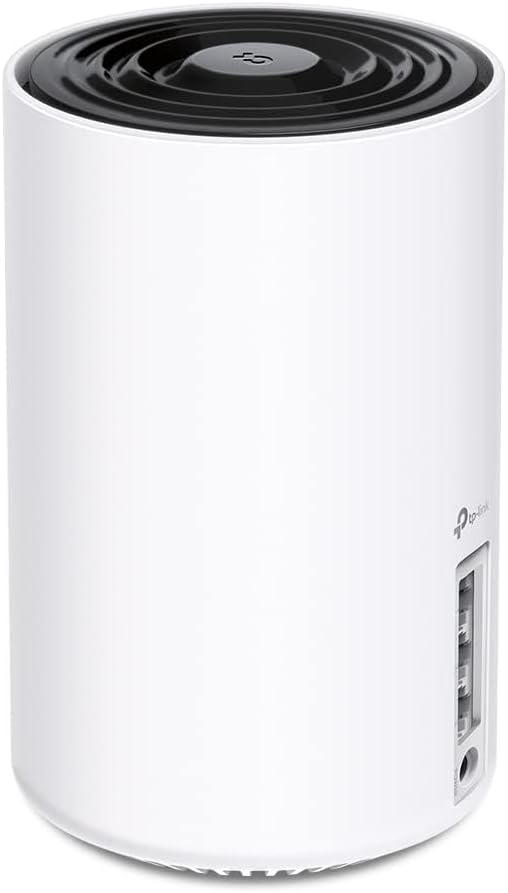
The TP-Link Deco XE75 AXE5400 is a cutting-edge WiFi 6E tri-band mesh system designed to replace traditional routers and extenders. Covering up to 2900 sq.ft, it delivers ultra-fast combined speeds of up to 5400 Mbps across 2.4 GHz, 5 GHz, and the new 6 GHz bands. Featuring AI-driven mesh technology, it ensures seamless, intelligent connectivity for over 200 devices. Easy to set up and manage via the Deco app, it supports all major ISPs and includes advanced security protocols, making it an ideal choice for tech-savvy professionals seeking reliable, future-ready home networking.


| ASIN | B0B3YZ5DQB |
| Antenna Location | Home |
| Antenna Type | Internal |
| Best Sellers Rank | #223 in Electronics ( See Top 100 in Electronics ) #4 in Whole Home & Mesh Wi-Fi Systems |
| Brand | TP-Link |
| Built-In Media | 1 x Deco XE75, 1 x Power adapter, 1 x Quick Installation Guide, 1 x RJ45 Ethernet cable |
| Color | Black, White |
| Compatible Devices | router |
| Connectivity Protocol | Wi-Fi |
| Connectivity Range | 2900 Square Feet |
| Connectivity Technology | Ethernet, Wi-Fi |
| Control Method | App |
| Controller Type | App Control |
| Coverage | broad |
| Customer Reviews | 4.4 4.4 out of 5 stars (7,340) |
| Data Transfer Rate | 5400 Megabits Per Second |
| Frequency | 6 GHz |
| Frequency Band Class | Tri-Band |
| Global Trade Identification Number | 00840030707124 |
| Is Modem Compatible | Yes |
| Item Dimensions L x W x H | 4.1"L x 4.1"W x 6.7"H |
| Item Type Name | Mesh WiFi |
| Item Weight | 0.53 Kilograms |
| LAN Port Bandwidth | 10/100/1000 Mbps |
| Manufacturer | TP-Link |
| Maximum Upstream Data Transfer Rate | 2402 Megabits Per Second |
| Mfr Part Number | Deco XE75(1-pack) |
| Model Name | Deco XE75(1-pack) |
| Model Number | Deco XE75(1-pack) |
| Number of Antennas | 4 |
| Number of Ports | 3 |
| Operating System | TP-Link Router OS |
| Other Special Features of the Product | WPS |
| Security Protocol | WPA, WPA2, WPA3 |
| Smart Home Compatibility | Smart Home Compatible |
| UPC | 840030707124 |
| Unit Count | 1.0 Count |
| Warranty Description | 2 year manufacturer |
| Wi-Fi Generation | Wi-Fi 6 |
| Wireless Compability | 802.11ac, 802.11ax, 802.11b, 802.11g, 802.11n |
L**R
Solid, easy to use and reliable.
I have been looking for a great quality router for about a year now. I have watched YouTube videos and visited different forums to find the perfect one for our 1350 ft.² single family home. I have read differnt reviews and this is one did not come up a lot. It was not till I was chatting with a friend that I heard about this item. After he explained how the 6e worked I was excited to get it in and try out. The router I had was from 2019 and in my eyes I thought it was working fine but once I connected the TP-Link to my modem and started doing some testing around my property I didn’t realize what I was missing and how my old router was not even giving me the speed I was being providing. Set up was so easy. Once you download the app all you have to do is follow the app instructions. It literally is that easy. And the second until was plug and play. I now am able to utilize the speed my service is providing me which is Spectrum throughout my house and beyond. Signal strength is amazing. For what you get price was very reasonable. The app and user interface is not complicated at all. Another nice feature is there is only one light and it is not that bright which is nice because you don’t want a super bright light while all other lights are off. I would highly recommend this router system and as of now will give it a 5 start. I will give an update down the road on how it is holding up. Device seems to be durable and solid.
T**R
Working great so far 👌
Needed to replace the old Deco M4 which I have been using since 2018. It worked great but its aging showed especially with more devices connected to it and the large lot size of my house. It's close to 7200 sq ft with a guest house in the backyard. With the Deco M4, the wifi signal would be decent reaching to the guest house but the signal quality would drop about half or more. And, I needed at least 4 mesh satellites to relay the wifi signal. The XE75 changed all that. With the wifi 6e technology, wifi signal is a lot better and no more traffic getting congested. The wifi signal in the guest house is getting about 70 to 80% of the full strength signal which is good considering how far away it is from the main mesh device acting as the router. Also, the tri band feature is a super addition. Having a device able to use the 6ghz band is so good. Not to mention the upgraded wifi security protocol from WPA2 to WPA3. A fore warning, some older devices may not be compatible with WPA3, so it'll refuse to connect to the wifi even if you set the XE75 to support both WPA2/WPA3. I had one such device, an old iPad. To resolve this, I had to create a separate guest network within the XE75 app and set it to use only WPA2. Setting up the XE75 was a breeze. Took less than 15mins. It is also future proof. I'm looking to cut the cord with Spectrum (expensive and only has old cable internet) and switch to fiber internet with At&t. Unfortunately, 1GIG is the fastest offered in my area at the moment but the XE75 is more than capable to handle it. I bought the XE75 with a great deal on Prime Day for like $180 for the 3-pack. If you ever needed to upgrade your home wifi mesh, I highly recommend the XE75 if you can get it on a deal. If faster ports are important to you, I suggest looking at the XE75 Pro.
L**I
Game Changer
EDIT: I did find out later that all of the internal settings for the pods are on the phone app, and yes, you can use 6g for clients to connect, but for my needs setting the second pod to being a dedicated backhaul got the best speeds. You will need to use an ethernet cable from the pod to your computer to get these speeds. Bottom line, problem solved! My problem was a video game called Diablo 4. The game requires a fast connection with minimal latency or it starts to lag. When I got D4, I noticed horrible lagging and asked to get my money back, but since I had played 2+hours they wouldn't refund me. Then I checked my network and discovered why I was lagging so bad. The fastest connection speed I could get was about 200mbs wireless which is not ideal for gaming. I tried upgrading to a traditional 6G router with a 6g wi-fi card, but the card would only work under windows 11, and when I upgraded to windows 11, it didn't work. The next thing I tried was to get another wi-fi adapter which did work, and I could finally see the 6G network and connect to it, but the speed was horribly slow, not even usable after that. I'm just too far from the router. I thought a lot about what might be going wrong and how I might fix it. After doing some research I found out that there were these things called mesh units which were all supposed to use 6G to connect to each other and cover the whole house with a strong 6G signal. I decided to give it a try. Well, the results were a bit mixed but I am plenty happy I got these. The mixed part is that you cannot make a 6G wireless connection directly to these mesh devices. You are still using the 5g/2.4g for the actual device connection. The 6G band is reserved for transmitting data from one pod to another, and it works better than I thought. Way better. I set up the second pod in my room and it still didn't resolve the speed issue, and then I discovered the real beauty of these pods: You can run an ethernet cable from any of the pods to your devices. I hooked up an ethernet cable to my pod and the other end to my computer and BINGO! My speeds went from the low 200s up to almost 900mbps and averaging around 600mbps. In other words the pods more than TRIPLED my speed on the same existing ISP network. The real trick here it to place your computer near enough to the pod to use the ethernet port on the back of the pod. I think they call it backloading and it works! Finally, I was a bit annoyed that you had to download and install an app and set up a cloud account to set up the pods, but the instructions were easy to follow and the whole setup was painless. Goodbye traditional router and goodbye wireless adapter! The only downside here is that you don't have any manual control over the internal working of the pods. There's no log in page or webpage to go to for management like a traditional router, but in my case, they whole thing worked right out of the box. All of the necessary settings are in the phone app, which brings up my last point: You WILL need a smart phone to set these up. There's no alternate option. Watching those line speeds triple was worth the price. I now have the fastest internet I can get in my home short of pulling out drywall and laying ethernet connections to every room.
F**D
أضفتها الى نظام ديكو وتعرف عليها بسرعه
A**F
So far so good. Helped a lot with Network Quality and speed
W**N
منتج ممتاز ليه الان اكثر من سنتين وشغال اهم شي تحه جنب الراوتر الفايبر من غير حواجز عشان مايقطع
F**B
excellent
A**I
ممتاز وقوه وسرعه
Trustpilot
1 month ago
4 days ago