Desertcart purchases this item on your behalf and handles shipping, customs, and support to KUWAIT.
🎹 Cut the cords, not the creativity — wireless MIDI that keeps you in the groove!
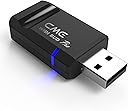
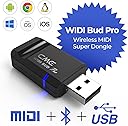
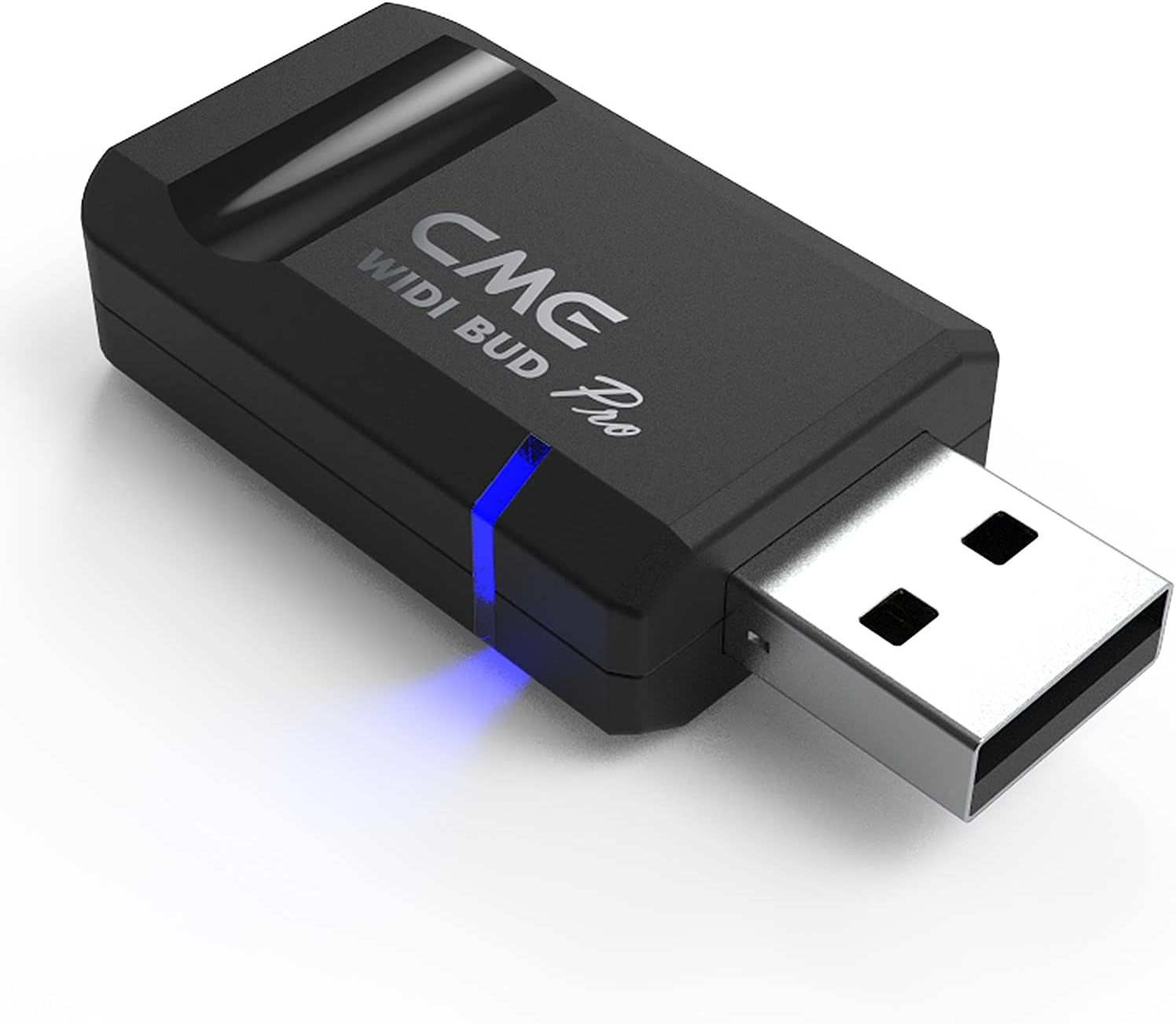
The CME WIDI Bud Pro is a premium Bluetooth MIDI interface that transforms your MIDI setup by eliminating cables and delivering ultra-low latency (3ms) wireless connectivity. Compatible with all major platforms including iOS, macOS, Windows, Android, Linux, and ChromeOS, it supports automatic and manual pairing, SysEx & MPE messages, and offers personalized performance tuning via the WIDI App. With a reliable 65 ft range and adaptive frequency hopping, it’s designed for professional musicians and producers seeking seamless, studio-grade wireless MIDI control.


| ASIN | B09GS3J3J5 |
| Best Sellers Rank | #1,513 in Musical Instruments ( See Top 100 in Musical Instruments ) #4 in Computer Recording MIDI Interfaces |
| Brand | CME |
| Brand Name | CME |
| Compatible Devices | Android via Bluetooth MIDI integrated apps, Pair automatically with other WIDI devices and standard BLE MIDI Controllers, Pair manually with iOS and macOS., USB-A BLE MIDI Dongle for iOS, macOS, Android, Windows, Linux, ChromeOS, Works with Windows 10/11 via Korg BLE MIDI Driver Compatible Devices Android via Bluetooth MIDI integrated apps, Pair automatically with other WIDI devices and standard BLE MIDI Controllers, Pair manually with iOS and macOS., USB-A BLE MIDI Dongle for iOS, macOS, Android, Windows, Linux, ChromeOS, Works with Windows 10/11 via Korg BLE MIDI Driver See more |
| Connectivity Technology | Premium Bluetooth MIDI, USB-A Client: macOS, iOS, Windows, Android, Linux, ChromeOS |
| Customer Reviews | 4.5 out of 5 stars 1,475 Reviews |
| Global Trade Identification Number | 08885011101289 |
| Item Type Name | Wireless MIDI over Bluetooth for USB MIDI |
| Item Weight | 0.4 Ounces |
| Manufacturer | CME |
| Manufacturer Part Number | S-WB00B11 |
| Maximum Sample Rate | 192 KHz |
| Model Number | WIDI Bud Pro |
| Number of Channels | 16 |
| Operating System | Compatible OS via Bluetooth - With iOS, macOS and Android via integrated BLE MIDI. With Windows 10/11 via Korg BLE MIDI drivers., Compatible OS via USB - macOS, iOS, Windows, Android, Linux, ChromeOS |
| Supported Software | Works with all Bluetooth MIDI software – For non-Bluetooth MIDI programs, simply add bridge apps such as midimttr (iOS), MIDI BLE Connect (Android), or the Korg BLE MIDI driver (Windows) to enable full compatibility. Supported Software Works with all Bluetooth MIDI software – For non-Bluetooth MIDI programs, simply add bridge apps such as midimttr (iOS), MIDI BLE Connect (Android), or the Korg BLE MIDI driver (Windows) to enable full compatibility. See more |
| Unit Count | 1.0 Count |
| Warranty Description | 1 year manufacturer. |
S**S
Works flawlessly with Roli Piano (Lumi Keys)
Windows 11's built in Bluetooth has weird quirks & limitations with Roli Piano (Lumi Keys) and most midi Bluetooth controllers. The Widi Bud Pro worked flawlessly after performing the USB and Bluetooth firmware update. I recommend being very close to the Widi Bud Pro when updating the firmware with your phone. Roli is now instantly recognized the second I turn it on. I can't notice any sort of lag whatsoever It's almost as if the unit is plugged in via USB when it's not. Simply amazing! I finally found the solution I'm so happy!
L**T
GREAT Product that made my life much better!
I use these to control program changes with my Kemper Rack using an Android phone and Band Helper app. I have MIDI commands associated with each song. When a song is selected in the set list, the correct patch and settings are setup automatically (and wirelessly) on my Kemper. I have them plugged into the back of an SKB roto molded 3 space case with my Kemper and the distance is great. I have been up to 50 feet away without any problem (that's as big a stage as I am likely to ever play on anyway :) ). These were easy to setup and get working. Worked great on my Android tablet. I do have to pair it every time through Band Helper (once a power up), but it has been rock solid (not drops, no misses). Well worth the money.
Z**.
A real life saver
I am using this with: Windows PC Android Tablet Meta Quest 3 and Quest 2 VR headset (PianoVision app) -I have a Kawai digital piano and did not want to run a USB cable around to my devices. However, I had trouble connecting my piano's Bluetooth to anything other than official Kawai apps. Windows requires 3rd party hacks for Bluetooth MIDI and they do NOT work well. -This device saves me the headache on everything. I had some troubles updating the firmware but eventually got it squared away. Once I had set the device up, it's SUPER easy. Just plug it into any device, the piano immediately connects with no noticeable latency, and it stays connected. It bypasses your devices bluetooth stack all together which is great, because many android apps don't support bluetooth midi. Please note - when I move my receiver 8 ft from my piano it starts to cut out notes. This is most likely a limitation on my piano's bluetooth transmission power, but something to keep in mind. I highly recommend this product. I would have given up on using my keyboard's bluetooth midi if i hadn't found this device.
R**5
Not compatible with certain Android tablets
This works as expected with the correct tablet, BUT I could not get it to work with an Android tablet. I have to use an iPad. I reached out to customer service and none of the things they told me to try worked with the Android. It connects to the device but MIDI program changes do not transmit.
K**N
Perfect Bluetooth MIDI fix for iPad 9th Gen & Donner DDP-80
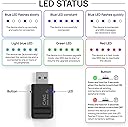
If you own a Donner DDP-80 and use an iPad (9th Generation) for lessons like Piano Marvel, this is the solution you need. We switched to this because the iPad 9th Gen only has one port; using this Bluetooth adapter allows us to connect the piano and charge the iPad at the same time. The Highlights: Zero Latency: I was worried about a delay between hitting a key and the iPad registering it, but the response is instant. There is no noticeable lag. Visual Feedback: A blue light on the WIDI flashes with every keystroke, confirming the signal is active. Cleaner Setup: It removes the bulky USB cable between the piano and tablet. Children broke a few of these... The Trade-offs: Price: A bit pricey for an adapter. Power: It requires its own separate power cable to stay active. Note: This is an honest review based on my personal experience; I am not affiliated with the company and this is not a paid advertisement. Quick Setup Guide: App First: Download the CME WIDI app. Pairing: Hold the small button on the side of the device to connect via Bluetooth. Firmware: Use the app to run the firmware updates. Important: There are two separate updates to complete! Launch Lessons (App): Open Piano Marvel. It detects the device automatically and works perfectly. It’s an investment, but it’s the best way to keep the iPad charged during long practice sessions on the DDP-80.
T**R
Incredible device. Incredible support.
I was trying to connect my Roland FR-4x accordion to a Roland BK-7m backing unit and a Roland FC-300 foot controller. The FR-4x has only one MIDI port that can be configured either as MIDI-in or MIDI-out. Fortunately, the FR-4x has a USB B port that can serve as both MIDI-in and MIDI-out. The CME WIDI Uhost is appropriate for the task. The power support for the WIDI Uhost can be taken from the USB A port (for memory stick) in the FR-4x. My first attempt did not work because the USB B to USB C cable with right angle connectors ( https://www.amazon.com/dp/B0C7ZQWPK9?ref=ppx_yo2ov_dt_b_fed_asin_title&th=1 ) did not work. I guess because it is not "OTG." I then ordered the right angle USB C to USB B adapter ( https://www.amazon.com/dp/B0G1J1F68Z?ref=ppx_yo2ov_dt_b_fed_asin_title&th=1 ) and 1 ft. USB C to USB C cable ( https://www.amazon.com/dp/B09Z6J21LY?ref=ppx_yo2ov_dt_b_fed_asin_title&th=1 ). Together, they work perfectly. During the time I tried to set this up, I contacted CME Tech Support and received incredible support from Zhao (CEO of CME). He offered extra help and was with me every step of the way until I found out the problem was the cable. All of my email messages got replied within hours. I currently have 8 units of CME Master and 1 unit of CME WIDI Uhost. They are all great. Thank you, CME.
C**R
Great hardware, when it works; The software developer needs to be cast into the pits of hell
If you are planning on using these 1 to 1, they're fantastic. You spark up two of them, they find each other, and it's like you hardwired them with a midi cable, with low latency and stability. But once you want to use 3+ devices, you're reliant upon the software implementation and it is god-awful. It is virtually impossible to create a group - remember what I said about 2 devices connecting automatically? Well, when you try to create a group, you need at least two devices. But as soon as you have them both running, they find each other and disconnect from the software. Start 3? Two will pair off and leave you stranded. Supposedly, you can have them auto-learn a group without using the software, but good luck with that. Because you have to have the settings juuuuuuuuuuuuust riiiiiiiight in order to complete a group pairing, and in order to change a setting, y uneed to use the app. And to do that, you have to: 1. turn off all Widi/bluetooth devices. 2. Make sure your phone has forgotten its pairing with any of them. 4. Start the app. 4-a. Turn on 1 (AND ONLY ONE! GODDAMMIT) Widi device at a time. 4-b. Pair it. 4-c. Change one setting. 4-d. disconnect it. 4-e. close the app 4-f. unpair the device under your bluetooth settings 4-g. Toggle your bluetooth; and 5. Repeat step 4a-g for any additional settings that you need to change, and then one last time to confirm that all changes have been accepted. So if you need to (A) Update your firmware, (B) change the name so that you can tell devices apart, (C) set the device role to "Force Peripheral" and (D) change it to "Group Auto Learn" for a 4 device group, that means you need to start and stop the app and your bluetooth settings, and repair each device TWENTY TIMES! It's maddening. If you get something wrong, you're in a loop, and you have to start from the beginning. Clearly, the hardware is fantastic, and that's why it gets 3 stars, because the software implementation is atrocious. It has to be the most torturous workflow experience I've ever experienced in software, and I grew up with DOS. What's even more mindboggling, is that he's rolling out software updates CONSTANTLY. Do these ever FIX anything? No, of course not. All they do is ensure that one of your devices is out of step at all times, so you have to update all of them so that they will interoperate. It's amazing that so much time is spent updating the firmware, without ever once making it even functional at its most basic level. It's almost as if the only purpose of the firmware updates are to remind you just how painful the firmware updates are. Like Zeus taunting Sisyphus with a bluetooth boulder.
A**D
Works well, no issues.
This thing works very well for me. I use it with my Helix pedal and I'm able to send MIDI commands to my phone/iPad for page turning or queueing backing tracks etc. It's powered by the MIDI ports so it's literally plug and play. Compatible with my devices without a lot of extra effort, but there is an app to help with connections as needed. Great value being able to convert MIDI devices into wireless devices.
S**N
Excellent product - but make sure you install them correctly
These Widi links are a marvel, allowing me to connect a stone-age but wonderful Yamaha keyboard to the latest and greatest computer equipment. I did however have an issue installing them - my iPad would not recognise them. There was excellent and immediate support from the manufacturer and from the Facebook user group so I was able to identify the problem quickly - good support is rare these days so I think the manufacturer should be praised for doing good support. The issue turned out to be a) firmware needed to be updated and b) all other bluetooth profiles must be deleted before installation ( in my case it was an Apple Pencil causing the problem). So you must delete all existing bluetooth connections, then install and run a firmware update on the WIDI, and then re-install the other bluetooth profiles on top. Everything now works and is of high quality. Recommended.
F**.
Plug and play et performances au rendez-vous
J’ai acheté le uhost pour palier aux performances minables du midi Bluetooth sur Mac. En effet Apple est au top mais en ce qui concerne le Bluetooth, ils ont décidé que les communications n’étaient pas prioritaires, donc pour des changements de programme, ça passe, mais si vous voulez utiliser un contrôleur continu (une pédale d’expression dans mon cas, branchée sur un pédalier midi Bluetooth) vous avez une latence qui rend le truc inutilisable. Maintenant sur mon MacBook, le Bluetooth est éteint et ce petit truc est branché en usb-c, pédalier midi et pédale d’expression reconnus de suite, nouveau périphérique midi dispo sur la Mac et 0 latence ressentie !
E**I
Çok hızlı
Hem hızlı bağlantı kurdum hem de gecikme yok denecek kadar az. Ipad pro 11 2021 sadece tek usb c portu var. Hub almaktansa kulaklık adaptörü aldım. Midi klavyemi de midi master ile bluetooth ile ipad e bağladım. Hiç zorlanmadım hemen çalıştı. Cubasis uygulaması hemen algıladı. Yani ihtiyacımı kablosuz giderdim.
T**R
Unkompliziertes Bluetooth MIDI
Funktioniert sehr gut. Einzig die Einrichtung am Computer kann ein wenig aufwendiger sein. Das liegt aber nicht am Gerät. Wer von MIDI Pins auf Bluetooth gehen will ist mit dem WIDI Master bestens aufgehoben.
M**H
Packed incomplete
Didn't received midi cable with it
Trustpilot
3 weeks ago
3 days ago