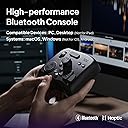
🎨 Elevate your creative game—control, customize, conquer.
The TOUR BOX Elite is a premium Bluetooth LE5.0 controller designed for professional video, photo, and color editing workflows. Featuring 11 buttons and 3 rotary knobs with over 100 customizable inputs, it supports seamless switching between two devices and is compatible with all major creative software on Mac and Windows. Its ergonomic, one-hand design with haptic feedback enhances precision and speed, while durable, skin-friendly materials ensure comfort and longevity for creators seeking to boost productivity by up to 40%.


| ASIN | B0B5XCMFQD |
| Best Sellers Rank | #63,608 in Computers ( See Top 100 in Computers ) #1,710 in Computer Keyboards |
| Brand | TOUR BOX |
| Brand Name | TOUR BOX |
| Color | Black |
| Colour | Black |
| Customer Reviews | 4.3 out of 5 stars 492 Reviews |
| Display Type | No Display |
| Display type | No Display |
| Included Components | USB Cable |
| Item Weight | 376 Grams |
| Item weight | 376 Grams |
| Manufacturer | TourBox Tech Inc. |
| Material | Plastic |
| Material Type | Plastic |
| Model | TourBox Elite AMTBECA |
| Number of Items | 1 |
| Operating Temperature | 15 Degrees Celsius |
| Part Number | TBECA |
| UPC | 850040209112 |
| Unit Count | 1 Count |
| Voltage | 3 Volts (DC) |
| Warranty Description | 1 Year Warranty |
C**A
Practicidad
Es un dispositivo super útil para el flujo de trabajo en videos. Estoy muy contento con el producto y vale la pena la inversión. Es un dispositivo pesado, se siente de buena calidad y los botones vienen con pre ajustes que te facilita todo.
A**R
Definitely worth it
I like this so much that this is my second unit
M**O
イラストにお勧め
まだ使ってから1ヶ月程ですがなかなか良いです。 主にイラストで使っています。各ボタンの押し心地が良くほとんどのボタンの形が違うので押し間違いが少ないです。 それと2つのダイヤルがありますがこのエリートタイプではカリカリカリッとした疑似的感覚を調整でき、この感覚がまた何とも言えない快感を与えてくれます。 これから毎日使って耐久性のほうも見てみたいと思います。
M**U
I love it!! Excellent user experience, highly customizable, amazing configuration companion app!
High-quality materials and construction, very heavy-weighted so it stays in place on the desk and feels solid. Haptic feedback is appreciated for feeling the dials' notches (and can be adjusted per button/dial mapping), but if you don't need that or Bluetooth connectivity, get the lower tier model. I love the concept of all buttons/dials having different shapes, positions and surfaces, it makes them all so much more unique and memorable. The TourBox Console companion app for configuring button/dial bindings is extremely well designed and easy to use. I love the fact that I can associate actions with pretty much any combination of buttons and dials, so I can get pretty creative on how I set it up for each application, and I don't feel like I can run out of mapping possibilities. That was a big criteria for me and they scored 100% there. I'm using it in Ableton Live (for audio editing and music composition), in Blender (especially for 3D sculpting) and in Affinity Photo (for hand drawing) as a complement to my Kamvas Pro pen tablet (which was bundled with Huion's Keydial Mini, but that just can't compare to the TourBox, given its even grid of similar buttons). The only downside is the price. It is slightly overpriced compared to other hardware of similar complexity (game controllers, keyboards, mice, etc), but I guess that being targeted to a rather narrow professional audience, it's probably something to expect. But even if it's rather expensive, I don't regret my purchase at all and would buy it again any time if I had to. Highly recommended to anyone involved with creative apps and workflows, with so many keyboard shortcuts to remember and trigger.
C**S
Knocked out of the park
I've been editing, doing motion gfx in both After Effects and Cinema 4D for 15-20 years now. I've bought a ridiculous amounts of gadgets to "speed up" my workflow. While all fun to toy with at first, I quickly realized how my muscle memory of keyboard and mouse greatly trumped the speed I thought that was giving me. (Looking at you Loupedeck, 3DConnexion Mouse etc). That was, until I got the Tourbox. While difficult at first to train my brain, I found that I very quickly acclimated to the button shortcuts. I can also quickly jump between Photoshop, After Effects, Premiere etc and the new presets instantly pop up for that respective program. I do wish they had an english preset "pack" for After Effects on Mac. So I had to create one from scratch. A bit annoying, but luckily only had to do once. Its extremely well built and feels solid. Every button has its own sound AND feel, so you get multiple levels of feedback to know what you're pressing without looking down. I thought the TourBox looked sort of silly at first - almost like one of those fidget gadgets, but realized after using it that having every button look AND feel different was purposeful. But I gotta say, it's quite satisfying to click the buttons. Downside is the unbelievable decision to use AA batteries. Beyond me why they don't use a rechargeable Li-ion battery. So I end up just keeping it plugged in and not even using the Bluetooth. I feel like I could very easily walk away at night, leaving it switched on, to come back the next day with the expensive batteries drained. I would still get the Elite version for the haptic feedback which you can really feel. Other thing I found odd - the TourBox console does NOT show up as an open program when switching programs on my mac. So if I wanted to quickly Cmd+Tab to the Tourbox console program as I was setting up the profile, it did not show up and I had to manually minimize windows to find the TourBox console. Strange and pretty annoying - Attached photo of what I meant. Everyone's different, but for me, it was WELL worth it. It's simple, easy to set up, and just works great.
Trustpilot
5 days ago
2 days ago