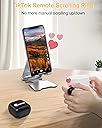
📱 Scroll, snap, and swipe smarter — never miss a moment or a trend!
The ADZERD Remote Control is a sleek Bluetooth 5.0 wearable ring designed for seamless remote control of TikTok, Kindle app, and camera functions on iOS and Android devices. With a 33-foot range, 14+ hours battery life (extendable to 86 with its charging case), and ergonomic design, it empowers multitasking millennials to effortlessly scroll, snap photos, and turn pages hands-free—perfect for gym sessions, content creation, and on-the-go productivity.


| ASIN | B0B6RBHJFY |
| Additional Features | Convenient Wearing, Kindle APP Remote, Rechargeable, Tik Tok remote |
| Battery Type | Lithium-Ion |
| Best Sellers Rank | #6 in Camera & Camcorder Remote Controls |
| Brand | ADZERD |
| Button Quantity | 3 |
| Color | Black |
| Compatible Devices | iOS / Android, iPad, iPhone, APP Tik Tok Spotify |
| Connectivity Technology | Bluetooth |
| Controller Type | Button Control |
| Customer Reviews | 4.0 out of 5 stars 6,802 Reviews |
| Manufacturer | ADZERD |
| Maximum Number of Supported Devices | 1 |
| Maximum Range | 33 Feet |
| Model Name | D01 Pro |
| Model Number | D01 Pro |
| Number of Batteries | 1 Lithium Ion batteries required. (included) |
| UPC | 770523739793 |
A**S
Perfect for the gym!
I have bought several of these in the past few years. I have given a few as gifts to my tik-tok loving friends but I also use it on the treadmill, stairclimber in the gym. I did unfortunately have to replace my first one because the ring portion broke. Easy to charge and connect to phone and can be used to scroll tiktok or browse websites. I have gotten the pink, purple and black variants. It feels light and easy to use on your finger. I definitely recommend it for people who like to scroll tikok on the treadmill.
K**R
Works as advertised and does it well. I’m pleasantly surprised!
I was a little hesitant when ordering this that it may not work as advertised, but I was pleasantly surprised by how well it works! After reading how to set it up and a quick change in my phones accessibility settings, it works great! It changes videos and volume. The battery seems to last all day. The buttons work well and there is no lag. It’s a bit small on my husbands finger (this was a purchase for him) but it’s not uncomfortable for him to wear for long periods of time. Compatible with the iPhone 15 (it advertises more compatibility but I have only tried with Apple iphone15)
T**A
It was fantastic... for an hour or so.
At first this was great; it worked just like it said in the description, was super easy to set up the assistive touch, and easily paired with my iPhone. (While it's way too big for my fingers, I just kept it on with another ring in front so it didn't slip off.) But then after an hour or two, the 'single click to scroll up/down' magically changed to 'right/left', (no, I didn't do anything different, it just was one second I would turn pages using a single click, the next second that single click did something else.) and it turned into: double clicking was how it would scroll up or down. Okay, fine, it's weird, I can deal with that. But then it continued to go back and forth, swapping between single and double click to scroll either up, down or right/left. Irritating, but still, I could deal with it. Then it would also randomly change *which* button went up, and which went down. Just one second, the top button would scroll up, and then the next time I pushed it, now it is the 'scroll down button'. So I'd have to flip the ring on my finger, and still, I'm fairly easy going, so I still thought 'That's fine, whatever, it still works, sorta...' But last night when I went to use it, it's completely borked. The 'down' key now shuts my phone off, the up closes the app. (TikTok or Kindle on iPhone). Long pressing starts my PHONE and calls random numbers in my contacts. (When it's 3am, that's not good, lol) Yes, of course I restarted my phone. Yes, of course I also un-paired, forgot the device, and re-paired it multiple times. Nothing worked. It was 100% charged, and no I did not drop it. So, for me, it worked for an hour or so before it glitched. The glitches at first were not horrible to work around, but now all I have a fancy remote to shut off my phone, and play the 'Call a random person for no reason at all' game. (Which, it should *never* be accessing the phone, IMO. Ever.) I'm seriously bummed, because this was one of those gadgets that you don't need, but make your life easier, especially if you read a lot of Kindle books like I do. Now, I will say that there are a few good reviews out there, so it would seem or I would imagine, this is not normal for this item, but it is my experience, so while I rarely write reviews, I thought this deserved one. Your mileage may vary. Update: I am in contact with the company that makes this product, and I will update this review with the final resolution in fairness.
J**V
Interesting; bought for reading, internet shopping, etc
This things works really interestingly; I’m not well versed with assistive touch function devices and this got me to learn a bit about it. It uses the “assistive touch cursor” which is basically a grey dot that mimics finger touch movements. Since it’s primarily to scroll, the dot swipes up and down like a finger, but it’s extremely important where on the screen the dot is, the same way it’s important where on the screen you swipe your finger. If the dot moves to a place where it can’t “touch” the part where scrolling needs to happen, it won’t scroll. You also can’t control where the dot starts when you turn on assistive touch. If I keep the button presses simple the dot stays put in the middle lower part of my screen so it works extremely well; some button presses will for some reason move the dot into the far left corner where it can’t scroll at all and I have to turn AT off and on again in my control center to reset the dot. The left and right swipe functions are only strong enough to flip through photos in an album or say Amazon review photos, but not enough to swipe to previous or later web pages on safari. I kept this ring instead of another ring I liked better because unfortunately with the other one, it kept uncontrollably moving the cursor “finger” dot to the corner of the screen, while this one at least for the most part keeps it center enough that the doll will reach everything I would need to scroll on, be it web pages, shopping apps, etc. the only solve to being able to choose where the cursor dot goes is to get a real assistive device like a mouse or trackpad or something. As far as I’m concerned, it does what it’s made for, the case is super small and compact, and I can use it while my phone is on a stand above eye level so I don’t crane my neck looking down at my phone but also don’t have to keep my arms up to scroll when reading, internet shopping, etc.
S**U
Works fine. Decent battery life
Once I figured out how to make it work, it works great for me. The instructions are not too clear. Took me a few minutes to figure it out. I use it for scrolling Instagram reels. Works great. Has a small rechargeable case . Battery life seems decent. Can use it for several hours before recharging.
D**.
Crazy long battery life
I bought this for my wife’s reading habit on the iPad, and she loves it. It was pretty simple to connect, and I don’t notice any lag. The buttons have a nice tactile feel as well. We’ve owned this for a year now and I mainly wanted to write this review to report that the ring has only had to be charged twice during that time, and she reads every night.
J**N
Ok, but not working for my need - sheet music page turning
The packaging is nice, the ring and charger seem like they're solidly made, and it paired easily. BUT, I was hoping this would work as a sheet music page turner, and for my setup, it does not. I am using a new Lenovo Idea Tab Pro running Android 15, and the popular MobileSheets for the music. Pushing the buttons either pulled up the pen writing option wheel (like if I put the pen near the screen), turned the screen off, or nothing. I tried it in both ring modes and single and double pressed. No combination turned any pages. The ring fit around the middle part of the trumpet bell if you rather not wear it, but for trumpet, putting it around you right index finger for use with your right thumb seemed like it would work best, even for rotary horns. This might work with ipad and forScore, but I don't know.
G**F
Works with Amazon Fire 8 tablet....
OK... so I just got this so not a lot of experience.... That said, I purchased this for use with a fire 8 tablet. Plugged the case in for a bit to charge it, paired it to blue tooth and viola!!! Works great for scrolling in instagram app. Will let you know how this pans out the next couple of weeks, but just happy that it work right off the rip with the amazon fire 8.
Trustpilot
2 months ago
2 months ago