Buy anything from 5,000+ international stores. One checkout price. No surprise fees. Join 2M+ shoppers on Desertcart.
Desertcart purchases this item on your behalf and handles shipping, customs, and support to KUWAIT.
🖨️ Print Smart, Save Big, Stay Connected!
The Epson EcoTank ET-2750 is a wireless all-in-one inkjet printer featuring cartridge-free printing with supersized refillable ink tanks that deliver up to 2 years of ink in the box. It supports high-resolution borderless printing, auto duplex to save paper, and versatile connectivity options including Wi-Fi Direct and Ethernet. Designed for cost efficiency and eco-conscious professionals, it combines printing, scanning, and copying in a sleek, compact form ideal for home or small office use.


| ASIN | B07Q1NYMDR |
| Additional Printer Functions | All In One |
| B&W Pages per Minute | 10.5 ppm |
| Best Sellers Rank | #122,557 in Office Products ( See Top 100 in Office Products ) #100 in Ink Tank Printers |
| Brand | Epson |
| Built-In Media | EcoTank ET-2760 all-in-one, manual, CD-ROM for product setup, power cord, 1 bottle of 502 Black (127 mL) and 1 bottle each of 502 Cyan, Magenta, Yellow (70 mL)(4) |
| Color | White |
| Color Pages per Minute | 5 ppm |
| Compatible Cartridge | Epson 502 series (502 Cyan, 502 Magenta, 502 Yellow, 502 Black) |
| Compatible Devices | Laptops, PC |
| Connectivity Technology | Wi-Fi |
| Control Method | Voice |
| Controller Type | Push Button |
| Customer Reviews | 4.3 out of 5 stars 6,367 Reviews |
| Display Type | LCD |
| Dual-sided printing | Yes |
| Duplex | Automatic |
| Global Trade Identification Number | 00010343949034 |
| Hardware Interface | Ethernet, USB |
| Initial Page Print Time | 5.71 seconds (black and white) |
| Ink Color | Cyan, Magenta, Yellow, Black |
| Is Electric | Yes |
| Item Dimensions D x W x H | 13.7"D x 14.8"W x 9.4"H |
| Item Type Name | Multifunction Printer |
| Item Weight | 13.2 Pounds |
| Manufacturer | Epson |
| Maximum Copy Resolution Black and White | 1200 dpi |
| Maximum Copy Speed Black and White | 10.5 ppm |
| Maximum Media Size | 8.5 x 14 inch |
| Maximum Print Resolution Black and White | 1440 x 720 dpi |
| Maximum Sheet Capacity | 50 |
| Maximum print Resolution Color | 1440 x 720 dpi |
| Model Name | EcoTank ET-2760-W |
| Model Number | ET-2760 White |
| Model Series | EcoTank |
| Number of Trays | 1 |
| Other Special Features of the Product | Display Screen, Double Sided Scanning, Voice-Activation |
| Output sheet capacity | 50 |
| Paper Size | 3.5" x 5", 4" x 6", 5" x 7", 8" x 10", 8.5" x 11", 8.5" x 14", A4, A6, half letter, legal, executive |
| Power Consumption | 13 Watts |
| Print media | Glossy photo paper |
| Printer Connectivity Type | Wi-Fi |
| Printer Output Type | Color |
| Printer Type | Inkjet |
| Printing Technology | Inkjet |
| Processor Count | 1 |
| Resolution | 1440 x 720 |
| Scanner Type | Photo |
| Series Number | 10 |
| Special Feature | Display Screen, Double Sided Scanning, Voice-Activation |
| Specific Uses For Product | Home, Office |
| Total Usb Ports | 1 |
| UPC | 010343949034 |
| Unit Count | 1.0 Count |
| Warranty Description | 2-year limited warranty in the U.S. and Canada, 2nd year requires product registration |
| Warranty Type | Limited Warranty |
| Wattage | 13 watts |
T**!
Save money printing! This little printer is AWESOME!!!
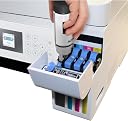
I’ve been a fan of Epson printers for many years, based on my ownership of an Epson Workforce 633 for over 8 years. I purchased refillable catridges and a chip resetter that kept my printing costs WAY down. I printed a BUNCH of stuff on that printer. The printer outlasted 3 kids through High School and College and printed forms for our photography business (Wedding contracts, order forms, etc.) and even custom DVD labels that looked VERY professional. So, when my Workforce 633 finally refused to print, I looked for another Epson as a replacement. Luckily, Epson now has a line of printers that you can refill with ink without purchasing 3rd party components. Welcome the Epson Ecotank series of printers! I looked at the Epson EcoTank ET-2720 and ET-2760 as possible options (I’m thrifty and my printing needs are NOT that elaborate). The latter was about $30 more, and I opted for that model. The main reason I selected the ET-2760 is that automatic double sided printing is supported. The printer arrived quickly, as most Amazon Prime shipments do. Unpacking involved removing a lot of tape that secures the printer in the box for shipment. Unboxing and setup are super quick and easy. The longest part of getting ready is filling the EcoTank with the supplied ink. The total time from start to printing out my first document from my computer was about 30 minutes. I was taking pictures during the unboxing and installation with my phone, so probably a bit slower than other reviewers. I followed the steps outlined in the “Start here” guide and you should too. Especially where it mentions “do not drink the ink”. Seriously, it’s there under setp 2’s warning section. So, I heeded their warning, although I was tempted to take a sip (No, not really). Notice that you don’t connect the printer or turn it on until after the ink tanks have been filled and the printer drivers and utilities are installed on your computer. A few more notes on setting up your printer if you utilize the wireless option. If your router has dual band capabilities – i.e it broadcasts in 2.4 GHz and 5 GHz - make sure you select the 2.4 GHz connection. And, if you’re running software that monitors and allows/disallows connections through your firewall (HIGHLY recommended), don’t forget to allow access for the setup to complete successfully. So, how does the printer perform? Very well if your expectations are in line. Setting up voice activated printing was easy, but a little tedious. Like most other devices that connect to Alexa – like our Wyze Cams and our Whirlpool microwave/oven combo – you have to enable the proper Alexa skill and perform a few more steps before use. Then, you have to setup your printer to an “Epson Connect” account. You’ve hopefully already completed this step when you setup your printer drivers and utilities. As mentioned above, this printer supports voice activated printing. What actually does that mean? Well, as HUGE fans of the Amazon Alexa devices, it does provide some interesting “neat” features, although I’m not sure how often we’ll actually use them. We have, at last count, 6 Alexa devices in the house, ranging from Echo Dots to the Echo Show (2nd gen). So, you can do things like “Alexa, ask Epson Printer to print my shopping list…” or “Alexa, Ask Epson Printer to print my calendar”. Of course, don’t forget to include “Ask Epson printer”, or you’ll confuse Alexa. But, this isn’t really necessary for me, as I use the Alexa shopping list and to do list on my phone and don’t need a printed copy in hand. The same goes for my my Google calendar or to do list. But, if we were printing a calendar for the family fridge, that might be a cool feature! The only negative thing I can point to about this printer is the paper capacity (But, after reading the reviews, I already KNEW that). It says 100 sheets, but that’s a stretch. I’ve found that anything more than say 35 pieces of white copy paper will not work without an issue. You’ve been warned. So, am I happy with the printer? After a few weeks of use, I can say that things are really going well. We’ve printed about 250-300 pages thus far. This includes several wedding contracts awaiting signatures, bridal fair wedding package handouts on high quality resume paper and professional looking DVD labels for the DVDs we’re handing out at the bridal fair later this month. All of the print looks AWESOME and the colors are true to what’s on my monitor. If anything changes, I’ll update the review and adjust the star rating if necessary.
G**C
1.5 months in and it's working great. I use it daily with very little change to the reservoir
I previously owned a printer that required cartridges. I decided I would purchase this printer months ago but was waiting for my old one to die. I print daily about 10-100 pages and so far everything is working great and I've only had 2 very simple paper jams that probably could have been avoided if I fanned the paper when I loaded it. Likes: Ink reservoirs and no cartridges! It is very easy to fill and there is no mess. The pages print nicely and it's slightly faster than my old printer at a good price point. Dislikes: It takes up quite a footprint on my desk. The paper loads vertically from the back, so it must be scooted out from the wall or wherever you put it to accommodate room for the paper. The tray pulls out in the front as well. This makes the footprint 2 feet long by about 15 inches wide. I have a small desk so it's taking up considerable real estate. This is frustrating because the whole thing is hollow underneath. I can't help but think it could have been shortened by having the paper feed from underneath. All in all, it's a good printer and I think the price is reasonable. These ink reservoir printers are more expensive than the type that require cartridges, however with my level of usage I will save money in the long run and have less waste from throwing away cartridges that still had ink remaining. I've used this for 1.5 months now and there has barely been a dip in the ink level. In fact, it's hard to see the level when the reservoirs are full because it just looks dark. I shined a flashlight on it and discovered they were dark because they were still totally full. I was happy about that because I would have replaced a cartridge by now.
C**N
High Quality and so Efficient with Ink!
I am absolutely in love with this printer. The scanner and copier is fantastic and high quality as well...but let's get back to the printer! First, it comes with enough ink to fill the tanks up completely. You actually get two bottles of the black and can probably fill that up 2.5 times. I don't know because despite having printed multiple reams of paper at this point, I've barely put a dent in the ink tanks. I find it funny because the printer often prompts me to monitor the ink levels (which you can see clearly on the front of printer) and yet they have never dropped below the first line. I print a lot of papers that I write (for proofreading) and articles/transcripts that I want to review manually (to enjoy reduced screen time). Don't worry, I recycle like a lunatic and probably won't print so much if this printer wasn't so great and if I didn't spend 16 hours per day on my computer lol. The bottom line is, it is well worth the investment because it is high quality, the ink lasts a long time and is easy to source, and you can cheat and refill the ink bottles with those refill kits (if you have the patience to do so). I had purchased a refill kit for my HP (which still works great but the supply chain issues make it impossible to get the ink which is why I decided to switch to this one...that and the commercials with Shaq printing stuff were downright hilarious and did get me to do a little more research on them). If you're looking to switch to a printer that makes life easier, I highly recommend this one in particular but this line of Epson's overall. Which one is ideal for you will be contingent on your printing, scanner, copier, and faxing needs (e.g., small business, a department, a home office with just you and occasionally colleagues like my usage). But get it.
M**.
Not Bad
I wanted to get this kind of printer because I run my business from home and I was going through regular cartridges for my Canon pixma printer about every couple of months or so and in the last year, ink prices for my printer were getting crazily out of hand, so I researched & researched this type of printer. I chose this printer for the price & reviews for the most part and I have to say, it was easy to set up. I was able to connect it wifi within a couple of minutes so that was easy. The biggest pain so far has been when using the draft feature. I like to use the Draft setting to help save on ink costs and with my canon pixma printer, I could use the draft setting even when printing photos, labels, etc and the quality was top notch but with this printer, use the draft setting only when printing regular typed pages; for images, be sure to use the standard quality setting. I have seen people ask if you can print labels with this printer and so far I've not had issues- again except for having to use the standard setting for ink quality in lieu of the draft setting. The ink bottles were easy to use and absolutely had no mess at all. The printer's screen could be a lot larger but it shouldn't be too hard for you to use if you have regular vision. I wear glasses and I only had to come closer to the screen a couple of times but for the most part, regular distance was just fine. The buttons were easy to use & quite responsive. All in all, as a beginner user of this particular printer, I gave it 1 less star simply for the draft printing quality not being what I need it to be for images; otherwise I'm liking this printer.
E**R
Great printing, easy to use, tiny screen
This is a great home printer. The ink is the best part of this system - no more ultra-expensive HP cartridges that you have to replace too often. Connecting with the Apple iOS Catalina/Big Sur was initially an issue, but the Epson setup instructions told you what to do and it was quickly resolved with an Apple update. The system connected quickly and efficiently with Apple (Mac, iPhone, iPad) for wireless scans, prints, and even fax (not that anyone still faxes). Print quality is superb. Only thing that is not too convenient is lack of a feeder for copies/scans. The screen is mounted way low and has TINY lettering -- you literally have to bend over to read anything, and it is hard to see. Make sure you read the whole online manual to figure out what all the buttons do; the control panel is not exactly intuitive. Bottom line is that HP charges a lot less for their printers, but in this case you DEFINITELY get what you pay for.
R**N
1st, and last, Epson printer I'll buy. Lost Quality FAST
Update: After having this about 2 years, it doesn't print at all. Some very, very light blue markings is all it produces on a page. Even though it seemed like a good deal because of the eco tank, it wasn't. "Eco" stands for ecological, because you don't have to buy bottles of ink or cartridges. It certainly doesn't stand for "economical." I've barely used it. Maybe printed 50 pages, if that. So, I probably paid about $6 for every page of text and images. And now it's useless, even though there's plenty of ink left in all the tanks. I've repeatedly run the head cleaning cycles, but it hasn't done anything to improve printing. It's gotten worse, if anything. This is the first Espon printer I've purchased, and it will be the last. I don't recommend it for durability or quality. Original Review: I really liked this printer when I first bought it. I don't print a whole lot, and I've probably printed less than 40 pages of material with this thing. It used to print sharp images, with great color. After a while the color just wasn't popping anymore. Now, the print quality stinks. There will be stray smears, uneven color, and when it comes to text, the visual quality varies line by line. One line will look okay, and the following line is blurry or incomplete. I thought this was a good printer, based on having ink tanks that are easy to refill. It was easy to set up and connect to WiFi. I haven't needed to refill any of the colors, but the overall print quality – even after running the print head cleaning cycle – has deteriorated, and I'm profoundly disappointed in the printer.
J**R
Giving a 3 year update I converted into a sublimation printer
I like to test my products first. In this case I waited quite a while. Actually surprised I can still review this product. First off I bought this printer in 2021. It is now the end of 2024. I still use this printer till this day. I love this printer. But I am now buying a new printer and giving this 2760 one to my daughter as a gift for Christmas. The only reason I am buying a new printer is because I want a larger printing space. The Epson 2760 largest printing space is 8.5x14. It has worked wonders for me over the past 3 years. I have went weeks even months without printing on this printer. I have had one clog. That was only in the color yellow. I bought a simple printer cleaning kit that resolved the issue in about 10min after leaning how to do it. But to be fair I was not feeling well with a slipped disc in my back that kind of put me to where I had to shut my small business for a while and get surgery. I did let my customers know and they were happy to come back once I was better. I am only a local seller in a small town. I want to say about 5-6 months I did not use it. I expected the printer to be completely clogged and taking hours to fix or not being able to fix at all, with all the converted printer stories I have heard about in the past. But like I said the only issue was one color. I still skip printing with it all the time for weeks with zero problems. I think the reason it has not clogged much is because if you keep it plugged in it will run some kind of cycle every day to help the printer not to clog. I hear it come on often when I am not using it. I am hoping my new printer gives me peice of mind just like my Epson 2760 does. It was my first experience with converting a printer into sublimation. What an experience it has been. Just know though if you use sublimation ink in this printer it will void your warranty. So do with what you want with that advice. I highly recommend this printer. It has been one of my best friends over the years. Very reliable when I need it.
D**X
Bought in 2019
Bought this printer in 2019, still running great! Have never had to change the ink since we use it only a few times a month! Best printer I have ever owned. It is not all great, it has its issues with connectivity and frequent printer head cleaning need. Still worth it though.
R**R
Love the long lasting ink - still issues with wifi that plague all printer makers
So far so good, relatively easy to set-up but a few snags including headaches with wifi connection. This is "old hat" in this industry and in 10 years I've never had a printer that set up on WIFI easily. Print quality is good for everyday use but a very matte look to photos, however I think it would be better with some glossy photo paper. Very easy to print from phone or tablet but beware, resize your images before sending or you'll get a full page image that may be a bit blurry. Update almost one year in - everything is going well, still have plenty of ink. Now, I am not a "rabid" printer but this printer has finally made it work. One pointer, if it has sit for a long time between prints you will need to do a nozzle clean and sometimes the "big" nozzle clean. This only happened after several months of it just sitting there. Scanning works well too! Updating to 5-star! Great long term supply of ink! Wifi fail on only supporting 2.4 wifi. Who wants to change their computers wifi settings every-time they want to print? Also, no cord if you end up having firewall, mcafee blocking issues that require engineering degree to sort out. For $300 ish dollars Epson could throw in a $4 cord? But all that aside it's still a good little printer, just pointing out some of my perceived pitfalls.
E**I
Great service and printer!
Came well packed! Nice seller as he checked on whether I have received the item! Great service. Easy to use and link up to my wi-fi.
C**Y
Epson is an excellent product!!
There is nothing I don't like about this printer. Best of all is the ink capacity. It's going to last a long time. My last printer had cartridges and cost over $100.00 to replace. The bottles of ink for this printer is only $30.00!! For the set of 4! MUCH more affordable. The print quality is excellent as well. I've not had any tech support, even when setting the printer up. It's pretty easy. But it's good to know that tech support is there if I need it. One more thing, I can print from my phone. How awesome is that!
K**R
Do not buy
I bought this to print my kids color homework sheets and for my personal use. The print was never perfect, lines were always missing. I did my research and understood that it was essential to print regularly...which wasn't a problem. Still, No matter what steps were taken, the image came out noticeably imperfect. But the last straw came when I was printing a picture of my karate students. The printer refrained the image 2ce. The print was nice, better than before. So I tried again to get it to print a 1 page picture... It started out perfectly aligned, then a ⅓ of the way through the orint, one color disappeared. I did a nozzle check and one color was missing, the others sketchy. I did a print head clean or whatever the touch old suggested, but now, all 3 colors are blocked. The tanks are full.... Not happy, not satisfied. When I called places for repair, they tell me nothing they can do 🤦♀️🤷♀️. Do not waste your money. Save yourself the frustration.
A**R
Do not expect high quality
Ok so a few things, this printer is AWESOME for lots of plain printing, basic crap, like a million office sheets for no ink at all. Do not expect it to be perfect or clear esp if you don't use often. You have to use it at least once a week to keep the heads clean or it clogs up and misses blocks on your printed sheets. Head cleaning does not fix this easily, it also does not connect to my wifi as my wifi is "too new" lol - like too good of wifi for the printer to get it.. that sucks, so I had to buy a cord and be corded to print off my mac. This does not do a good job of certificates or pictures at all or graphics. The colours are not deep or detailed. BUT it is the cheapest thing ever for printing everything else and I am very happy I have it, as I have not even put a dent in the ink and have been using for months now. I will need to buy a separate small printer for certificates & flyers, but still a big savings in my books. Overall happy for what it is though wasn't expecting it to loose its quality/printing lines so quickly in between prints which then makes you cycle the maintenance bars trying to fix forever...
Trustpilot
2 weeks ago
2 weeks ago