Buy anything from 5,000+ international stores. One checkout price. No surprise fees. Join 2M+ shoppers on Desertcart.
Desertcart purchases this item on your behalf and handles shipping, customs, and support to KUWAIT.
🎤 Command your stage with precision and style
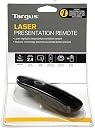
The Targus AMP13EU Wireless Laser Presentation Remote combines a sleek, ergonomic design with advanced 2.4 GHz wireless technology, offering up to 15 meters of freedom. Featuring patent-pending KeyLock technology to prevent accidental button presses and backlit buttons for low-light environments, it ensures professional, seamless presentations across PC and Mac platforms with true plug-and-play convenience.


| ASIN | B002Q90WPG |
| Battery Types | AAA |
| Best Sellers Rank | 34,926 in Stationery & Office Supplies ( See Top 100 in Stationery & Office Supplies ) 44 in Presentation Remotes |
| Brand | Targus |
| Brand Name | Targus |
| Button Quantity | 1 |
| Colour | Black/Grey |
| Compatible Devices | Personal Computer |
| Compatible devices | Personal Computer |
| Connectivity technology | Radio Frequency |
| Controller Type | Radio frequency control |
| Country of Origin | China |
| Customer Reviews | 4.3 out of 5 stars 539 Reviews |
| External Testing Certification | RoHS |
| Global Trade Identification Number | 05051794002775, 05052733554546 |
| Item Part Number | AMP13EU |
| Item Type Name | Targus Laptop Laser Presentation Remote, Black (AMP13EU) |
| Item Weight | 0.05 Pounds |
| Manufacturer | Targus |
| Manufacturer Part Number | 1514685 |
| Max number of supported devices | 1 |
| Maximum Number of Supported Devices | 1 |
| Maximum Range | 15 Metres |
| Model Name | AMP13EU |
| Model Number | AMP13EU |
| Network Connectivity Technology | Radio Frequency |
| Number of Batteries | 1 AAA batteries required. |
| Product Features | Wireless |
| Product Warranty | Limited 2-Year Warranty |
| Smart Home Compatibility | Not Smart Home Compatible |
| Special feature | Wireless |
| UPC | 092636246433 |
D**R
Saved our charity over £500.00 for a new projector, let us control the laptop instead
Our charity puts on talks in the local village halls through the winter, and also Saturday workshops in the spring. My wife did a photographic virtual tour of our valley for our charity one evening, and the digital projector started to play up, unless she stood almost in front of it, masking some of the screen, then it wouldn’t show the next slide. Besides upsetting her, the audience were disappointed as well. After months or searching and working with a specialist provider, we realised that what we needed was not available, either a radio controlled or a blue tooth controlled projector, no body makes one. So, back to the drawing board, and after much head scratching, we thought, how about if we controlled the laptop program instead. Back on the net to Amazon, and looking at what was available, decided to try this one. It arrived, well packaged, and with clear instructions for it’s use. So I connected the chip to our PC, loaded the display program, stood in the doorway and pressed the buttons. The slides changed forwards and backwards with no visible delay, and the pointer reached over thirty feet to the landing wall. So, the day came and we were ready to try it out in the church hall, only to find, we had been moved into the main church as the hall wasn’t big enough to hold all those that came. So, in a cavernous church, the opposite side of the Nave to the speakers, sat my laptop facing them so they could see what was shown on the screen to their right. 4 speakers with many slides in each presentation, from over fifty feet away, using the pointer (which did reach the top of the church walls ! ), this wonderful little solution worked just as we hoped, and the speakers all commented on how well it worked and how easy to use. If, like us, you need a way to control a slide show on a laptop or similar, can plug the gadget in a USB port, then this is the best thing since sliced bread. It does exactly what it says on the tin, stored the gadget inside the cover for safety when not in use, and doesn’t break the bank. As a charity, we strongly recommend this as an alternative to much more expensive solutions.
C**W
Works straight away as soon as it's plugged in, no driver set-up required
Brilliant device. Works straight away as soon as it's plugged in, no driver set-up required, so brilliant for transporting to events so you can use the controller you are familiar with. The blank screen is super effective and very very useful. It is possible to have the show set-up in advance and just blank the projector until the talk starts. No silly messing with PowerPoint loading screens visible to the punters. Out of interest, why don't lecturers make there presentations into a self running pps file? it's in the options and is far more professional. I love the coloured LEDS which indicate status, its green for everything and Red for show functionality, which stops mispressed buttons by nervous guest speakers using the device for the first time. The USB transmitter fits inside, even with batteries installed to make it truly portable. One thing it needs is little pouch to keep the dust off etc. I got burned by a dodgy Kensington device, which was erratic in use, often failing to function mid-conference -it cost twice as much too. Should you buy this? YES
P**D
Works great on Linux/OpenOffice
I'm giving my first conference presentation and my laptop runs on Linux (Ubuntu 9.10) and my presentation software is OpenOffice Impress (3.1) - neither of these are officially supported; so I took a bit of a risk buying this laser pointer. I can report that it worked first time with no effort - I just plugged in the USB receiver, opened the presentation and all the key functions just worked. Back, forward, screen on/off and exit presentation all work. The only button that doesn't is "start presentation"; but you can fix that by going to "Tools->Customise" in Impress and binding "Shift-F5" to "View -> Slide Show". As a product, it is nicely designed: the USB receiver fits in the battery compartment so you don't lose it; there's room for a spare battery in case you lose power too. It fits comfortably in the hand and has a grooved back to stop it slipping from your hand. Nice design, nice look and works well.
P**F
no spare battery
I've had one of these before and it worked very well - easy to use, worked every time and I'm used to it so, when I lost the last one (no idea, probably some conference centre's gained a presenter) I chose this one as opposed to all the others however, one of the features which really sold it to me has disappeared. My last one had a place for a spare battery and indeed, this is still advertised in the product details. This one doesn't. The inside moulding has changed and there's space for only 1 battery...so now I have to remember to take a spare with me - what a ridiculous modification - the product has got worse -very sad - there are probably better choices available now.
M**E
Disappointed with change of style - no longer has spare battery compartment
I have had this device before and only broke it by dropping it myself, so bought a replacement. The previous device was absolutely superb, however, the model has been changed and now the area for the spare battery has gone completely (even though the instructions I got still have it there). This is such a pain, as very often the battery goes during the presentation. Having a spare one constantly with the device made changing it very easy. This is no longer possible and I probably would not have bought it I had known. I do a lot of presenting and the battery doesn't last a very long time. Not happy with this change in the slightest and would not buy again
V**T
A great presenter
I do a lot of presentations to large groups using a projector and screen via a laptop. I wanted a wireless presenter so I didn't have to continually hop back and forth to the laptop to change the screens. I bought this on a recommendation and it works perfectly. This is one of those products that does exactly what you expect, efficiently and with no drama. It's easy to use, easy to install and quite simply just what I needed. You plug the stubby little wireless USB in your laptop or computer, the operating system automatically finds the little do-dah and off you go. Couldn't be easier! For what it does, it's extremely good value; I like the way you can fit the little wireless USB inside the case of the presenter so it can't get lost. Besides seamlessly moving the slides on, there's a red laser beam for highlighting. All in all, I can't imagine anything better and have already recommended it to loads of people. You won't be disappointed.
A**N
Sleek and Smart
I got this item for a great price, and after many years of using it I have never been happier. It is truly plug-and-play meaning you don't have to faff around with drivers and software. My favourite feature is the ability to "lock" the presentation remote, meaning no more embarrassing accidental slide changes. Another great feature is the ability to simply "blank" the presentation out, which is perfect for interactive whiteboards as you can draw over this blank slide which adds a whole new dimension to presenting slideshows. The USB dongle is stowed away in the battery department area which is removed by a simple push and slide mechanism. At this section also is the toggle switch to change between PC/Mac and other presentation software which uses different key bindings. Overall, the design of this remote is sleek and smart. It is a great budget option for anyone who wants to add a touch of professionalism to their presentations
C**S
Only just received it, but seems great!
It's very lightweight and does fit in your hand rather well. The buttons at the front of the remote are to start/stop your presentation (right) and to turn the screen blank (left). There is a keylock option which disables these two buttons and leaves the other buttons working. The remaining buttons are to progress or go backwards (left and right buttons towards the centre) and a laser pointer (central black button). When turned off, the laser pointer will not work. There are some small hitches too. When I plugged this into my mac, initially it wanted to install a keyboard. I cancelled that, and then it seemed to work ok with still a hitch or so. When I plug it in it wants to start iTunes for some reason. It also puts my laptop on mute (I'm on Snow Leopard with the cheapest of the range of macbooks). But that doesn't really prevent me from using it for my keynote presentations so all's good
S**O
Óptimo
La descripción es perfecta, sirve perfectamente para presentaciones en powerpoint como en pdf (probado en Mac y por ende supongo que también en PC), diseño atractivo y moderno y se adapta cómodamente a la mano. Aunque debe señalarse que a pesar de que en la descripción indica que tiene un espacio reservado para una pila de repuesto, en el modelo AMP13EU que he recibido no lo lleva, aunque no por ello deja de ser un buen mando para presentaciones (no es habitual que los aparatos a pilas lleven ese espacio y lo puedes guardar en cualquier funda. En cuanto a la relación calidad precio, es óptima, por ese precio es difícil conseguir mejores mandos. Muy recomendable. Como pega, podrían incluir una funda para conservar el mando, ya que la caja no es práctica, no obstante cualquier estuche puede ir bien...
M**R
Einfach ein Presenter mit Laserpointer
Wer einfach ein solides, schickes Gerät haben möchte sollte hier zugreifen. Preis-Leistung stimmt. Mir gefällt er und er macht was er soll, liegt angenehm in der Hand und selbst der Laser bringt eine wirklich gute Leistung - es ist alles gut durchdacht. Es ist sogar eine Batterie inklusive und neben der Batterie findet der USB-Empfänger ein eigenes Fach für sich. Das Batteriefach ist auch sicher verschlossen und hält einen super Schließmechanismus bereit. Es gibt sogar ein kleines Highlight: Wenn der Presenter eingeschaltet ist leuchtet der Mittelring in einem leichten grün - unnötig aber nett. Also, man kann den Presenter am Gerät selbst ein- und ausschalten. Top. Ps.: Bei meinem Gerät gibt es keine Bedienfehler, also keine Sprünge bei den Folien. Alles i.O. Mit dem Presenter werde ich hoffentlich lange zufrieden sein... Kann nur "Danke" sagen!!!
G**.
Oltre le mie aspettative
Il prodotto è ottimo, design eccellente, piccolo e leggero che ci sta in una tasca. Soprattutto è stato pensato per essere semplice e funzionale, pochi comandi essenziali, non sento il bisogno di aggiungere altro. La luce verde sul pulsante del puntatore laser, che diventa rossa quando il dispositivo è bloccato (parzialmente) dà un tocco suggestivo. Funziona alla perfezione sul macbook, senza necessità di installazione (a parte inserire la usb), e raccomando a tutti gli utenti mac di adottarne uno per scopi professionali di relazione, non delude e non deluderà. Alimentato con una ministro AAA. Puntatore laser rosso adeguato a presentazione keynote/powerpoint. Insomma, avrete capito che sono ben felice dell'acquisto. Un must have.
A**E
ne fonctionne pas
n'arrive pas à se connectrer au mac
N**S
Excellente télécommande de présentation
Produit commenté : Télécommande Targus (AMP13EU) USB - Pointeur Laser (couleur noir / gris). - Matière - Plastique rigide de bonne qualité avec un aspect antidérapant côté paume de la main et sur les côtés. - Matériel / logiciel utilisés - PC portable ASUS R752L sous Windows 10 / PowerPoint 2010. - Ergonomie / utilisation - Bonne prise en main, l’ensemble des touches sont bien à portée même avec une seule main. Légère et simple d’utilisation. - Fonctionnalités - Diapositive précédente, diapositive suivante, masquage du contenu de la diapositive en cours de lecture, quitter le diaporama, laser, on/off de la télécommande, blocage de toutes les fonctionnalités exceptées diapositive précédente / suivante pour éviter toutes mauvaises manipulations pendant une présentation. - Pratique à l’intérieur de la télécommande - - un espace de rangement pour le récepteur USB. Très bien pour ne pas le perdre. - un bouton switch pour passer du mode PC à MAC (PC / MAC KN / MAC PPT) - Le laser - Puissant et efficace pour au moins 10 mètres de distance lors de mon usage (information fabricant : 15 mètres). - Energie - Une pile AAA. Excellent produit fonctionnel et de bonne facture pour un prix très convenable variant pour le moment entre 25€ et 40€ en fonction de l'offre. 14/11/2019 (mise à jour commentaire) : télécommande qui fonctionne toujours parfaitement après 3 ans d'utilisation et sur différentes versions de MS Office (2010 à 2016).
Trustpilot
3 weeks ago
1 day ago