


🚀 Elevate Your Storage Game!
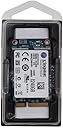
The Kingston SMS200S3/240G is a 240GB mSATA solid-state drive designed for system builders and tech enthusiasts. Its compact design offers a significant performance boost while being eight times smaller than traditional hard drives. With a three-year warranty, shock resistance, and low power consumption, this SSD is perfect for notebooks, tablets, and Ultrabooks, ensuring reliability and efficiency.
| ASIN | B00JT0DSQK |
| Best Sellers Rank | 148,110 in Computers & Accessories ( See Top 100 in Computers & Accessories ) 779 in Internal Solid State Drives |
| Brand Name | Kingston |
| Cache Memory Installed Size | 240 |
| Color | 240 GB |
| Compatible Devices | (N/A) SSD mSATA |
| Customer Package Type | Manufacturer's package |
| Customer Reviews | 4.3 4.3 out of 5 stars (724) |
| Digital Storage Capacity | 240 GB |
| Form Factor | mSATA |
| Global Trade Identification Number | 00740617227833, 05054484617785, 05054629449332 |
| Hard Disk Description | Solid State Drive |
| Hard Disk Form Factor | 2.5 Inches |
| Hard Disk Interface | Unknown |
| Hard-Drive Size | 240 GB |
| Hardware Connectivity | SATA 3.0 Gb/s |
| Hardware Platform | PC |
| Installation Type | Internal Hard Drive |
| Item Part Number | SMS200S3240G |
| Item Weight | 6.86 Grams |
| Manufacturer | KIngston |
| Manufacturer Part Number | SMS200S3/240G |
| Model Name | SSDNow ms200 |
| Model Number | SMS200S3/240G |
| Network Connectivity Technology | SATA |
| Number of Items | 1 |
| Product Features | Internal^Operating temperature range:0 - 70 °C^S.M.A.R.T support^Security algorithms:128-bit AES^Shock resistant^TRIM support |
| Product Warranty | 2 years |
| Read Speed | 540 Megabytes Per Second |
| Specific Uses For Product | Personal |
| UPC | 012304316671 011411214139 069734097861 740617227833 |
| Unit Count | 1.0 count |
J**Y
These are great storage, at compact size
Mounted to my Gigabyte motherboard, this is my 'C drive' running my operating system, leaves room for many addition programs (provided you don't want large programs such as Adobe Suite etc). Can be used with 'mSATA to SATA' as an SSD (Solid State Drive) or added to a 'PCI-E' card and mounted into a PC. These are great storage, at compact size.
S**T
Inexpensive route to OS bliss
Fits snugly into laptop mSATA slot on V3-772g laptop, did a clean install of Win10 to it, boots in a few seconds and does what you expect from an SSD. Haven't benchmarked, don't care, am at a usable desktop in moments and everything runs better for having OS on an SSD. Only niggle, is that it did not come with the fixing screws. Since 99% of mSATA applications will be in a laptop, this is extremely annoying, since many laptops will not already have an mSATA present from which to use the screws. Borrowed one from the HDD. Every old optical drive I used to buy back in the day always came with 4 mounting screws, even though buying a case always came with more than necessary and OEM machines rarely shipped without one so there were always those from the one you were replacing, yet still they shipped with mounting screws, just in case. In fact, I'm taking a star off for it, simply because I can't just buy 2 screws for it, I'd have to buy a packet, and 2 screws would cost nothing to include.
T**R
An old XPS rejuvenated
Bought it to replace the old SSD in my three-year old Dell XPS 13 L321. Very easy to install; I then did a clean installation of Win 10 on top of it, and it's like having a brand-new computer... the XPS goes from cold to fully running and logged in in 15 seconds. Very fast, very responsive. Lovely!
I**B
Failed after a year, perhaps unlucky
Worked for just over a year in an Intel NUC box but then started getting flaky with blue screens. Took me a while to figure out the problem but the temperature monitor on SMART was reporting over 90 degrees. With the case off and a desk fan pointing right at it it was 70 degrees. Still flaky so will be sending it for an RMA - will post further update once they respond. Bought another as a replacement, back down to 40 degrees under load now.
E**H
Great item
This product has been a very good addition to my PC. It has been just over three years since I bought this, and it is still going strong. Boot-times have remained fast, I have not experienced significant degredation in capacity (~220gb according to windows) despite the heavy use and being almost to capacity for a significant portion of time. I would advise buying a larger capacity drive if you use a lot of programs such as editing software or video-games.
V**.
super slow
Super slow Msata. Replaced a Mushkin msata, which is about twice as fast when starting Windows and running software.
A**R
As it says msata SSD
Arrived quickly in perfect condition. Worked as expected already had an SSD so couldn't improve on the speed much more but great to have a handy way to expand the storage without having to replace the drive that came with it. Haven't had it that long so don't know longevity so will only give four stars but hey that's not bad.
A**H
Good drive for keeping your operating system seperate
This small 30GB mSATA SSD is great for a small form factor device such as a media player, PC or small home server that doesn't require much room for an operating system. The main benefit is the faster access time over mechanical drives which reduces boot time and increases overall responsiveness. I purchased this to install VMware ESXi for a virtual lab server so that I could keep the operating system seperate and enjoy quicker boot times. If you have a spare mSATA slot in your computer this is a cost effective way of seperating your OS from your data allowing easier backup and data management.
D**Y
No issues with performance. I am not big on testing every little thing. Previous SSD from ocz nocti 120gb worked for 5 years before death let's see how this one will do. The only difference so far between those 2 is that Kingston is better on energy consumption. My laptop worked for 1 hour from battery on OCZ, 3 hours on HDD and now 1,5 hour on Kingston. But for me main thing is reliability. Kingston have a good reputation with it. Hope it will hold up.
B**5
Installazione semplice, risultato ottimo. Utilizzato come Drive 0, questo SSD funziona perfettamente sul mio vecchio e non proprio velocissimo desktop eMachines, che ne ha tratto notevole giovamento, x velocità e silenziosità
P**A
No os liaré con datos técnicos ya que prefiero explicaros brevemente mi historia de 1 año completo con este disco. Genial. Genial. Genial. No sólo desempeña un buen trabajo para el Intel Nuc sinó que además es rapidísimo, lo mejor para formato 4k. Nada que envidiar a un Samsung Evo y el precio es muy ajustado para ser un disco duro sólido. Mirar sólo que sea compatible con el mSata ya que si no no os vale. Sobretodo eso! Gracias por leerme! Saludos cordiales by Joy Clyde ;))
A**E
Habe mir diese kleine SSD als Ersatz für mein Acer Aspire S3-391 gekauft. Original war eine 20GB SSD eingebaut, die als Bootpartition in Verbindung mit einer normalen HDD vorgesehen war. Nach dem Einbau einer großen SSD war die kleine SSD nur noch als Datenspeicher genutzt. Mit der Zeit war es auch zu wenig und nach längerer Suche fand ich die identische Bauform für 32, 64, 128, 256 GB Speicherplatz. Zur Beachtung!!! Die SSD ist NICHT "vorformatiert", nach dem Einbau wird sie also nicht als Datenträger angezeigt. Keine Panik, alles wird gut :) - rechte Maustaste auf Icon "Arbeitsplatz" - auf "Verwalten" klicken - "Datenträgerverwaltung" aufrufen - neuen Datenträger einfügen und formatieren FERTIG
R**M
I used two of these in a RAID 1 array (aka "Mirror") on a Gigabyte H61MA-D3V and achieved the highest WinSAT/Windows Experience Index score possible in my Windows 7 Ultimate rig (see photo). The RAID is configured in the BIOS and the two SSDs are on the motherboard's two SATA 3 ports. The rest of the hardware contributing to the Windows Experience Index numbers are 16GB of Crucial Ballistix RAM and the Intel i5-3570K processor. This is my second purchase of Kingston SSDs. I have two others (60GB each) which I purchased a couple years ago, and they are still going strong in my media server (a re-purposed Dell Precision T3400). I have encountered others who have purchased SSDs who are astounded with the performance and sturdiness of these no-nonsense SSDs from Kingston. I use them in the StarTech 2.5 inch SATA to Mini SATA SSD Adapters (SAT2MSAT25), which are then used in Orico adapters, both of which make for sturdy, flexible, and attractive mounting options in spare 3.5" or 5.25" bays. If you are wondering about page/swap files and defragging, here are my thoughts. Regarding page/swap files, you should have one enabled so that slow or less important processes hogging up RAM can be swapped out to unused space on your hard drive - that's the general rule, and it is very effective. However, if you have TONS of RAM, then you can eliminate the page file altogether, though I would not do that for performance reasons. If you have less RAM, and you don't want to put a page file on your SSD, then you can put the page file on a regular hard drive - if you have a second one. This can be effective, especially if it is on a different controller, but I have never been a fan of having a page file which is not on the same physical disk as the OS. All that aside, here is what I do, and why: I put a very small page/swap file on my SSD so that IN THE RARE EVENT THE PAGE FILE IS NEEDED then it is using an extremely fast and available medium - the SSD - and for a very limited amount of time. Let me repeat that: those page/swap file writes, when coupled with tons of RAM, are VERY RARE but VERY FAST. So, that means that I will ultimately NEVER burn out my SSD because there really is no part of it being written to frequently enough to pose a risk, but when the page file on the SSD is used, it is blisteringly fast. I use a Custom Size, Initial Size = 2GB, Maximum Size = 2GB... this way, Windows never has to futz around with the size and stall other processes while it is growing or shrinking the page file. Think of it this way: if you are driving up hills in a car with a four-cylinder engine, and stopped to swap in a six-cylinder engine, only to later put in an eight-cylinder engine so your hill climbing can be done efficiently... well, that is what happens when Windows manages your page file. Setting the Initial and Maximum Size to the same value is like putting the right size engine in your car from the outset. Now, about defragging: I once forgot to turn off defragging in my OS, and it ran each week for about a year. I don't think defragging is the worrisome issue it was years ago. I normally turn it off, and will defrag my SSD manually once every few months after doing a Disk Cleanup. I have not had any issues and do not anticipate any with this light activity. Note Regarding WinSAT: the excellent data transfer rate is not as likely to obtain using software RAID in the OS, though I doubt it would be a performance hit one would notice all that much.
Trustpilot
2 weeks ago
3 weeks ago