Buy anything from 5,000+ international stores. One checkout price. No surprise fees. Join 2M+ shoppers on Desertcart.
Desertcart purchases this item on your behalf and handles shipping, customs, and support to KUWAIT.
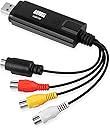
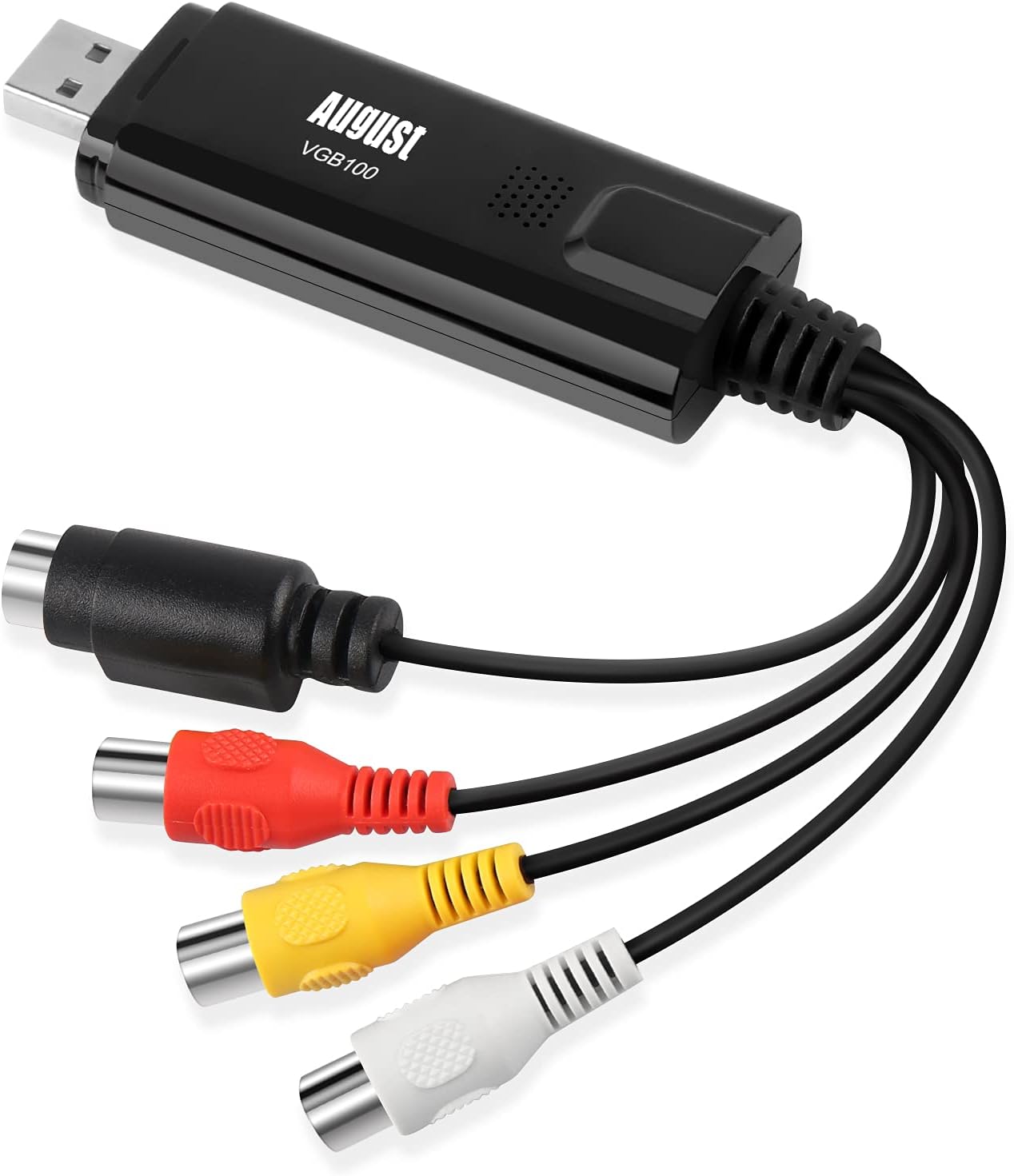
From the brand August Smarter Innovation Why Choose August? August International is a UK based company with leading research and development activities in consumer electronic products with the latest technology, advanced features and selling its products in worldwide markets. The Video Capture is one product our engineers have contributed much effort to research to ensure that the product has high performance and is easy to use. Why Choose August? August International is a UK based company with leading research and development activities in consumer electronic products with the latest technology, advanced features and selling its products in worldwide markets. The Video Capture is one product our engineers have contributed much effort to research to ensure that the product has high performance and is easy to use. August Video Graber Visit the store August Video Graber Visit the store August Tvs Tuner August Headphone Review: (Review includes troubleshooting for the device) A great, cheap bit of kit! I can record VHS onto PC/laptop in colour! - I bought this August VGB100 video capture cable from desertcart and it has done the trick! I can transfer the videos (from VHS tapes) that I wanted to my laptop. This works fine with Windows 8.1 on a 64 bit operating system. Installing the software was a piece of cake and plugging in the USB was too. The manual does not have enough info. in it. The programme that captures and stores the video is also really easy to use. I couldn't get any picture on the device at first (but I did get sound), then I did! The tricky bit is to get the USB device operating properly. This is what I had to do. SET UP/TROUBLESHOOTING: Put my VHS tape in a video player and set it running (when everything else is ready); Make sure the red, yellow & white phono connections on the USB stick are connected to the Output of the VCR/video player/video recorder (red to red, yellow to yellow and white to white); The settings you will need to select in the programme that is used to capture the video (the programme that came with the device) is - capture device, composite video (not S Video if you are using phonos), Analog Audio In (sound from the USB 2.0 device), regular volume (no other choice), and 4:3 (if you use 16:9 then everyone in the video will appear larger than they are); and Set the VHS going and if everything is OK then you will be able to hear sound from your USB and the video will appear OK. NO SOUND AND/OR NO PICTURE: If not OK then you need to do the following: Check the manual to see that the drivers for receiving and recording sound and video through USB 2.0 have been installed correctly (check your device manager) and that everything else is at it says in the manual; and If it is all set up as per the above and as per the manual then you should be OK. NO PICTURE BUT SOUND IS OK: You are getting sound but perhaps not the video itself/no picture. To get the picture you need to do the following: Keep the VHS running; Open up your device manager and check which video drivers you are using. If you are using the NVidia driver or the Intel driver then you should get a picture. If one of your selected drivers is the Windows video driver then you'll need to change it to one of the ones above to get a picture (I had to do this) - device manager - video drivers - right click the driver you want, select update driver, select search for drivers on this computer, choose select driver from the list and select one of the NVidia or Intel drivers (the latest version you have) and press to install. Once it installs you will get video on the device; Open up the additional options menu on the capture page of the capture video programme; Check that you are getting a number next to the found line and found signal entries (you should be); and If the picture is black and white with vertical lines running through it then choose another video standard. Even if the VHS is in PAL try another PAL version or try Secam. Secam worked for me even though the tape was PAL. You can get the software from here - http://www.augustint.com/en/downloadsoft-9.html - or here (later version) - http://arcsoft-showbiz.soft32.com/free-download/ . And that's it. Hope that helps. Happy video capture and transfer folks! Review: Only worked once and then gave up - I spent ages setting this up and to he honest, it was my fault for not connecting before installing software. I then managed to capture one short section of my vhs tape. However, I then tried the next tape and there was no preview at all. I tried everything from turning off, disconnecting, rebooting etc to no avail. It did capture in the background but the quality was absolute rubbish. I then used a trial version of Golden Videos, which, using this capture card worked well but the trial only records 5 mins. After that, you have to buy just the software for $39 dollars which I was not prepared to spend on top of this product. It proved that the physical capture device worked but the software was not capable plus it will only capture as wmv and I wanted .mp4. It might just not be compatible with Windows 10 but no good to me so sent back.


| ASIN | B008F0SARC |
| Best Sellers Rank | 16,963 in Computers & Accessories ( See Top 100 in Computers & Accessories ) 31 in External TV Tuners & Video Capture Cards |
| Box Contents | 1 x August USB 2. |
| Brand Name | August |
| Colour | black |
| Compatible Devices | PC |
| Connector Type | RCA, SCART |
| Country of Origin | China |
| Customer Reviews | 3.8 3.8 out of 5 stars (9,038) |
| Global Trade Identification Number | 05053047000927 |
| Input Voltage | 5 Volts |
| Item Dimensions | 8.5 x 2.6 x 1.4 centimetres |
| Item Weight | 40 Grams |
| Manufacturer | August |
| Manufacturer Part Number | FBA_VGB100 |
| Model Number | FBA_VGB100 |
| Nominal Power | 10 Watts |
| Number of Items | 1 |
| Number of Ports | 1 |
| Package Quantity | 1 |
| Power Plug Type | No Plug |
| Product Finish Type | Matte |
| Smart Home Compatibility | Not Smart Home Compatible |
| Specific Uses For Product | VHS Tapes, Camcorders, Video Recorders, Retro Game Consoles |
| Unit Count | 1.0 count |
| Warranty Type | Limited |
M**.
(Review includes troubleshooting for the device) A great, cheap bit of kit! I can record VHS onto PC/laptop in colour!
I bought this August VGB100 video capture cable from Amazon and it has done the trick! I can transfer the videos (from VHS tapes) that I wanted to my laptop. This works fine with Windows 8.1 on a 64 bit operating system. Installing the software was a piece of cake and plugging in the USB was too. The manual does not have enough info. in it. The programme that captures and stores the video is also really easy to use. I couldn't get any picture on the device at first (but I did get sound), then I did! The tricky bit is to get the USB device operating properly. This is what I had to do. SET UP/TROUBLESHOOTING: Put my VHS tape in a video player and set it running (when everything else is ready); Make sure the red, yellow & white phono connections on the USB stick are connected to the Output of the VCR/video player/video recorder (red to red, yellow to yellow and white to white); The settings you will need to select in the programme that is used to capture the video (the programme that came with the device) is - capture device, composite video (not S Video if you are using phonos), Analog Audio In (sound from the USB 2.0 device), regular volume (no other choice), and 4:3 (if you use 16:9 then everyone in the video will appear larger than they are); and Set the VHS going and if everything is OK then you will be able to hear sound from your USB and the video will appear OK. NO SOUND AND/OR NO PICTURE: If not OK then you need to do the following: Check the manual to see that the drivers for receiving and recording sound and video through USB 2.0 have been installed correctly (check your device manager) and that everything else is at it says in the manual; and If it is all set up as per the above and as per the manual then you should be OK. NO PICTURE BUT SOUND IS OK: You are getting sound but perhaps not the video itself/no picture. To get the picture you need to do the following: Keep the VHS running; Open up your device manager and check which video drivers you are using. If you are using the NVidia driver or the Intel driver then you should get a picture. If one of your selected drivers is the Windows video driver then you'll need to change it to one of the ones above to get a picture (I had to do this) - device manager - video drivers - right click the driver you want, select update driver, select search for drivers on this computer, choose select driver from the list and select one of the NVidia or Intel drivers (the latest version you have) and press to install. Once it installs you will get video on the device; Open up the additional options menu on the capture page of the capture video programme; Check that you are getting a number next to the found line and found signal entries (you should be); and If the picture is black and white with vertical lines running through it then choose another video standard. Even if the VHS is in PAL try another PAL version or try Secam. Secam worked for me even though the tape was PAL. You can get the software from here - http://www.augustint.com/en/downloadsoft-9.html - or here (later version) - http://arcsoft-showbiz.soft32.com/free-download/ . And that's it. Hope that helps. Happy video capture and transfer folks!
A**R
Only worked once and then gave up
I spent ages setting this up and to he honest, it was my fault for not connecting before installing software. I then managed to capture one short section of my vhs tape. However, I then tried the next tape and there was no preview at all. I tried everything from turning off, disconnecting, rebooting etc to no avail. It did capture in the background but the quality was absolute rubbish. I then used a trial version of Golden Videos, which, using this capture card worked well but the trial only records 5 mins. After that, you have to buy just the software for $39 dollars which I was not prepared to spend on top of this product. It proved that the physical capture device worked but the software was not capable plus it will only capture as wmv and I wanted .mp4. It might just not be compatible with Windows 10 but no good to me so sent back.
R**.
Cheap and simple way to digitise your old videos
Quick and easy way to convert your old analogue VHS and Hi-8 tapes onto your laptop. You'll need to buy the right leads to connect this device to your video machine - usually a Scart-phono plugs lead will do the trick (but use the S-video connection for Hi-8). Works perfectly on my Windows 8.1 64-bit PC. I marked it down a star because it doesn't appear as a standard video source in Windows - you have to install the (supplied) ArcSoft software - don't lose the licence key ID. You can download this if your laptop doesn't have a CD drive. But it seems a bit old-school fiddling about with licence keys, and the ArcSoft software manages to be too complicated for a complete novice, yet too limited for an advanced user - for example there's no way to change the capture bitrate (which is a very high 7 megabits per sec, so creates some file sizes far too big for grainy old VHS) or audio tracks/levels. But perhaps at this low price you can't complain too much.
S**H
Cheap solution that does the job using the suppied drivers and software. No fiddling about required!
I took a gamble on this after reading mixed reviews however all is well and I'm glad I did. Reading the other reviews I think it is key that your PC / Laptop has sufficient performance in terms of processor, graphics card (or on board GPU) and memory and of course disk space. My Windows 7 Media PC was fine in this respect but an older, underpowered PC is going to stuggle a lot. Don't take the manufacturer's minimum specs literally, you need more power than that! Worked fine with the drivers supplied on the mini CDROM using the simple instructions provided to install the drivers and ArcSoft Video editing and DVD creation software. I am using this to transfer old Video 8 tape footage to DVD and it does this job for me just fine. Resulting Video quality is good enough. Comparible to playing the Video 8 tapes from the camcorder straight to the TV, very little quality lost (again I think this depends on how good your PC is). The ArcSoft software itself, I have used before. It is a bit clumsy and not intuative and I had to re-teach myself how to edit the caputred videos and create DVD "projects" that can then be burnt to DVD. I don't think this software would be good for complex editing and DVD creation however if you simply want to stransfer old footage to DVD with minimal editing and simple menus then this ArcSoft software is fine. If you want to do more complex editing and DVD creation then you can still use this solution to capture the footage as MPEG and then use different software to edit and create the DVDs. My only gripe is the DVD burning time looks to be "real time", i.e. 45 mins of footage takes 45 mins to burn to DVD. Zzzzzzzz! All in all I am happy with this and it has saved some old footage as old Video 8 tapes do degrade and I actually had to fix some that snapped during capturing! Great little gizmo!
D**R
Geweldig om oude banden terug te zien en natuurlijk te digitaliseren.
S**L
Bad bad bad product not working in any ways
J**S
Der Markt für Video Capture Adapter gibt Einiges her - da sich die Geräte scheinbar alle ähneln, ist man als Kunde leicht verwirrt, für welches man sich denn nun entscheiden soll. In technischer Hinsicht unterscheiden sich die angebotenen Adpater alle nicht sonderlich - es sind im wesentlichen dieselben elektronischen Komponenten verbaut. Ich habe zum Vergleich ein deutlich teureres Set von Magix herangezogen - der dort enthaltene USB-Adapter war nahezu identisch mit dem vorliegenden hier, nur viermal so teuer! Der August VGB100 Adapter hat bei mir auf Anhieb sehr gut funktioniert: Aufgabe war es, einige VHS-Videos von "Ausflügen" mit der Bundeswehr zu sichern bzw. letztendlich auf eine DVD zu bringen. Den Adapter habe ich an einem ca. 6 Jahre SONY Vaio Notebook per USB 2.0 unter Windows 7 angeschlossen. Von der Herstellerseite habe ich mit die aktuelle Software heruntergeladen und installiert. Den Adapter habe ich mit einem Thomson Videorecorder verbunden: Composite Video (gelber Cinch-Stecker) und Audio (weißer und roter Cinch-Stecker). Über das Vorschaufenster in der mitgelieferten Software läßt sich das Videobild abrufen, hier kann man auch ganz einfach die Aufzeichnung starten. In der Regel braucht man auch eine besonderen Einstellungen in der Software vornehmen - bereits mit den voreingestellten Standardwerten lassen sich gute Ergebnisse erzielen. Die aufgezeichneten Videodateien lassen sich anschließend recht bequem bearbeiten, z.B. Anfang und Ende zurechtschneiden. Auch der Weg zur DVD ist einfach und weitgehend selbsterklärend, nur die Gestaltungsmöglichkeiten etwa beim DVD-Menü sind überschaubar - aber es ist alles dabei, was man braucht. Die von mir erstellten DVDs ließen sich bisher auf jedem Player problemlos abspielen! Fazit: Ein sehr guter Video Adapter zum Sichern alter DV- oder VHS-Kassetten auf dem PC. Mit der mitgelieferten Software lassen sich die überspielten Dateien leicht auf eine DVD oder in andere gängige Videoformate bringen und somit für die Zukunft sichern. Für wenig Geld bekommt man hier alles, was man braucht, um alte VHS- oder DV-Archive zu retten.
S**B
Fournie avec mini-CD, adaptateur Péritel/RCA, câble RCA. En ce qui concerne le mini-CD censé fournir drivers et logiciel d'acquisition : d'une part, il ne fonctionne pas dans tous les lecteurs que j'ai pu tester, et d'autre part, il vient avec un logiciel que je ne souhaite pas utiliser, qui installe probablement tout un tas de cochonneries en même temps (et en plus : il oblige à installer drivers et soft en même temps). Clé installée pour commencer sur une vieille machine sous Windows XP exhumée d'un placard (car je ne voulais pas polluer une machine de travail) : j'ai téléchargé les drivers sur Internet (faire une recherche pour "driver vgb100", et on accède au site d'August qui permet de télécharger les drivers seuls pour Win XP, 7, 8 et 10), installation sans problème après branchement de la clé (il faut tout de même savoir installer manuellement un driver sous Windows, depuis le gestionnaire de périphérique). Après cela, j'ai testé quelques logiciels gratuits d'acquisition vidéo, mais ma machine sous XP était trop lente pour encaisser les débits vidéo. Je me suis donc résolu à installer la clé sur une machine récente sous Windows 10 : après branchement, Windows n'est pas capable d'installer les bons drivers tout seul. Donc, là encore, j'ai utilisé les drivers téléchargés pour une installation "manuelle". Après cela, aucun problème : clé reconnue et fonctionnelle. J'utilise finalement le module d'acquisition intégrée à VLC, cela fonctionne très bien (menu "Media" puis "Capture Device" ; bien choisir "SECAM_L" comme format). Au final, la qualité de mes vidéos reste assez moyenne (surtout pour le son), mais : 1. Cela est probablement plus dû à la qualité des vieilles cassettes VHS + magnétoscope lui aussi vieillot. 2. Cela reste tout à fait potable, et appréciable de récupérer des vidéos qui ne s'abîmeront plus avec le temps.
A**V
I have tried a few of these VHS converters from other brands in the past with not much success. But i can finally say that this product does work, and works great for converting VHS videos to PC format! So here are a few tips to make this work perfectly. I repurposed an old Windows 7 PC without any network connection for this task as i did not try this on a Windows 10 PC. I have found that many of these VHS converters have driver and performance issues in Windows 10. That being said, i booted up my Windows 7 machine, plugged the device into the USB port, Windows tried to load the drivers in which it failed (and its supposed too) then i put the included driver/software disk in, loaded the software and the drivers from the disk and everything started working as it should! I rebooted and started copying my first video to the PC with no issue at all. NOTE : you have to have the device already plugged into the PC before trying to install the drivers and software off the disk! This is KEY! If you are running Windows 10, from what i understand you should not use the included disk, you will have to go to the manufactures website to down load the driver software in which i have not tested. If you are trying this to capture HD content over the component out of your device the results are not very good. Do not use this device for HD content, you will need an HDMI capture card for best results. But for plain old VHS/Older Camcorders this device works perfectly!!
Trustpilot
2 days ago
2 weeks ago