![USB 3.0 to SATA I/II/III Dual Bay External Hard Drive Docking Station for 2.5 or 3.5in HDD, SSD with Hard Drive Duplicator/Cloner Function [20+TB Support] (EC-HD2B)](https://m.media-amazon.com/images/I/7150qSDkkzL._AC_SL3840_.jpg)


Buy anything from 5,000+ international stores. One checkout price. No surprise fees. Join 2M+ shoppers on Desertcart.
Desertcart purchases this item on your behalf and handles shipping, customs, and support to KUWAIT.
🚀 Double your storage, halve your wait—dock smarter, not harder!
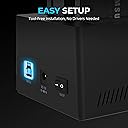
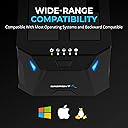
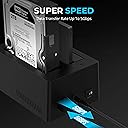
The SABRENT USB 3.0 to SATA Dual Bay Docking Station is a sleek, plug-and-play device designed for professionals needing fast, reliable access to 2.5" and 3.5" SATA HDDs or SSDs. Supporting up to 20+TB total storage and transfer speeds up to 5Gbps, it also features an offline hard drive duplicator/cloner function that operates at 60Mbps without a PC. Lightweight yet powerful, it’s perfect for seamless data management, backups, and drive upgrades across Windows, Linux, and Mac environments.


| ASIN | B0759567JT |
| Best Sellers Rank | #2 in Hard Drive Docking Stations |
| Brand | SABRENT |
| Built-In Media | Docking station, Power Supply, USB 3.0 cable, User Manual |
| Color | Black |
| Compatible Devices | Most USB Compatible Devices |
| Connectivity Technology | USB |
| Customer Reviews | 4.5 out of 5 stars 12,832 Reviews |
| Data Transfer Rate | 5000 Megabytes Per Second |
| Global Trade Identification Number | 00819921013699 |
| Hard Disk Form Factor | 2.5 Centimeters |
| Hardware Interface | USB 3.0 |
| Hardware Platform | Linux |
| Item Dimensions L x W x H | 6.26"L x 3.94"W x 2.72"H |
| Item Type Name | hardware-docking-stations |
| Item Weight | 1.19 Pounds |
| Manufacturer | SABRENT |
| Memory Storage Capacity | 44 TB |
| Mfr Part Number | EC-HD2B |
| Model Number | EC-HD2B |
| Product Dimensions | 6.26"L x 3.94"W x 2.72"H |
| Supported Devices Quantity | 2 |
| UPC | 819921013699 |
| Unit Count | 1.0 Count |
| Warranty Description | 1-year warranty without registration Register your product to extend your warranty coverage to 2 years |
T**B
Recommended. Pretty impressive little tool.
VERY Impressed..... This cloned my 1T Linux Mint fully encrypted HDD to a 2T fully encrypted Linux Mint SSD drive offline :D It showed visual status of cloning progress too. It's important that you don't disconnect in the middle of cloning because that will very likely cause a mess! No matter what OS you are cloning, I would recommend this SABRENT USB 3.0 to SATA I/II/III Dual Bay External Hard Drive Docking Station for 2.5" disks (I didn't try it on 3.5" but it looks like it would fit). For me, the functionality was spot on. It's plastic, so lightweight, but did it's job. It's a device that is meant to sit on a flat surface and not something that moves around so sturdiness was not a concern. The disks plugged in correctly, and connected well. Background: I wasted SO much time trying to do this clone with cloning software! By doing this offline with this little machine I didn't have to deal with all the conflicts & issues or dealing with cloning software that made a mess of everything. Windows OS wants to control everything, so it's better to take any Windows OS drive out, clone the Linux drive, install the newly cloned Linux drive and then add back the Windows OS if you want them to live in the same computer. Be patient - My Linux Mint OS install HDD was less than a month old so the disk was not at all full (I was testing out the OS on my older HDD first to see if I liked the version first). The entire cloning process took a little over 13 hours to clone the 1T HD to a larger 2T SSD, but like I said, everything was encrypted and the SSD was wiped a few times prior to this trying the annoying cloning software that didn't work. I have worked on UNIX/Linux operating systems all my career - however I would never have thought to switch to Linux OS on my laptop if it weren't for Microsoft ending support of Windows10. I can't stand Windows 11 with everything in my face and no privacy. I'm now looking forward to using this on other OS disks (Windows and Linux) and as a docking station. It's definitely worth the price :)
J**C
Fantastic. Works great. Perfect for adding storage to Macs.
Works great! Compact, lightweight. Fits conveniently on a shelf of my desk and runs well. I got this when I switched from Windows to a Mac mini, and I wanted to keep using the internal SATA drives I had on my Windows. I did need to copy and reformat from NTFS to APFS, but this was very easy to do and pretty quick (I had 50,000+ files and they copied over in about 20 minutes). I used my computer for copying as I didn't have a completely blank drive to clone, but this device does allow cloning through the hardware (no computer required) if needed. I don't feel any heat coming from it at all. Perfect for adding storage to Macs, which notoriously come with practically no storage space.
M**N
nice choice to tack on some additional external storage.
I received some freebee SSD drives 2.5" I wanted a way to use them externally, this device works great. plug and play. I wanted to use it with my FreeNas system, which is super simple, I just samba into the drives download or view the contents. 6 free drives, about 40 bucks later and Ive got a nice addition to my NAS. (network area storage) added about 700 gig between two SSD's I did a quick format to clear the clutter left behind on the Drives. This unit does exactly what I wanted.
R**N
Amazing, could be a LITTLE better though
Works completely as expected, great with my 2.5” bays, The only downside is that you need a separate outlet to power the hub, but that’s technological limits. I would really hope that in the future they make a thunderbolt 4 one so you can just use one single port rather than a port and outlet.
S**T
It does great when cloning a drive. The price including the drive is a steal!
I bought this because, I got a good deal on a little older laptop that has a 1TB 5400 RPM hard drive. I needed to clone that old hard drive to a new 1TB SSD. The cloning feature worked flawlessly! I love the design it keeps other hard drives in order and ready for use. It has an included power supply and is very easy to use. Just connect it to your hard drive port and follow the directions and you will have a perfect clone, not just copy, but a clone with all the necessary files to make your machine fly like an eagle! It's quiet as a mouse. I did not use the 3.0 USB port while cloning, but it will come in handy when I want to connect to another hard drive.
K**E
Works very well with Linux
Put a bootable Linux (mint) disk in it. Ran update-grub on the main disk. It saw the external drive and added it to the boot menu!. As a bootable drive, it works as about fast (as I can tell) as native SATA. Very bootifull..
S**R
Use your SATA HDD’s with This Convenient Device
I have SATA HDDs laying around and I finally found a convenient way to utilize them. Ease them into these two external bays and put them to work for storage. Easy installation, great functionality, nice design. Works fine.
P**L
Read the manual and just be patient with the cloning process.
As a hard drive bay for connecting two drives simultaneously this product works flawlessly. As an offline clomer it works flawlessly as well, but you have to follow the instructions to the letter. You have to make sure of two things: 1. The drive used in Bay B has to be equivalent or larger in size to the drive used in Bay A. Ignoring this will cause the four solid lights error upon starting the cloning process. 2. This dock uses sector based cloning so it takes a while for your data to be copied, but it works as advertised. These people who are complaining about it "locking up" while the LEDs are blinking for hours on end are just not being patient enough. Sector based cloning is a VERY slow process so just be patient. Great product. Works as advertised.
I**M
منتج ممتاز
منتج ممتاز لنسخ بيانات الهارديس الى الكمبيوتر
E**A
Rapidez e qualidade
Well packaged, the product arrived in perfect condition and of excellent quality. Thank you to the Amazon team for their care.
S**K
Best HDD docking staton
I used other docking station , but this one the best and support HDD and as well SSD with large capacity upto 10 TB.
H**U
Plug and play !
Great ✅ love it.
M**O
Buen acabado y funcionamiento correcto
Perfecto empaquetado y muy buena terminación , funcionamiento rápido y excelente a falta de probar la clonación , las instrucciones vienen en ingles pero se entienden perfectamente porque vienen representadas con grandes dibujos y se entiende perfectamente que el disco a clonar tiene que ir en la bahía B
Trustpilot
1 week ago
1 week ago