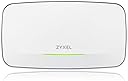
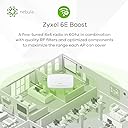
The company I work might be considered a medium enterprise but is largely made up of multiple locations with 150 or fewer employees at any one location. We are looking at options to update our network to allow for easier management and a more unified solution. We are currently only in the testing phases. This is a review of what we've learned so far. Our legacy network environment is currently composed primarily of SonicWall Routers and Unifi Switches and WAPs. We are currently reviewing different vendors products for their applicability in a mid-sized enterprise environment. Our requirements are: 1. A solution which offers unified Cloud management of Routers, Switches and WAPs. 2. Though cloud must be the primary option, the solution must also allow for a graceful downgrade to a local web management solution and from there into SSH CLI options or in a worst-case scenario the ability to control devices using traditional Console connections. 3. The Vendor must provide easily accessible and complete documentation. 4. The Vendor must have US based Technical Support via a direct phone to an actual human technician (no AI Bots) 5. The warranty for all products must be 5 years or more in length. 6. The cost of the product plus any additional licensing must be competitive with other similar mid-sized enterprise offerings. On Pricing: Of all of the vendors we've vetted only a few meets these standards and ZyXEL currently has the best pricing of all of those we've looked at. The hardware tends to cost less than SonicWall but a bit more than Ubiquity. (However unlikely Ubiquiti, ZyXEL actually has support you can call and actually posts documentation you can find. So, it's worth it.) On Support: Their technical support group in the US is on the smaller side and the technical group which handles their cloud-based offering (Nebula) is based in Tiawan which can sometimes cause some friction if it's a Nebula feature you are working with or troubleshooting. That being said, ZyXEL has by far one of the friendliest and easiest to work with support teams I've ever encountered, and I've been an industry insider for 30+ years. On Warranty: ZyXEL has a reasonable Warranty for their products with many products providing a limited lifetime warranty which generally means they are warrantied to the initial buyer until the product itself is considered end of life. Firewalls are warrantied differently due to being limited by processor speeds. Newer firmware, features and requirements will require newer processors. On Documentation: You can get pretty much anything you will ever need to know about ZyXEL's products within a few easy clicks. The only downside is that the original documentation is translated into English and sometimes suffers from minor translation errors. But these are most often more humorous then obstructive and if there is ever any question you can always call their support. On the Nebula Cloud solution: The ZyXEL Nebula Cloud solution does tend to be a work in progress. We've found many minor bugs in the solution which we've reported. To ZyXEL's credit, they take these seriously and they have a rapid iteration cycle on their cloud solution. They also appreciate community feedback. So as long as the solution provides what we require and is constantly being improved we will be happy. However, we are still in a testing phase and so we are still not certain if this will turn out to be true for us. Perhaps I will update this review once we are finished. OK now in regard to the actual WiFi Access Point itself: When we first tested this specific device, we did find that our POE+ Switches would not provide enough power. In our case we purchased the ZyXEL POE++ 60W injector and found that it worked flawlessly. Since this point we've deployed about 15 ZyXEL WAPs in various locations in our enterprise of which 5 of them are of this model. We've used the POE++ Injectors for all of these placements, but ZyXEL does offer switching that will run at multi-gigabit speeds as well as supply enough power for POE++ devices. One note about a previous poster who mentioned using a device that provides 90Watts of power. The POE++ standard limits power to only 60 Watts. It's likely the injector is supplying too much power or not representing itself correctly to upstream devices and is artificially being limited. What we have found is this specific model of WAP is a bit of overkill for most environments. The Wi-Fi bubble they create is quite large when compared to other similar products. The device stability itself appears to be superb. My only real concern which is why I give the device only 4.5 stars is that they do seem to produce a significant amount of heat. I would suggest limiting their placement to only well-ventilated locations with good airflow or it may limit the devices lifespan. A few notes: One thing to remember that many people forget is that if you are going to benefit from true Wi-Fi 6E speeds then you will want to have switches that can run at 2.5 or 5GHz. And even then, in many business environments you will not have that speed upstream to your ISP. So having devices connected at Wi-Fi 6E speeds may sound great but for North South traffic it's actually unlikely to benefit you much and Wi-Fi 5 is often still as relevant. I'd suggest considering the ZyXEL WAX620D-6E model for most situations. I hope that helps for anyone who may be considering this model or ZyXEL's products.
![Zyxel WiFi 6E AXE7800 Wireless Gigabit Pro Access Point | Tri-Band Operation | Smart Antenna | 2.5G Uplink | Mesh | PoE++ | Nebula Pro Pack [WAX640S-6E]](https://m.media-amazon.com/images/I/411t1I9bcYL._AC_SL3840_.jpg)