Buy anything from 5,000+ international stores. One checkout price. No surprise fees. Join 2M+ shoppers on Desertcart.
Desertcart purchases this item on your behalf and handles shipping, customs, and support to KUWAIT.
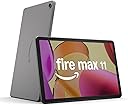
🔥 Fire Max 11: Power, Precision, and Portability in Your Hands
The Amazon Fire Max 11 tablet (2023) features a stunning 11-inch 2000x1200 vivid display certified for low blue light, powered by an octa-core processor and 4GB RAM for smooth multitasking. It offers up to 14 hours of battery life, 64GB internal storage expandable via microSD, and supports USI 2.0 stylus input for enhanced productivity. Its durable aluminum design with strengthened glass ensures longevity, while Wi-Fi 6 and USB-C connectivity keep you fast and flexible. Ideal for streaming, reading, gaming, and note-taking, the Fire Max 11 balances performance and affordability for the modern professional on the move.
| Display | 2000 x 1200 TÜV Rheinland for low blue light certified (213 PPI). |
| Size | 10.2” x 6.44” x 0.3” (259.1mm x 163.7mm x 7.5mm) |
| Weight | 17.28 oz (490g) Actual size and weight may vary by configuration and manufacturing process |
| CPU & RAM | Octa-core processor - MTK8188J - 2x Arm Cortex-A78 up to 2.2Ghz and 6xArm Cortex A55 up to 2Ghz. 4 GB RAM |
| Storage | 64 GB (54.20 GB available to user) or 128 GB (115 GB available to user) of internal storage. Add micro-SD slot for up to 1 TB of additional storage. Some apps may require that they are installed on internal storage. App or feature updates may impact available storage. |
| Battery Life | Up to 14 hours of reading, browsing the web, watching videos, and listening to music. Battery life will vary based on device settings, usage, and other factors such as web browsing and downloading content. Certain software features or apps may reduce battery life. |
| Charge Time | Fully charge in under 4.2 hours with USB-C cable and 9W power adapter included in the box. Fully charge in under 3.5 hours with 15W adapter and USB type C to C cable (adapter and cable sold separately). |
| wifi Connectivity | Dual-band wifi. Wi-Fi 6 (802.11 ax) is supported. Supports public and private wifi networks or hotspots that use the dual-band 802.11a/b/g/n/ac/ax standards with support for security standard of WEP, WPA3 OWE, WPA/WPA2/WPA3 Personal and WPA/WPA2/WPA3 Enterprise. |
| Ports | USB-C (2.0) connector for charging and audio; micro-SD slot for external storage. |
| Audio | USB-C audio, integrated speakers; external volume controls. |
| Sensors | Accelerometer, ambient light sensor, hall sensor, fingerprint sensor. |
| Camera Specs | 8 MP front and back-facing with 1080p HD video recording and rear auto-focus |
| Printing | Printing documents to a nearby wifi enabled printer is supported. Learn more here. |
| Microphone | 2 built-in microphones |
| Certifications | Fire Max 11 has received the following certifications: ENERGY STAR Carbon Trust TÜV-Rheinland for low blue light USI2.0 for stylus protocol |
| Location Services | Location-based services via wifi. |
| Available Colors | Gray |
| Bluetooth | Built-in Bluetooth 5.3 with support for A2DP compatible stereo headphones, speakers, microphone, and LE accessories support. |
| Accessibility features | To enable features that personalize Alexa to your abilities, go to Settings → Accessibility. • VoiceView screen reader enables access for customers who are blind or visually impaired. • Screen Magnifier enables customers to zoom in/out, and pan around the screen. • Tap to Alexa enables access to Alexa via touch, instead of speech, through on-screen tiles or a keyboard, including the ability to save your favorite actions. • Switch Access enables access for customers who have motor impairments, and are unable to touch the screen, via compatible Bluetooth devices. • Kindle Read Aloud will have Alexa read your Kindle books aloud. • Fire tablet Accessibility features also include settings for Closed Captioning, Font Size, Display Size, High Contrast Text, Color Inversion, Color Correction, and Convert Stereo to Mono audio. (Captions are not available for all content.) |
| **Alexa Privacy Features | Alexa and Fire Max 11 are designed to protect your privacy. For example, you can view and delete your voice recordings or use the Alexa Hands-Free Mode on/off toggle at any time. |
| Warranty & service | 1-year limited warranty and service included. Optional 1-year, 2-year, and 3-year extended warranty available for U.S. customers sold separately. Use of Fire Max 11 tablet is subject to Amazon's Conditions of Use and these terms. |
| Included in the Box | Fire Max 11 tablet, USB-C (2.0) cable, 9W power adapter, SD-card ejection pin, and Quick Start Guide. |
| Generation | 13th generation - 2023 release. |
| Software Security Updates | Learn more about these software security updates. If you already own a Fire tablet, visit Manage Your Content and Devices for information specific to your device. |
I**T
Amazing
I come from a 2021 10 plus for reference. This tablet has better graphics, brighter, sharper...hands down. It does everything the 10 plus did plus more and it is faster. The charging port is a PD C port. This means that I can plug in various flash or external drives (the fire has to format them and prepare them first to work with it so go in bare and let it do that). These drives can STILL be used with your regular computer too after that per usual. I made a flash drive of various things that I'd want during a power outage for that purpose as my fire is my go to device in that situation. The pen...oh my, the pen. I bought one when I got the Max 11. It is the best thing I've ever done and the reason I also bought an 11 and pen for my disabled son. Lets talk at some length about the pen being used with the tablet as that is a major upgrade. It writes better on this tablet than any stylus I've ever used on any device. The palm rejection is GREAT..it only very rarely makes a small mistake. I tried every major stylus apps on my 11 (after sideloading the play store of course- if that ability goes away I will quit buying these as the provided app store is meager and pathetic- sorry amazon, it's true. It's super easy to do, google it and there are simple instructions to install 4 programs with links where to get them- very simple). The two that came out on top is Inkredible and Squid. Inkredible lets you buy what you want and need without having to get the whole thing. Brownie points there. I want fun and rich backgrounds to write on mostly for household notes. I have small papers all over with various notes I've taken and this will solve that mess. I tried doing it with adding a picture and sizing it over the provided area. That worked only somewhat ok. When I'd touch the stylus to make a dot for like the top of an i, it would stop writing and you had to fuss with it to get it to write again (that is a thing with the program and not the stylus). I figured out how to fix it though. I made the background what I wanted IN inkredible then exported it out of inkredible to a file as a .pdf (I sent it to my main computer), then I put the file back on the 11 and imported that pdf back into the inkredible and it was now an embedded background and it was fine, great...no more problems. They have writing enhancement in the inkredible that makes your writing still yours but cleaned up a touch to look nicer and smoother. On Squid, they want a continuing payment to unlock things like importing. It works very well but they don't have the enhanced writing so how you write is what you get raw. I was going to pull the trigger until I figured out how to make inkredible work for the backgrounds, now I don't need to I don't think. Squid has pages for a large variety of uses and needs though- graphing, music and the like. If I end up needing something that inkredible doesn't provide me I'll do Squid for the cost. The only thing I WISH I had on the 11 is the ability to mark over pages in the web browser and other programs that are similar. My HP laptop has that and it is fun and amazing to be able to markup stuff on webpages and save it as a screenshot essentially to send where you will. Other than that the stylus functioning is nearly perfect. I am SO jazzed, this is what I've been waiting for a very long time. With the play store sideloaded this becomes a great tablet. I don't know how productive it is for business people but for the average user it is productive enough. This is my brain cell and my babysitter. I take it with me out and it keeps me entertained or working on stuff while I wait in waiting rooms. It keeps notes for me, now easier than ever as I don't have to hunt and peck on the keyboard popup, I just write it, and it looks good while doing it. It will now stand in for the tablet/s I keep on my desk for taking notes while on the phone AND I don't have to scramble looking for the recent notes when I have a need to refresh my memory as they will be saved right on my 11. My son needs to keep notes as well as a function of his disability. The thing is he is disorganized and never has ready paper and a writing instrument, but he lives life with a fire in his hand- literally he's almost never without it. I got him a case that holds the pen too and now at any moment he is ready to take a note and he's absolutely loving that. Our 2021's were working fine, but because of the stylus capabilities I decided to try the Max 11 and I am so glad that I did. For us it is a major jump in enjoyment and productivity and disability mitigation. I think it is well worth upgrading to.
G**S
Great Support
The device itself is okay. I"m comparing it to a 13" Lenovo with 256 GB internal storage and 8GB of system ram. I'm also comparing it to all previous generations of Amazon fire 10 HD tablets, Samsung S series tablets, Onn tablets, and Ipads. What sells me on Amazon Fire tablets in general is the support behind it. I never have to worry about system updates. App updates are generally self maintained really well. Amazon stays on top of their OS with patches. iPad and Google Pixel are the only alternatives in terms of comparable speed and frequency of system updates. Generally, and Amazon tablet is well integrated. I have found them to be with less headaches overall - maybe even better than iPad. iPad will always dominate in terms of hardware. Amazon is that well thought out budget model that gives you top quality life of product service and support. My 9th generation (2018 version - "Maverick") Fire 10 HD is still supported and performs as well as new fire tablets. I did not lose a dime on that $200 tablet purchased 7 years ago - it still performs well today (meaning it was a good investment). Show me a Samsung device of that age still supported with OS patches today. Despite costing three times as much as a fire tablet, you get at most 2 to 4 years out of them and then support ends completely. Overall, my 9th generation 2018 Fire 10 HD gave me much more life and satisfaction. The big gain in upgrading is the switch from Fire OS 7 in older generation tablets to Fire OS 8. You also get Stylus support. Fire 11 Max models also have the option of a wired keyboard - never type in passwords on a blue tooth keyboard ... just don't! Fire OS 8 gives you many options you don't have in Fire OS 7 like saving internet favorites to home screen so that you can launch them like apps. If you have an account with "Todois", but there is no app for this in the fire OS app store; no problem, just access Todoist on the interent and make a home screen icon that opens it in a web browser. It works just as good. With older Fire tablets on Fire OS 7, you only need to pin the app as a favorite and it involves one extra click. Stylus support is only rivaled by iPad. Lenovo does well, but not as good. I like being able to use a AAA cell battery on the stylus - so much less trouble. Wish Amazon would have a simple notepad option for quick notes. One Note does well enough. The keyboard is a little too flexible. I like the case overall with it's fabric cover - another reason I like the look and feel of Amazon tablets over rivals. Any other device I case with Otterbox. With Amazon, i go with Amazon, fabric bound, cases. I like the fold out flap on the back of the Fire 11 Max case. it's stable. I hate the flimsy tri fold cases as they tend to flip over. Ultimately, I will never again buy an Android based tablet that is not supported by Amazon. Product support is terrible after a few short years. I will also keep a current iPad to work along side my fire tablet. Both are great investments that function well and are well supported. If you are not ready to fork over the bucks for an iPad, I highly recommend and Amazon Fire 10 or 11 Max.
J**.
Best Fire Tablet Yet
I've owned owned iPads and Android tablets since 2012, and have seen tremendous changes. My first Fire purchase was in 2014. Bought it on a whim to replace an aging Kindle and to serve as a portable mobile device. It was sturdy and affordable, with the opportunity to purchase on 5 payments. I knew about its limited app offerings and slow processor, but I knew its primary purpose was to consume content. Many years later, I still own an iPad and Fire tablets, this being the latest one. A few takaways: 1. Beautiful build quality (This does make it heavier) 2. Vivid screen which is great for watching videos 3. Good battery life 4 Price. On occasion, Amazon will offer deals; it currently is the great price of $149, with a trade in discount. Even without the discount, $149 sale is not a bad price. Keep in mind that the latest edition of the iPad is $450 without accessories. The payment plan of 5 monthly payments with no interest help to put it in hands of more people. That's a thing for people on fixed incomes. If you're expecting an iPad, this isn't it. Even the iPad has its limitations as a productivity device. I think this would be. great for that occasional emal or Word document, or revising a spreadsheet. Or, if you need something in a pinch. Some people use it as a note-taking device. Even if you're not on Prime, but own Kindle books, there are enough free streaming alternatives out there to justify its use as a streaming device only. To people who won't buy because Amazon removed the jack.: This is a trend and has been that way for a while. The lack of a 3.5 mm headphone jack shouldn't be a deterrent. Amazon sells many very affordable adapters if you would like to use what you already have, and usb-C wired earphones wireless earbuds. By "affordable," I mean under $10. I wish Amazon would have included an adapter with this tablet. Unfortunately, this is a trend among technology manufacturers and that's not going to change. Overall, this latest iteration of the Fire tablet is, despite some limitations, Amazon's best to date, and a good value for people on a budget.
Z**V
Definitely a much better product than any other Fire tablets
It's been 10 years since I got my first Kindle Fire - it was the only sub-200 tablet available on the market back in 2013. Over the years I've bought a lot of Fire tablets as gifts for my parents and other older relatives. I've bought some to use as YouTube/Netflix/ebook devices. Without a doubt, the Fire Max is the best Fire tablet Amazon has ever produced - by a wide margin. First up, the screen quality is good, though a bit over saturated. It's the only Fire tablet ever to not look like utter crap when turning on Night mode. Netflix and Prime video looks good, though do note that you're limited to 720p if you install through Google. With 16:9 ratio the actual screen estate used when watching videos is much bigger than that of the $250 iPad 10.2, so it's a better screen for video consumption. Second, it's the only Fire tablet ever to have adequate performance. Before this one I had a Fire HD 10 that became so slow that I gave to my brother in law. It became so bad I'd practically had to restart it every day. On paper the specs difference between that and the Fire Max 11 isn't too much, but trust me for a lot of people (especially with Google installed) this will be the only usable product. Third, battery life is on par with any other tablets - and by that I mean you don't have to worry about charging them everyday. Last, Amazon software is still... ok. I've actually never had any problem with Amazon software, because I do find them to be good enough: set Silk browser to use Google, use Kindle to read ebooks, I do also use Audible and I do shop through Amazon. Do note that Netflix and Facebook and Ms Office and some other apps are available through Amazon App store, so installing Google isn't absolutely necessary. That being said, I do install Google services on my Fire tablets. It's something that can only be done when you're on older firmware version, and judging from what others mentioned, newer ones block it. Overally I think it's a good tablet. My biggest hassle with it was that the first support person I asked told me the trade-in will take 20% off original price, not sale price. It turned out that any trade in will take off 20% sale price, so the difference between that and 20% off original price is $15. Many later support persons either straight up lied to me (that they have issued a refund) or failed to do anything about it when I asked them - I spent a total of 2 hours and then was finally refunded by an agent through phone (did it as a matter of principles). Still, it's an ok tablet for $150 (the sale price during BF and other holidays perhaps). I wouldn't spend the full price of $230, considering the iPad 10.2 frequently goes on sale for $250.
S**9
Great productivity device
UPDATE: I've been using this Fire for about a year (got it on Prime Day 2023) and I still like it a lot. It is a bit heavy for relaxed reading, so I also got the Fire 10 HD (13th gen) this year, 2024 Prime Day. Indeed the 10 is significantly lighter even thought the size difference between the two is fairly small (same width but 11 is taller when in portrait, so it is wider screen in landscape). It is nice to have both. I will keep using the 11 with the keyboard it came bundled with and I will not get a keyboard for the 10. The keyboard is awesome and having the 11 be wider than the 10 allows the keyboard to be very comfortable. So if you touch-type, and want the attached keyboard, I recommend the 11 over the 10. I've used the keyboard extensively and it really is great (other than accidentally touching the touch pad occasionally, and unintentionally change my typing location). Also, I noticed that the 10 is annoyingly slower than the 11 when rendering all the icons on my home screen. Occasionally the icons disappear and you have to wait for them to reappear. It is only a couple of seconds but I don't recall ever seeing that on a "regular android" device, so it is a Fire OS issue that is more apparent with the slower 10. But the main reason I decided to write an update is the SD card issue that some other reviewers mentioned. I thought others had issues because they set up the card as "internal" which is essentially (but not quite) like having a bigger internal space for everything including apps. This is dangerous and there is a reason why you can no longer do this with newer versions of Android. So unless you have a zillion apps and really need bigger internal space because of your apps, you really should set up the card as Portable Memory instead (no apps on the card, only media and other files, etc.). Then you can decide what types of files to put there AND you can safely remove the card and access it on another device like your laptop (that's why it is called "portable"). You can choose to have the Kindle app, Prime Movies, etc download to the card. Most people need expanded memory for media, so this makes sense, and again it is safer. You also have good control over what gets stored on an SD card vs internal storage. But, setting up the card as Internal isn't the reason people had issues, because today for the first time I had the issue that others complained about, which is that my card supposedly unmounted and the Fire asked me to re-format. (This would be a bigger problem if I had set it up as "Internal" rather than "Portable"!!). I shut down the Fire, removed the card, and mounted it in Windows. Windows told me there was a problem with the card and I should scan and fix it. I did. Windows showed it as then fine, no further issues. And I had no trouble copying out all the folders from the card to Windows. Returning the card to the Fire still showed the screen for formatting the card, but I'm wondering if this is because the Fire tends to show screens that were on when you shut down. Or else the card was somehow marked as needing a format. The super weird thing, is, when I said to format as Portable Memory, it did so without removing anything. Doesn't formatting a card mean erasing it (or showing it as blank) so you start over with it fresh ?!?!? I was going to format it however Fire likes to format, and then return the original folders. But I did not need to copy back anything. It is working fine now. So apparently it would have re-formatted only if I had decided to swap from using it as "portable" to "internal." Probably every time you unmount ("eject") the card, you will get this message, and it won't really erase everything and reformat, unless you opt to change how you want to use the card. So all is okay with the card, but this situation should not have happened. It probably happened because some function was writing to the card and another function (an update??) dismounted it, thus interrupting the write. This is why Windows had to fix it. So, I think the card issue almost certainly has nothing to do with the particular card, so others' comments are correct about that. (I've been using a new high-quality Samsung Pro Plus card, overkill for a Fire tablet but it was on sale). When the card issue surfaced, I was trying to do some updates from the Appstore and it seemed frozen. (There is still a problem with the Appstore!). So the Fire was not in a good state. It may be a good idea to reboot it occasionally once in a while (I probably hadn't rebooted for about a month). I was also thinking maybe it was trying to update and that broke its normal functionality. Could be. My biggest suspicion. It is on Fire OS 8.3.2.4, from July 3, 2024. I checked for updates even though it showed as last checking today, and it said to tap to install an update, but when I did, everything froze. I eventually went back to the updater, and now it said I have 1 update (rather than a bunch of gibberish that suggested some pieces were still downloading, and with a broken button for installing, as initially happened). Now I was able to install the update, and when I re-checked for updates, it showed "no updates found," and the Check Now button reappeared as normal. So all seems fine. Other than the fact that my OS still shows as 8.3.2.4. And it still shows it as being from July 3 (today is Aug 7). And I did not get the usual message that my system has updated. It was a secret undocumented thing, or the old update re-installed (why??). Perhaps it was not a Fire OS update but an update of some other built-in component (like the Apstore, or some such thing). The Appstore still seems hung on the page where I update apps. The other parts of it work. It is an issue with the app, because F-Droid can install and update just fine. And my new Fire 10 also works fine, so it is not the server for the Appstore. I'm now thinking it got a corrupted (interrupted?) update and won't work until Amazon has a newer update that I can install on top of it. Amazon, if you are listening: please please be normal about updates. Let your users know there is an update and let them pick when to do the update. If control-freak Apple can do this, you can, too. I do not want to be using my device while it is trying to update (or shutting it down to remove a corrupted card...). That's just asking for trouble. I want to have it plugged in and keep my hands off it for a while. This is a problem with other Amazon devices as well. Okay, you're gonna force an update whether I like it or not, but please, if you don't want to cause a lot of grief, just let people have some control (and awareness!!!!!) when the device needs to be updated. My guess is that even when there is only a minor update (as seems to have been the case for me), the Kindle is not fully functional but pretends to be, and since it is not fully functional (it quits some processes), some unexpected quits will cause corruptions/crashes/SD card issues..... But otherwise it is a good device. Truly. I'm still happy to have it. I love the whale background :-) Initial Review: I got the productivity bundle and I am super pleased. I needed something to take notes with in classes, that also had a touch screen for drawing, and this is great for that. (Amazon Appstore has OneNote and Squid and both are great for notes with this.) In my experience it DOES matter which app you use with the pen because a paint app I tried worked but was slow (so I blame the app, since OneNote and Squid are fine). There is also a fairly new open source app called Saber that seems great (I still need to experiment with that one -- available on F-Droid). I'm thinking that some of the professional reviews (on other web sites) got an early or different version of the pen because the harsh criticisms of it do not match my experience. It works great. This is my 2nd Fire tablet, and I like it so much better than my first one, Fire 8 HD from 2017. I wasn't unhappy with the old tablet when I got it (because I got it on sale for a great price) but I just almost never used it because the screen was so unpleasant and stressful to look at, plus the device was annoyingly slow. Not so with this new tablet -- I am very pleased with the screen quality, and the speed is good for how I'm using it. The pen and keyboard are truly awesome. I wasn't sure at first whether I liked the aspect ratio/shape of the tablet but actually it makes sense. The longer shape allows for nearly full-sized key spacing on the keyboard while not causing the tablet to be unnecessarily large and heavy, as it would be with the iPad's aspect ratio. Someone said they prefer the snap-in clamshell keyboard that is available for the 10, but I much prefer this thin-and-light keyboard (didn't have the 10 but considered it and looked at pics of its keyboard). It is super easy and fast to pull off and snap on the keyboard and it does not need batteries. At home (where I have "real" laptops) I use the tablet mostly without the keyboard, and half of the keyboard case stays on it, protecting the back and the camera, and giving the tablet a nice non-slip feel, plus I can use the fold-out stand. I don't use it on my lap at school, and at home I use a lap desk so I don't mind that I can't put it directly in my lap while typing. Really, I have no complaints at all about this setup. Perfect. Well, maybe I can complain a little about Fire OS but it is mostly okay. I would hate it for a phone but it is fine for a tablet. And it is much improved over what I had on my old Fire, especially the settings (I like to have control and info). I put Google Play on my previous Fire but I'm not sure I will do so on this one. I mean I have an Android phone that has things I'd like from the Play store, like my calculator collection and bank apps and whatnot. I don't need to replicate that on this tablet. I've installed F-Droid so I can still easily put a bunch of nice apps on it. I have a Linux terminal app (Termux) and will probably install a small Linux distro with desktop which will further expand the usability. Plus I have a Microsoft 360 subscription from work and it is nice to have an app for that on this tablet too. It has the most critical work apps like Zoom and Teams and Office and Outlook. So it already has what I really need on a tablet. Oh, and Kindle, of course. I think in the past it was almost necessary to side-load Google Play but the Amazon Appstore now has my most critical apps, at least for a tablet. (Yea, it generally is not great and not well maintained, with tons of outdated apps.) Don't be mad at Amazon about Google Play Store, YouTube, etc. It is a Google policy. Google does not want others to take the open source piece of Android and build their own thing on top of it, with no control from Google. There are penalties for doing that. And Amazon couldn't sell its media to you directly on regular Android, so it kind of has to make a separate OS. This is your tradeoff for getting a subsidized tablet. I'm poor so I will accept the tradeoff, especially for a tablet as nice as this one. I paid to get rid of the ads, and I do that on every Kindle or Fire (I value discounts a lot, but aesthetics even more) and now this tablet is a pleasure to use. And soooo much less expensive than a similar setup would have been from Apple.
K**7
Phenomenal Tablet at any Price
I have a a Fire tablet since 2011, so for me, it is a must. I would not think of doing without a Fire anymore than I would my computer or cell phone. That being said, this Fire Max 11 is by far the best tablet I have owned, and this does include iPad. What I like the best about this and my other Fire tablets since the very first one is that it arrived tied to my Amazon account. I didn't have to do anything except to let it upgrade and update when I took it out of the box and turned it on. That's all folks. It had all my apps installed, my WiFi connected, my library, etc. It could not be easier. Did I mention that it is blazing fast and has a brilliant display? Well it is true. Get this one if it is time to upgrade or you just want to get a great tablet at a reasonable price.
B**N
Heads up Comixology users - useless tablet if you want to read your purchased comic books
I'm not a power user or gamer and wanted an affordable quality tablet mainly to access and enjoy the 7K+ Comixology purchases I've made over the last decade. I was disappointed at the way Amazon ruined the Comixology app/experience but took some consolation that my purchases were safely integrated into my Kindle library. So I jumped on this tablet mainly for comics but figured that I could also use it to stream movies from Prime, Netflix, etc. I have the Kindle app on my Android phone and that version of the app displays access to all of my Comixology-specific purchases, which are categorized under "Comics and Manga" as opposed to "Books", making them somewhat easier to filter and select titles to download to my phone. I figured that a flagship Amazon device such as the Max 11 would work the exact same way, so I purchased with confidence. Huge mistake. It turns out that the stock Fire OS version of the Kindle app on this device DOES NOT SEE YOUR COMIXOLOGY PURCHASES. I'm fairly tech-savvy but couldn't figure out why those books were showing up properly on the web browser as well as my Android phone but not the Max 11 itself. The only comics I could see were a handful of books I'd purchased over the years from the Amazon Kindle store (not the Comixology storefront). It took two unhelpful hours of being transferred several times from one Amazon customer service rep to another via chat (which included them clearly cutting and pasting from a script of unhelpful solutions as well as multiple resets of the device) and then an attempt via phone where they disconnected me and didn't call back before I realized I was on my own. Terrible customer service! Browsed Reddit to try and find some answers. The only way you can access your Comixology purchases on the Fire Max 11 is to log onto a web browser and manually send each title to your device. To make matters worse, they 1) show up categorized as "Books" and not "Comics and Manga", and 2) you CAN'T DIRECTLY DELETE THEM FROM THE MAX 11 TABLET! You have to log back onto the web browser and send a request back to the tablet to delete the book! What a miserable user experience on their own branded device! Long story short: This device (specifically the Fire OS version of the Kindle app) is useless if you want to easily access your Comixology purchases. Nobody at Amazon customer support seems to understand the issue and from the way Amazon has treated Comixology, I'm guessing they really don't care about fixing the stock version of the Kindle app anytime soon. There's no way that you can sideload or overwrite the Kindle app with the working (!) version created for stock Android. You're stuck. It's such a shame because the tablet is otherwise great. I can still read comics through my local library via the Hoopla app and it's fine for watching movies, but that's not why I spent hard-earned money on it. You'd think that with all of its resources, Amazon could make sure its own reading app works. ***UPDATE 12/24/23*** Apparently some switched was flipped and now Comixology purchases do show up (it takes a while to sync if you have a large library). You can also now delete them from the device itself without needing to log in from a separate browser. Much (!) better than it was but I'm still seeing a few titles that won't load. Also, unlike the Android version of the Kindle app, there is no way to jump by letter when browsing comics, so you have to scroll and scroll and scroll - not a big deal if you'd like to read your Batman comics but frustrating if you want to catch up with Spider-Man or the X-Men. Still, it's much better than it was and I would revise my one star rating to a four overall (it'll get that fifth one from me once I can browse/enjoy my comic purchases the way I could on the now defunct Comixology app).
M**M
Cheaper and better
I’ve been using the newest Amazon Fire Max 11 for a few weeks now, and I’m genuinely impressed. First off, the display is gorgeous—bright, clear, and large enough to make reading, streaming, and browsing a pleasure. Watching movies or playing games feels immersive thanks to the crisp resolution and responsive touch. Performance-wise, this tablet is a powerhouse. Apps launch quickly, multitasking is smooth, and I haven’t experienced any lag even with multiple apps running in the background. The newest model clearly benefits from upgraded processing power and memory, making it feel much faster than previous Fire tablets I’ve used. Battery life is excellent. I can easily get a full day of heavy use, including streaming, browsing, and light gaming, without needing to recharge. Charging is fast, too, which is a huge plus for anyone on the go. I also appreciate the build quality—it feels sturdy and premium, without being heavy or cumbersome. The tablet is easy to hold for long periods, which makes it perfect for reading, streaming, or working from home. The integration with Amazon services is seamless, and the app ecosystem has improved a lot, giving access to a wide variety of apps, books, and media. Overall, the Amazon Fire Max 11 is a fantastic upgrade. Whether you’re using it for entertainment, productivity, or casual browsing, it delivers excellent performance, great battery life, and a beautiful display—all at a very reasonable price. Highly recommended for anyone looking for a capable and reliable tablet!
Trustpilot
1 day ago
2 days ago