🔥 Dominate the game with power, speed, and style! 🎮
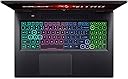
The Acer Nitro 17 gaming laptop combines the AMD Ryzen 7 7840HS octa-core processor with NVIDIA GeForce RTX 4060 GPU, delivering top-tier gaming and creative performance. Its 17.3" QHD 165Hz IPS display offers stunning visuals with minimal ghosting, while advanced cooling and Wi-Fi 6E ensure sustained speed and reliability. Equipped with 16GB DDR5 RAM, 1TB Gen 4 SSD, and a customizable 4-zone RGB keyboard, this laptop is built for professionals and gamers who demand power and precision on the go.


| ASIN | B0BTQ61Z6D |
| Audio Output Type | Headphones |
| Audio Recording | Yes |
| Battery Cell Type | Lithium Ion |
| Best Sellers Rank | #48,394 in Computers & Accessories ( See Top 100 in Computers & Accessories ) #7,597 in Traditional Laptop Computers |
| Bluetooth support? | Yes |
| Brand | Acer |
| Built-In Media | AC Adapter, Laptop, Power Cord, Protective Sleeve |
| CPU Model | AMD Ryzen 7 |
| CPU Model Number | Ryzen 7 7840HS |
| Camera Description | Front |
| Cellular Technology | Wifi |
| Color | Black |
| Connectivity Technology | Bluetooth, Ethernet, Wi-Fi |
| Customer Reviews | 3.9 out of 5 stars 487 Reviews |
| Display Resolution Maximum | 2560x1440 |
| Display Type | LCD |
| Form Factor | Laptop |
| Graphics Card Ram | 8 GB |
| Graphics Coprocessor | NVIDIA GeForce RTX 4060 |
| Graphics Description | Dedicated |
| Graphics Ram Type | GDDR6 |
| Hard Disk Description | SSD |
| Hard Disk Interface | Solid State |
| Hard Disk Size | 1 TB |
| Hard-Drive Size | 1 TB |
| Hardware Interface | Ethernet, HDMI, USB 3.1 Type C |
| Has Color Screen | Yes |
| Human-Interface Input | Keyboard |
| Is Electric | Yes |
| Item Dimensions L x W x Thickness | 15.76"L x 1.1"W x 11.55"Th |
| Item Weight | 6.6 Pounds |
| Keyboard Description | Gaming |
| Keyboard Layout | QWERTY |
| Lithium-Battery Energy Content | 90 Watt Hours |
| Manufacturer | Acer |
| Memory Speed | 4800 MHz |
| Model Name | Nitro 17 |
| Model Number | AN17-41-R7G3 |
| Model Year | 2023 |
| Native Resolution | 2560 x 1440 pixels |
| Number Of Cells | 4 |
| Number of Ethernet Ports | 1 |
| Number of Ports | 2 |
| Operating System | Windows 11 Home |
| Optical Storage Device | No Optical Drive |
| Other Special Features of the Product | Backlit Keyboard, Memory Card Slot |
| Processor Brand | AMD |
| Processor Count | 8 |
| Processor Series | AMD Ryzen 7 |
| Processor Speed | 5.1 GHz |
| RAM Memory Installed | 16 GB |
| RAM Memory Technology | DDR5 |
| RAM Type | DDR5 RAM |
| Ram Memory Maximum Size | 32 GB |
| Resolution | 2560 x 1440 |
| Screen Size | 17.3 Inches |
| Series Number | 17 |
| Specific Uses For Product | Gaming, Multimedia, Student |
| Total Number of HDMI Ports | 1 |
| Total Usb Ports | 4 |
| UPC | 195133168267 |
| Video Processor | AMD |
| Virtual Reality Ready | No |
| Voltage | 100240 Volts |
| Warranty Description | One-year International Travelers Limited Warranty (ITW) |
| Webcam Capability | Yes |
| Wireless Compability | 802.11ax, Bluetooth |
| Wireless Technology | Bluetooth, Wi-Fi |
M**K
This thing is loud when plugged in
This laptop is very nice, I've had it for a while now and have had only 1 problem with it. -When you plug it in it cannot be booting up or running a program or that program will freeze or lag, or the boot process errors out and has to restart. But over all it works amazing I use it for path of exile, leauge, old diablo games, etc. and I can do full screens of mobs and effects and it is clear and crisp picture. - When running in gaming mode with it plugged in the fan is loud but you get use to it pretty quickly. - the sound on this is average the music can go to a decent level but it is a laptop after all so if you want boombastic sound I recommend headphones. - the battery life on this is great if your using for school or typing word documents the battery lasts for hours(5+) without plugging it in. Once you start using large high quality videos or games the battery does only last like 1-2 hrs depending what setting you have it on. -honestly everything else is great about the laptop I have no complaints besides the plug in thing I mentioned earlier. Great buy in my opinion and would buy again if I needed another one.
E**R
Desktop replacement with a gorgeous screen and a nice surprise.
Explanation of pictures - Two computers side by side shows the bright colors of the Acer Nitro 17 display vs. my wife's Lenovo 5 Slim which I had considered but dismissed after seeing the display at a local retailer. The other picture shows that my system came with DDR5 5600MHz vs. the 4800MHz it was advertised to have. Bonus for me! :) A quick recap of why I ended up purchasing this computer. Unfortunately we are in a position of having to downsize dramatically and our desktop computers will be going in to storage. My wife and I are both avid gamers, currently really in to playing Baldur's Gate 3 a couple times a week with some friends. I knew I needed something with enough grunt to play most any game I threw at it for at least 2-3 years, my previous experience with the 60 level (860M) GPU told me that this would be a good enough level to handle that want. I needed to have a CPU that would be able to handle my day to day work, enough umph to handle games, be higher end to remain serviceable for a good few years, and be efficient. My biggest want was a big vibrant display, followed by power port on the back, current gen ports (HDMI 2.1, USB 4 Type C, and USB 3.2 Gen 2 Type A) , DDR5, and last but so far away from least would be build quality. GPU is handled by a Nvidia 4060 8GB (would have gone 4070 if they had a 12GB version, but all I could find was 8GB). Performance different between the 4060 and 4070 is ~15%, not enough different to justify the price. While looking at this there was an Asus ROG with a 12th Gen i7 and a 4070 but it was built on an outdated system board that only ran DDR4, the performance gains going from DDR4 3200 MHz to DDR5 4800MHz is about 6-7% which brings than GPU advantage in to check. The CPU going to the Ryzen 7 7840 vs the 12th gen i7 gives about 5-7% as well. So there goes most of the gains. Sure some games won't be hindered by the loss of CPU or Memory and the 4070 will knock the 4060 back down, but as games get more advanced and more CPU intensive, I like having the extra grunt and the extra RAM speed. That was my reasoning for staying with the less expensive 4060. CPU, I'm an AMD fanboy. I have been for years. Ever single desktop I've built since I started building have been AMD. Started with AMD K5 P166 way back when. Then K6 200, 233, K6-2, Duron, Athlon, Athlon XP, FX, Ryzen 7 1700, Ryzen 7 5700X, and now Ryzen 7 7840HS. I opted for the Ryzen 7 over the Ryzen 5 (7640HS) which was available in a Lenovo I was comparing against, and interestingly enough the one my wife ended up with. I know this CPU will handle what I need for a long while and be very efficient. Display. Boy howdy, let me tell you this thing is gorgeous. Bright (in the picture it is at 50% brightness and it looks just as bright as the Lenovo 5 Slim 16" WUXGA display at 100%). Color reproduction is great, not the best in the world but let's be real here... this laptop does not cost that much. For a 17.3" display that puts out this much eye melting beauty is a steal. Blows away others that cost $500 more. Just look at the picture. Speaks for itself. RAM - 16GB, enough for now. And by some hiccup mine came with 5600MHz DDR5 instead of the advertised 4800MHz. I call that a win and it will surely help down the road. Build Quality - I was most worried about this and sort of still am. I've owned HP, Lenovo, and Dell. Never been happy with the HP. Dell held up great. My old Lenovo from 2014 was built like a tank and was what I held on to until I purchased this one. That system had a 4th Gen i7, Nvidia 860M, and 16GB RAM. It handled most things great until recently, it has been retired to being a garage computer. It doesn't feel cheap. The hinge is crazy tight. The palm rest doesn't flex under weight unless you push really hard. The keyboard doesn't dip while typing. The display doesn't shake at all while typing. Keyboard feels solid. No missed keys while typing this long review. Touchpad is a little cheap, wish it were a bit more accurate or made of a more slippery material so my finger wouldn't skip while dragging slowly. But let's be honest, I'm using a mouse when I do anything that required more precision than a touchpad can deliver. Time will tell if it holds up. The black plastic surface is a fingerprint magnet so keep a microfiber cloth for when you want to wipe it off. With all of that being said I am purchasing the 4 Year extended warranty for this laptop which means I likely won't have to make a claim because that's how it goes with these things, you know what I'm saying. All in all, I really do like this computer. I wasn't completely on board at first but after using it for a few days I am excited to spend the next few years gaming with this system. Before I close this out I would be doing you a disservice if I didn't say that yes this thing runs Baldur's Gate 3 butter smooth at full resolution (2560x1440). Not a hiccup. And it looks soooo good :). If you made it this far, thank you for reading my review.
T**R
What hasn't broken on this thing
I've had this a year. It is a very nice computer when it works. But, the build quality is garbage. It arrived and the touchpad wouldn't work. I was using it with a docking station, so it wasn't a big deal. I started to use it more mobile and having to carry around a mouse and find a place to put it made me send it in for service. I got it back and touchpad worked, but too well. Any pressure at all on the lower left part of the keyboard would result in random movements and mouse clicks. Using a lapdesk helps a little, but I'm constantly deleting things or pasting garbage into my text and it is infuriating. I took the case off to look for loose connectors or maybe a screw, but didn't find anything, although it did reduce the frequency for a while. It is supposed to charge via USB-C with a sufficient current. It sorta, kinda works. The USB-C ports just randomly stop working. I've tried multiple cables and multiple 100A chargers, they'll all start charging fine. Some nights, everything is o.k., some nights it is constantly connecting and reconnecting, even with everything stationary on a table. The ethernet port is the same. It'll nearly always recognize a wire wired network, but doesn't take long to revert back to wireless. The side USB-A ports are similar - I do a lot of photography and have some old equipment and after a day of shooting it is a crapshoot whether all of the pictures can be transferred before they just stop working. The final straw was the multi-monitor support. A few months back, the 34" external display would randomly go black for a bit and then start again. All while shifting all of the windows to the laptop display, and then restoring them again. The black spells started getting longer and longer, which took it from an annoyance to really impeding workflow while culling 1000s of pictures. Now, it doesn't even recognize there is a second monitor. Not with the two rear-facing USB-C ports specifically marked as multi-monitor (even witth different docking stations and cables tried). But even plugging into the HDMI port directly and skipping the docking station, it doesn't even acknowledge there is a second monitor, let alone display anything. One of these problems wouldn't bother me too much, sometimes you get a bad part, no big deal. But so many different parts have stopped working in the year I've had it, there seems to be zero quality control and marginal design for build quality. Going back to my cheap POS Acer I "upgraded" from. I was always buying bargain basement models and upgrading every year as I outgrew them, and this was my first kind of expensive top end system that I was hoping to last a bit and didn't quite make it a year. Luckily, I bought it to get into video editing and my job changed and my hobbies changed and I'm back to straight photography work and the old one should work fine for that.
J**E
one of the best values out there for recent generation gaming laptops
My 8-year old Acer Aspire Win10 laptop is still working, but is not capable of running Win11, and since support for Win10 ends next year, time to think of getting a new generation laptop. This new Acer Nitro 17 is a beast, and at a great Black Friday price. With the 17-in. display, RTX 4060 GPU , Ryzen 7 7840HS CPU, and 1TB SSD HD, this would be a really decent gaming laptop. I don't game, but this thing will be capable of equally-demanding video editing/transcoding or 3D modeling/engineering/design apps. This laptop also comes in a variation using an Intel i7 CPU for about the same price, which made for a tough choice since both models of CPU are similar in performance. I ultimately went with this AMD processor because of slightly faster RAM speed and slightly lower power consumption, so hopefully it will run a little cooler as well. (But frankly, either CPU would be good). This laptop boots up quick and runs like a champ, with a clear, sharp, and bright BIG-screen display (which also means a full size keyboard underneath). I'm thrilled with its performance; every app I've previously used is much faster on this machine. The jury is still out on Win11, but I guess that's something I'll get used to. The only upgrade I'm considering is doubling the RAM from 16 to 32 GB, and possibly a 2TB SSD if I ever get close to filling up the 1TB model already installed. This is a GREAT large-screen laptop at a good price, especially if you can catch it on a price dip like Black Friday. I'm a big fan of Acer, and this laptop is highly recommended! EDIT: After 2 months, decided to double the RAM to 32GB after noticing Windows 11 utilized over 25% of total RAM capacity even when running at idle, not leaving much excess for really intensive apps or heavy multi-tasking. OEM RAM was (2x8GB) DDR5 5600CL46 by Hynix, a well-regarded brand.... YES, 5600MHz memory speed as opposed to the slower 4800MHz speed shown in some listing specs, which is a nice bonus. Several good brands to choose from for the RAM upgrade (Corsair, Crucial, Hynix, Patriot, Gskill, etc.), but one stood out. Kingston Fury Impact 5600CL40 SODIMM's not only run at 5600MHz speed, but also have better latency (CL40, as opposed to CL46 for the other brands). Price was reasonable as well (in fact, cheaper than most of the others; and co-incidentally, using chips made by OEM manufacturer Hynix), so I definitely recommend Kingston Fury Impact RAM as an excellent upgrade for this AMD-based Nitro laptop. CPU-Z utility shows the new RAM working fine at 5600 MHz speed and CL40 latency rating. (see attached photos for before-and-after CPU-Z displays of RAM memory, 32GB new vs. 16GB old). Now when laptop is running at idle, Windows 11 only uses about 12% of RAM, leaving much more for app-related purposes, so everything should run more smoothly and quickly, even when multi-tasking. This motherboard is capable of handling up to 64GB of total RAM, but from what I've read that much is overkill - an unnecessary expense and excessive RAM that will never get fully utilized. 32GB of RAM seems to be the sweet spot for maximum efficiency in this system. Makes this fantastic laptop even better than before!
T**S
A good computer
I got this computer to do some gaming. I am not a heavy gamer per say, but I will do some binges every once in a while. So, first. I could not find reliable information on if you could up the ram to 64 gb. But I took a chance and yes, I put in 64gb of Crucial 56000 DDR5 ram. I'm guessing if you are installing ram yourself, you know that the computer may not handle 64 gb but 32 gb, but will still run, just not using the extra ram. My system sees the ram and is using it. This sped up the computer a lot. It gets warm. I just finished a binge of about 6 hours on Planet Creator, a great new indi game. And you should have a laptop holder of some sort because it gets super hot. The screen is okay. Not anything that is going to blow you away. The biggest drawback is the keyboard. I am used to the 10 key, keyboard and love it, but the trackpad is set just off, for me. It is a little noisy when gaming. Battery life dwindles quickly when gaming. About 30 minutes or so playing Planet Creator. I haven't tried any other games just yet. If I am watching videos or just browsing, it will last at least 4 hours, most likely 6. I do not have experience on that because I don't watch videos for that long or browse for that long. It is a hefty laptop. Heavy. I do like all the ports. I am not a fan of where the power plugs into. In the back next to an exhaust port. It should've been placed at a better location. With that said, its a good solid computer and I have at least 100 hours gaming on it right now. One last thing. Acer Nitro program which allows to to see the running specs of your computer. IE temp, clock speed, etc, failed to work. The program "updated". I had a time of it, but went to Acer, installed the newest version, which did not work, so I went and installed the last version and it seems to work well. This program also runs the LCD lighted keyboard, so you really need it, if you want to control your backlit keyboard. Hope this helps.
P**I
Awesome so far (AN17-41-R7G3; Ryzen 7 7840HS / 4060 model)
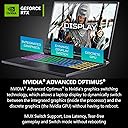
TLDR: Two years ago I would have never purchased an Acer Nitro. I despised the thought of buying one of these things. The thermals, display, ports, and NitroSense are really well designed. I purchased this laptop so that I might step away from my molten mess of a Dell G15 5515 (Ryzen 7 5800H / 3050ti). The thermals on this laptop are quite impressive given the poor excuse of mid range gaming laptops that flooded the market years ago. Under heavy load (80%+) I see temperatures somewhere around 75*C. This is quite acceptable given my Dell's usual 100*C temps. NitroSense is the software equivilent of Alienware Command Center. The only difference between the two: NitroSense just works. Yeah! Amazing! I've grown tired of billion dollar companies creating minimum viable products. All the more so when it comes to monitoring and maintaining hardware that I've purchased. Gone are the days of waiting 2-5 minutes for Command Center to load up. Gone are the days where Alienware Command Center would sit there and download a 1.2gb "patch." It's quite alarming that I'm impressed with software that functions exactly as I would expect it to. In NitroSense I'm able to customize my power profiles, fan speeds, lighting, etc... without concern or worry! Hey! Thanks software guys! The screen is pretty darn cool. Sadly, it suffers a bit from panel glow. Most of the time I only notice it when the machine is booting up. With a native resolution of 2560x1440 and a GeForce 4060 -- gaming isn't too shabby. A lot of the time I'm hooking up my ultra wide and playing at a decent FPS in 3440x1440. Gaming in 1080p should be a breeze for most people. Ports n' ports n' ports! I have 3-5 monitors. This is one of the very few laptops on the market with (2) USBC and an HDMI port on the rear. There are (3) USBA ports; 2 on the right, 1 on the left. I can easily get by with a mouse -- ol' Squeakers. This laptop actually has a MicroSD slot. Hats off to Acer. I'm constantly using flash media. The battery on this thing is really, really quite impressive. I just turned on 'quiet' mode and dimmed my brightness down to 20%. This thing will outlast my Surface Pro 8 / Surface Go 3 at this rate. At my current usage rate I'll get 6.5-8hrs out of a full charge. Other reviews (such as JT) have claimed a full 8hrs while playing a 720p video. Pretty darn close. Some peopel complain about the touchpad having a coarse material. I have no idea what they're talking about. Mine is very smooth and I've had zero problems with it out of the box. A lot of the reviews here (10%~) note hardware failure shortly after purchase. I did run HWINFO on here to ensure I received a fresh laptop and not someone's return or refurb. Everything checked out o-k and everything has worked thus far. This review will be edited should any major hardware failure occur. I will update this in a year for kicks. Assuming everything goes well -- I'll upgrade my storage and probably ram in the future.
S**S
Not sure why anyone would give this less than 5 stars...
Overall Build Quality: Laptop is nice and thicc. Thick plastic casing and has some weight to it. Screen is really nice and only thing I would say that's, "wrong" with it is the colors. Some pedant in these reviews mentioned the colors looking washed out on certain images. I've only noticed that once on some yellow background and it's so minimal I wouldn't knock any points for it. Because the screen is really nice. So nice in fact, that I now want to replace my 144hz 1080p monitor on my main PC. The keyboard is really nice too. When I'm casually gaming I'll use the laptops keyboard but I still prefer a nice ,clicky, mechanical keyboard. Speakers aren't super loud if that matters to you but they sound okay. Cooling: They used liquid metal on the CPU and GPU instead of thermal paste so the temperatures stay below 80 degrees Celsius without any additional cooling. The fans have only blasted one time for me and I was gaming without the laptop propped up. Overall, the laptop is very quiet and stays cool. Only issue with the liquid metal is it will be a pain to change out in the future and you might want to take it to a professional to replace for you. Battery: I'm able to do an entire session(8 hours) of Ableton music production on just battery life... Haven't tried recording yet but I'm not worried. The battery also charges very fast and lasts a long time, which is nice. I haven't tried gaming on battery life but maybe I will and add to review later. Gaming/Screen: 10/10 for gaming, what I would expect for a laptop at this price point and it delivers. No need for an external monitor, I'm able to play Counter Strike 2 on this laptop alone without issue. 165-185FPS at 2K but can probably improve a lot dropping to 1080p. There's obviously delay but visually unnoticeable. I played DOOM(2016) on Ultra at 2K resolution with steady 185FPS. Optimus: Laptop has advanced Optimus. You can also bypass Optimus altogether and have the laptop run solely on the 4060 GPU bypassing the IGPU. Very nice laptop. Edit: Didn't mention you will need to upgrade the RAM to 32gb but I'm sure a lot of you already know that. This is the RAM kit I upgraded to. Crucial RAM 32GB Kit (2x16GB) DDR5 5600MHz (or 5200MHz or 4800MHz) Laptop Memory CT2K16G56C46S5, Black
T**S
Great Laptop! Great Price!
I am a power user, have to have the best setup with the latest hardware, yup, I'm that annoying guy. When it came to getting a gaming laptop however I didn't want to spend the bank so I tried the streaming route, it's nearly there, maybe in 5 years it'll be perfect but it's still too fussy, so back to shopping... I came across this laptop and the price was right and the 4060 is one of the rare cases where the laptop and the PC versions are the same so I gave it a shot. Very surprised on performance, the 1080p screen is great. Build quality my only gripe is the case is plastic so it's It's now 5.5 months later and the laptop is dead, no chargly went and bought 32gb and swapped out the 16gb, however... It's now 5.5 months later and the laptop is dead, no charge, no power, nothing. I tried all the remove battery and try reset plus removing ram sticks and reinserting, nothing. I contacted Acer and they said it's out of warranty, really? Hasn't been 6 months and I've only used it sparingly for a few games. Took it to Micro Center and they found the warranty, apparently the laptop was so dead that I was issued a full refund credit towards a new laptop, amazing. So happy ending after all.
C**Y
Avoid this laptop at all cost!
At first the performance was good and no overheating issues. But as the more you use it, it begins to overheat and fans running fast even only do simple browsing tasks. It's not rare for the system to hang or freeze and cannot handle intensive task such as photoshop or video editing. The build quality and design is poor, screen often wobbles really bad. Defective keyboard backlit, the bottom row of the keyboard didn't light up, only the top rows that lit up, mode switching sometimes stuck and cannot be changed. I predict this laptop will barely made throughout the year. With A$2400 dollars, you could get an RTX4070 and i7 14th HX processor which is way more powerful than this one.
M**R
Overall great for $$$ tag
My first time owning a laptop; I’ve used a PC for years. I can easily tell that this laptop is a great bang for your buck. The 165hz with 3ms on a monitor is something no gamer should be without, it changes your game and will make you unstoppable. This laptop definitely delivers this. With QHD your game will change forever. The RTX 4060 is a major asset to any gamer that wants to utilize the high refresh rate monitors with a game that delivers high detail games. Only downside as with most other laptops but so far I’ve ran into no excessive heat, however the fans are very loud. The CPU in this laptop isn’t quite bare minimal; it’s more than enough to not bottleneck your PC specs from the CPU alone but running too many programs will make the CPU get a little hot thus the laptop gets much louder. To be honest, my old real beef with this beast is the 16gb ram it comes with. It’s really the only problem I run into. If I want to run a high memory game and an internet browser then that is really not possible without overloading your ram. I’m sure you can replace the ram, just check warranty information and make sure you find a way that doesn’t void your warranty. This laptop is also very heavy, which is to be expected from how heavy GPU’s are becoming these days.
Trustpilot
2 weeks ago
5 days ago