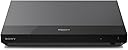
🎬 Elevate your home cinema game with Sony’s 4K powerhouse — don’t just watch, experience!
The Sony UBP-X700 is a sleek, compact 4K Ultra HD Blu-ray player delivering exceptional HDR10 and Dolby Vision support for breathtaking picture quality. It supports a wide range of disc formats including 3D Blu-rays and offers built-in Wi-Fi for seamless 4K streaming from popular services. With advanced upscaling, energy-efficient standby modes, and versatile connectivity, it’s designed for the discerning viewer who demands cinematic excellence and convenience in one stylish package.


| ASIN | B078GYW9PQ |
| Best Sellers Rank | 32,870 in Electronics & Photo ( See Top 100 in Electronics & Photo ) 86 in Blu-ray Players & Recorders |
| Guaranteed software updates until | unknown |
| Item model number | UBPX700B.CEK |
| Manufacturer | Sony |
| Product Dimensions | 7.4 x 35.8 x 30 cm; 1.4 kg |
R**A
Great performance
Have been using for a few months now and have had no problems. Playback has been flawless. 4K upscaling is great. There is a second hdmi for audio. 3D looks great. Wi fi streaming works great. Apps are limited and cannot be downloaded but most of the popular ones are there including Netflix and Prime. Operation and menus can be a bit slow but adequate. Still one of the best 4K dvd players for the price.
S**N
Great player. Read this if you're experiencing freezing!
To fix playback freezing about an hour into a film, here's what I did. First, update the firmware: Setup > Network settings > Internet settings > connect to the Internet however you have it set up. Wireless must be 2.4ghz as 5ghz connections don't show up. Setup > Software update > via Internet After it's done you can disconnect it from the Internet forever unless you want to use any online features. Secondly, the 4k upscaler seems to cause issues. So let's fix that. Setup > screen settings: Hdr auto Dolby vision on (if you're watching Dolby Vision content and your TV supports it. Should be turned off for HDR movies and regular SDR Blu-rays as it desaturates the colour) Output video resolution auto if you want blu-rays to be upscaled by the TV, 4K if not. >>> 4K UPSCALE SETTING OFF <<< (this is seemingly what upsets it!) HDMI deep colour output auto With these settings I've had no problems with any discs at all. I'm not sure why it doesn't have these settings out of the box, but there you go. And here are the audio settings I'm using that might save someone some time: Setup > audio settings: Digital audio output auto Dts neo:6 off Audio drc off Downmix surround Anyway! Nice and small, about the size of a PlayStation 1. Feels quality, nice design. Very easy to set up (aside from the above!) and as mentioned I've had no problems enjoying my film collection since changing a few settings. Picture and audio quality is great. Player software is pretty barebones (reminds me of PS2 menus) but does the job very well. The manual's description of what every setting actually does can be confusing at times, so most of the setup time went into looking things up online. It should be noted that this is my first UHD player so I can't compare it to anything else, but I wanted something that supported Dolby Vision and wasn't massively expensive and this certainly doesn't disappoint!
M**W
Definitely Improvement On PS5 for physical Disks but 'Smart' Features Lacking.
I'm not complaining at being able to play 4k Bluray on the PS5, it's a nice extra. In practice though the interface and using a controller to watch movies on console has always felt a bit clunky to me, plus i always forget to turn off the controller while watching a long movie and waste the battery. I have quite a few physical DVD, BluRay HD/4K disks and wanted try going back to a dedicated player for a slightly nicer user interaction, but also to see if its true that picture quality and framerate is improved over the PS5. Much like the jump from HD to 4K, you're not going to be entirely blown away with the difference between 4k on a console and on a decent dedicated player, but it is definitely there. Faster disk start ups and rwd fwd searching, slightly smoother framerate when playing back 24fps material (less prone to 'judder' on panning shots etc). I'd say the picture (especially with HDR content) is crisper and more defined. It is worth playing with the Picture setting presets on your TV for best results though. Our LG TV automatically selected it's 'Game' mode when the player booted up, which is fine for the menus etc, but for actual movie content a 'Cinema' or 'Filmmaker' mode is get you better results. Speaking of Menus... The player's GUI is very very bland. Weird when you consider the effort made with PlayStation's menus etc (also by Sony). It's all very grey and functional. Oh one point... Luckily I bought this purely for playing disks, but you can forget using it as a 'Smart' player. There's only about 8 apps available. No Disney+. No Apple TV. No Now ect. And the BBC iPlayer App warned it was going to stop working in a few days time and be removed from the player's OS also.

A**K
Love it
Trustpilot
2 days ago
1 month ago