🖨️ Keep your Canon PIXMA flawless—because downtime is so last decade!
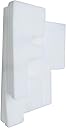
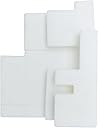
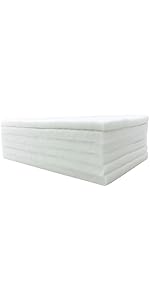
The HEMEINY Waste Ink Tank Sponge Pad is a one-pack replacement compatible with a wide range of Canon PIXMA G-series printers. Designed to fix common waste ink errors (5B01/5B02/5B00), it prevents print head clogs and extends printer life. The package includes eco-friendly recycle bags and gloves, making maintenance clean and easy. Perfect for professionals who demand uninterrupted, high-quality printing performance.


| ASIN | B0CC8HZWST |
| Best Sellers Rank | #117,447 in Office Products ( See Top 100 in Office Products ) #4,098 in Inkjet Printer Ink Cartridges |
| Customer Reviews | 4.3 4.3 out of 5 stars (100) |
| Date First Available | July 18, 2023 |
| Item Weight | 1.13 ounces |
| Item model number | PIXMA G1200 G2000 G2200 G3200 G4000 |
| Manufacturer | HEMEI |
| Product Dimensions | 2 x 1 x 3.4 inches |
M**N
Quality
My printer had to much inc and I had to replace the sponges. I took the old one out and put in the new one. There are various shapes and i simply matched what shape I took out. The fit was great, I made the printer function again and I could produce good pictures again. It really was easy to do or watch a video on the net. Good value and got my printer to working order. We'll pleased.
L**0
Perfect for a G3200
These fit perfectly into my Canon G3200 and swapped the old pads for new ones in about 5-10 minutes. It came with an extra little bit, but I didn't include that one (seemed it may be too much when the pads expand). You install the big pad on the bottom, middle sized pad middle, and small pad on top orienting each one towards the left edge (it'll make sense when you take the old ones out). We'll see how long they last, but the shape and installation was perfect if you're looking for a pad replacement for a G3200.
M**K
Printer
Price was good. Arrived on time . I was able to repair my canon printer. It was the right part.
T**F
Don't exactly fit the Canon G4010 series (including G4210), but that's OK
I have a Canon G4210 (G4010 series) printer, and these sponge pads don't precisely fit. But it's not an issue if you have a pair of scissors, because. Ultimately the thickness is right, and they're close enough. If you run into this nasty 5B00 error alleging the ink pads are saturated, hit YouTube. There's a guy speaking not-English but demonstrating very clearly how to remove the pads. I used needle-nose pliers rather than my fingers as the space is tight. Arrange the pads in the configuration they had resided in the printer, and then cut here and there to approximate the shape and insert the new, clean ones. Doesn't need to be perfect -- just needs to be able to absorb ink when the printer clogs. Once that piece is wrapped, search on YouTube for a video on resolving the 5B00 printer error -- a bizarre sequence of button pushes.
C**O
Not an exact replacement, but may work with some creative cutting
Despite claiming to fit a Canon G4210 model printer, these are not the same shapes as the original that came from the machine. I may be able to cut them to piece them together like a puzzle but they are not the same shapes as the original.
D**Y
I would 100% suggest trying before purchasing a whole new printer. Time consuming process, saves $
I was beyond frustrated with the I think it was like EB500 error code or something. For CANON Maxima G3200 series printer- I definitely did not understand what cleaning the printer 3 times would do. I learned. The hard way. The ink that's cleared is just absorbed by pain stakingly placed pads that you'll need replaced here^. Most online sources suggest to have it professionaly done. It IS possible to do yourself with no prior printer knowledge, as I am proof. It is a time consuming process and you might still need to purchase (should be cheap less than $10 USD) a error code reset DL through trusted online sources. Pads come in different sizes and shapes. It should fit the printers listed. I have put together the printer since- and have just scanned - haven't printed yet as now I have a paper load error message. So IDK if it works completely- but it's worked enough to make a partial good reason for keeping such a good quality picture printer. Compared to the $240 (on sale!) I spent on printer- and what it would cost to replace, these ink pads were defientely the better choice for value of money.
D**.
😎
Did the job nicely.
C**A
It does the trick
I received the dreaded ink pad error message for my three year old Canon Pixma G3200 printer. I ordered the replacement pads and installing them was a piece of cake. I used a pair of needle nose pliers to remove the old pads and the new pads fit perfectly. The kit also comes with disposable gloves to keep your hands ink free and a sealable plastic bag to hold the old soaked pads. Be sure to view the videos on YouTube for step by step instructions.
W**D
These waste ink pad replacements worked perfectly for my Canon 3200 printer. It was very easy to remove and replace them. It was great to include the sealable plastic bag so I could put the old ink soaked pads in it. The 4 pads are different shapes, mostly. It could be that 2 of them are the same (letter F shape) - not sure. Only thing that would have helped would have been some instructions on which pad goes where. I ended up using all 4 pads but I am not sure if the 4th is placed correctly. I know 3 of them are right. Instructions should also advise people to wipe out the ink pad area with a paper towel before installing the new pads because there was all kinds of ink residue in there. Very happy with the result though... a great success to have brand new waste ink pads in there because I love my ink tank printer - hate buying expensive replacement cartridges.
B**N
I kept getting an error on my printer that indicated that the ink overflow was full. After a quick YouTube search i found a video that showed how to fix it. I ordered these parts, they arrived quickly and I was able to easily swap out the saturated foam for these new ones. This solved the problem. Easy, cost effective replacement, but likely requires a pair of needle nose pliers and a garbage bag for the old sponges as well as some paper towel or old rags. It can get messy.
J**B
they are a good fit and only a couple screws to get to them. make sure you put paper down as the old pads will be full of ink. you can find out how to reset your printer on you tube
R**S
Exact fit for our G3200 printer. Came 2 days ahead of schedule, thanks!
A**R
Product was exactly as expected
Trustpilot
1 month ago
4 days ago