We remain fully operational. Our teams are working around the clock to ensure your deliveries continue safely.

DOWNLOAD THE APP


Copyright © 2025 Desertcart Holdings Limited
DOWNLOAD THE APP




Buy anything from 5,000+ international stores. One checkout price. No surprise fees. Join 2M+ shoppers on Desertcart.
Desertcart purchases this item on your behalf and handles shipping, customs, and support to KUWAIT.
🖊️ Elevate your digital creativity with precision and power in one sleek stylus!
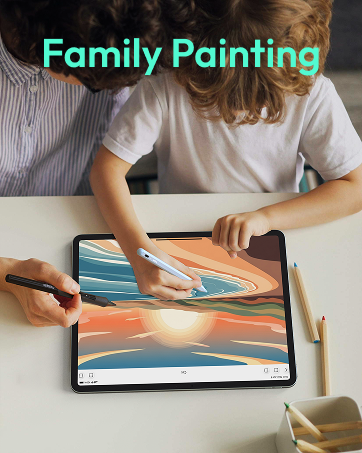
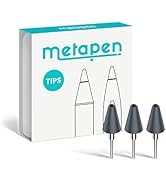
The Metapen Stylus Pen M2 is a premium active pen designed for Surface and select devices, featuring 4096 levels of pressure sensitivity, tilt support, and a tail eraser for intuitive editing. It boasts a rapid 1-hour USB-C fast charge delivering up to 100 hours standby, with 5 minutes charging enabling 24+ hours of use. Dual strong magnets ensure secure attachment to compatible devices, while its aluminum-alloy body and advanced conical tip provide a comfortable grip and precise input for creators, students, and professionals alike.
















| ASIN | B0B1CY438Q |
| Are Batteries Included? | Yes |
| Are Batteries Required | Yes |
| Battery Average Life Standby | 100 Hours |
| Battery Description | Lithium |
| Best Sellers Rank | #440,710 in Electronics ( See Top 100 in Electronics ) #38 in Pens for Graphic Tablets |
| Brand | metapen |
| Brand Name | metapen |
| Charging Time | 1 Hours |
| Colour | silver |
| Compatible Devices | Surface 3 Surface Go, Surface Go 2, Surface Go 3 Surface Laptop, Surface Laptop 2, Surface Laptop 3, Surface Laptop 4, Surface Laptop Studio Surface Pro 3, Surface Pro 4, Surface Pro 5, Surface Pro 6, Surface Pro 7, Surface Pro 7+, Surface Pro 8, Surface Pro 9, Surface Pro X,Surrace Pro 10,Surrace Pro 11 for Business Surface Duo, Surface Duo 2 Surface Studio, Surface Studio 2 Surface Book, Surface Book 2, Surface Book 3 Kobo Libra Colour,Kobo Sage,Kobo Elipsa, Kobo Elipsa 2E Compatible Devices Surface 3 Surface Go, Surface Go 2, Surface Go 3 Surface Laptop, Surface Laptop 2, Surface Laptop 3, Surface Laptop 4, Surface Laptop Studio Surface Pro 3, Surface Pro 4, Surface Pro 5, Surface Pro 6, Surface Pro 7, Surface Pro 7+, Surface Pro 8, Surface Pro 9, Surface Pro X,Surrace Pro 10,Surrace Pro 11 for Business Surface Duo, Surface Duo 2 Surface Studio, Surface Studio 2 Surface Book, Surface Book 2, Surface Book 3 Kobo Libra Colour,Kobo Sage,Kobo Elipsa, Kobo Elipsa 2E See more |
| Compatible Tablet Computer Models | Kobo Elipsa 2E, Kobo Libra Colour, Kobo Sage, Microsoft Surface 3, Microsoft Surface Duo, Microsoft Surface Duo 2, Microsoft Surface Go, Microsoft Surface Go 2, Microsoft Surface Go 3, Microsoft Surface Pro 10, Microsoft Surface Pro 11, Microsoft Surface Pro 3, Microsoft Surface Pro 4, Microsoft Surface Pro 5, Microsoft Surface Pro 6, Microsoft Surface Pro 7, Microsoft Surface Pro 7+, Microsoft Su… |
| Country of Origin | USA |
| Customer Reviews | 4.4 out of 5 stars 2,241 Reviews |
| Item Diameter | 9 Millimetres |
| Item Weight | 14 Grams |
| Item Weight Unit of Measure | 14 Grams |
| Manufacturer | metapen |
| Manufacturer Part Number | M2-EU-QFY-MPP702 |
| Minimum Required Operating System Version | Windows 10 |
| Model Number | ME-MPP702 |
| Number of Batteries | 1 Lithium Metal batteries required. (included) |
| Unit Count | 1 Count |
| ऊसर्गBattery Average Life Standbyप्रत्नू | 100 Hours |
A**R
C**L
A**D
M**N
F**Y
P**G
Trustpilot
2 weeks ago
2 months ago