🚀 Upgrade your workflow with speed and security that keeps you ahead of the curve!
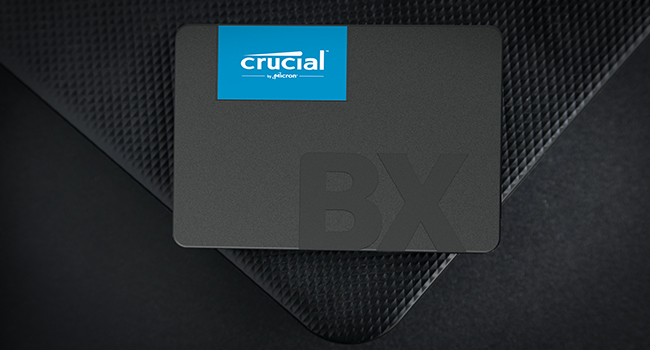
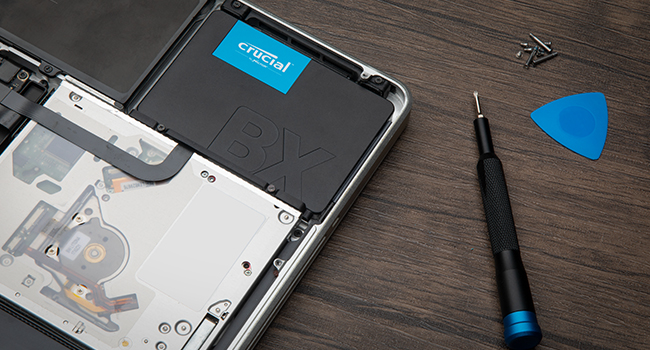
The Crucial BX500 1TB SATA SSD delivers up to 540MB/s read speeds powered by advanced 3D NAND and dynamic write acceleration technology. Designed for both laptops and desktops, it offers a spacious 1TB capacity to store large files and projects securely. Installation is hassle-free with included cloning software, while hardware-based 256-bit AES encryption ensures your data stays protected. Trusted by millions and backed by a 3-year warranty, this SSD is the ultimate upgrade for professionals seeking fast, reliable, and secure storage.


| ASIN | B0CCN9NHTC |
| Best Sellers Rank | 558 in Computers & Accessories ( See Top 100 in Computers & Accessories ) 4 in Internal Solid State Drives |
| Box Contents | Crucial BX500, Acronis True Image for Crucial cloning software and installation instructions, up to 80% savings on Acronis Cyber Protect Home |
| Brand | Crucial |
| Brand Name | Crucial |
| Cache Memory Installed Size | 1 |
| Color | Black |
| Compatible Devices | Desktop |
| Connectivity technology | SATA |
| Country of Origin | Mexico |
| Customer Package Type | boxed |
| Customer Reviews | 4.7 out of 5 stars 153,777 Reviews |
| Data Transfer Rate | 6 Gigabits Per Second |
| Digital Storage Capacity | 1 TB |
| Digital storage capacity | 1 TB |
| Enclosure Material | 3D NAND |
| Form Factor | 2.5-inch |
| Hard Disk Description | Solid State Drive |
| Hard Disk Form Factor | 2.5 Inches |
| Hard Disk Interface | SATA 6 GB/s |
| Hard disk form factor | 2.5 Inches |
| Hard disk interface | SATA 6 GB/s |
| Hard-Drive Size | 1 TB |
| Hardware Connectivity | SATA 6.0 Gb/s |
| Installation Type | Internal Hard Drive |
| Item Weight | 35.1 Grams |
| Manufacturer | Crucial |
| Media Speed | 540 MB/s |
| Model Name | BX500 |
| Model Number | CT1000BX500SSD101 |
| Network Connectivity Technology | SATA |
| Number of Items | 1 |
| Product Features | Portable |
| Product Warranty | Limited 3-year Warranty |
| Read Speed | 540 Megabytes Per Second |
| Special feature | Portable |
| Specific Uses For Product | Gaming, Multimedia, Personal |
| UPC | 649528939456 |
| Unit Count | 1.0 Count |
C**N
Bye bye old school hard drive and hello to the solid state
I have owned various PCs in the last 20 years or so and they all had old school mechanical HDDs, and to be honest I never really had many issues with them. All my PCs were either from before SSDs existed or were from when they were still quite expensive and generally came in smaller capacities (my current rig is around 6 or so years old). As I cannot afford to upgrade right now or ideally build my own, I decided to make some tweaks to my existing rig as it is still fairly decent for its age. I upgraded ram a couple of years ago (2x16gb sticks) and last week upgraded from the stock cooler to a much beefier Be Quiet cooler as the CPU was really getting hot under heavy load. While I was at it I thought it was time to finally go over to an SSD seeing as they now have much better capacity for not a lot of money. I decided to go for Crucial as I have always had good experience with them. My PC ram is Crucial and so is the M.2 SSD in my PS5. I felt this had the specs that suited me and as I say, price wise, it was pretty damn cheap. Sadly due to my board being slightly older and being a micro ATX I don't have an M.2 slot, so SATA was the only way to go. I did make one error though as I assumed it would come with a SATA cable, but of course we know what you do if you "assume" anything. It was a simple enough solution, order a cable from Amazon and just fit the drive a day later than planned (I only mention this as I am sure there are others as naive as me who will get caught out too). It was very simple to fit as well. Plugged the SATA cable into the drive and the motherboard and found a spare power plug coming from the power supply that fitted as well and then it was time to test things out. Booted the PC up and while it did take a while to boot (remember this is still booting to my old drive) which is quite normal when installing new parts, but booted as normal. I then opened Acronis True Image (go to the website on the SSD instructions and download the file) and followed the onscreen prompts to clone my old HDD to my new SSD. I had deleted all my music from the HDD before starting this as it took up over 400gb and I felt that would just slow the cloning process down. Even with another 400+ storage still on the drive, it only took about 2 hours to do a full copy. After it was finished I rebooted the PC, went into bios and assigned the SSD as my new boot drive. The PC then booted to Windows so much faster than it normally does and programs loads almost instantly rather than the delayed response of yore. Even web browsers and internet tabs load faster. I also noticed that after the PC logs into Windows I can access programs straight away rather than waiting for Windows to do all its stuff before being allowed to access anything. Seriously loving this piece of kit. The way it works is perfect for me, and is going to make using my PC so much of a better experience than it has been. Factor in the easy installation and the free no issues cloning software, and I think I got an absolute bargain at less than £40. Oh, and I kept the old HDD in the rig but formatted it to use just as storage for my music which I have already reinstalled. Only one program had an issue, with my copy of Photoshop saying the licence was not on it, but that was easily rectifiable, and every other program seems to have carried the licences over.
C**N
Fast SSD drive excellent value
In my older PC this gave a great boost with its high capacity ease of installation and supurb performance excellent value highly recommended
R**N
Perfect.
Perfect for typical office work and light data storage, has been working flawlessly and for a reasonable price.
M**E
Poor constant write speeds for very large jobs, but OK for everyday use.
Well it was only £39.95, so really good price for a 1TB SSD, and I only needed it as a 3rd emergency backup store of family photos, which is going to sit in a drawer in its enclosure for most of the time. But the following is for those of you interested in it's performance. Comparing this SSD to an admittedly much more expensive Samsung EVO 870, is like comparing an SSD to a memory stick for large write jobs. The read speeds weren't bad, running it in a tried and tested enclosure on USB3.1, around a constant 400mbps, but constant write speeds can only be described as awful. I needed to transfer 505GB of family photos and videos to it, and at first things didn't look too bad with speeds of around 350mbps. But after a minute this dropped to around 60mbps or less, stayed there for around 30 secs, then went up to 325mbps for a few secs, then down to maybe 70mbps for a further 30 secs and so on. The result of this constant speed seesawing was that it took over 1.5 hours to transfer the 505gb, around the speed I would expect from an old hard drive. But to be fair, if you were to put this into (say) a laptop and replace an old HDD, it would still dramatically improve the speed of boot up, because of its comparatively high read speeds and for normal everyday use the laptop would feel quick enough, unless you copied large amounts of data onto it regularly. So for normal everyday use, it is going to be adequately fast and represents good value for money. Update: Just uploaded 3GB of photos from a holiday shoot. At this size there was no speed reduction and the job was done in a few seconds. So unless you are transferring huge amounts of data, slow speed isn't going to be an issue. With regards cloning your existing hard drive to the new SSD, the instructions that come with the drive include information on where to download their free cloning software. I had a dummy run at this right up to the final instruction to start the cloning, and it was all very easy and intuitive. However, you will need to purchase an inexpensive enclosure to place the SSD in whilst cloning from your laptop. These are available on amazon for as little as £9. Probably the hardest thing you will have to do is remove the old HDD from your laptop after the cloning is complete. As laptop designs vary greatly, I can give no advice on this. However, once the SSD is in your laptop Windows will boot up just as before, but massively faster.
J**P
Well priced budget SSD
The Crucial BX500 2TB Internal SSD has completely transformed my computing experience. Offering lightning-fast speeds and a substantial storage capacity, this SSD has breathed new life into my system, ensuring smoother performance and ample space for all my files and applications. Pros: Blazing Speeds: The SSD's read and write speeds of up to 540MB/s are nothing short of impressive. This ensures near-instantaneous boot times and swift application loading, making multitasking a breeze. Generous Storage Capacity: With a spacious 2TB capacity, this SSD provides an abundance of room for all my files, documents, media, and software applications. It effectively eliminates the need for external drives or additional storage solutions. Durable 3D NAND Technology: The use of 3D NAND technology enhances the SSD's endurance and longevity. It's built to withstand continuous use, ensuring consistent and reliable performance over time. Easy Installation: Installing the Crucial BX500 was a straightforward process. The 2.5-inch form factor is compatible with a wide range of systems, and the SSD fits seamlessly into my setup. Energy Efficient: The SSD is designed to be power-efficient, helping to prolong battery life for laptops and reducing overall energy consumption for desktops. Cons: Lack of Additional Accessories: Unlike some other SSD packages, the Crucial BX500 may not include additional accessories such as mounting brackets or data migration software. However, these can be easily acquired separately if needed. SATA Interface Limitation: While the SATA interface provides excellent performance, it may not match the speeds offered by newer NVMe SSDs. However, for most users, the difference in real-world applications may not be significant. In summary, the Crucial BX500 2TB Internal SSD has surpassed my expectations in terms of performance, capacity, and reliability. Its high-speed capabilities and substantial storage space have significantly improved my computing experience. While some additional accessories may need to be purchased separately, the overall value provided by this SSD is exceptional
B**1
Good quality ssd
Having tried 2 other cheaper ssd i decided to spend a little more on a well know brand like Crucial , hoping it wasn't a fake of course, the other ssd i have had from Amazon were a waste of money, its true what they say "buy cheap buy twice" or in my case buy 3 times ( i did get my money back on the 2nd one), one failed in less than a year with hardly any use the second read speed was poor and when half full dropped to 109 Mb/s. This drive speed is running to spec so hopefully it will last as long as my Samsung in the other pc.
M**K
Perfect storage upgrade for my CCTV unit
I bought this 1TB SSD for my CCTV base unit and it works perfectly well. It was easy to install and has been reliable with no issues at all so far. The price was reasonable too. Definitely happy with how it’s performing — does exactly what I needed it to do.
S**R
Works well.
Bought this as a second drive for my Mac Mini. Works very well, boots quick and is fast.
Trustpilot
1 week ago
1 month ago