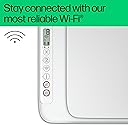
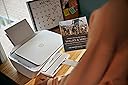
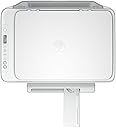
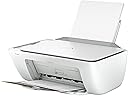
🖨️ Print smart, live green, and stay effortlessly connected.
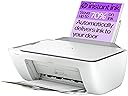
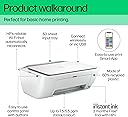
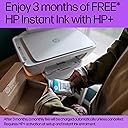
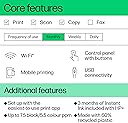
The HP DeskJet 2810e is a compact, wireless all-in-one inkjet printer designed for home use, delivering fast and high-quality color and black & white prints. Featuring easy setup via HP’s intuitive app, reliable Wi-Fi connectivity, and eco-conscious construction with 60% recycled plastic, it also includes 3 months of free Instant Ink for cost-effective, worry-free printing. Perfect for millennials seeking a stylish, efficient, and sustainable printing solution.


| ASIN | B0CFFBXYSH |
| Additional Printer Functions | All In One |
| B&W Pages per Minute | 7.5 ppm |
| Best Sellers Rank | 9 in Computers & Accessories ( See Top 100 in Computers & Accessories ) 1 in All-In-One Printers |
| Box Contents | DeskJet 2810e All-in-One Printer |
| Brand | HP |
| Brand Name | HP |
| Color Depth | 1 bpp |
| Color Pages per Minute | 5.5 ppm |
| Colour | White |
| Compatible Devices | [Partial] Computers (Laptops, Desktops) |
| Connectivity technology | Wi-Fi |
| Control Method | App |
| Controller Type | Windows |
| Country of Origin | China |
| Customer Reviews | 4.2 out of 5 stars 6,503 Reviews |
| Display Type | LCD |
| Dual-sided printing | Yes |
| Duplex | Manual |
| Hardware Interface | USB |
| Ink Colour | Colour |
| Is Electric | Yes |
| Item Dimensions D x W x H | 3.04D x 4.25W x 1.54H metres |
| Item Type Name | Multifunction Printer |
| Item Weight | 3420 Grams |
| Manufacturer | HP |
| Maximum Copies Per Run | 1 |
| Maximum Copy Resolution Black and White | 1200 x 1200 dpi |
| Maximum Copy Resolution Color | 1200 dpi |
| Maximum Copy Speed Black and White | 7.5 ppm |
| Maximum Print Resolution Black and White | 1200 x 1200 dpi |
| Maximum Sheet Capacity | 60 |
| Maximum Supported Paper Size | A3 |
| Maximum print Resolution Color | 1200 x 1200 |
| Model Name | 588Q0B#687 |
| Model Number | 588Q0B#687 |
| Model Series | 2810e |
| Model name | 588Q0B#687 |
| Network Connectivity Technology | Wi-Fi |
| Number of Drivers | 1 |
| Number of Trays | 1 |
| Other Special Features of the Product | Lightweight, Network-Ready |
| Output sheet capacity | 60 |
| Paper Size | 21.0 centimeters |
| Print media | Labels |
| Printer Output Type | Colour |
| Printer Type | Inkjet |
| Printing technology | Inkjet |
| Processor Count | 1 |
| Product Warranty | One-year limited warranty. For more info please visit us at http://support.hp.com .For full terms and conditions visit: www.hp.com/go/orderdocuments .Warranty and support options vary by product, country, and local legal requirements |
| Resolution | 1200 x 1200 |
| Scanner Type | Flatbed |
| Series Number | 5882 |
| Special feature | Lightweight, Network-Ready |
| Specific Uses For Product | General printing, scanning and copying at home; suitable for documents, photos, and label printing |
| Total USB 2.0 Ports | 1 |
| Total USB Ports | 1 |
| UPC | 196337820081 |
| Warranty Type | limited warranty |
M**S
Easy setup
Brilliant, value for money. Easy to setup. Clear instructions. Prints very quickly and well
M**A
for little money you get a really good printer in a small size
A very good printer and scanner in one. It works flawlessly from a laptop, via USB, and via Wi-Fi. Easy to set up, and the print quality is very good.
B**Y
Good printer but issues with signing up to instant ink
Good printer, easy to set up, quality of printing was good but had lots of issues trying to sign up to the instant ink service. Good price.
D**N
Good printer easy set up
I am very pleased with this printer, it was easy to set up and connect to my iPad, just download the app and follow the simple instructions. It prints quietly and quickly I didn’t go for the special offer to have new cartridges delivered as my usage is only light. It is an ideal home printer and I can recommend. D Hinton
I**M
Quite possibly the worst printer ever...
Quite possibly the worst printer ever. It's on my WiFi but sometimes takes 3 minutes to print, and I'm on 900mbit/115mbit connection - it's not sent locally either way. The print quality is "meh" at best... Throwing it through a window... entirely possible. The software is utter garbage, takes forever to load anything, feels like it's web based - even on my super fast internet connection and £3000+ gaming PC it is incredibly sluggish and horrible. You send a print and the job "status window" is whats shown in the PC Screenshot, utterly empty, doesn't even work. The Ink level is also utter garbage, was telling me I had full black ink when it was barely printing, very feint greys with lines in them. Now, I've had printers for the best part of 30 years, and this is hands down the worst thing I've ever experienced. Ink levels normally update instantly whilst printing, but not this! Local Print Que? Nope. Can you print via the browser or direct via windows and change any quality settings?? NO! You cannot. You have to load the incredibly sluggish and garbage HP App to change the settings. And you can only choose between "Plain Paperand Photo Paper" there is no card option at all. And the HP app doesn't even let you choose black and white or colour printing. It barely prints, starts printing on photo paper or card to not actually print anything, it pulls the paper in and just prints on absolutely *nothing*. The Instant Ink BS is literally BS, you sign up to say the 50 print package and the inks that come with your printer are included on that, GG, go over that and they want to charge you. The thing that holds the paper in at the back constantly falls down, and you have to faf around getting it back up. As you can see in the photo, the printer is full of ink from printing on absolutely nothing. On normal paper, it's totally fine, but come anything of weight it's an absolute failure. I'll be returning this eWaste.
E**A
Great value
Great product, good quality printing, easy to set up
M**N
For digital purposes. Note ink cartridges are automatic hire.
The pack includes 2 starter ink cartridges (1 black, 1 colour), printer and a power cable/ But, no laptop to printer cable. I guess its all wi-fi these days. HP does good "budget" printer/scanner/ copier units. Lightweight, a little fragile. Uses standard HP setup methods. Colour ink cartridge fits on your left. black on your right. I'm concerned about refills being automatic. I'm optically challengened.
K**C
Easy tu use home printer
Well priced easy to use home printer. Only problem was connecting to wifi. The printer kept wanting to be the " hub." Once this sorted( took quite a time) all good.
Trustpilot
2 months ago
1 month ago