We remain fully operational. Our teams are working around the clock to ensure your deliveries continue safely.

DOWNLOAD THE APP


Copyright © 2025 Desertcart Holdings Limited
DOWNLOAD THE APP


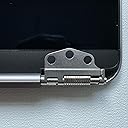

🖥️ Upgrade your MacBook Air with precision and style—don’t settle for less!
This premium replacement top assembly is designed exclusively for the Apple MacBook Air 13" M1 2020 model (A2337, EMC 3598). Featuring a vibrant 2560x1600 Retina display, it comes as a complete kit including LCD screen, back cover, webcam, cables, and essential tools. Each unit undergoes rigorous multi-stage testing and durability checks, backed by a 6-month warranty and responsive customer support to ensure a seamless upgrade experience.
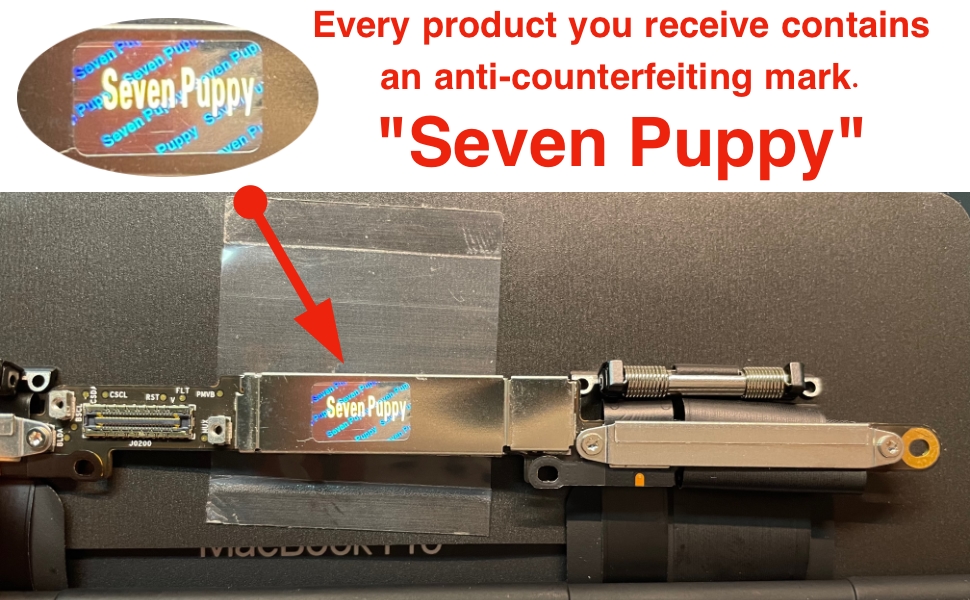


| Standing screen display size | 13.3 Inches |
| Brand | seven puppy |
| Item model number | A2337 |
| Item Weight | 1.5 pounds |
| Package Dimensions | 14.21 x 10.39 x 1.73 inches |
| Color | A2337 Silver |
| Manufacturer | seven puppy |
| ASIN | B0BTDJD369 |
| Date First Available | November 26, 2021 |
M**R
Excellent product, but a few caveats
This display looks and feels the same as the original, and works nearly as well. Here are some caveats for which to be aware: 1. The camera seems to be lower resolution than the original. For me this was okay, because I generally have an extended desktop using an external display, and a better webcam. 2. The true tone functionality disappeared from my display preferences, suggesting the true tone feature is absent. I'll double check on reboot and update if this has changed. 3. The tools provided are adequate but I was happy to have my own, better tools, from previous computer repair jobs. If I did not have any tools, I would also order a $10 kit (give or take a few $) on Amazon along with the display, one that has a suite of torx screwdrivers with better magnetic contact, different styles of spudgers, and tweezers. The repair is challenging because of small parts, but facilitated with good tools. And as a recommendation: 4. Make sure to perform the display switch in a well-lit work environment, with a large, unobstructed counter space, and with several small containers to hold the very small screws that look similar but are different. The job is not terribly challenging in terms of the number of steps, but is challenging in terms of the delicate nature of the work. A lost screw would be horrible. For my needs, this ~$200 option was a much smarter purchase than an original Apple part, or going to an Apple store to have the repair performed. I use my MacBook Air with an external display maybe 90% of the time, and only as a laptop when I have to be mobile. I will neither miss the true tone nor yearn for a better camera. If I intended this to be my only display and if I would depend on the internal camera for frequent use, I might reconsider. The product arrived well-packaged in short time, and I had it swapped in approximately one hour. Started my computer and voila, like brand new!
C**E
Honestly impressive, use ifixit instructions
Came with the right tools, well packaged and protected, and even a little instruction booklet. Unfortunately the instruction booklet wasn't for the screen I received. Got the right screen, just the wrong instruction booklet. The iFixit website instructions for my model were a quick fix to this and the screen installed easily and worked flawlessly. Make sure you disconnect the computer's internal battery before doing anything and reconnect it only as the last step. The instructions it comes with and on the ifixit site are very clear about this but it's not just for your safety - the display can be damaged irreversibly in such a way that colors or the camera don't work right. You'll have a heart attack when you close the computer up and press power and nothing happens. The mac has a safety feature where it won't boot the first time after its battery has been disconnected until you plug in the charging cable. Once you do so it starts and the battery can then be used normally again. Installed in about 20 minutes total and works absolutely perfectly. Colors correct, camera works, sleep works. All is good. Great kit and one of the better quality non-OEM replacement parts I've ever seen for an Apple product and I've been servicing them for 15+ years.
S**M
Thank you!!!
Im going to post more pictures later. This was one of my best buys of 2025! I am so happy I have my macbook back! I feel like myself again! My macbook has been broken for about a year. I needed my macbook back up and running for work so I decided to order me a replacement screen. The screen was easy to install. Even with the minor issues I experienced, I still finished everything in under 2 hours. I think thats amazing! I ordered my screen same day. Received it same day and by that night my macbook was alive again! I was afraid my screen would be springy as well but I followed the instructions word by word and in the end my screen lays nice and flat. It fits wonderfully. I was pleasantly surprised to see the apple logo on the screen! This screen is such a nice quality it almost looks better than the apple screen. It responds quickly and functions way beyond exceptions!
S**N
Screen Cracked Overnight — Seller Refused Warranty
I followed the installation instructions exactly, and the system worked well at first. I was glad to have saved money since a refurbished MacBook Air would have cost twice as much. Everything was fine for about four months. After returning from my first road trip with the laptop, I used it at night, closed the lid, and left it on the table. The next morning, the screen had severe internal cracks even though there was zero external or superficial damage. The photos clearly show that the outside is completely intact. I contacted the seller because the product was advertised with a six-month warranty, but they insisted it was “physical damage” and refused to cover it. At this point, it’s hard not to conclude that the device simply doesn’t travel well—and for a laptop, that’s a major flaw. What’s worse is that the failure happened while it was sitting untouched overnight, not during the trip. I do not recommend this product or this seller. The item failed unexpectedly, and the seller’s handling of the situation was dismissive and unhelpful.
N**N
Great screen. Good replacement.
Used this screen to replace a broken screen on a macbook air 2020 m1. The build quality is great very close to the original. Theres teeny tiny differences, like I noticed a tiny light leak on the bottom of the frame if you really look for it; but nothing to cry home about. All in it is pretty much the exact same thing. The screen quality is great I dont notice any difference from the OEM. The webcam quality is crap like others have said. All in all this is a great replacement part and much cheaper than the apple one. Five stars. Comes with tools which is amazing. I followed the ifixit guide and it was a treat. Everything went smoothly. It was a rather easy install. One thing that i ran into which ifixit does not cover - When you're turning your macbook back on again after the install you have to plug it into the wall with the original charger that came with the macbook. Otherwise it will not boot. I trouble shooted for a good 30 minutes trying to figure out why the macbook wouldnt boot after working on it. There must be something apple put in to stop it from booting once the battery has been disconnected.
L**F
Great replacement for the money! If you don't know what you're looking you'll never know its not OEM
A2337 Screen: In my opinion this screen is a perfect replacement for anyone with a broken screen. The fit is perfect and it installs quickly and easily. The picture looks just as the original and I haven't noticed any brightness issues, as it seems to me that it is just a bright as the original. Everything functions as the original except for the true tone but that is to be expected. The hinges feel on par with the original and the color reproduction is great as well. The camera in the one I got seem to be the same quality as what I had before. Over all the functionality of this screen is 99% of the original. Side notes, while researching reviews for this before buying I noticed that lots of people said that the tools were poor quality and that the instructions were not for the screen model that they ordered. The tool kit that was included was of decent quality, metal driver and all other tools needed for the process, and the instructions were the correct ones for my order.
I**.
Takes like 2 hour process but it's worth it
Fixing my computer screen was definitely a little scary at first, but honestly not as bad as you'd think. The most important thing is to keep track of every screw and where it goes that makes the whole process way easier. Also, be super gentle when handling the parts! I recommend working on a large table if you can. I only had my bed to work on, which made things trickier than they needed to be. The repair kit came with gloves, but I didn’t wear them because I found it hard to work precisely with them on. My laptop was practically brand new only about 4 months old when my kitten bit the screen and cracked it. I had no idea you could actually replace the screen yourself using parts from Amazon, so it just sat broken for nearly a year. Now that I’m getting ready for college, I knew I needed to get it fixed, but when I saw that a repair shop would charge $400, I decided to try doing it myself. I'm really glad I did. It saved me a ton of money, and now my laptop is working perfectly again! The only thing I made a mistake on was I got mixed up between gray and silver my keyboard is grey but my screen is silver... oops... it's okay tho now it just looks like a customized it and now it's unique :)
A**R
QC on camera?
Screen works. Installed within 30 minutes if you’re experienced with laptop repair. The camera works but the picture is a filter of green purple and blue. Almost like the packaging film was left on the camera during assembly and it’s covered by the screen overlay.
Trustpilot
2 weeks ago
3 weeks ago