

SKS3200M-4GPY2XF
Product ID: 599051847
Details
- BrandXikeStor
- Colorsilver
- Compatible DevicesDesktop Laptop
- Item Weight0.3 kg
- Number of Ports6
⚡6 ports with blazing 2.5G + 10G SFP+
🤫Fanless silent metal chassis
🛠️Web-managed VLAN/QoS/LACP control
KD 1.30
1
Sold byAmazon KUWAITDelivered byDesertcartCustomer service byDesertcartReturns14 days · 30 with PRO
Buyer Protection · Full refund if your order doesn't arrive as described.
Desertcart purchases this item on your behalf and handles shipping, customs, and support to KUWAIT.
Secure transaction
Details
- BrandXikeStor
- Colorsilver
- Compatible DevicesDesktop Laptop
Description
🚀 Elevate your network game with silent, multi-gig power!
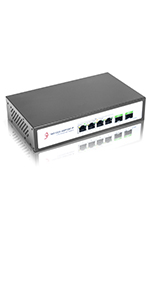
- BLAZING MULTI GIG SPEEDS - 4x 2.5G RJ45 + 2x 10G SFP+ ports deliver ultra-fast, future-proof connectivity for your home or office network.
- WHISPER QUIET RELIABILITY - Fanless design with rugged metal housing ensures silent operation and long-lasting durability in any environment.
- FLEXIBLE INSTALLATION FREEDOM - Desktop or wall-mount options let you optimize your workspace and network setup with ease.
- VERSATILE DEVICE COMPATIBILITY - Seamlessly supports gaming rigs, 4K streaming, NAS, and 2.5G servers — perfect for power users and prosumers alike.
- EFFORTLESS PRO LEVEL MANAGEMENT - Intuitive web interface lets you configure VLANs, QoS, LACP, and more — all without the IT headache.
The XikeStor 6-port managed Ethernet switch combines 4x 2.5G RJ45 and 2x 10G SFP+ ports for high-speed data transfer, featuring advanced Layer 2 management (VLAN, QoS, LACP) via a user-friendly web interface. Its fanless metal design ensures silent, durable operation, while flexible mounting options and broad device compatibility make it ideal for home labs, SOHO, and small business networks.




Specifications
| ASIN | B0CN6H5JWW |
| Best Sellers Rank | #2,075 in Computer Networking Switches |
| Brand | XikeStor |
| Color | silver |
| Compatible Devices | Desktop, Laptop, Printer |
| Customer Reviews | 3.3 3.3 out of 5 stars (28) |
| Data Transfer Rate | 2.5 gigabits_per_second |
| Interface | RJ45,SFP+ |
| Item Weight | 0.3 kg |
| Manufacturer | Anhui Seeker Electronic Technology Co., Ltd |
| Mfr Part Number | SKS |
| Model Number | 6 Port │ 4x2.5G Port(Web Managed) |
| Number of Items | 1 |
| Number of Layers | 1 |
| Number of Ports | 6 |
| Platform | Not Machine Specific |
| Switch Type | managed |
| Upper Temperature Rating | 40 °C |
Common Questions
Yes, all products are sourced directly from authorized retailers in the US, UK, UAE and India. We maintain strict quality control processes and verify each product before shipping. All items come with applicable manufacturer warranties and are covered by our standard return policy.
Delivery times vary by destination country, typically ranging from 3-9 business days. Each order is fully trackable through our system. We handle all customs clearance and use reliable courier partners for last-mile delivery. You'll receive regular updates about your order status via email and our app.
Desertcart is an international e-commerce platform operating since 2014. We securely process thousands of orders globally each day. Every product goes through our quality verification process before delivery, and we provide end-to-end order tracking, 24/7 customer support, and a comprehensive returns policy to ensure a safe shopping experience.
Our prices include the product cost, international shipping, import duties, customs clearance, and local delivery charges. We handle all customs and import procedures, ensuring there are no hidden fees upon delivery. PRO members receive additional benefits including free shipping.
Trustpilot
TrustScore 4.5 | 7,300+ reviews
Shop Global, Save with Desertcart
Value for Money
Competitive prices on a vast range of products
Shop Globally
Serving millions of shoppers across more than 100 countries
Enhanced Protection
Trusted payment options loved by worldwide shoppers
Customer Assurance
Trusted payment options loved by worldwide shoppers.
Desertcart App
Shop on the go, anytime, anywhere.