Buy anything from 5,000+ international stores. One checkout price. No surprise fees. Join 2M+ shoppers on Desertcart.
Desertcart purchases this item on your behalf and handles shipping, customs, and support to KUWAIT.
🚀 Elevate your home office game with smart speed and sustainable style!
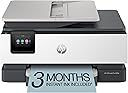
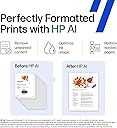
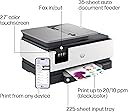
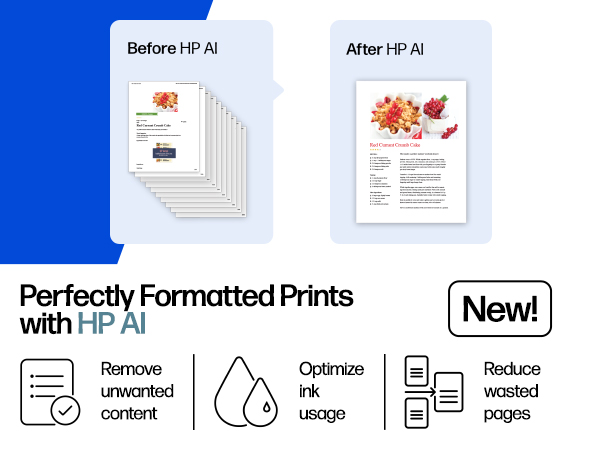
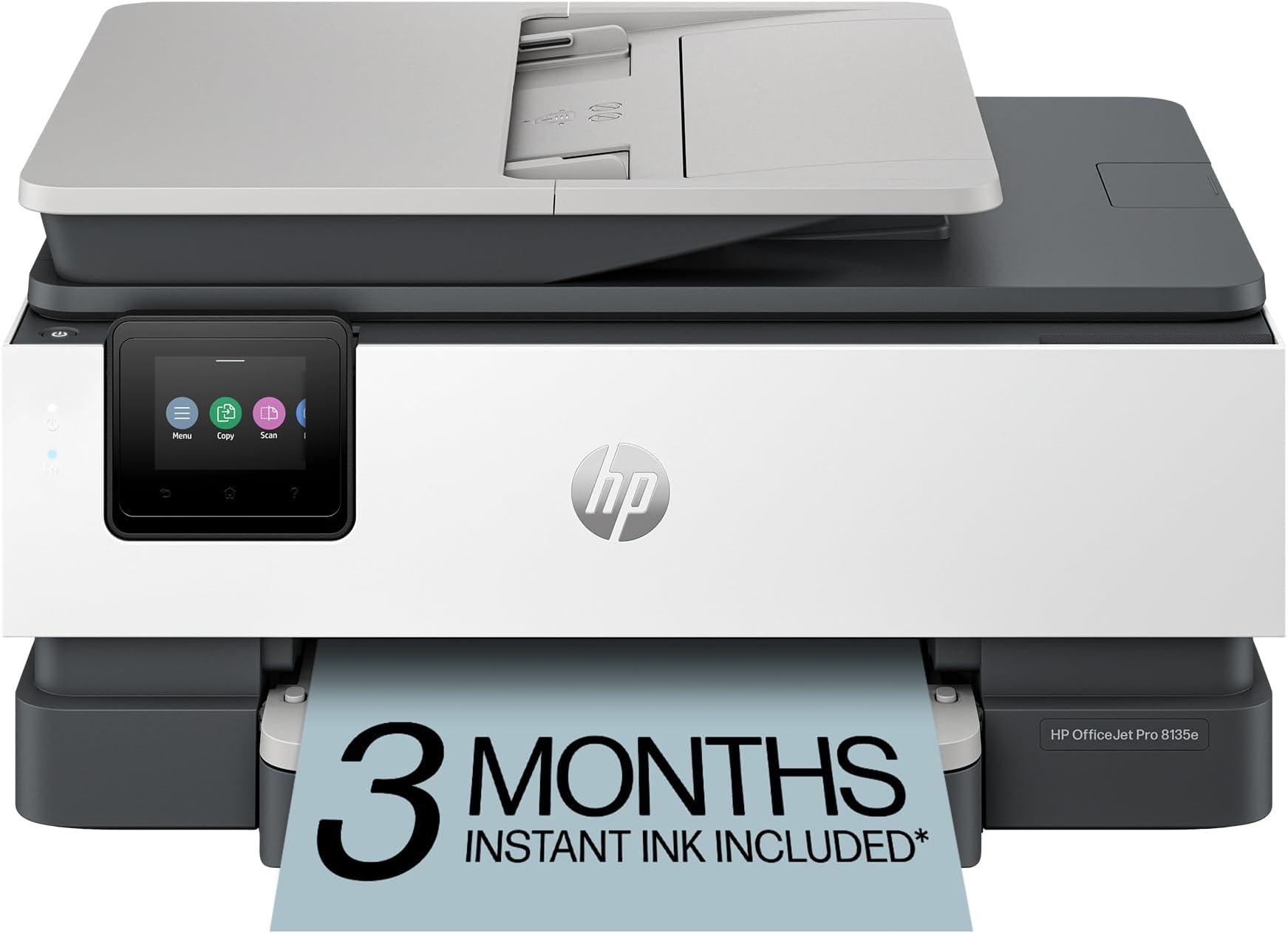
The HP OfficeJet Pro 8135e is a versatile all-in-one inkjet printer designed for home offices, delivering fast, high-quality color and black-and-white prints. Featuring AI-powered print optimization, wireless dual-band connectivity, a user-friendly touchscreen, and eco-conscious materials, it supports efficient workflows with scanning, copying, faxing, and automatic duplex printing. Includes a 3-month Instant Ink trial to keep you effortlessly stocked.


| ASIN | B0CFM7BTW8 |
| Additional Printer Functions | All In One |
| B&W Pages per Minute | 20 ppm |
| Best Sellers Rank | #9,873 in Office Products ( See Top 100 in Office Products ) #44 in Inkjet Computer Printers |
| Brand | HP |
| Built-In Media | HP 923 Setup Black Ink Cartridge; HP 923 Setup Cyan Ink Cartridge; HP 923 Setup Magenta Ink Cartridge; HP 923 Setup Yellow Ink Cartridge; Power Cord; Regulatory Flyer; Ink Caution Flyer; Setup Poster; Reference Guide |
| Color | Light Cement |
| Color Depth | 24 bits_per_pixel |
| Color Pages per Minute | 10 ppm |
| Compatible Cartridge | Original HP cartridges with HP chips or circuitry |
| Compatible Devices | Laptops, PC, Smartphones |
| Connectivity Technology | Ethernet, USB, Wireless |
| Control Method | App |
| Controller Type | Android |
| Customer Reviews | 3.8 out of 5 stars 3,625 Reviews |
| Display Type | touchscreen |
| Dual-sided printing | Yes |
| Duplex | Automatic (standard) |
| Hardware Interface | Ethernet, USB |
| Initial Page Print Time | 18 Seconds |
| Ink Color | Black, cyan, magenta, yellow |
| Item Dimensions D x W x H | 13.29"D x 18.12"W x 9.17"H |
| Item Type Name | Inkjet printers |
| Item Weight | 17.6 Pounds |
| Manufacturer | HP |
| Maximum Copies Per Run | Up to 99 copies |
| Maximum Copy Resolution Black and White | 1200 x 1200 dpi |
| Maximum Copy Resolution Color | Up to 600 dpi |
| Maximum Copy Speed Black and White | 12 ppm |
| Maximum Media Size | 8.5 x 11.7 in |
| Maximum Print Resolution Black and White | 1200 x 1200 rendered dpi Dots Per Inch |
| Maximum Sheet Capacity | 225 |
| Maximum print Resolution Color | Up to 4800 x 1200 optimized dpi on HP Advance Photo Paper 1200 x 1200 dpi input Dots Per Inch |
| Model Name | New Version |
| Model Number | 40Q35A#B1H |
| Model Series | 8130 |
| Number of Ethernet Ports | 1 |
| Number of Trays | 1 |
| Other Special Features of the Product | Forest First product with HP+; FSC Certified Packaging; Contains ocean-bound recycled plastic; 45% post-consumer recycled plastic; Recyclable through HP Planet Partners, HP Instant Ink eligible; Automatic document feeder; Touchscreen; Quiet mode; Print over VPN with HP+ |
| Output sheet capacity | 60.0 |
| Paper Size | 8.5 x 11;8.27 x 11.7;8.5 x 14;7.16 x 10.12; Inches |
| Power Consumption | 4.45 Watts |
| Print media | Paper (plain) |
| Printer Connectivity Type | Ethernet, USB, Wireless |
| Printer Output Type | Color |
| Printer Type | Inkjet |
| Printing Technology | Inkjet |
| Processor Count | 1 |
| Resolution | 4800 x 1200 |
| Scanner Type | Flatbed, 1-sided ADF |
| Series Number | 8130 |
| Special Feature | Forest First product with HP+; FSC Certified Packaging; Contains ocean-bound recycled plastic; 45% post-consumer recycled plastic; Recyclable through HP Planet Partners, HP Instant Ink eligible; Automatic document feeder; Touchscreen; Quiet mode; Print over VPN with HP+ Special Feature Forest First product with HP+; FSC Certified Packaging; Contains ocean-bound recycled plastic; 45% post-consumer recycled plastic; Recyclable through HP Planet Partners, HP Instant Ink eligible; Automatic document feeder; Touchscreen; Quiet mode; Print over VPN with HP+ See more |
| Specific Uses For Product | Home |
| Total USB 2.0 Ports | 2 |
| Total Usb Ports | 2 |
| UPC | 196337163942 |
| Unit Count | 1.0 Count |
| Warranty Description | One-year limited hardware warranty with option to extend to two-years with acceptance of HP+ Offer. For more info please visit us at support.hp.com . |
| Warranty Type | One-year limited hardware warranty with option to extend to two-years with acceptance of HP+ Offer. For more info please visit us at support.hp.com . |
| Wattage | 100 watts |
U**R
Perfect Replacement for My Old Home Office Printer – Solid HP Quality
I recently replaced my old home office printer with this HP, and I couldn’t be happier with the upgrade. My previous printer had started slowing down, jamming more often, and just wasn’t keeping up with my daily printing needs. This HP has been a solid, reliable replacement. The size is perfect! I expected to have to go with a larger footprint with all the features this has, but was pleasantly surprised to find this smaller printer had everything I needed in a small, lighweight package. Setup was straightforward and quick. Within minutes, I had it connected to my Wi-Fi and printing from both my computer and phone without any issues. The print speed is noticeably faster than my old unit, and the print quality is sharp and professional whether it’s documents, spreadsheets, or the occasional color page. What I really appreciate is the HP quality. No random disconnects, no frustrating paper jams so far, just dependable performance. That’s one of the reasons I’ve always trusted the HP brand. They’ve built a reputation for durability and reliability, and this printer lives up to that. For a home office setup, this has been exactly what I needed: efficient, easy to use, and built by a brand I trust. Definitely a worthwhile upgrade, especially at the selling price.
N**S
Terrible - DO NOT BUY
This is a TERRIBLE printer. First, the plastic is so thin that I thought I was going to break it when I opened it to load the ink. Second, when it prints, it is L-O-U-D! My experience: Right out of the box, I used the app (God, I wish manufacturers would stop requiring an app for every setup) to set it up. When it tried to print a test sheet, the paper jammed. I cleared that and tried again, and again and again (6x total) before I got it to successfully feed a sheet. When it did, nothing printed, and it gave me "paper tray is open" error (it wasn't). Cleared it all again, and on the fourth attempt, it finally printed... but again, "paper tray is open" error again. Then I tried to print from my computer - paper jam... FML. I connected it to my laptop via a USB cable, but it wouldn't recognize the connection and kept trying to connect via WiFi (way less reliable). That was enough! I couldn't return this thing fast enough. What a PoS. DO NOT BUY THIS PRINTER. I replaced it with a Brother printer that worked seamlessly right out of the box. I used to be an HP loyalist, but they have simply devolved to producing cheap crap. I will never by HP again.
D**Z
Perfect compact home setup
Wow where have I been? Stuck in the 2000's with a black and white laser for far too long, apparently. I didn't think my household truly NEEDED an all-in-one color printer, but now having it has been amazingly convenient and I doubt I'd be willing to return to black and white ever again. The ability to wirelessly print from our family laptops or mobile devices is truly worth its price in time saving and convenience. The colors print exactly as they appear on screen, and quickly without any jams thus far. The setup was incredibly simple -- almost plug and play. You do need to download the HP app for setup, which was easy enough to do but note you can always opt not to divulge any information you are not comfortable sharing. The entire setup fit in the same footprint as my older printer, but now I have the added convenience of a duplex scanner as well as a flatbed for phot-quality images which comes in handy when wanting to digitize physical memorabilia from here on out. The touch screen panel is intuitive and works smoothly thus far, and we have had zero issues with our wifi connection, despite the printer being in a notoriously unstable wifi area in our home! Overall very satisfied with our new all-in-one setup. The low overhead, convenience, and utility we're getting out of this was the simplest quality upgrade we could've made for our home office.
A**N
Affordable with quality printing
I will start with the positives first. I set up the HP OfficeJet Pro 8135e on both my laptop and cell phone and setup was fast and easy. Color and monochrome documents and photos are very good quality. Text is crisp, bright and legible and the color accuracy of photos is excellent. I like to make greeting cards and the printer had no issues handling the greeting card stock I use. Print speed varies from very fast for monochrome documents to somewhat slow for color documents/photos but it is adequate. I like the fact that this printer uses three separate color cartridges rather than a tri-color cartridge, that it has an automatic document feeder and that it prints quietly. The negatives for me are the touch screen, shutting down process, mobile connectivity and accessing the preferences/properties screen. The touch screen is nice to have but it is a bit on the small side and it's easy to touch the wrong option within a menu. Shut down seems to take a long time and sometimes the printer wouldn't shut down and needed to be unplugged in order to turn it off. Connection with my cell phone has been inconsistent but this could be an issue with the smart app or my wifi. Finally (and this is probably a software issue) it takes a long time for the preferences/properties screen (double sided printing, quality of prints, color mode, etc.) to pop up when that option is chosen. With other printers I've had that screen pops up immediately. Even though there are some negatives, this is an affordable, easy to use printer which produces quality documents and photos and I can recommend it.
B**Z
Great multi-function printer
I was given the opportunity to use and evaluate the HP OfficeJet Pro 8135e printer, and I am impressed with the functionality of this printer. Here’s a detailed review based on my experience so far: Setup and Usability - The design is sleek and professional, fitting well in any home office setting. It has a compact footprint considering its features. The printer was very easy to setup and add to my wireless network. After following the instructions and setting up the printer, I was printing from my phone within minutes. With many devices in the house, it is critical that anyone can printer whenever they need. Whether it be for school, work, or just a fun, this capability is critical. Performance - The printer delivers high-quality prints with great color and sharp text, making it ideal for all my needs. This thing prints fast, around 20 pages per minute for black and white and only slightly slower for color. Even though I would never need to print that much so fast, it is great to know it can if the need arises. Features - The OfficeJet Pro 8135e comes equipped with a variety of features that enhance its usability. The automatic document feeder and double-sided printing save time and reduce paper, which is a big plus. The touchscreen interface is intuitive and responsive, allowing for quick navigation through settings and print options. Connectivity options are robust, with support for Wi-Fi, Ethernet, and USB connections. With the HP Smart app you can print remotely from smartphones and tablets. The integration with various cloud services using the Smart app makes accessing any file a breeze. Overall value - The HP OfficeJet Pro 8135e is an excellent multifunction printer that balances performance and functionality. With its competitive pricing in the all-in-one printer market, it offers great value for small to medium-sized businesses or home offices. Whether you need it for casual printing or more demanding workloads, the 8135e is a reliable choice. This HP OfficeJet Pro is both a versatile and efficient printer. If you are in the market for a new multi-function printer, this one is a solid investment. I would highly recommend the HP OfficeJet Pro 8135e to anyone seeking a new printer.
A**L
Sleek and easy to use.
I really love this printer. Installation was very easy using the app it guided you through the entire process. It didn’t take long from taking it out of the box to being completely set up and running. Putting the ink cartridges in were very simple and the entire setup/installation process was a breeze! Not only does this printer look sleek but it is very user friendly and easy to use. I usually print stuff from my phone and the app makes this very easy to do so. I also want to comment on the internet setup that’s was quick and works wonderfully. I have not had to reconnect the internet over and over like previous printers. The printer prints pretty fast and the colors and black and white ink all come out vibrant and beautiful. I can say I think this is my favorite printer I have ever had. So far it has been great in every way and I have still not found a negative. I would recommend this to anyone who prints a lot like we do here. It is a very high quality very easy to install and use printer. I am not as computer savvy as my teens but I have had no issues using this printer and neither have my kids. The printing app really makes printing effortless.
B**.
DON'T WASTE YOUR MONEY!
No more HP for me. Only 3 of the 4 ink cartridges fit into the printer. The fourth (yellow) would not go in. I spent 4 1/2 hours on the phone with HP trying to fix the problem. They sent me another yellow ink cartridge. When I finally got it I put it in and it fit. Wonderful, right? NO. It had to be a "Set-Up" ink and this one was not so the printer would not read it. I had to spend another 47 minutes on hold until they answered then 2 more hours with them trying to fix the problem. The real problem was that those who designed the printer made it so only "start-up" ink will let the printer read them to start the printer to set-up. Now they sent me a new printer. The ink went in without a problem and I set up my wi-fi. Only issue now is that it will not print a PDF file! Half of what I need to print is in PDF. I'm waiting to be calm before I waste another 2 or 3 hours on the phone with HP. Do yourself a favor, buy an Epson printer.
B**S
No Disappointments
this printer was really easy to set up! Instructions are simple. It’s not hard to hook up online. I like the way it performs this is about my sixth HP and I’m really pleased with it.
R**N
Bon produit
Produit à temps et depuis l’utilisation aucun problème
V**L
DOES NOT WORK WELL - DRAINS INK - TIME & MONEY WASTED
We now have two HP printers - neither of which work well - and we regret buying them. The HP OfficeJet Pro uses too many mechanical processes to print or scan. I still can't get a driver for the Fax - so that doesn't work either. Called HP Customer Service who did not know how to fix this problem and wasn't able to email a link to download the driver for our OS - this after hours wasted on phone call. The machine also uses TOO MUCH INK - cartridges are more expensive than other models. The HP online Account is useless - and often blocked if it records your computer IP & #. It takes too much time to configure even when the driver downloads are available. WASTE OF MONEY We should have bought the more $$$ Brother all purpose.
A**F
Polyvalente
Facile à installer
C**J
Works very well and fast. Easy setup, but no free ink required code. 😟
Extremely good printer: It is easy to setup, fast printing, and quiet printing. I really like it. It works well. However, where is the code you need to obtain the advertised free 3 months of ink. Can’t find the required code anywhere.
O**N
Printer
I love it .This is why I got it as it is hard to find some where to get it printed
Trustpilot
2 months ago
1 month ago