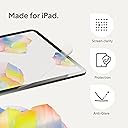
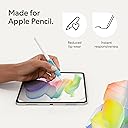
🖋️ Elevate your iPad experience—write, draw, and create like never before!
Paperlike 2.1 Screen Protector for iPad Air 11” (M3 2025 / M2 2024) combines advanced Nanodots technology with ultra-thin 0.095mm design to simulate a premium paper feel. It offers scratch-resistant, smudge-proof protection while preserving vibrant screen clarity and Apple Pencil responsiveness. The package includes two protectors and a bubble-free installation kit, making it ideal for professionals seeking precision and durability in their digital workflow.


| ASIN | B0D4B2RTM3 |
| Best Sellers Rank | #502 in Tablet Screen Protectors |
| Color | Transparent |
| Customer Reviews | 4.0 4.0 out of 5 stars (726) |
| Date First Available | May 16, 2024 |
| Item Weight | 0.353 ounces |
| Item model number | PL2A-10-24 |
| Manufacturer | Paperlike |
| Product Dimensions | 9.69 x 6.97 x 0.5 inches |
| Special features | High Definition Clarity |
| Whats in the box | Paperlike 2.1 |
M**K
Simply the Best!! A DREAM for writers
Hey Jan! I love your paperlike 2.0! My only disappointment is : In myself! For not purchasing it sooner! It's an absolute dream to write on The nanodot technology is incredible! -- color retention → real! -- Apple Pencil Pro response → real!! HUGE difference between this and other paperfeel protectors. I was a fan of Paperlike since 2015 when a had an iPad Air 2 - it was an absolute dream to write on, I never experienced anything like it. I used it exclusively for years. Then, as visuals on the iPad were getting better - with the older version - of course there was more "rainbowing" & such. When I bought a very simple iPad 10 just for writing, a friend gifted me Astropad Rock, Paper, Pencil V2 -> liked the nano-cling technology it is really cool. Being able to take it off for everything else but writing was a huge plus at the time because there was nothing like this out there Long story short → I needed pencil grips to prevent my fingers from cramping → paperlike pencil grips are incredible! *** if you are a writer, you need these! My fingers no longer cramp and in my research these are the only ones that charge and have the squeeze and double tap work perfectly. These grips reminded me of paperlike's dedication to making quality products - I read about the paperlike 2.0 - nano dot technology- it was a no-brainer for me and I’m so grateful that I came back to this because once I read about the 93% color retention, I thought cool!!!  I like not having to remove it because I use my iPad for drawing and writing more than anything else. The installation to me is genius. It’s brilliant and I’m not quite sure why people have trouble with it. I think if you just watch the video first without even opening it. Yes, it's different. People are intimidated by different - they assume the worst before even trying it, setting themselves up for failure. If we are honest with ourselves , we know as humans me all have a tendency to do this from time to time. THANK YOU JAN!! I LOVE ALL OF YOU PRODUCTS!! Leah Ayelet. - Paperlike super fan💕
L**2
)
I originally got this because it was slightly cheaper than the website official ones. It fit my iPad perfectly and looks great on my iPad the only thing I’d slightly complain about is as someone who uses Goodnotes a ton it tends to look very scratched up after a month but is only noticeable when iPad is off. Everything else works amazing
D**Y
Installation is a pain in the ass
This is a really high-quality matte plastic screen protector for the iPad Air. Once it’s on, it completely changes how writing and drawing feels — way more natural, like actual paper. Great for college note-taking and solving math problems. The Apple Pencil doesn’t feel like it’s skating on glass anymore, but it’s still responsive and accurate. It just makes the whole experience of writing or sketching feel so much better. You get two protectors in the pack, plus all the accessories you need: cleaning wipes, dust stickers, guide tools — even a link to a very helpful install video. So far, so good. But holy hell, installing this thing is a pain in the ass. And I say that as someone who’s pretty experienced with screen protectors. The biggest issue is removing the protective film from the adhesive side. It’s really tough to peel off cleanly, and when you finally get it off, it’s way too easy to accidentally flex or warp the screen protector itself. I’m pretty sure that’s what happened with mine — the edges, especially the corners, never fully settled. Even a month later, they’re still slightly lifted. They haven’t gotten worse, but they’re not flush either. If you’re planning on picking this up (and honestly, you should — the feel is absolutely worth it), here’s what I recommend: Do the install in the most dust-free environment you can manage. Seriously — a steamy bathroom or a sealed room with zero airflow. Watch the full install video before you do anything. Be very careful peeling the backing off the adhesive side. Go slow, and support the protector so it doesn’t flex. Don’t stress if some corners don’t fully adhere. It still works great and doesn’t peel any further. Overall, this is a fantastic matte screen protector that delivers exactly what it promises — just be prepared for a tricky install. 4/5.
J**N
One of the Worst Application Systems
EDIT: While I stand by my initial review, I must give the company credit. Within a day of my review being posted, they reached out and tried to make things right by sending me a replacement set of protectors with additional tips for application. I said no, as I still believe the application process is substandard given the cost, but they then initiated a full refund without my requesting one. This is a company I can respect, even if I am not a fan of their product. This may or may not live up to the hype regarding the impact on writing and drawing, but I never made it that far. The application process is only marginally better than that of the earliest screen protectors for the original iPad. The tape used to hold the protector in place during application is a pain to get to hold correctly, with the protector constantly shifting. But the nightmare is applying the protector itself. No matter how slowly I went, no matter how carefully I pressed, I ended up with multiple air pockets that I could not remove without lifting the entire protector, which was made easier by the fact that the top film did not peel away from the protector but actually peeled the protector off the screen. I tried multiple times with both screen protectors and could not get a satisfactory application. At $45 a pop, these are in desperate need of an improved application process.
T**T
Expensive product impossible to test properly because you cannot get rid of the bubbles during application. Frustrating and a waste of money!
R**A
beat premium like feel
J**O
J’adore, mais difficile à installer
J**L
The best screen cover.. its so good for writing and especially draw on it.. really cool and the best one ever
W**L
Not worth the price. Not easy to install. Easily scratches
Trustpilot
3 weeks ago
1 day ago