Buy anything from 5,000+ international stores. One checkout price. No surprise fees. Join 2M+ shoppers on Desertcart.
Desertcart purchases this item on your behalf and handles shipping, customs, and support to KUWAIT.
🚀 Print Fast, Print Smart, Print Like a Pro!
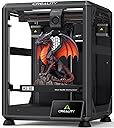
The Creality K2 SE 3D Printer combines a high-speed CoreXY system capable of 500mm/s printing with a robust die-cast aluminum frame for exceptional stability and precision. It supports expandable multicolor printing via the Creality CFS system, features a direct drive extruder with quick-swap nozzles, and offers beginner-friendly automatic bed leveling and setup. Designed for professionals and enthusiasts seeking reliable, fast, and versatile 3D printing with minimal hassle.


| Best Sellers Rank | #4,565 in Industrial & Scientific ( See Top 100 in Industrial & Scientific ) #6 in 3D Printers |
| Brand | Creality |
| Color | K2 SE |
| Compatible Devices | Personal Computer |
| Customer Reviews | 4.0 out of 5 stars 1,582 Reviews |
| Item Weight | 12.5 Kilograms |
| Operating System | Windows |
| Product Dimensions | 13.98"D x 13.96"W x 18.98"H |
N**E
Not the biggest kid on the schoolyard, but plays a solid ground game.
The K2SE is an excellent printer for users who are still interested in learning and growing within the 3D-printing ecosystem, but who no longer want to spend the majority of their time troubleshooting basic hardware issues. While it may not be a flagship, top-tier machine by today’s standards, it represents a significant step forward—especially when compared side-by-side with older platforms like the Ender 3 Pro. Out of the box, the K2SE delivers a level of refinement that once required extensive upgrades on earlier printers. Features such as automatic bed leveling, filament runout detection, a sturdier frame with vibration-dampening feet, and a properly supported raised Z-axis bed all come standard. The addition of cloud access and a fluid web interface—complete with optional root access for advanced users—bridges the gap between a consumer-friendly machine and a system that still rewards technical curiosity. My first print, a simple Kirby model, was intentionally done with minimal tuning to get a baseline feel for the machine. The results were impressive, especially coming from years of compensating for aging components on my Ender 3. With that printer long overdue for a new extruder, I had grown accustomed to managing variables that simply don’t exist on the K2SE. The consistency and reliability here are immediately noticeable. Although I didn’t have the budget to add the multi-filament CRT system at launch, the printer’s upgrade path is clearly well thought out. Planned expansions like an enclosure, camera monitoring, and multi-material support make it easy to justify future investments. I would also welcome a firmware or hardware update that introduces Bowden extruder support, as it could further improve filament switching speeds and overall print performance. As someone who has stuck with the same Ender 3 since long before touchscreens, CR-Touch, and modern quality-of-life upgrades became commonplace, it’s refreshing to see Klipper remain a core component of the K2SE. For users who are on the fence about moving away from heavy DIY builds, this printer strikes a compelling balance—offering reliability and speed without sacrificing control. Perhaps the most underrated benefit is time savings. The K2SE is noticeably faster than older models, and its intuitive touchscreen interface makes it accessible even for non-technical users in my household. After setup, my wife and children can confidently start prints on their own, which speaks volumes about the usability of the system. Print quality alone justifies the upgrade for patient users. While some may find the stock cooling fans slightly underpowered, the machine compensates with excellent compatibility for multi-tool and threaded expansion systems—an advantage over many Bowden-dependent designs that require significant modification for production or multi-material workflows. And as a final bonus, despite being scheduled for February delivery, the K2SE arrived weeks early. Getting this machine ahead of schedule was the perfect way to confirm that the upgrade was absolutely worth it for the value price point.
M**S
Great for beginners!
I bought the Creality K2 SE 3D printer for my 14-year-old who is just getting started with 3D printing, and it has been a great choice for beginners. He was excited to try it out, and the setup was simple enough that he was able to get everything put together and running on his own. Once it was up and running, he started printing right away and has already made all kinds of different things. From small gadgets to fun projects he finds online, the printer has handled everything really well so far. It prints quickly and the results have been impressive for a beginner-level machine. What I like most is that it encourages creativity and learning. He enjoys experimenting with new designs and figuring out how things work, which has made the printer both fun and educational. Overall, this has been a great starter 3D printer. It’s fast, fairly easy to set up, and perfect for someone new to 3D printing. My son absolutely loves it and has been using it constantly since we got it.
R**N
Don’t buy
This printer is pretty awesome. Here is the biggest catch to it. We have spent hundreds of dollars on the app and or validating what we could buy between buying filament and everything else. This thing does not connect properly. It is very technical if you are not smart. This is a terrible thing to buy. I’m a very educated person and so are the other 3 to 4 people in my household that have all tried to use this thing it will not let you change individuals to print off it and even the amount of money you spend to buy credit credits and or other items that you want to purchase in the store do not print properly. This sucks don’t buy it even though this equipment is awesome. This is the worst thing I wish I’d never bought. I do not say this in the test and or ignorance I have studied. I have read up. I’ve looked at forums. I’ve been on Reddit. Everyone says this creatality is extremely difficult and we have definitely found this out firsthand. I would definitely return this, but I think my window has closed. It sucks when you buy a product and you have it for like 2 to 3 weeks before you get to use it but then your window to return it is closed. The app does not match what is online and or if you have more than one person that wants to print, you cannot share unless the other person is logged out and even if the person is logged out, it does not always match the same, so for example, I have tons of money and credit on my account, but it will not let me print out certain apps and or creations then it tells me that it will work on our item that we have purchased, but then it’ll say it does not work. It will not print. 3-D printer is a scam. It sucks. It has great potential but this is not the one for you. Don’t waste your money too much money.
S**H
Nice, Entry Level Printer.
This printer assembled very quickly due to the manufacturer doing most of the work for you. Although the instructions could have been better, thankfully there was a detailed listing of the parts and fasteners, including drawings and dimensions of each.Assemble was quick and straightforward. Although I am new at 3-D printing, I have friends that have done it for years. Several of them were very impressed with the improvement to this line of Creality printers, such as auto-bed leveling, auto-loading of filament, print speed, etc. I personally could not be more pleased with this printer!
D**H
new tech is better than old tech. easy to use and prints great.
i have had a Monoprice MPSelect for maybe 10 years. I have printed a LOT with it. Finally it was clogging at every turn so I decided to upgrade my printer. I dont print that much so the price point on this printer was about right. Enough money to get a good product, but I dont need a camera or multi-filament so why pay for them. Creality and this printer in particular got good reviews. Its a pretty big step up from the MPSelect. AUTO LEVELING? what? thats awesome. i was turning allen screws in the build platform before. thing is FAST. good grief. put it ona stable table or it will shake itself off and away and down your hallway. the only problem i have had is having prints come loose while printing so i am currently experimenting with blue tape vs glue stick, heated bed vs not heated (for PLA), and whatever else i can read about to try. glue stick seems to be winning. the larger build plate is nice (mine was 100x100?) and nows its 220x220. i can print that rPI case i have been wanting to.
J**E
Reliability, Productivity, Efficiency
Straight out of box printing. Easy to use interface. My favorite is the synchronization across the network, no cords nothing straight to PC. So easy and convient with the Creality Slicer software and mobile app. Love printing things when im away from home (as long as I remember to clear the bed before I leave lol) Would give 6 stars but upset I didnt buy 2. JR07
R**R
Creality K1 SE - Prints great with stock settings - needs a side spool mount
I bought the Creality K1 SE a little over a week ago. I had an Ender 3 S1 before this printer. The K1 SE is so, so much easier to print with right out of the box! I definitely recommend it. It's a good way to get the improvements that were built into Creality's K1C, but at a nicer price. Plus, you can install your own version of Klipper if you want. I've printed 10 or so things in PLA and PETG, and I haven't had any failed prints. The automatic bed leveling has just worked. I have not had any problems with bed adhesion. On the Ender 3 S1, I only used a textured PEI plate, but the smooth build plate on the K1 SE works fine. The extruder cooling fan also seems ok for what I've printed so far. I printed an overhang test and the 75 degree overhang looks fine, but it had trouble at 80 degrees. The bridging test looked ok. (The longest bridge was only 25 mm on that test however.) I've put the printer in a soft-sided enclosure that I had used for my old Ender 3 S1. (It's easy to find similar encolsures.) The LEDs on the K1 SE are bright enough to see inside which is something that I was concerned about before I purchased. However, this enclosure makes it difficult to access the back of the printer where the filament spool is mounted, so I designed a mount that clamps onto the side-bar - see the pictures. The files are on Printables - "Creality K1 SE Side Spool Mount".
M**P
Amazing 3D Printer!
Amazing Printer! This Is My First 3D Printer, And It Is A Very Good Starter One. It Is Very Easy To Set Up, And Is Very Fun Unboxing! It Comes With Some Extra Things Like A USB Drive, An SD Card, A Filament Snips, An Extra Tip, Some Filament, And Extra Tools. It Does Very Well At Printing For The Price Of Only $200. It Has A Very Large Printing Size, And Prints Pretty Clean. It Is Also Pretty Fast At Printing. It Heats Up Fast, And Doesn't Take Long To Start Printing. It Has A Nice Design, And Is Very Easy To Operate. When Assembling, Make Sure To Plug The Right Wires In At The Right Spots. Its Very Easy, But It Shows Were In The Instructions. The Thing That Got Me For A Second Is The Voltage Selection On The Back. It Came Set At 235V From The Factory, But I Had To Just Slide It From 235V to 115V. Its A Red Switch Inset Into The Back. Just Use A Mini Screwdriver Or Allen Wrench. Sorry, I Would Have Uploaded Some Photos And A Video, But My Camera Was Currently In The Process Of Taking A Time-Lapse Video Of A 6 Hour Print, LOL.
Trustpilot
1 month ago
2 weeks ago