🎮 Dominate Every Click with Precision, Speed & Style
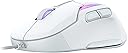
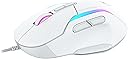
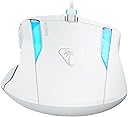
The Turtle Beach Kone II is a wired ergonomic gaming mouse designed for medium to large hands, featuring a high-precision 26K DPI Owl-Eye optical sensor, ultra-durable TITAN Optical switches rated for 100 million clicks, and 23 customizable inputs via Easy-Shift [+] technology. It offers smooth, low-friction movement with pure PTFE glides and a lightweight, flexible PhantomFlex cable. Enhanced with three-zone RGB lighting and NVIDIA Reflex compatibility, it delivers lightning-fast response times and customizable aesthetics for professional-grade gaming performance.


| ASIN | B0D9MBY2J3 |
| Are Batteries Included | No |
| Batteries | Lithium Metal batteries required. |
| Best Sellers Rank | #3,461 in Videogames ( See Top 100 in Videogames ) #171 in PC Gaming Mice |
| Brand | Turtle Beach |
| Color | White |
| Customer Reviews | 4.3 4.3 out of 5 stars (140) |
| Date First Available | 5 August 2024 |
| Hardware Platform | PC |
| Item Weight | 90.7 g |
| Item model number | TBM-1003-15 |
| Manufacturer | Turtle Beach |
| Operating System | Windows |
| Original Release Date | 2024 |
| Power Source | Corded Electric |
| Product Dimensions | 4.32 x 13.03 x 8.26 cm; 90.72 g |
| Series | KONE2B |
み**た
多ボタンマウスが欲しくて購入。 ボタン数やEasy-shiftが非常に使いやすそうでマウスが光るのも条件だったのでほぼドンピシャ。 使ってみて大きさ以外は違和感がない。 大きさも慣れればまぁ特に問題なく、手より少し大きいサイズなので安心感がある。 ボタンやホイールも特に問題なく誤操作も起きないし親指周りのボタン配置も非常に良くちょうど親指の腹が2ボタンの間にくる。 それぞれのボタンの押し心地も特に違和感なく他のマウスから乗り換えてもすぐ慣れると思う。 重さもMx Master3sが140gあるがこちらは110gなので大きさから想像する重さよりかは少し軽く感じると思う。 スリープからの復帰も早く、いつスリープしてるのかよくわからないほど。 SWARM IIというソフトウェアでマクロを組んだりボタンを割り当てる事もできる。 ChatGPTが操作を熟知しているので聞きながらやれば特に問題なくできる。 マクロ割り当てやボタン設定をしたあとも1秒足らずの読み込みで設定が完了するので非常にスムーズ。 もちろんだが日本語対応。SWARM IIはTurtle Beach公式ホームページからダウンロードできる。 以下、私のネットサーフィン用の割り当て(Easy-Shift時) 左クリック:コピー 右クリック・貼り付け ホイールボタン:Google検索(マクロ) 上ホイール:Page Up 下ホイール:Page Down これで非常にネットサーフィンが快適になった。ご参考までに。 追記: 購入して半年経過。 基本的に使い勝手は良いが手の脂みたいな汚れが残りやすい。 目立ちにくいからまだいいけれどもずっとキレイなまま使い続けるのは無理。 またバッテリーは非常に劣化が早い。 購入当初は一週間以上は持っていた印象だが半年経過時点でバッテリー量が半分くらいになった感覚。 手持ちのスマートウォッチは購入して1年経つがまだ一週間以上持つもののこちらは寿命を迎えるのが非常に早そう。 こういうの考えると他の大手企業や日本企業のものを使ったほうが安心して購入できそう。
✔**✔
Ma souris favorite a longtemps été la ROCCAT Tyon (celle avec le petit “switch ascenseur” latéral) et quand elle a commencé à rendre l’âme, j'étais déçu de ne pas retrouver cette fonctionnalité… dans aucune marque ! Du coup, j’ai choisis cette souris un peu par “défaut” pour aller avec mon Vulcan II (blanc) et je dois avouer qu’elle fait parfaitement le taf ! Le câble est hyper souple, la glisse parfaite et la taille / forme idéale pour moi ! et très légère ! ❗Attention ❗ elle est quand même assez grosse et ne devrait pas convenir à tous. Elle utilise le même driver que le clavier et donc parfaitement paramétrable selon mes besoins ! Bref, une souris pas loin de la perfection pour mon usage malgré l’absence du bouton spécifique à la TYON…
L**T
Souri qui fonctionne très bien a la hauteur de mes attentes
U**E
Okay, also erst mal das Gute: + Die Maus fühlt sich vom Material her toll an und liegt auch gut in der Hand. (ist allerdings groß ca. 13cm lang und 8cm breit) (auf den Bildern fehlen an dem Meter 2cm) + hat viele Knöpfe, abgesehen von LMB und RMB gibt's zwei am Mausrad, zwei auf der Maus und drei an der Seite der Maus + ist leicht. + Mit Treiber alles easy einstellbar, sogar mehrere Profile kann man da machen zu denen die Maus auch automatisch wechselt wenn man das angegebene Programm öffnet. + Großer Fan davon wo sie den dritten Daumenknopf platziert haben. Leicht erreichbar, bei anderen Mäuse war der immer so aus dem Weg, dass er nur selten genutzt wurde. + Super angenehmer creamy Ton beim Klicken von LMB und RMB Sehr schönes Teil, gefällt mir sehr. Es hat aber auch ein, zwei kleine Nachteile, die echt kaum der Rede wert sind, ich aber trotzdem nennen will: - Sie ist leider ein bisschen glatt an der Seite wie ich finde und der Teil der es griffig machen soll, kommt leider nur als Tape zum aufkleben, was ich ein wenig billig finde und ich schon in der Zukunft verrutschen und kleben sehe, also lass ich es direkt lieber ganz ab. (In den Bildern seht ihr das Tape) - Wenn man die Maus zum Gamen benutzt muss man wirklich von den Profilen gebrauch machen. Ich habe auf die Daumenknöpfe für außerhalb vom Gaming "Copy und Paste" gelegt, die Maus hat das dann im Game übersetzt als "c" und "v" Knopf für die Action die ich den Daumen Knöpfen im Spiel zuordnen wollte. Ich habe die Daumenknöpfe also komplett verloren und C und V waren schon in Benutzung in dem Spiel. Wie gesagt, lässt sich das aber einfach umgehen indem man ein anderes Profil anlegt und die Daumenknöpfe in dem Profil einfach gar nicht vergibt. Tatsächlich kommt einem der Treiber sogar entgegen und bietet bereits bestehende Macros für verschiedene Spiele an, was toll ist, man muss es nur raus finden. Wenn man's weiß ist es eigentlich kein Problem. Hat mich nur erst gewundert, da ich dieses Problem noch nie mit einer Maus hatte. - Die Lichter an der Maus lassen etwas zu wünschen übrig. Die Palette ist etwas limitiert, das Licht nicht so stark, alle Farben sind relativ muted. zB Helles Pink habe ich angegeben und bekam dafür wirklich nur Weiss. Musste dann zu einer dunkleren Lila variante Wechseln um den angenehmen Pink Ton zu bekommen den ich wollte. Meckern auf höchstem Niveau, tatsächlich. Aber je nachdem für was Ihr sie haben wollt sollte man das vielleicht wissen. Alles in allem aber eine tolle Maus, stabil, liegt gut in der Hand, hat einen super angenehmen Ton und ich bin einfach super zufrieden damit :)
J**T
I bought this as a replacement for my older Kone AIMO that the third thumb button died on. I also have the older Vulcan Pro keyboard, which Swarm 2 does not support, so I was a little concerned with having two versions of Swarm installed, but that does not appear to be an issue. As someone with large hands, it's always been tough finding a comfortable mouse, and I really like the feel of the Kone in the hand. It's just the right size if you have larger hands. Everything was well packaged. I like that the dongle comes with the adapter that you can mount closer to the mouse. That's a nice feature. The cord is probably the softest, most flexible usb cable I've ever seen. Should be zero issues with it misbehaving while connected to the mouse. Setup was quick and easy. The mouse was immediately recognized in Swarm 2, and found an update for it, which took about 20 or 30 seconds to install. The RGB matches the older Kone as well. Using the same values the color perfectly matches what I have set on the old version. One big upgrade for me is the clicky/freewheel scrolling option. That's the one thing I've always missed since I had my old logitech, and having it here is great! The grip tapes were a bit fiddly to get on, but I think they should remain well stuck for a good long while. My old Kone had started to show a lot of wear in the thumb area, so I think the grip tape might extend the longevity pretty well, and it provides a decent improvement in grip. I do wish that the protective film on the skates had included peel tabs on it, but that's a minor gripe. All in all this is a solid upgrade over my old Kone, and if you are a large handed individual like me, this is a pretty good option for a gaming mouse.
Trustpilot
2 weeks ago
1 month ago