Buy anything from 5,000+ international stores. One checkout price. No surprise fees. Join 2M+ shoppers on Desertcart.
Desertcart purchases this item on your behalf and handles shipping, customs, and support to KUWAIT.
🔒 Elevate your security game with 4K clarity and AI smarts — because your peace of mind deserves the best.
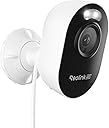
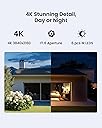
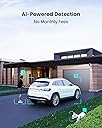
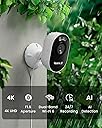
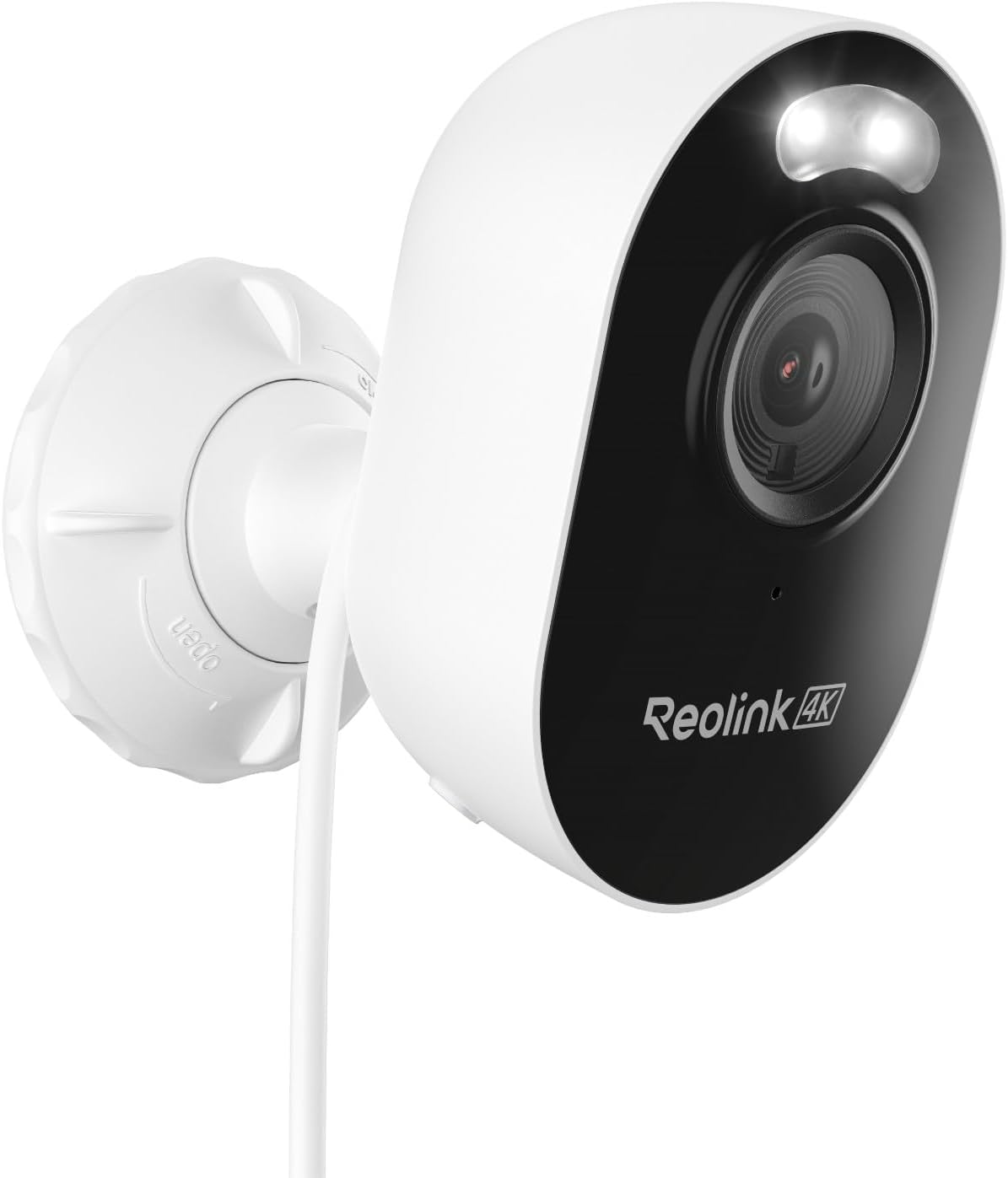
The REOLINK Lumus Pro is a weatherproof outdoor security camera featuring stunning 4K Ultra HD resolution with an 8MP lens and a large F1.6 aperture for superior color night vision. It supports dual-band Wi-Fi 6 for fast, reliable connectivity and offers intelligent AI detection to accurately identify people, vehicles, and animals. With flexible storage options including local microSD and encrypted hubs, it provides 24/7 recording without monthly fees. Designed for easy installation and remote multi-user access, this camera is a top-tier choice for professionals seeking advanced, hassle-free home or office surveillance.


| ASIN | B0DCZGNQXB |
| Alert Type | Motion Only |
| Antenna Location | Indoor/Outdoor |
| Are Batteries Required | No |
| Best Sellers Rank | #45 in Dome Surveillance Cameras |
| Brand | REOLINK |
| Built-In Media | Adapter*1, Camera*1, User Guide*1 |
| Color | White |
| Compatible Devices | Reolink Home Hub, Reolink Home Hub Pro, Reolink PoE NVR, Reolink WiFi NVR |
| Connectivity Protocol | Wi-Fi |
| Connectivity Technology | Wired |
| Control Method | App |
| Controller Type | Amazon Alexa |
| Customer Reviews | 4.3 out of 5 stars 202 Reviews |
| Enclosure Material | Plastic |
| Form Factor | Bullet |
| Frame Rate | 15 frames per second(default), 20 frames per second(maximum) |
| Indoor Outdoor Usage | Outdoor |
| Indoor/Outdoor Usage | Outdoor |
| Installation Type | Screw In |
| Item Dimensions | 3.9 x 7.52 x 2.36 inches |
| Manufacturer | Reolink Digital |
| Model Name | Reolink Lumus Pro |
| Model Number | Reolink Lumus Pro |
| Mount Type | Wall Mount |
| Night Vision | Night Color |
| Number of Items | 1 |
| Other Special Features of the Product | Night Vision |
| Power Source | Corded Electric |
| Recommended Uses For Product | Indoor/Outdoor |
| Special Feature | Night Vision |
| Specific Uses For Product | Surveillance |
| Unit Count | 1.0 Count |
| Video Capture Format | MP4 |
| Video Capture Resolution | 4k |
| Voltage | 5 Volts (DC) |
| Water Resistance Level | Water Resistant |
| Wireless Technology | Wi-Fi |
J**L
Best replacement for Wyze cams. Super impressed with performance.
Been a Wyze user since 2020 and have 5 Wyze cams throughout the house. They were great in the beginning but over the years it seems Wyze has been lagging in tech improvements and being more restrictive in their access with third party software. I've seen many reviews of Reolink, but I never bought. Was constantly disappointed by other cams in the $30-50 range and was hesitant to spend more on Reolink to possibly experience the same disappointment. Was watching this item for a couple of months and it went on sale so I thought why not. And I'm glad I bought. FOV has been comparable to the Wyze V3 in my use case. The wider the better for my placement and it met that requirement. Picture quality in 4K is amazing. Even at 2K it still looks better than Wyze V3. Picture attachment is from a sign about 40-45ft away and the Lumus Pro is behind a window. I don't use the spotlight or IR lighting features. I set it for Color Day mode all day. At night, with the streetlights, it is still as good as the Wyze V3. The shadows are just a tiny bit darker, but it's not an issue as that's not what I wanted to focus the cam on. Wyze exposure settings at night caused a lot of blowout from light and car headlights/taillights, but the Lumus Pro has much better exposure settings and does not get overexposed like the Wyze does. I've liked the color appearance of the Wyze cams though. The images always seemed more natural and true to life. The Lumus Pro is close in color, but just a little less saturated. Reds also look more red than Wyze. So trying to color correct the saturation makes the reds even more red, so I have not messed with any image correction on the Lumus Pro. RTSP works really well and the latency is just as good as the Wyze cams using Tinycam on android. The internal clock tends to drift slower so I've set it to sync to NTP every hour. Overall I'm impressed with the Lumus Pro and it looks like I will be converting all my Wyze cams to Reolink in the future as long as they continue to make these small compact cams with the features and improvements I am looking for.
T**D
A great camera at a reasonable price
I bought 3 of the Lumus Pro 4K cameras to replace Wyze cameras. I was very happy with the Reolink cameras. The video is excellent, and there are many adjustments that can be made in the app. They can be used standalone, or with a DVR. Setup was easy as well as mounting. I have had no connection problems or dropped connection. Best of all no subscription fees.
R**T
Smart home compatible
Very good camera, used this to view my front door, looking inward to my property from the street. With the 4k image, I've added AI vision from Home Assistant, and can now identify logos and names and clarify images better. Significant upgrade from any 2k camera. No issues with wifi stability; installed 10-15 ft from home on 5ghz wifi. Reaction time to open and stream: 1-2 seconds on mesh wifi with over 150 other devices. Internal mesh bandwith up to at 1 GIG sec.
J**M
Reolink camera
The recording to sim card didn't seem to work well. Im told a "Reolink hub pro" will work well to record all my cameras. This camera has great picture quality.
C**C
Fantastic Camera. Great for Indoors. Almost Perfect.
Every year I look around to find the best wireless indoor/outdoor camera. Up until now my favorite indoor wifi cameras were the TPLink Tapo C125 2K and the Eufy Indoorcam C120 2K. For years I've been waiting for a 4K Wifi camera that has RTSP and 5Ghz Wifi. Well this is one of the very few cameras that looked like it would work and so far it's been fantastic. It has pretty much everything I could ask for. It's compact, it has 4K resolution, night vision, 2-way audio, built-in person/animal detection, and a true 4K image when streamed live, recorded, or viewed/recorded via RTSP. The only thing missing is an ethernet port, but with 5Ghz wifi I can live with out. IMAGE QUALITY The image quality from this camera is great. The image is sharp with very few compression artifacts. The bitrate is much higher than the average wifi camera thanks to the camera have Wifi6 and 5Ghz compatibility and you can even increase the bitrate to 5120kbps. It even provides a sub-stream. This means it won't hog up the 2.4Ghz airtime if you have lots of wireless cameras. The default framerate is 15fps but it does have the option to up this to 20fps. The night vision performance is also good. Image sharpness does suffer a bit when using infrared night vision so if you want the best image you may want to rely on the built-in LED spotlights. The spotlights are much brighter than I expected and they seem to be good for about 20ft or so. FIELD OF VIEW Another huge benefit of this camera is its wide viewing angle. Most Reolink cameras have a very narrow field of view so I was surprised to see a 106° Horizontal and 56° vertical field of view. That' almost the same as the Eufy indoorcam but not quite as wide as my Tapo C125. But considering this is technically an outdoor camera, you don't want to the field of view to be too wide in case you need to capture something far away. Either way I think it has a nice wide angle. RTSP/NVR COMPATIBILITY I use Blue Iris and I don't want my cameras to be accessed outside of my home over the internet so RTSP was a big requirement. I purchased 4 of these cameras (so far) and all 4 of them work well (albeit not perfect) in Blue Iris. You do have to use the Reolink app to initially set them up as they don't have a built-in web server interface like some other Reolink cameras, but they were super easy to setup and once they're setup and RTSP is turned on, they can be disconnected from the internet and still viewed via RTSP over your wifi network. You also can't use 2-way audio in Blue Iris so you have to also use the Reolink app for that but that's typical of most cameras. I've had them up for a few days now and they've been rock solid. CAVEATS As far as the downsides, I only have a couple of very minor complaints. The first thing is that the camera doesn't appear to have an HDR mode. HDR mode works great indoors as there can be a lot of contrast in certain situations where HDR will flatten the image and brighten up shadowy areas. It does have Brightness and Shadows settings and I boosted the shadows as high as they'll go and it's still bit too dark in some areas for my personal taste. Another downside is that uses a barrel plug instead of a basic USB connector. Most people probably don't care about this but if you want to run a shorter or longer cable, you'd need to buy a compatible barrel plug extension wire. However, considering it's 5V, you can technically still use USB if you're brave enough to cut the wire and splice a USB connector to it and use a USB power brick. Another downside, which is very common with some cheaper cameras, is that there is no i-frame setting. You can change the framerate, set it to a constant bitrate, but you can't change the i-frame, so NVR software such as Blue Iris will occasionally complain about the stream stability. This isn't a big deal but just something to note. Overall I think this is a great camera at a great price. I've replaced several of my 2.4Ghz 2K cameras with this one and plan to continue switching them out and my 2.4Ghz wireless band is thanking me for it. I can't really speak to its outdoor performance but it does have an IP65 weatherproof rating so it shouldn't be a problem.
J**A
No IR lights working
Lumus pro cameras have an issue with the IR lights and WiFi connection, simple, the IR leds don’t turn on even at complete darkness, no matter what you try they simply don't turn on, period. Several people is writing about this on reddit so you can read. Also, the cameras don't connect to WiFi 5Ghz networks, I've tried everything, even shutting down my 2.4Ghz network entirely and the cameras don't connect, blue led keeps blinking and blinking, these two bugs are really annoying. I would like to believe this could be solved by a firmware update but if you search their support site there’s none, the camera model doesn't even appear. Image quality is really good but because you can’t use them at night or connected to a better WiFi they are just a one star for me. If they fix this issue (which is happening not only to me) I will consider changing this review. I will be returning the 4 cameras I got. ***Update 4/24*** I’ve managed to find the root cause, it has to be with the status light, if you turn off the status light (the blue led) at least once, the IR lights stop working and they won’t turn on again never until you do a hard reset. I’ve sent a video of this behavior to Reolink and they are supposedly working to fix it. ***Update 4/26*** Reolink sent me a firmware package to downgrade the cameras. I applied it and didn't work, according to them their engineers are now working on a solution but nothing yet. I gave up and will return the cameras. It's a shame such a bad quality control procedures from Reolink.
J**N
Very nice cameras and very nice PC App
Reolink is about the only cameras that offer a good FREE PC App! We live in South Central Florida with lots of wildlife, but with all the other cameras I had I could not turn off the IR lights or the spot lights and all they do is attract all the bug and moths, and then they attract the spiders. OMG what a mess! I had to sweep spider webs down every other day and the side of the house was a mess from the bug juice! This camera allows you to turn off the Status light and the IR lights and have the Spot lights come on only when they detect movement! Yaaaaa! You can individually adjust sensitivity for cars, people and animals and it will detect at a long distance! We have landscape lights in the back yard that actually provide enough light to get a clear enough view without the IR lights. The front of the house has street and yard lights that do the same! No more spiders!! These cameras were a genuine breeze to set up and get connected!! Very easy to mount outside, but, remember.....they need power from an outlet! The video quality is excellent and the PC app allows me to save video clips and snapshots to my PC hard drive! Once the app is on your phone (Bluetooth must me on) and the cameras are added, the PC app will find them on it's own. If not, make sure your PC network setting is on Public. These cameras work fine from an installed Micro SD Card and can be set to overwrite when the card gets full. I am using 256 GB cards because I had them already and I am recording 24/7. I get about 7 days out of that, BUT, I do NOT have to pay any kind of monthly fee!! You can double the SD Card size to 512 GB if you wish and only record the events. Great Cameras!! For the people that had bad reviews, maybe they just got a bad one or didn't set it up properly. I am very happy!
M**E
Great camera, excellent picture, motion detection, audio, and general usage!
If you have an outlet you can plug this camera into, then it's definitely worth getting! I ran a power cord from garage outlet into the ceiling, and then down through a hole I drilled on the exterior. Wasn't too hard and now I have a camera that doesn't have difficulty connecting, shutting off every 30 seconds on live view, etc. This one has more features than some of the other popular battery-operated ones, and in my opinion, operates the way a security camera should. Has excellent picture quality, sound, and motion detection. Virtually no issues at all like I had with other popular battery-operated ones. Great buy for the money if you're in the market for one of these.
R**R
Great
Great 👍
P**Y
Reolink 4K cam with ONVIF
I have been a D-Link user for many years with multiple cameras recording through a video management system (PC). I tried this Reolink cam and it has surprised me, a very nice camera ! It was simple to connect to my network, easy to install and commence recording, clear videos during the day and night. I purchased this particular model as it has the ability turn on ONVIF so it can continuously view and record through my PC. Also, the Reolink app is easy to use and quick to connect, I am pleased with this cam.
G**N
Love renolink cameras
This completes the protection of all around my home as well as the street. We have had people on the early hours trying car doors and checking out homes and caravans. So now i can get great pics and videos next time they are in the street. Highly recommend renolink cameras.
D**A
Great choice
A great alternative to Ring No subscription required App could be easier to add 2nd device to monitor but I'm happy .
S**N
Not really 4k
Resolution is certainly not 4k, even with resolution and bitrate set to the highest options. Still, it's the least bad of the 5 security cams I've tried. Human and animal detection is good, however motion detection is useless as every swaying branch, rain, etc, triggers it. It's also dumb enough to get triggered by its own self switching between day and night mode, so that gives you an idea of how much brainpower has been thrown at developing this. Edit: Reolink reached out after I wrote this review offering one of those "we'll give you a partial refund wink wink" deals. I told them I'd be happy if they could just increase the video bitrate with a firmware update, since this would be practically zero effort for them. They replied saying such a thing was impossible with a firmware update, that it's inherent to the camera. Fun fact: I'm a software engineer, and that is utter BS. So this review has gone from 2 stars to 1 star.
Trustpilot
1 month ago
3 weeks ago