🚀 Elevate your home network to WiFi 7 speed and coverage supremacy!
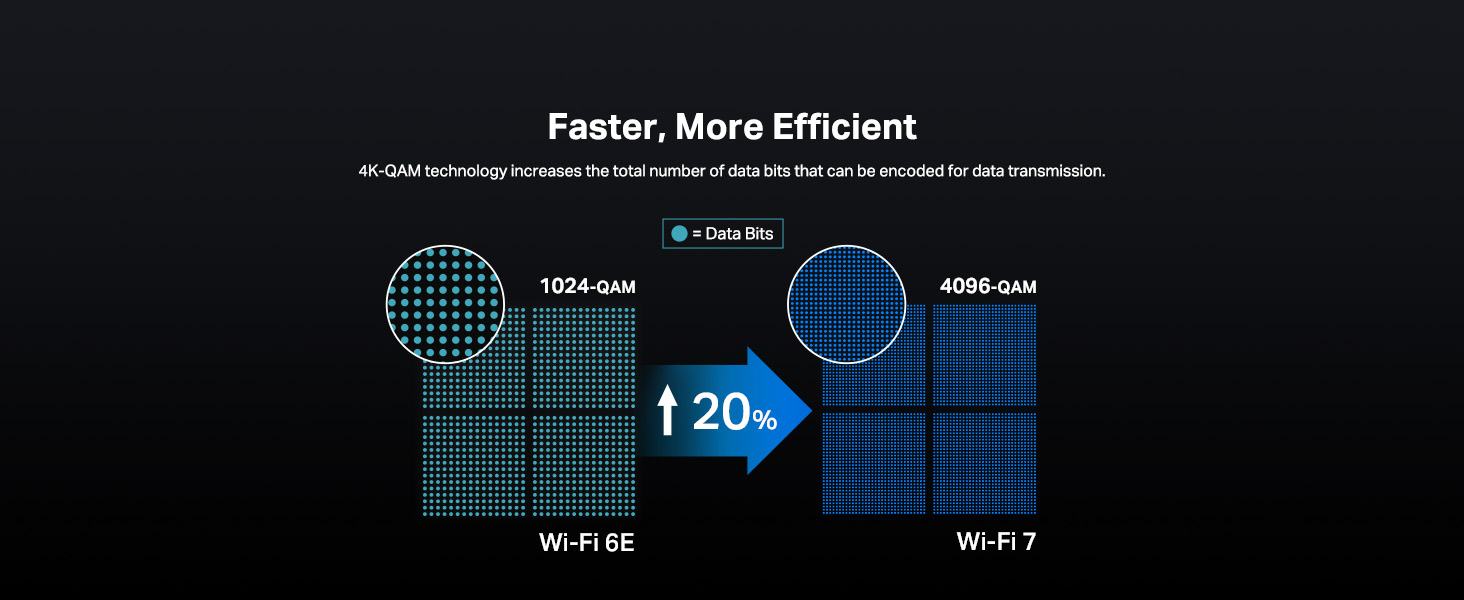
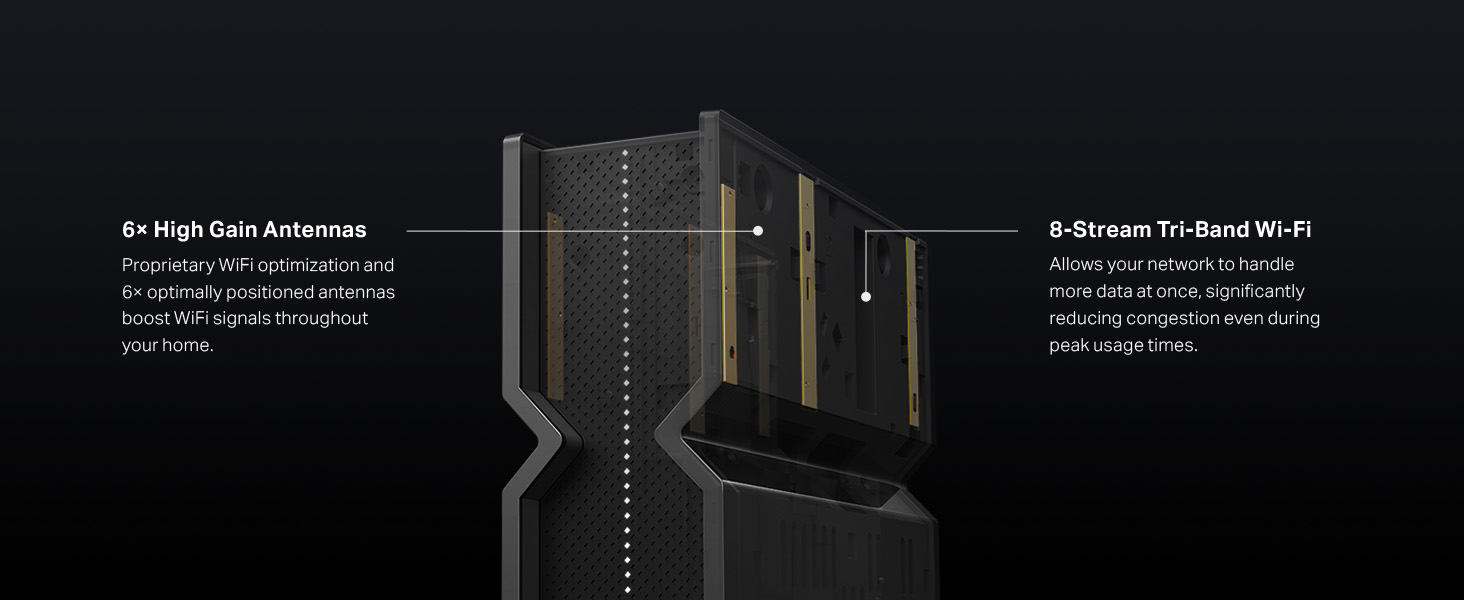
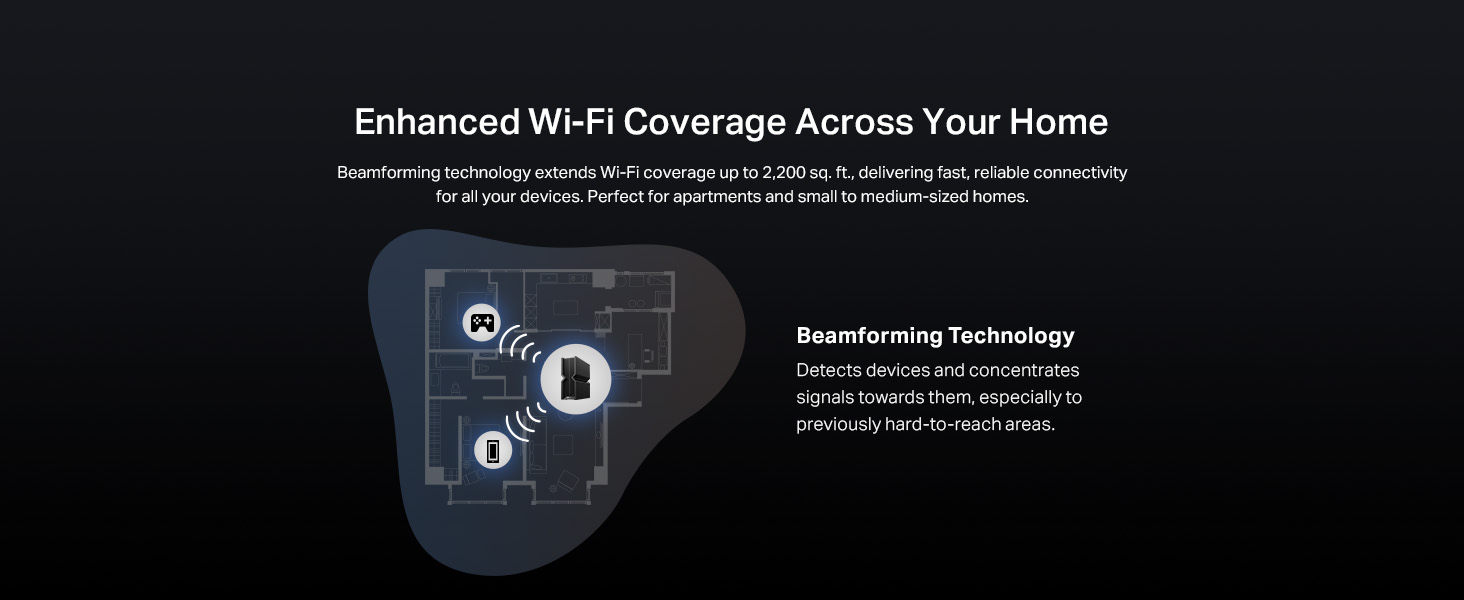
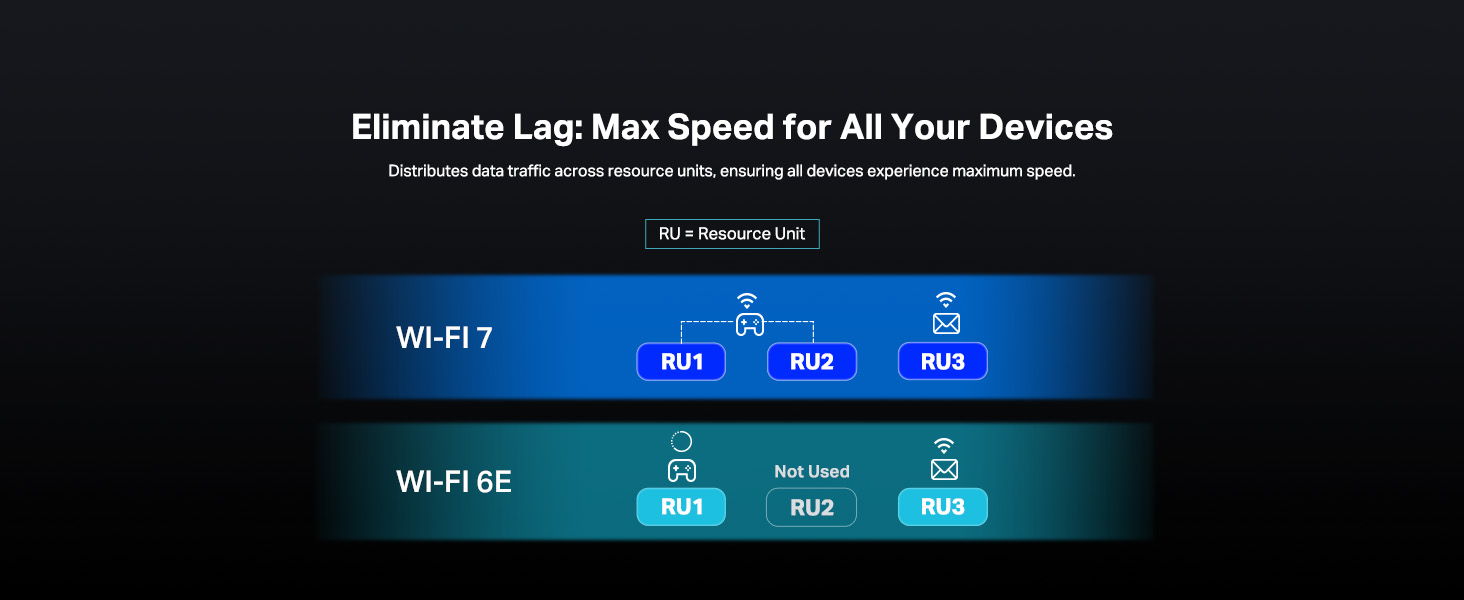
The TP-Link Archer BE700 is a cutting-edge WiFi 7 tri-band router delivering up to 15Gbps combined speeds, equipped with a 10G WAN port and multiple multi-gigabit LAN ports. Featuring 6 internal antennas with beamforming, EasyMesh compatibility, and advanced security via HomeShield, it’s designed for professionals and tech-savvy users demanding ultra-fast, reliable, and secure home networking with seamless 4K/8K streaming, gaming, and smart device management.


| ASIN | B0DGQVB7GH |
| Best Sellers Rank | #204 in Electronics ( See Top 100 in Electronics ) #1 in Computer Routers |
| Customer Reviews | 4.4 4.4 out of 5 stars (23,682) |
| Date First Available | November 20, 2024 |
| Item Weight | 2.47 pounds |
| Item model number | Archer BE700 |
| Manufacturer | TP-Link |
| Package Dimensions | 11.06 x 9.61 x 5.75 inches |
K**O
Reliable WiFi 6 performance with real improvements across the whole house.
The TP-Link AX1800 WiFi 6 Router has been a noticeable upgrade in my home network, and everything here comes from my own experience using it in a fairly device-heavy household. I upgraded from an older WiFi 5 router that had started to struggle, and the improvement with the AX21 has been clear from day one. Setup was simple, but what I liked most was how much control the interface gives without feeling overwhelming. I used the browser setup and adjusted dual-band settings, enabled WPA3, and optimized the channel width in just a few minutes. The interface responds quickly, and making changes does not require constant rebooting or digging through hidden menus. The performance difference with WiFi 6 has been significant. I have multiple smart TVs, computers, phones, and IoT devices, and my previous router would slow down when several things were active at once. The AX21 handles everything smoothly. OFDMA and MU-MIMO keep the network stable even during heavy loads. I’ve streamed 4K content, joined online meetings, and transferred large files all at the same time without interruptions. Coverage has also improved. I tested it with the WiFi Analyzer app for Android, which I’ve used for years to check signal strength and network congestion. In areas where the old router consistently dipped, the AX21 delivered noticeably stronger and more stable readings. In actual use, this translates to fewer drops, steadier speeds, and better performance when moving between rooms. Beamforming makes a difference, especially with mobile devices. The wired connections are equally reliable. I connected my desktop and game console using the gigabit Ethernet ports and ran sustained transfers from a NAS. Speeds stayed at full gigabit with no fluctuations, and the router stayed cool throughout heavy use. Another thing I appreciate is how quietly and efficiently the router runs. It doesn’t heat up, even when multiple devices are streaming and downloading simultaneously, which says a lot about its hardware design. Based on my experience, the TP-Link AX1800 WiFi 6 Router offers a great balance of real-world performance, strong coverage, and easy configuration. It provides the benefits of WiFi 6 without the overwhelming complexity some high-end models add. For anyone looking for a reliable and technically capable upgrade, this router has been a very solid choice in my home.
A**O
Amazing and Powerful Router for 6 Ghz
Bought the BE700 router recently on Amazon Prime Day of 2025. This router is AMAZING. The only let down and I didn't know this after the fact is that 2.4 and 5 Ghz are using 2x2 or 2T and 2R antennae each. 6 Ghz band is using 4x4 or 4T4R antennae. If your devices or heavy data using network is primarily using 5Ghz, pick another router. I got lucky all of my heavy data use devices for SMB, streaming purposes can and are using Wifi 7, while only one streaming device (our Nvidia Shield Pro) uses Wifi 5. Can't complain because it's actually possible now for me to seamlessly stream 4k anime and movies through wifi from my SMB server. Setup was super easy with the router itself. The client devices, definitely not and I had to test, reconfigure, install new drivers, update Windows 11 to 24H2 preview. S24 Ultra setup for Wifi 7 was just as easy and it took the 320 Mhz, and MLO networks like a champ, but I'd say the 6Ghz on 320 Mhz bandwidth was definitely faster. I've also turned on OFDMA and MU-MIMO and I can definitely tell from my gaming that my latency is so much improved with those on. After all of the client devices setup, my gaming PC is connected at rock steady 4k up/ 4k down Mbps. That's 4x as fast as a usual Cat 6 cable network! My server is connected at 3.8k~3.2k down / 3k~2.4k up. Despite setting up MLO, I've setup the router to use 320Mhz bandwidth (double the bandwidth of Wifi 6). Both features have to be setup manually which are the smoking gun features of Wifi 7. It's like my PC and server are connected directly with USB 3.0 and this is the first time I could max out my backup and SMB hard drives over air at about 200MBps! Not to mention, whenever I take some videos off my S24 Ultra and offload it to my PC, It's also almost like connecting my phone and PC over USB 3.0 speed (slightly slower). Best of all: with all of the features on, none of my devices nor my family's devices have instability nor disconnection issues. I'm actively using OpenVPN setup with the router and it's incredible that I could finally secure being able to connect to my home network after years of using a Wifi 6 Verizon router and leaving my VPN Wifi 5 router at my parents'. Not to mention, the free parental controls are the same as any normal router out there (blocking sites or by category, limiting speed, or sleep time). The paid subscription can be a plus, but those features are some weekly website reports or algorithmic driven blocking that are definitely extras and aren't really present in usual routers. All of my IoT devices are connected to the IoT network and are isolated from any of my other devices. TLDR, this router is very powerful if you primarily have 6 Ghz devices, ESPECIALLY if you have Wifi 7 devices. All the other features are amazing and are a must to use. If you want to fully utilize this router, you have to be an advanced user, or essentially, you're using Wifi 6E speeds.
F**O
Super easy mesh and great value
I would not normally bother to write a review when there are already loads of reviews. It's worth saying just how easy these routers are to setup in mesh and how well they work. I have two of them working together in mesh. I set one up. With two clicks that one found the other and shared its settings. And done. The connections are rock solid with all of our devices. The mesh apparently doesn't work on the guest network which isn't a problem for me but could be for some people. Great value.
D**N
Great range, reliable and easy to set up and run. It has worked perfectly ever since I did the initial setup and has operated glitch and trouble free ever since. This isn't my first TP-Link Router, but is by far the best Router I've ever owned.
D**U
Bought it a few days ago, easy to setup, the wifi signal is very strong. Put it in the dining room corner, the whole 3000 sq ft house can stream 30 GB movie from a Nas drive connected to it. So far I'm very satisfied.
S**S
Internet tombe souvent en panne, filaire et wifi. Je dois le redémarrer plusieurs fois semaine.
A**.
good
Trustpilot
1 month ago
1 month ago