Buy anything from 5,000+ international stores. One checkout price. No surprise fees. Join 2M+ shoppers on Desertcart.
Desertcart purchases this item on your behalf and handles shipping, customs, and support to KUWAIT.
⚡ Own the fastest lane in your digital life!
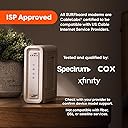
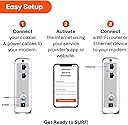
The ARRIS SURFboard SB8200 is a DOCSIS 3.1 cable modem designed for cable internet plans up to 2Gbps. Featuring dual 1Gbps Ethernet ports, it delivers ultra-fast, reliable wired connections and is compatible with major US providers including Xfinity, Cox, and Spectrum. This modem requires a separate router for Wi-Fi and offers a compact design with easy setup, helping users avoid monthly rental fees by owning their equipment.


| ASIN | B07DY16W2Z |
| Best Sellers Rank | #70 in Computers & Accessories ( See Top 100 in Computers & Accessories ) #1 in Computer Networking Modems |
| Brand | ARRIS |
| Built-In Media | 2-year warranty card, Power Supply, Quick-Start guide, SB8200 Cable Modem |
| Color | White |
| Compatible Devices | Router, Personal Computer, Laptop gaming console |
| Connectivity Technology | Ethernet (2 - 1Gb) |
| Customer Reviews | 4.4 out of 5 stars 19,963 Reviews |
| Data Transfer Rate | 10 Gigabits Per Second |
| Global Trade Identification Number | 00612572215760 |
| Internet Service Provider | Cox, Spectrum, Xfinity |
| Internet service provider | Cox, Spectrum, Xfinity |
| Item Dimensions L x W x H | 5.13"L x 1.75"W x 5.25"H |
| Item Type Name | Docsis 3.1 Cable Modem |
| Manufacturer | Vantiva |
| Maximum Downstream Data Transfer Rate | 2000 Megabits Per Second |
| Maximum Upstream Data Transfer Rate | 2000 Megabits Per Second |
| Mfr Part Number | SB8200 |
| Model Number | SB8200 |
| Modem Type | Cable |
| Number of Ethernet Ports | 2 |
| Number of Ports | 2 |
| Product Dimensions | 5.13"L x 1.75"W x 5.25"H |
| UPC | 612572215760 |
| Unit Count | 1.0 Count |
| Warranty Description | 2 year Limited Warranty |
D**C
Worked great for 58 days - then it didn't - Thanks Comcast
UPDATE 3 ************** You can read my sad tale below if you choose. But a quick summary may suffice. I got the SB8200 and it worked for 58 days. It then stopped working. It was replaced by Arris but the second modem did not work, either. That modem was replaced by Arris and the third modem did not work. The odds of getting three bad modems were pretty near zero so attention turned to Comcast. A tech came out and confirmed that the SNR was way low and the signal levels were out of bounds. He ran a new cable to the Comcast distribution box and installed a new splitter. The third modem connected immediately and worked perfectly. The fact that my old modem (not a docsis 3.1) worked had initially suggested that the problem was the new modem instead of the Comcast line. Arris support was GREAT through all this. I got right through to a live tech after about 3-5 rings (after their voice menu system answered and directed my call). They replaced the modems quickly (I had to send old modem back via ground - free return shipping - but they sent replacement modem via next day delivery). This is some of the best support of any company I deal with. It is pretty much the opposite of Comcast where getting to a live agent can be very difficult. This review was originally a 2 star but is now a 5 star - and I would give Arris support 6 stars if I could. ORIGINAL POST ********************* I have had this modem for 58 days. It was working well connected to Xfinity. Good download speed. Then, today it became intermittent. It ran for a couple of minutes, then lost internet connection, then was back but at slower download speed. Then it was running fine. That pattern continued to repeat. I had hoped it was an Xfinity issue, but I reconnected my previous modem and everything is working just fine. Before purchase I had read the bad reviews, but there were way more good reviews so I hoped that I would be one of those customers that got a "good one". Nope. Besides EVERY modem I looked at had about the same number of bad reviews. Many saying - don't buy this. So what is one to do? UPDATE ************** I contacted Arris customer support. I got through to a tech IMMEDIATELY. He said they needed to check the modem while it was online. Since I had already installed by backup modem, I had to contact Comcast and switch my MAC address back to the Arris and get in connected. I then called Arris back and again was connected to a tech, immediately. The reason this is a 2 star rather than a 1 star is because of the ease of contacting support. The tech looked at the modem stats and agreed it was bad. After a 5 minute delay while he consulted with a supervisor, he approved my return of the modem. He emailed me a prepaid shipping label and said they would send a new modem to me as soon as they received the old one back. So what Arris may lack in quality, they do mostly make up for in good customer support. Realistically, any product can fail, so the experience in dealing with a failed product is an important part of the buying process. Arris support gets 4 stars from me - one star off for making me reinstall the modem so they can verify it was bad. Though that was a perfectly reasonable request from them, I had pretty good evidence of my assertion that it was their modem which was the issue. Update 2 ********** I got the replacement modem. I spent about 90 minutes on the phone with Xfinity and Arris customer support trying to get that modem working with Xfinity. We could not get the modem to work - it seemed like it was working for a few seconds here and there. So I am sending this replacement back and will get yet another replacement (for the replacement). Hopefully the 3rd times the charm.
A**E
Great modem for Xfinity
I bought this modem to replace my much older, DOCSIS 3.0, Arris Surfboard modem. This newer modem supports DOCSIS 3.1 which allows for much faster speeds that the older modem couldn't handle. This modem also includes two Gigabit ethernet ports that can be used for faster than 1Gb cable speeds, check with your provider on eligibility. The older modem only had one 1Gb port. Pros: - Easy to setup using both the Arris and Xfinity apps. Did not even have to call Xfinity support, just logged in through the Xfinity app on my cell phone, selected to upgrade my personal equipment and then entered the hardware address listed on the bottom of the modem. Xfinity recognized the new device, there were a couple of reboots (probably firmware updates from Xfinity) and then I was online. - Connection has been rock solid, to be fair the older Arris model that I had for over a decade was rock solid as well. Arris just makes reliable equipment. Cons: - Don't really dig the white case, looks cheap. All my equipment and the previous Surfboard model was black. It's an aesthetic thing. Why not a black case option like the previous Surfboard? - DOCSIS 4.0 is coming, and this new modem won't support that standard. So even though I had my previous modem for over a decade with no issues, I will probably be replacing this new Surfboard when the provider switches to DOCSIS 4.0 in a couple of years. White case aside, it's a great modem and you really can't go wrong with Arris if you need a cable modem. Recommended!
J**Y
Good low to midrange modem
I got this to replace the modem/wi-fi router I was renting from my ISP. I'm using it with the TP-Link Archer AX1500 as my wi-fi router. The modem was easy to set up, and unlike some brands, Arris does not require you to create an Arris account, which is the only acceptable way to do business, in my opinion. So far, it's been very reliable, and I don't even have to think much about its existence of all. It's not the best modem out there, but in my house I can be gaming while my husband streams content, and there's no noticeable impact on our network. The only thing that would have been nice would have been an additional ethernet port output, but technically I don't really need this since I'm running it through a router that does have multiple ports out. Seems like a solid modem, and I'd recommend it to anyone looking for an affordable setup. I'd like to upgrade someday, but as you know, equipment can be cost prohibitive. This one's not. Strongly recommended. To add, this works with Midco, and it helps you avoid needing their atrocious app.
F**T
Works great and saves you money but has a sensitivity to errors which can cause major headaches!
I purchased the Arris SB8200 for Xfinity Gigabit Internet service as they have a deal for two years for the same price as the 400Mbps plan ($69.99). So in order to save almost $15 a month I decided to buy my own modem to replace my aging Motorola (Arris) SB6141. My SB6141 netted me 259Mbps down and 35Mbps up on my previous plan of 400Mbps down and 35Mbps up, which is great for a 8x4 channel Docsis 3.0 cable modem. So since Arris bought Motorola modem cable division I decided to get another one having had a great product with the 6141. The Arris SB8200 is also the only Docsis 3.1 modem with two Ethernet ports capable of doing 2Gbps down and is the most future proof of any modem on the market at the time of writing this review. And you can get a refurbished model for half the price which is even better! Inside the Arris SB8200 is a Broadcom BCM3390 chipset (a much needed change from the SB6190’s Intel Puma 6 chipset which had hardware bugs and caused them a lawsuit for good measure), 3GB of RAM, 128MB S34ML01G200TFV00 Spansion flash memory NAND and 16MB Macronix MX25L12805D SPI NAND flash memory. The SB8200 is capable of downstream bonded channels up to 32 SCQAM or 2 OFDM and upstream bonded channels up to 8 SCQAM or 2 OFDMA (32x8 SCQAM and 2x2 OFDM). The Ethernet ports are only Gigabit Ethernet and therefore the Max you will get is 950Mbps average down and it will never be possible to the the boxes 10Gbps selling spiel. Even if you don't have Docsis 3.1 in your area or a Gigabit internet speed plan this modem will serve you for many years to come. And this modem has 3GB of RAM, which the other Docsis 3.1 modems have 256MB or less! RAM! Oh and with most providers (Xfinity included) you can call them and add a separate IP address for the second Ethernet port for a small fee (Xfinity charges like $5.95 if I'm remembering correctly). This would be great if you wanted to connect a gaming console directly to the modem for the best speeds and then connect your home router to the second. And eventually you'll be able to kick in 2Gbps by merging those two Ethernet ports! Setup of the device was quick and easy and you simply plugin the coxial cable, Ethernet cable to your device (router for 99% of the people) and power cable and you are off and running. A quick call to your internet provider (Xfinity for me) to add the HFC MAC address and the modem is registered and provisioned and I'm up and running within ten minutes. Xfinity will try to send out a tech but you can get them to override it if you know what you are doing. Gigabit internet can be extremely temperamental as we'll discuss later which is the reason Xfinity requires sending out a tech on all Gigabit plan installs. And again this is simply a modem so you will need a router if you want wifi or the ability to connect more than one device. The performance of the Arris SB8200 is top notch and I was easily able to pull my provisioned modem speeds from my Xfinity service. I was able to test 1.4Gbps down (Fast.com also includes backend speed as actual can only be 950Mbps as I mentioned above) and 45Mbps up. On Speedtest.net my tests are almost always 930-960Mbps (or near that) down and 40-50Mbps up. These speeds are AMAZING and just my upload speed is faster than most people's download speeds! Right now Xfinity is only utilizing Docsis 3.1 for the downstream channels so the modem lights will have a blue light for downstream and a green light for upstream (this is not an error or bug). My issues arose with my Xfinity service and resets, slow speeds (300Mbps Max down), etc. Xfinity sent out a tech and that did nothing. So another rech came and found a ton of ingress coming from 4 lines on my tap. He trapped them off and I was up and running with Gigabit speeds again. Then the resets started, at night almost every 10 minutes! It was only happening between 10pm and 7am average, EVERY NIGHT! I had more techs out, supervisors and more supervisors! After a month (and many hours of my time and speaking up) the issue was resolved as it was a bad line amplifier which was causing noise and caring my upstream to spike into the high 50s, which triggers resets on the modem and t3/t4 errors. Now my neighbors were having issues on certain channels and slow internet but their modems WERE NOT RESETTING! And we knew my modem wasn't bad as it was fine for over 12 hours a day with no errors at all in the log until night began to fall everyday. And In fact my neighbors never lost internet, EVER but my internet was almost useless at night time. So the Arris SB8200 is extremely sensitive to t3/t4 errors and the threshold for errors and resets is much higher for the Xfinity owned gateways and modems. Also Arris had out out a firmware update previously about severe sensitivity to t3/t4 errors and I had the latest version but I was still having issues so they still need to work on this. If you are experiencing issues with your Arris modem navigate to http://192.168.100.1 and you'll be able to see basic signal information, modem error logs, modem and firmware info. You can use this information and post it in the support forums to get help and diagnose any problems. But now that the line and backend errors are corrected it's smooth sailing and I'm saving myself a ton of money (the new Xfinity modem charge is $14 plus tax and it will be $15 by the beginning of 2020 so you pay for the modem in a little over a year) every year and you'll have the newest technology that is even better than the Xfinity modems and gateways, many of which use the Puma 6 chipset which I mentioned above (causing severe lag and timeouts which can kill online gaming or video watching). So I'm paying $69.99 and getting Gigabit speeds of 950Mbps down and 48Mbps up which is a great deal hands down and you won't find speeds that cheap ANYWHERE ELSE! The Arris brand is keeping the Motorola spirit alive and kicking which is great for competition! The Arris SB8200 is the best modem you can buy for your money right now and if you can find a refurbished unit on Amazon even better (they didn't have any when I bought mine but three weeks later they did and for $100 cheaper)!
P**.
Works well with my optimum carrier
Works well and optimum carrier had it working in just minutes. No more modem rental fees.
V**K
Totally worthwhile Upgrade from Arris 6141
Used on Xfinity broadband after checking that it was compatible on their website. My service was being limited by the modem (Arris 6141) to 300mbps. Decided to replace it with this one Arris 8200V3 (I didn't know it was V3 till I opened the box) Downloaded the Xfinity app on my phone, disconnected the old model. Plugged in the new one. Followed the instructions on the phone app to add a new modem. It took a while doing its thing. I had my ASUS router plugged in. Did not work the first time around. Gave an error message, but App gave me the option to retry. Which I did. This time I unplugged the router. It takes a while.The power light goes off then back on, then flashes, becomes steady. Same happened with the other lights. Finally all 4 lights were steady. Waited for another 5 mins while the app still said "Finalizing...." Ran out of patience and plugged in the router. Miraculously, the app said, modem is restarting to enable wifi. But I think the Wifi immediately started working since I didn't see the modem reboot. Overall a smooth easy setup despite my trepidation. Tested the speed and it was a blazing 650mbps on the ethernet and over 150mbps on the wifi.
A**9
STAY FAR FAR AWAY, Worked marginally for about 6 months then exhibited a number of defects
BUYER BEWARE: This product being a DOCSIS 3.1 Modem seemed to be safe and solid when I purchased last year on Amazon.com. Little did I know that problems would gradually start to increase with the Arris Surfboard SB8200, and seems to be an unfortunate pattern I have found with Arris Brand Cable Modems and Gateways. Customer Support is lacking and avoids addressing the issue while frequently diverting from the main problem they are asked to assist with. Arris brand products I have experienced continue to demonstrate noticeable defects and appear to be made with poor quality parts. I have purchased the Arris SB8200, SGB8300, SB6190 and SB6183 Cable Modems and Gateways and this is particularly if you have Cox Communications for an ISP, it is wise to reconsider this brand if you want a reliable internet connection and service. I strongly suggest you steer clear from this brand! The SBG8300, SB6183 and SB6190 all exhibited problems from the start, but this Surfboard SB8200 was particularly deceiving, since on the surface it seems that it would be a top performing product being DOCSIS 3.1 and not made with the Puma 6 Chipset some of us had the misfortune of experiencing defects with. I have now found this SB8200 device to be useless after 6 months and hours and hours troubleshooting with Arris customer support via chat, phone and email. You will be out of options when this product starts to fail, which for me is outside the return time frame with Amazon and Arris will refuse to take any type of accountability or responsibility for this failing product. The numbers of issues faced with this defective product has been extremely frustrating and caution a prospective buyer of this DOCSIS 3.1 modem to reconsider. Do yourself a favor, choose another brand Modem or Gateway. Anything with this brand made within the last 5 years I have noticed lacks basic performance and will begin to exhibit these issues and defects no later than 6 months into operation. I suspected it was my Internet Service Provider or Router that was the problem at first when I began to have increased and unexpected as well as unexplained internet outages. Knowing Cox had a history of preferring Arris brand equipment, I never suspected I would encounter problems with their products. After I could not ignore the unexplained connection drops and unusual amount of internet outages I finally uncovered this cable modem was the culprit, however was too late to recover the investment. It wasn't until a Cox technician noticed the unusually slow and odd way this modem rebooted after a connection drop and told me he had nothing but problems with this brand of equipment he never encountered with the others. I began to look into the problems with this product, and started to see a noticeable pattern of dissatisfaction from customers like myself. I have replaced this cable modem now with the Motorola MB8600 and had success with the modem and absolutely no issues since purchasing it. The MB8600 worked right out of the box, which I cannot speak for it down the road, but already seems more promising that any of the Arris brand products I have unfortunately purchased in the past. I thought I would provide a review on this product as I am able to speak now to the longevity of this Arris Cable Modem model SB8200 and a few other Arris products that failed prior to this one. This investment I made was a big mistake so hopefully this can help you make an informed decision which I strongly caution you all with purchasing this product.
S**R
Quick, easy installation on Spectrum; huge speed increase; replace Cat5 cables with Cat5e or higher
This is a review of the ARRIS (SB8200) - Cable Modem. Tip: Before selecting a new cable modem, go to the website of your ISP and review their list of "approved" cable modems. You could also call your ISP to find an "approved" modem. Your ISP may prefer that you to use one of their modems. Sometimes their modems are provided at no additional cost, so you might be able to save some money. I verified that this Arris SB8200 cable modem was on the "approved" list for my local ISP (Spectrum). While I am very happy with the Arris SB8200, you might consider finding an "approved" modem that has come out more recently (a newer model). Short review: I recently replaced my 10-year-old cable modem with the Arris SB8200 modem. I am on a 400 Mbps (megabit per second) plan with Spectrum, but I was only getting 90 Mbps. With the new modem, internet speed more than quadrupled (to 480 Mbps). I am quite pleased. I have read reviews by people who claimed to have had bad experiences using this modem on a Sprectrum system, but I had no problem whatsoever. Installation and activation were very easy and quick. The self-installation via the web did not work for me, but I easily activated the new modem with a quick phone call with Spectrum (no wait on phone; less than 10 minutes to activate). I discovered some problems with my home network that I discuss below, but these were completely unrelated to the new Arris modem Have MAC ID (from box or modem label) before you activate: You must report the MAC ID for the new modem to your ISP to activate, so have it handy before you start. Important Tip: The rest of this review concerns internet speed issues from causes other than the modem. The most important lesson learned: Make sure you replace all your old-style Cat5 Ethernet cables with newer Cat5e or Cat6 cables. Cat5 cables are limited to 100 Mbps (megabits per second) and may be “bottlenecking” your system. My system: My home was built with an Ethernet system that supplies at least one Ethernet outlet in every room. I have been using Ethernet instead of WiFi. The Cat5e Ethernet cables supplying this system come together in a central distribution box, which houses the cable modem and a router. In some rooms, Ethernet switches (splitters) are used to share an Ethernet outlet among several devices. Of course, internet speed may drop due to any of these components. Before installation: -- Studied the Quick Start/Installation guide (available online) before modem arrived. -- Watched a 4-minute Sprectrum video on how to install a new cable modem. -- Learned what the various lights on the modem mean (including solid and flashing lights). Cable modem installation with Spectrum: Note: For this installation, Spectrum service was already established (on old modem). -- Turned off computer -- Connected modem directly to computer with a new Ethernet cable (Cat5e), bypassing router and home Ethernet system -- Turned on modem: Based on behavior of lights, modem appeared to update its firmware (automatically). After about 6 minutes, lights indicated modem was ready. -- Turned on computer: Opened web browser and attempted to go to the Spectrum self-install web page. Would not connect. -- Called Sprectrum to activate modem: Gave the MAC ID of new modem to pleasant costumer service rep. After updating the MAC ID, rep remotely reset modem. -- Ran speed test: Speed had been 90 Mbps with old modem, it was over 400 Mbps with new modem. (Glory be!) Lessons learned about home’s Ethernet system: -- After the modem had been activated, I moved it into the Ethernet cable distribution box and hooked it up to the old router. Ethernet speed was only 90 Mbps, just like when using the old modem. Hmmm. -- Installed the new router, Ethernet speed was still only 90 Mbps. Hmmm. -- Turned on WiFi and connected computer via WiFi: Speed jumped to over 400 Mbps. Great! -- Turned off WiFi to test Ethernet system. The switches/splitters are gigabit rated, so I hoped they were not the cause of the "bottlenecking." -- Replaced all the Ethernet cables with new Cat5e cables: Ethernet speed jumped to 480 Mbps. Problem solved! -- Besides higher internet speeds for the computers, Youtube videos on the television are much, much improved. Very pleased. Summary: Your new Arris modem may (by itself) enable you to get much higher internet speeds. However, make sure all of your network gear (router, switches/splitters, and cables) can support 1 Gbps (gigabit per second). For example, if you have Cat5 cable anywhere in your system, your speed will be limited to 100 Mbps, so replace them with Cat5e or higher cables.
Trustpilot
2 weeks ago
2 weeks ago