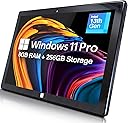
🚀 Elevate your mobile workspace with Fusion5 — where power meets portability!
The Fusion5 FWIN232 PRO N5 is a premium 10.1” Windows 11 Professional tablet, assembled in Florida, featuring a powerful Intel 13th Gen Alder Lake N100 quad-core CPU, 12GB RAM, and 512GB SSD storage. Its Full HD IPS touchscreen with 500 nits brightness and dual FHD cameras deliver sharp visuals and clear video calls. Designed for professionals and students alike, it offers fast charging, USB-C, HDMI ports, and a 2-year warranty with accidental damage protection, ensuring reliable performance and peace of mind.


| ASIN | B0FM1F3QKG |
| Age Range Description | Adult |
| Aspect Ratio | 16:10 |
| Battery Average Life | 5 Hours |
| Battery Capacity | 6000 Milliamp Hours |
| Battery Cell Type | Lithium Polymer |
| Battery Power | 6000 Milliamp Hours |
| Best Sellers Rank | #33,179 in Electronics ( See Top 100 in Electronics ) #637 in Computer Tablets |
| Brand | Fusion5 |
| Built-In Media | 36W Fast Charger, Manual |
| CPU Model Number | N100 |
| CPU Model Speed Maximum | 3.4 GHz |
| Camera Description | Front, Rear |
| Color | Black |
| Compatible Devices | Headphones, Keyboard, Mouse, Speaker |
| Connectivity Technology | Bluetooth, Wi-Fi |
| Customer Reviews | 4.1 out of 5 stars 507 Reviews |
| Display Refresh Rate in Hertz | 60 |
| Display Resolution Maximum | 1920 x 1080 Pixels |
| Display Type | IPS |
| Flash Memory Supported Size Maximum | 1 TB |
| Frame Rate | [60-120] FPS |
| Front Photo Sensor Resolution | 2 MP |
| Generation | 13th Generation |
| Graphics Coprocessor | Intel UHD Graphics |
| Graphics Description | Integrated |
| Hardware Interface | 802.11 ac/b/g/n |
| Headphones Jack | 3.5 mm |
| Human-Interface Input | Touchscreen |
| Item Dimensions L x W x Thickness | 10.03"L x 6.69"W x 0.43"Th |
| Item Weight | 636 Grams |
| Lithium-Battery Energy Content | 18 Watt Hours |
| Manufacturer | Fusion5 |
| Maximum Display Brightness | 500 Nit |
| Memory Slots Available | 1 |
| Memory Storage Capacity | 512 GB |
| Model Name | FWIN232 PRO N5 |
| Model Number | FWIN232 PRO N5 |
| Model Year | 2025 |
| Native Resolution | 1920 x 1080 pixels |
| Number of Rear Facing Cameras | 1 |
| Operating System | Windows 11 Professional |
| Other Special Features of the Product | Expandable Storage, Fast Charging |
| Photo Sensor Resolution | 2 MP |
| Processor Brand | Intel |
| Processor Description | Intel Alder Lake 13th Gen N100 |
| Processor Speed | 3.4 GHz |
| RAM Memory Installed | 12 GB |
| Rear Facing Camera Photo Sensor Resolution | 2 MP |
| Screen Size | 10.1 Inches |
| Speaker Description | Built-in speakers |
| Specific Uses For Product | Business, Entertainment, Student |
| Supported Audio Format | AAC, FLAC, MP3, WAV |
| Total Usb Ports | 2 |
| Video Capture Resolution | FHD 1080p |
| Video Processor | Intel |
| Warranty Description | 2 Year Full Warranty with Accidental Damage Cover |
| Warranty Type | Extended |
| Wireless Compability | 802.11ac |
| Wireless Technology | Bluetooth, Wi-Fi |
C**D
Solid Windows tablet with great performance and storage
I’ve been pleasantly surprised by this Fusion5 Windows tablet. It runs Windows 11 Pro smoothly and feels much more like a compact computer than a basic tablet. The 12GB of RAM and 512GB SSD make a noticeable difference — multitasking, browsing, and working in apps all feel responsive with no lag. I really appreciate the storage space, especially compared to many tablets that fill up quickly. It’s also nice knowing it comes with a 2-year warranty and accidental damage protection, which gives some peace of mind for everyday use. The size is convenient for portability, but it still feels solid and well built. Setup was straightforward, and everything worked as expected right out of the box. Overall, this is a great option if you want a true Windows experience in tablet form without sacrificing performance or storage. I’d recommend it for work, school, or general productivity.
T**N
Nice little tablet
Overall, a nice little tablet. Best replacement I could find to replace my old hp 10" tablet that finally died. Battery tends to run a bit hot. Of note, I was able to plug a USB-ethernet adapter into it & have it use hard line. Was able to plug in an external bluray drive & watch movies. Have had it since the end of Aug 25, so far working ok. Had an initial major issue, but I think the problem was an incompatibility between a major anti-virus program & Microsoft update. Was able to restore and after removing anti-virus program, works fine. Would have liked more storage capability on MicroSD, but hey... Price is right!
D**N
Windows computer the size of a tablet - works well. I'll be using this on airplanes!
Solid product. My initial impression was that the Windows interface was sluggish, but after doing the updates and following some tips on a different customer review (like lowering the resolution and adjusting the performance settings), it now works pretty smoothly. I haven't tested the battery out from full all the way to empty, but I have used it intermittently for a few hours without it running out of battery. Your screen brightness and power saving mode will also impact battery life. I bought this to use for simple browsing, reading, and working on documents at church, on airplanes, and riding in vehicles where space is limited. It has been great so far. The only downside is the power cord uses a bulky wall plug instead of the USB C that most tablets use and that are compatible with more charging ports on airplanes. Not a big deal though with the decent battery life, and worth the tradeoff, because it runs Windows and it is compatible with my external hard drives which allows me to work on projects in small spaces. Satisfied customer.
V**R
Good quality
I’ve been using this tablet for a few weeks now, and I’m really impressed with the overall performance. The battery life is excellent. It runs smoothly with no lag, even when multitasking. The build quality feels solid, and it’s lightweight enough to carry around easily. For the price this tablet delivers outstanding value. Highly recommend!
I**N
No support and defective tablet arrived! Updated
Tablet arrived in an open box, visibly used not new. Once powered, it did not want to load up operating system and touch screen did not work. Amazon will not do replacement just returns for this item. Customer service lied about putting return on gift card immediately, the. after item ship. Now its when they receive it, then 4-5 days later. no support, open box, non working tablet!!! Update: I ordered a second unit for my wife as I liked the specs. Unit arrived exactly the same as the first unit, open box (box of the unit wasn’t sealed, everything is packed but nothing was sealed, anyone at the depot can replace it with whatever they want), and it wouldn’t load up the operating system, wanted to go to recovery mode. After multiple powers up and down, cleaning the USB port(piece of plastic/paper was stuck inside), unit loaded up and setup started. I got to say, my Lenovo tablet that is 4 years old works faster than this one. In 40 min of me trying to go through setup, it rebooted 3 times (updates), and now we are back to operating system not loading up, asking to go to recovery mode, which you can’t even start as touchscreen won’t work without operating system loading. This tablet is horrible. I am sending it back. Second Update: It will take 20 days for a refund. not 7 days as they state, but 20. If I can give it negative reviews, I would. I have never had such a bad experience with Amazon, and I bought 10’s of thousands of dollars from them.
G**I
Versatility and high performance
I purchased the Fusion5 FWIN232 PRO N5 tablet with Windows 11 and have been extremely satisfied with its performance in everyday administrative tasks. With its 10.1" Full HD screen, the device offers excellent clarity and visual comfort—ideal for reading documents, editing spreadsheets, preparing reports, and using business systems. Despite being a compact device, the tablet is surprisingly fluid when running multiple tasks. I use it with an additional monitor in extended mode, and the performance remains excellent, allowing me to work with multiple windows and applications simultaneously without any lag — which is essential for administrative routines. The Windows 11 system provides a complete work environment, allowing me to run all the programs I normally use on a computer, such as the Office suite, browsers with multiple tabs, and videoconferencing platforms. Connectivity is also a strong point: USB ports, Bluetooth, and stable Wi-Fi enable integration with printers, keyboards, mice, and other essential peripherals. Battery life is solid, offering mobility throughout the day even without being constantly plugged in. In addition, the lightweight and sleek design makes it easy to carry between locations, making it perfect for professionals who need practicality without compromising productivity. I highly recommend the Fusion5 for administrative professionals looking for a reliable, functional device with excellent cost-benefit — especially for those, like me, who use a second monitor and require consistent performance.
2**S
Somewhat satisfied - enjoying it the more I am using it.
I am somewhat satisfied with the purchase of the: Fusion5 FWIN232PLUSN5 Intel(R)N100 - 800 MHz (8GB RAM) Memory: 256gb SSD - M.2.SATA Microsoft Windows 11 Pro is installed - I paid a little extra for 11 pro. System type: 64-bit operating system, x64-based processor Pen and Touch: Pen and touch support with 10 touch points OVERALL: For the price point and feature set it is a good little device. PROS: The more I use the Window Tablet the more I like it. While not super speedy, it does the job when we are out running errands and allows me to continue working without a significant loss of productivity. I have not installed Citrix and some of the work apps on it yet I wanted to ensure that it would suit my needs prior to installing those type of apps. I have also not tried it with my USB-C dock to verify that it works as my work laptop is normally docked. You cannot expand the RAM as it is soldered in, but the memory is expandable by using an SD card up to 512gb. It also looks like you can add memory by replacing the M.2SATA SSD drive if you choose. It works for casual web surfing, and allows me to use Microsoft O365 apps and a PDF editor. I can also watch Netflix and YouTube if I choose. For a causal user it is going to be a solid little system out of the gate. CONS (for me at least): My primary complaint relates to the use of a stylus with the device. On a tablet size device, it is one of my preferred methods to interact with the device. I also like to take notes and sign documents with my tablet. The device is listed as having a touchscreen, and Windows 11 Pro, I made an incorrect assumption that the device would work with the Microsoft Pen Protocol. That is on me for not being thorough enough in my research, but it has decreased my enjoyment of the device and simultaneously decreased it utility for me. I have tried: --> Wacom Baraboo Ink with the Wacom AES pen protocol --> Metapen with the Microsoft Pen Protocol neither have worked with the device. --> Finally, I hooked a XP-Pen drawing table to it which worked but gives you a second device to lug and defeats one of the primary reason to get a smaller more portable device. I reached out to customer service who was timely with their response, but did not fully answer the question. They said that they do not test third-party accessories with their devices so they cannot recommend a stylus. I wrote back a second time, thinking my question was not clear enough and asked them what pen protocol the device supports. I got the same answer as above, but this time the agent also said that they do not support any protocol. I will probably try a USI Pen Protocol device for kicks and see if it works, but that is the biggest disappointment for me.
R**R
Great Hardware for Price, but Came Loaded with Possible Worm, OS Reset Required.
For the price, this tablet has great hardware and looks slick. However, I was not greeted with the usual Win11 setup menu, instead found some kind of one-off 'Set Up' software that runs on startup, a disabled Admin account for which a password could not be set. After setting up personal account, two Admin accounts show up on Win splash screen, and the first Win Defender scan turned up a possible worm. After factory reset and multiple iterations of updating Windows, including a repair version, it's finally clean and running as it should. 4.5 stars hardware, 0 stars software.
Trustpilot
2 weeks ago
2 weeks ago