Buy anything from 5,000+ international stores. One checkout price. No surprise fees. Join 2M+ shoppers on Desertcart.
Desertcart purchases this item on your behalf and handles shipping, customs, and support to KUWAIT.
🎮 Level up your retro gaming with crystal-clear HDMI vibes!
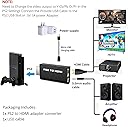
The sartyee PS2 to HDMI Converter Adapter effortlessly upgrades your original PS2 console’s video and audio output to HDMI, supporting all standard PS2 display modes (480i, 480p, 576i). Powered via USB and requiring no drivers, it delivers lossless digital video and 3.5mm audio output for seamless connection to HDTVs, monitors, and projectors. Designed exclusively for authentic PS2 models (10000-70000 series), this plug & play adapter revives your classic gaming experience with modern display compatibility.


| ASIN | B07FCYLVVY |
| Best Sellers Rank | #30 in Video Converters |
| Brand | sartyee |
| Color | black |
| Compatible Devices | Monitor |
| Connector Type | Auxiliary, HDMI |
| Current Rating | 2 Amps |
| Customer Reviews | 4.2 out of 5 stars 5,658 Reviews |
| Finish | Hdmi |
| Input Voltage | 5 Volts |
| Item Dimensions | 6.93 x 4.72 x 0.98 inches |
| Item Weight | 0.05 Kilograms |
| Item dimensions L x W x H | 6.93 x 4.72 x 0.98 inches |
| Manufacturer | sartyee |
| Mfr Part Number | SB-A165 |
| Model Number | SartyeePS2HDMI |
| Number of Items | 1 |
| Number of Ports | 2 |
| Package Quantity | 1 |
| Power Plug Type | No Plug |
| Smart Home Compatibility | Not Smart Home Compatible |
| Specific Uses For Product | Monitor |
| UPC | 680580485086 |
| Unit Count | 1 Count |
R**N
Works Great Out Of Box!
I read the reviews on this product beforehand and thankfully I did not have to change my display settings on my PS2 for the adapter to work. If you have problems with this yourself, I suggest using the original AV cables to change the display settings on the PS2 to “Component” and seeing if that does the trick, as others have suggested. As soon as I plugged the adapter in, powered it with the cord included by plugging it into the USB port on the console, and plugged a separate (not included) HDMI cord into it, it displayed on my TV! It looks much better than component cords do and makes recording with capture cards a breeze as well. Text is readable and games are no longer so dark I can’t see what’s happening on the screen. I tested playing a PS1 game (Symphony of the Night to be exact) and unfortunately it seems as though this adapter is not compatible with displaying PS1 games. While the original PlayStation logo appeared briefly on my screen, it went to a “NO SIGNAL” screen afterwards and does not display the game, nor does it output any sound. If you have AV cables for your console, keep them around in case you also want to play your old PS1 games. Otherwise, this was a really great investment and super affordable as well for what I received! I’m very happy and will be even happier to play my games as a resolution where I can actually see what’s on the screen.
P**Y
I can play my PS2 again
This worked like a charm. I am so thankful to be able to play my PS2 again. I used an old USB charger (2.4) to connect with the HDMI converter, and everything was blurry. Once I connected one that was 5V, it all came together. While it is not clear as a bell, it is good enough for me to play. I did not want to reset my TV settings for a better picture. If I can do this, anyone can; I am not tech-savvy at all.
T**O
Massive upgrade over component cables
I bought a used fat PS2. It came with component cables. I got a cheap component to HDMI converter at a box store, it worked but it looked terrible. After watching some reviews on this I decided to get this converter. Tokyo Xtreme Racer was basically unplayable, you couldn’t see the road in the darkness. Now it’s better than I remember it being back in the day. Easy install, just plug it in and go. Plug the usb into the front of the PS2 and the converter will power on when the console powers on. Make sure to have the settings correct in the main menu as other reviewers have mentioned or you’ll get a black screen. Sound is great, colors are true, up scaling is good. Other than running in an emulator this is the best picture I think you’ll get out of stock hardware without installing some sort of mod chip. It’s worth the low price, honestly.
B**!
Works, but MAY NOT WORK FOR *YOU.* Here's why
Let's make this crystal clear. Even if the device *is installed and working properly,* you may not get satisfactory results. The problem may not be the device itself, and apparently, in most cases, you won't ever see a problem. But if you do, it's probably this: All this device does is to take your 480 lines of resolution signal out of your PS2, and send that same signal into your HDMI cable. It doesn't add to it, it doesn't alter it, it doesn't upscale it in any way. When it goes into your TV set, it is still a 480-line signal. The problem is that TV manufacturers, especially with some of their high-end recent models, especially 4K, are thinking "Anybody who is buying a current-year high-end 4K television set is not going to be hooking up a ten year old device with a 480i signal coming out of it; they upgraded to more cutting-edge devices long ago!" They figure there's no need for the TV to even be able to NOTICE a 480i signal because there will literally be zero demand. So they will instead focus on another feature, and leave it to their lower-end TV sets to deal with lower-end signals. Basically, their best TVs are the Mean Girls who won't acknowledge the PS2 from the wrong side of the tracks. The signal is getting to their HDMI-in port, but they are completely deaf to it, and always will be. I can confirm, as I got it straight from an LG rep that the 2020 and 2021 OLED TV models (series BX, CX, B1, and C1 cannot and will not under any circumstances receive the only signal this device can send to them. It can be working, and nothing will happen. Ever. It's not the converter--it's the way the TV is designed). The problem is that TV manufacturers don't tend to advertise what their products WON'T do, so it's not easy to spot if it's a "Mean Girl" TV in their descriptions. But the more recent and the higher-end the TV, the better the chances that there will be a problem. Don't give up hope just because your display is high-res, though. While I couldn't connect to my 2021 LG OLED TV, my computer monitor is about 4 years old, and has an LCD display. It is also a 4K screen with few legacy inputs. But! When I connected the PS2 to THIS screen using the exact same converter device set up in precisely the same way . . . it worked like an absolute charm. Not a single problem. The picture is clear, sound is sharp, everything is operating precisely as the people who have been cheering the thing have been saying it does. Bottom Line: If you suspect that you have the wrong kind of TV, try to double-check with the manufacturer's representative or customer support before you pick up this converter. Save yourself the trouble of finding out the hard way. But if your display is happy reading 480i, you shouldn't have a problem.
A**A
nope
Plugged it in and it didn't even work. everything was done correctly but it just didnt work no matter what i did
R**S
Works with smart TVs
Works great with my 55” smart tv
S**R
Was on the fence about this, happy I made the buy!
The wife and I purchased a new 4K TCL Smart TV back in November of 2021 and one drawback is the TV didn't have any RCA or Composite ports! Only HDMI! As you can imagine this posed a challenge one evening when I pulled out the PS2 to play some Sly Cooper 3. I first tried RCA to AV which was ALRIGHT, but a struggle to play. Quality wasn't the best and overall affected the enjoyment. So then I ordered a Portta box & some generic COMPOSITE cables (not the retro ones) and it got better. But there was some strange lines going across the screen, more noticable on black backgrounds, but still bareable. However it was just a big wire rat nest and I was down 30 bucks at the end of the day. Then I got curious, and decided to try this for 8 bucks. After all, why not? It's 8 bucks. I placed my order, and got it a few days later. It was time to put it to the test! I plugged it in and powered the thing using the USB port on the PS2. To my surprise everything came up perfect, and I didn't have those faint lines like I did with the portta box & composite cables! The quality was also the same! I was super impressed with this 8 dollar purchase, and after playing through the first couple Sly games I figured I'd come here to leave my review. No complaints for 8 bucks! The quality isn't QUITE PS2, but it's not too far off. Again, for 8 bucks you really can't complain. Quality: 4/5 (Not quite PS2 quality, but not bad either) Ease of use: 5/5 (just make sure to set the PS2 to YPBPR output prior to using) Overall value: 6/5 The nostalgia I'm able to relive playing through my classic PS2 games on a modern 4K smart TV is priceless. Thanks for the affordable solution!!! If you're serious about your quality, I'd recommend a retrotink. If you just want something quick to relive nostalgia and are willing to sacrifice some quality, this is honestly your best quick solution! EDIT 5/3/2024: Just thought I'd come back 2 years later to update my review. This thing is still running! I've got waaaay more value out of it then what I paid. This is your best cheap solution hands down.
K**Z
Get a better power cable, otherwise works as advertised.
This PS2toHDMI works beautiful, however you will need to get a far better power connector (miniUSB) than the one provided in the box because the one supplied is extremely low gauge and cheap, is susceptible to interference and will cause massive screen noise and flickering as the device gets hot. I found that my PS3 controller charger works perfect and produces a high quality, beautiful image across my 4K TV. This device DOES stretch the image across your screen, so unless your TV allows manual aspect ratio like shown in my pictures, you will be locked to a stretched 16x9 aspect ratio. After many years since this product's launch there has been a complaint about the power port being on the wrong side of the device. This is entirely true and is a hassle to connect properly because of the way it crosses over top of the PS2 Slims power cable. I had to leave a space sitting up under my PS2 in order to keep my power cable from bending. You can't see it in the picture, but I also had to place a piece of folded cardboard under the device because it will weigh down your video port causing it to bend which is not good for the long term lifespan of your console. The package shipped in the expected time and arrived in the plain box with no packaging. The instructions oddly enough give no instructions however setup is pretty much self explanatory. Package contains 1 PS2toHDMI, 1 useless manual and 1 extremely cheap miniUSB cable. The webpage and manual itself advertise the product to be plug and play without the requirements of a power cable. This is just a mock to make the device seem better than the rest however it's gotten to the point where they all say that now. It's a lie, it does require power as shown. As a side note, the device should also be plugged into an external outlet and not the PS2 usb port itself as it doesn't provide efficient current to keep the image free. A simple phone dock plugged into the wall with a new cable fixes this. Same device that was launched way back in 2011 with no changes whatsoever to the model. Works as expected with a NEW cable and shows a clean image, noise free image. Has flaws including the feeling your video port is going to fall out of the PS2 unless you place something under it, or that you have to set it off of something so your PS2 power cable doesn't bend in half. 6.5/10.
ا**ي
غير جيد اطلاقا
لم يعمل بتاتا
J**L
Good
Good
I**U
Totalmente satisfeito
Muito bom o produto, chegou bem rápido e funcionou perfeitamente
A**Z
Muy bien
Justo lo que necesitaba.
S**A
Works for PS3 to output full 1080p!
My HDMI port on my PS3 stopped working, so I had to get something else for HD output. I tried looking for component cables, but most TVs these days like mine don’t have component ports. I did some hunting and found this “PS2 to HDMI Converter. This plugs into the back of the PS2 and PS3’s AV Multi Out port, so you can output HD resolution for the PS3. The only drawback is that it needs to be connected to its own separate power source, and the mini USB cable inside is very small, otherwise it’s a superb product! Definitely go for it! Edit: this adapter doesn’t support DVDs really well, at least for me. the image from the DVD appears stretched and not watchable. if you want to watch a DVD, use a regular composite or component AV Cable.
Trustpilot
1 month ago
2 months ago