Buy anything from 5,000+ international stores. One checkout price. No surprise fees. Join 2M+ shoppers on Desertcart.
Desertcart purchases this item on your behalf and handles shipping, customs, and support to KUWAIT.
🚀 Upgrade your workflow with speed and security that keeps you ahead.
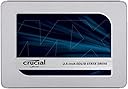
The Crucial MX500 1TB SATA 2.5-inch SSD delivers high-capacity, reliable storage with sequential read/write speeds up to 560/510MB/s. Featuring Micron 3D NAND technology, AES 256-bit encryption, and power loss immunity, it ensures fast, secure, and efficient performance for both laptops and desktops. Backed by a 5-year warranty and designed for compatibility across major platforms, this SSD is a professional-grade upgrade for seamless computing.


| ASIN | B078211KBB |
| Best Sellers Rank | #33,117 in Computers & Accessories ( See Top 100 in Computers & Accessories ) #197 in Internal Solid State Drives |
| Box Contents | SSD,,,,,,,,,,,,,, |
| Brand | Crucial |
| Brand Name | Crucial |
| Cache Memory Installed Size | 256 |
| Color | Silver |
| Compatible Devices | Desktop, Laptop |
| Connectivity Technology | SATA |
| Customer Reviews | 4.6 out of 5 stars 50,724 Reviews |
| Data Transfer Rate | 6 Gigabits Per Second |
| Digital Storage Capacity | 1 TB |
| Form Factor | 2.5-inch |
| Global Trade Identification Number | 00649528785060, 00649528787392 |
| Hard Disk Form Factor | 2.5 Inches |
| Hard Disk Interface | Solid State |
| Hard Disk Type | Solid State Drive |
| Hard-Drive Size | 1 TB |
| Hardware Connectivity | SATA 6.0 Gb/s |
| Hardware Platform | Mac, PC, Unix |
| Importer Contact Information | M/s Rashi Peripherals Pvt. Ltd.Ariisto House, 5th Floor,Telli Gali, Andheri (East),Mumbai - 400069, RASHI PERIPHERALS PRIVATE LIMITED |
| Installation Type | Internal Hard Drive |
| Item Dimensions L x W x Thickness | 10.3L x 7W x 0.7Th Centimeters |
| Item Type Name | Internal SSD |
| Item Weight | 0.04 Kilograms |
| Manufacturer | CRUCIAL, Crucial |
| Manufacturer Contact Information | CRUCIAL |
| Manufacturer Part Number | CT1000MX500SSD1 |
| Media Speed | 510 |
| Model Name | MX500 |
| Model Number | CT1000MX500SSD1 |
| Network Connectivity Technology | SATA |
| Number of Items | 1 |
| Packer Contact Information | MICRON CONSUMER PRODUCTS GROUP(SINGAPORE)A DIVISION OF MICRON SEMICONDUCTOR ASIA OPERATIONSPTE. LTD.1 NORTH COAST DRIVE,SINGAPORE 757432 |
| Product Features | Compact |
| Read Speed | 560 Megabytes Per Second |
| Special Feature | Compact |
| Specific Uses For Product | Personal |
| UPC | 649528787392 649528785060 649528785152 |
| Unit Count | 1 Count |
| Warranty Description | 5 Year Warranty |
S**S
Good choice.
I have replaced the internal HDD of my Legion 5i with this SATA SSD. Good drive for the price and the data transfer speeds are good. Crucial is really good brand. Trust me, I got this and a 8GB RAM (Crucial) for around 10-11k.
A**H
Works! And is very fast!
My previous experience with crucial has been horrible, 2 rams i ordered from Amazon both were faulty & i lost 5000 rs in total as i missed return date. But this was 1tb SSD & was being offered very cheaply, so i thought this would be different and it luckily was. The product is good and running very very fast and smoothly. Boot time is 30 seconds now , my laptop is pavilion 15 au 134tx, 5 years old. Battery life somehow increased too with this & speed is very good 450-550mb/s .. altho nobody notices such things in daily life. I installed my old hdd in caddy as shown in the pic above, i did it myself only it's very easy , check on YouTube. Caddy bought locally 250rs. Some people have recieved faulty ssds as seen in some reviews on here so be careful to get it exchanged as it's very expensive product.
P**R
Works Wonders, Great SSD
The SSD received was not getting detected while connecting to the system via SATA to usb connector. The connector isn't faulty as I have another 2 TB SSD which was getting detected. Had to order replacement. Hoping to get this corrected. .... Update : Received the replacement drive. Cloned the drive using the acronis software from crucial website, you can use any other cloning software too. There is a drastic improvement in boot time dropped to 20-24 seconds. System got a new life, read write speeds are improved, adding benchmarks as attachment. Note 1: If you are planning to use this as external SSD using 2.5 inch casing , it is not plug and play please do initialize the disk from disk management utility of windows.( Format is preferred too alongside) Note 2: If you replace the drive with your boot drive or HDD, make sure to make changes to boot order in BIOS(May not be mandatory for all systems, but I had to do it thus worth mentioning) Overall I'm happy with the drive. Will recommend this to people Marking 1 star less for the delay caused which is for the seller.
T**.
Good buy , significant improvement in daily performance.
I brought it to use in my desktop which is a decade old. I have already upgraded my pc to 12gb ram earlier and this is my storage upgrade. SSD is brought after lots of research and checking my system compitability (motherboard). Thankfully crucial website has motherboard compitability check to ensure that we buy an SSD that works correctly. However I should mention that installing windows (fresh installation) is not straightforward, you need to make the drive mbr format, otherwise gpt type won't work in older motherboards. You can install Ubuntu or any linux distro without much hurdle in any drive format whether gpt or mbr. But to install windows 10, you need it to be mbr type , else you won't be able to complete the installation. I haven't tried cloning or other methods to use the ssd. As I already have a 500 gb seagate hdd with ubuntu running on it. So far the ssd is working fine. Amazon seller should repack it in Amazon box for extra protection during transit. It was just wrapped with Amazon cover and sent, which may prone to damage during shipping, as usually the people working with couriers are careless. So I would suggest seller to use a carton box and put it in Amazon cover before the shipping or whoever does this packing part should do it. Intially I thought about buying 500 gb variant , but I checked official crucial website and didn't found 500 gb actively available there, so I suspected that whatever some 500 GB SSD buyers saying may be true regarding some issues. To stay away from such issues, I choose 1tb ssd after verification on their website. If you are not having m2 slot, it's better to buy sata based ssd for now. Crucial is having tlc nand based chip so it should be reliable in the long run compared to samsung. Let's hope that it is worth my upgrade. I can recommend to buy this for anyone looking for a sata based upgrade. Do check your pc / laptop / motherboard compitability before ordering. So that you can upgrade easily without running here and there. Hope this review helps potential buyers who wants to give their aging pc / laptop a boost.
M**H
Lovable item super item
Those who handles the data at portable type they should get this type of SSD and SSD portable holder for your daily needs in first few months I used for my windows operating system in that I have achieved a good speed of transaction data and my system is also a bit boost enough rather than hard disk after on I am using for the storage of data and I am enjoying this from where updates from the company I am truly admire still now after I am taking 3 and 4 years nearly the firmware update will come for the SSD super project I bought from at the cost of 6500 to 7200 but I like so much....
A**Վ
A solid performer ✨️
I recently upgraded to the Crucial MX500 1TB SATA SSD, and it's safe to say that it has exceeded my expectations in multiple aspects. Reliable Performance: The Crucial MX500 1TB SSD proves to be a dependable choice for anyone in need of a storage upgrade. It delivers consistent and reliable performance, making it a good investment for enhancing overall system speed and responsiveness. Impressive Read and Write Speeds: One of the key highlights of the MX500 is its remarkable read and write speeds. I tested these speeds, and they align perfectly with the manufacturer's claims. The evidence I'm attaching below confirms that the SSD lives up to its promises, providing the fast and efficient performance that users seek. [Attach Evidence Image: Speed Test Results] Enhanced Software Support: The MX500 stands out not only for its hardware but also for the excellent software support it provides. The included software makes it easy to check the health of the SSD, ensuring that users can monitor its performance over time. Additionally, the ability to update firmware through the software is a convenient feature that ensures the SSD stays up-to-date with the latest improvements.
R**R
Good SSD
Super fast sata 6
A**R
good
good
K**E
What a difference a SSD makes!
I just installed the 1 TB version of this SSD on my Macbook Pro 15" Mid 2012 (not Retina) running Mojave and it installed easily and quickly. And, wow! What difference in performance! My MBP flies now. As someone else mentioned, I'd upgraded my RAM to 16 GB without much of a visible difference in performance. I'd installed a 500GB WD Sata drive running 7200rpm, but that didn't help that much either. This Crucial SSD does! It now boots up in seconds, and all of the software loads and runs so much more quickly and efficiently, as do folders opening and everything else on the computer. Wish I'd done this earlier. It really is night and day, performance wise. This Mac actually boots up and runs faster than my friend's Macbook Pro 15" 2012 Retina with a faster architecture and Apple's built-in SSD. This really is a required upgrade for any Mac computer or laptop 2012 and earlier to give it new life. I initially installed the SSD into a Sata 2.5" external drive case (it fit perfectly) then connected it my computer, erasing it using Disk Utility as an APFS drive (APFS drive formatting is required for any Mac OS Mojave and newer). I already had a USB installer for Mojave, so I rebooted from that instead of using Recovery -- which will work just as well -- I'm just a purist when I can when it comes to tech, lol. I installed OS 10.14 (operating system) onto the Crucial SSD, then rebooted into the external SSD drive when everything was done (hold down the Option key when restarting and choose your startup drive). I ran all of the udates that way, then powered down and switched the drives out (SSD to internal, Sata drive to the external case so I could migrate my data onto the new SSD and be done). I wanted to make sure everything would run properly before installing the SSD internally -- though it's easy enough to install -- completely plug n play. Also in order to find the firmware version of the SSD, it has to be installed internally -- if I had to run a firmware update, I wanted to do it before transferring all of my data over -- just in case. Booted up again with the SSD internally, then opened Migration Assistant (in the Utilities Folder) and let it transfer my profile and data over. Then rebooted one last time and watched the magic happen, lol. Note: The first boot will be longer as the Finder figures out where everything is, but after that... literally seconds to a login screen. Someone was worrying about the firmware version, which can affect installation of either an Mac or a Windows OS, and the firmware of this one was sent with what looks to be the latest version (Revision: M3CR045), later than what was available on Crucial's website for this drive. I was concerned when I found out about the lifespan of these SSDs (usually around five years), but then I figured that $20/year for what I've paid for this drive is more than worth it. I'll just make a note five years from now to make more constant backups, lol. So, go forth with confidence, and make your older computers the bang of the ball.
B**T
Excellent Product
I had an old Dell laptop XPs15Z, which had HDD with bad sectors over the years. The laptop was deadslow and programs will never load. My nephew suggested to change to SSD and upgrade RAM to 16GB, which I purchased and this Crucial SDD gave me 100% relief from my trouble. Now improved from 8GB to 16GB with my new Crucial SSD, my laptop is superfast now. I am really satisfied and will recommend this to every one who do not want to buy a new laptop spending heavy
R**O
開封済みの商品が届いた
届いた商品を確認すると、箱のシールがすでに開封されていて、上からセロテープで貼り直してあったので返品した。開封済みならその旨記載してほしい。
M**C
Stabil, och forfarande en av de snabbast Sata ssd på marknaden.
+ Är en välkänd och stabil SSD, och ha varit det under många år. Kvalite är rakt igenom + Stabil, snabb, gör det den ska, behöver inget annat om du bara ska laga spel på den. inte värt att gå M.2 SSD för bara spel. + Sata ssd ta inte PCIe lanes från gpu, vilket M.2 SSD gör om du ha många snabba M.2 monterade på ditt moderkort. - Långsam för stora skriv/läs laster/ redigering. För tyngre redigering och mycket flyttande av stora filer rekommenderas jag M.2 SSD istället - Stå 2TB, men det är bara 1.81TB du kan använda i windows. Då windows tolkar GB som 1024MB, och inte 1000MB, därav du förlora cirka 200gb lagring, men egentligen inte gör det.
T**Y
Great value and quality
First off - delivered quickly with Prime and in perfect working order. Second, you have to buy a WAVLINK 2.5 Inch External Hard Drive Enclosure or equivalent to connect to your laptop etc. via USB if you want to clone your existing HDD to the new SSD. For my purposes I was upgrading my 7 yr old Lenovo 1TB HDD to the 2TB SSD for extra storage and longevity and didn't want to re-install Windows and everything else. You can download the Acronis software from Crucial that allows you to clone the drive and then just pop the old one out and pop the new one into the SATA port. Takes about 10 hrs to clone depending on your USB speed really. HUGE tip which I found out the hard way... I use an external monitor and a USB mouse/keyboard combo... what the software doesn't tell you is when you do the cloning you need to unplug all peripherals except for the power cable obviously, otherwise there's a good chance the process will hang and not complete properly. I didn't the first time and wasted that bloody 10 hrs of electricity as the program froze at the end! So PLEASE unplug your external monitor, mouse/keyboard USB etc. before the cloning process and it will likely work perfectly. After cloning, it was now a bootable drive and has worked seamlessly after swopping it with the HDD! What a pleasure after the first hiccup. Don't know how it improves battery life as I use it on power mostly, but my Lenovo def runs quieter, quicker and much much cooler now too which means less fan noise, less heat in the chassis and less heat to deteriorate components. Winning all round with this SSD and really is a solid quality drive.
Trustpilot
3 days ago
1 month ago