Buy anything from 5,000+ international stores. One checkout price. No surprise fees. Join 2M+ shoppers on Desertcart.
Desertcart purchases this item on your behalf and handles shipping, customs, and support to KUWAIT.
🎨 Elevate your art game—create boldly, anywhere, anytime!
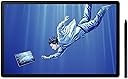
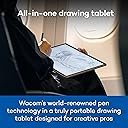
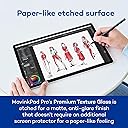
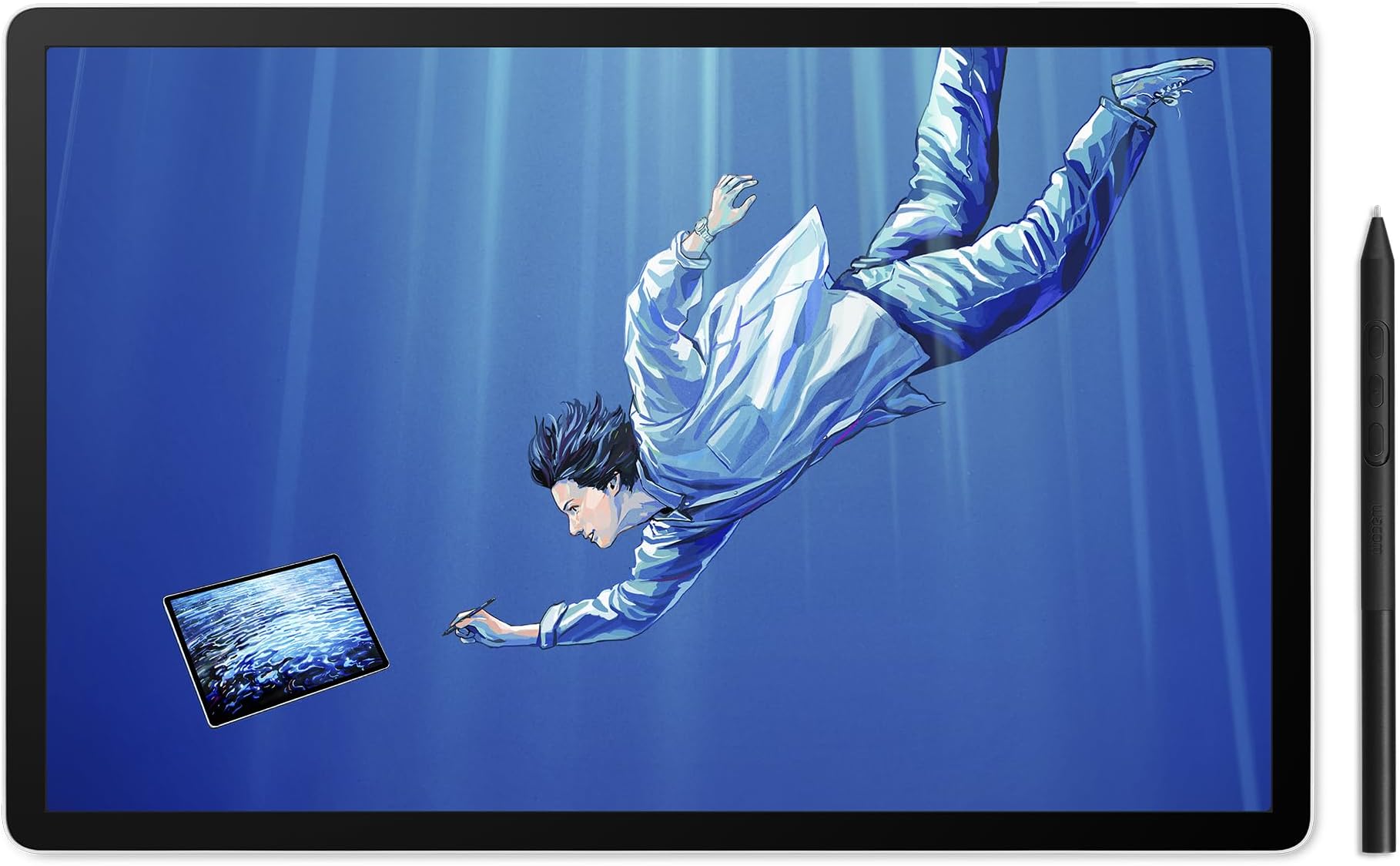
The Wacom MovinkPad Pro 14 is a sleek, portable Android-powered digital art tablet featuring a stunning 14" 3K OLED display with anti-glare textured glass, a powerful Snapdragon 8s Gen 3 processor paired with 12GB RAM, and 256GB storage expandable via microSD. Its battery-free Wacom Pro Pen 3 offers 8192 pressure sensitivity levels for precise, natural drawing. Designed for professional artists and designers seeking a distraction-free, all-in-one creative studio on the go, it supports popular Android drawing apps and offers Instant Pen Display mode for Windows and macOS compatibility.


| ASIN | B0FMHX9786 |
| Active Surface Area | 105.11 square inches |
| Additional Features | 256GB storage plus expandable microSD slot, Battery Free Pen, OLED DISPLAY: Crisp 3K (2880 × 1800px), Snapdragon 8s Gen 3 processor, Wacom Premium Textured Glass (anti-reflection/anti-glare/anti-fingerprint) |
| Best Sellers Rank | #12 in Computer Graphics Tablets |
| Brand | Wacom |
| Built-In Media | Replacement nibs (Carbon Shaft POM x1, POM x1, Felt x1), SD-card tool, USB-C to C-Cable, Wacom MovinkPad Pro 14, Wacom Pro Pen 3 with Nib holder |
| Color | Light Gray |
| Compatible Devices | Windows and Mac for Instant Pen Display Mode |
| Connectivity Technology | Bluetooth, USB-C to C-Cable, Wi-Fi |
| Customer Reviews | 4.4 out of 5 stars 189 Reviews |
| Item Dimensions L x W | 12.7"L x 8.3"W |
| Item Weight | 0.73 Kilograms |
| Manufacturer | Wacom Technology Corporation |
| Mfr Part Number | DTHA140L0Z |
| Model Name | MovinkPad Pro 14 Android All-in-One |
| Model Number | MovinkPad Pro 14 Android All-in-One |
| Native Resolution | 2880x1800 |
| Operating System | Android 15 |
| Pressure Sensitivity | 8192 Levels |
| Screen Size | 14 Inches |
| Special Feature | 256GB storage plus expandable microSD slot, Battery Free Pen, OLED DISPLAY: Crisp 3K (2880 × 1800px), Snapdragon 8s Gen 3 processor, Wacom Premium Textured Glass (anti-reflection/anti-glare/anti-fingerprint) Special Feature 256GB storage plus expandable microSD slot, Battery Free Pen, OLED DISPLAY: Crisp 3K (2880 × 1800px), Snapdragon 8s Gen 3 processor, Wacom Premium Textured Glass (anti-reflection/anti-glare/anti-fingerprint) See more |
| Specific Uses For Product | Animation, Designing, Drawing |
| Target Audience | Artist, Designer, Photographer |
| UPC | 753218983749 |
| Unit Count | 1.0 Count |
| Warranty Description | 2 Year Manufacturer |
L**.
Independent Artists, LET'S GO!
I needed a tablet I could solely dedicate to digital painting and illustration without all the distractions of a traditional tablet. Additionally, I wanted something versatile that could handle intense creative work, while also plugging into my laptop, if needed. I almost stuck with the Movink11 , then had a change of heart and sprang for the 14. I am very happy with it so far. Seamless, responsive with good color. Great resolution with a nice screen surface. Nice, big screen. Comes with a trial with CLIPStudio, which is a new environment for me. I downloaded infinite paint as well which works wonderfully. Android powered, so any Android drawing apps you are accustomed to, you can easily download and get to work. No freezing, even on large works. The wake up sketch environment is pretty cool, and you can turn it off if it gets in the way. Comfortable to hold, but I am paranoid of dropping it. I immediately purchased a case for it, which is a 3rd party case for complete coverage and a pen holder. Really has helped me reconnect with my creative endeavors. Now to just get past the artist's block... Overall, if you have the $$ to invest in your work, and need something to pull away from your computer that won't distract you from your muses, get it. Cost effective to most Apple products (which most articles direct you too) and rivals a traditional tablet in my opinion. Dedicsted to your creative whims. For all of you artists on here, Im expecting a portfolio of your beautiful work in 2 months. Get to work!
S**8
Wow! The greatest piece of tech I have ever owned!
This tablet is absolutely incredible. It's a virtual art studio in your hands. I own the wacom one and it's a great product as well but having to connect to a computer and lean over a desk makes it feel more like work at times. The propad 14 allows you be creative from the comfort of your couch (or anywhere)! Clip studio paint is an amazing program and worth the subscription cost. The size of the tablet is fantastic and the set up and connection was simple. The quality of the tablet is fantastic, the screen looks amazing and the drawing experience is very organic...this really feels like a next gen device, it feels futuristic...I wish I could show this to my ten year old self...I absolutely love this product. It's the greatest gift I have ever given/received!
V**.
This is the portable drawing tablet I didn’t know I needed!
I am a current owner of the Movink 13 Pen Display, which has absolutely been a daily driver for the last year and change. A truly integral part of my setup and flow, and a full workhorse. Using it as an extended monitor, PDF signer, photo editor, and to my dismay, the catalyst to my son's 40 thousand scribbles that I have to save because he somehow loves and remembers all of them. All this to say, I love the display and its role in my creative work. The Movinkpad Pro 14, is an elevated experience, bordering on imposter syndrome. On paper this tablet is more robust across the board, but in use and portability, it soars!! I love the matte screen and somehow the pen glides and draws smoother. The color contrast is deeper and the precision is something to write home about. I’ve taken it out into the world away from chargers and couldn’t even be bothered to be concerned about battery life. Wacom has somehow managed to make this feel light and durable. I would love a case or sleeve to ease my mind while I toss it in my bag, but I haven’t really searched for one. Overall, this is a more than solid upgrade and with the portability, I am looking forward to how much further, both physically and creatively, I can go with this tablet. I just took a weekend trip and only brought this as my email, art, entertainment center and let me tell you it did not disappoint. The only issue was how much my sons didn’t want to share it with me or each other.
A**X
Great quality, Works really well, Only some minor issues
This is a really good drawing tablet! Super quick and painless setup (no WiFi or Google account needed if you don't want it!), and easy to get started. The palm rejection is great, screen feels wonderful and has a great matte texture, battery lasts for ages, writing is smooth and works about as responsively as you could even expect from paper, and the whole thing feels really high quality. The only issues I have are the processor being a little slow for some effects like liquefy, or certain brushes that require more texturing like crayon/watercolor, but for most drawing it works perfectly. Charging can be a little slow as well, but given how long the battery lasts it's not really a big deal.
M**.
Where have you been all my life?
I use my Wacom Cintiq Pro 22, and I love it. But I always wanted a screen (from Wacom), to be totally portable. So I can draw anywhere at my home, and not be stuck at my desk, and also have the option to take it outside my home. All this without the use of a desktop or laptop. The Wacom MovinkPad Pro 14 is that miracle machine, it's bigger than the MovinkPad Pro 11. And now that I mentioned the 11, the Wacom MovinkPad Pro 14 has this feature called Instant Display Mode, where you can connect it to your desktop and display your desktop on its screen and use everything on your desktop. I find that sweet. I didn't notice any lag. This is a standalone drawing pad, that uses Wifi for connectivity, and integrates with Google. You can see your Gmail, get on YouTube, and browse the web. You can use the available stylus, and/or touch, which is flawless. I haven't noticed any smushes on the touchscreen. All in all, you can use this device as your standalone drawing pad. With memory capacity to 2 TB on an SD card, and the ability to use Clip Studio Paint. If you can't use Clip Studio Paint for whatever reason, you can use their built-in Wacom Canvas, it has limited features, though. It also has the Wacom Shelf, where all your drawing sketches and projects are saved. Lastly, I use the Wacom MovinkPad Pro 14 as a companion to my Wacom Cintiq Pro 22. Giving me the freedom and the comfort of drawing away from my desktop, but making my desk setup, my base of operations. Where all my work is finalized. It's a nice piece of tech, for what it's worth. It's mainly for sketching (with Wacom Canvas), and full-fletch drawing (Clip Studio Paint). The ability to browse the web like any tablet, is a plus.
A**R
I love it
It’s very cool. I wish I would have known you can’t use corel painter etc. It’s unable to use the stqndqrd programs which isn’t that big a deal but I wish I’d know. It’s very light and easy to use
A**Z
A great tablet for 2 weeks
Stopped working after 2 weeks. Save yourself the headache.
R**E
Worth the Money
I put off treating myself to a new Wacom for a very long time, and the price of this tablet was a huge deterrent. Now, days after receiving it, I simply cannot put it down and have gotten more work done this week than I have all month. The tablet is quick to set up, and is ready to draw out of the box. I work in Clip Studio and was able to sync my workspace within about 2 hours (mind I have hundreds of brush files that it had to download) and from there it was been smooth sailing. I have yet to start any major Illustrations with timelapses, but the files Ive been working on so far havent shown any lag or serious heat. If I start noticing the corner with the processor getting warm, I just flip it away from me so I dont really notice it. At first I had a lot of touch issues between hand and pen, but CP actually has setting you can enable to stop it from reading your finger as a brush. From there it was a simple matter of moving windows around so I wouldnt accidentally change things when I put my wrist down. I am flabbergasted by how light this thing is. It is EXTREMELY thin and I immediately ordered a case for it. The tactile-feel of the screen isnt much different from a screenless wacom pad, so I got used to it quickly. The pen doesnt stick to the side anywhere, so I have to be careful where I put it out of fear of misplacing it. App wise the built in drawing from Wacom feels like real pencil, and its been interesting to sketch in. You can then upload that sketch to Clip Studio to work in, which I feel I might start doing. The wacom shelf app also makes it easy to access files and projects. My biggest qualm is that you cannot manually change pen button settings, though being able to touch the screen ends up being a shortcut in itself. Overall Id say if you are on the fence, try it. We got it on credit and since theres a 30-day return, I thought it was safe to test for myself. Its the best thing Ive ever gotten for a professional workspace.
C**A
Easy to use
Perfect for drawing. You will need to purchase drawing gloves to use it properly since it's touchpad, your skin will make marks and other stuff on your drawing. It is really easy to use and the app is full of features for different effect and different kinds of drawings.
R**A
La mejor opción con sistema Android disponible hasta ahora.
Debo empezar esto diciendo que toda la vida he sido entusiasta de dibujar en papel tradicional debido a mi incapacidad de moverme al 100% a usar un dispositivo móvil donde lo haga de manera electrónica. Siempre la terrible sensación al dibujar sobre un vidrio ha sido suficiente para regresar al tradicional papel buscando la tracción generada sobre el papel. Había usado una Xpen magic Pad cuya experiencia al trazar era más o menos decente. Habiendo usado dispositivos Wacom anteriormente y supe de esta nueva tablet así que quise probar. La experiencia ha sido muy buena. No se si es la punta de la pluma o la cubierta mate del cristal que hace que la operación sea única. La pluma delgada no me encanta, hubiera preferido que fuera más gruesa para un mejor agarre pero cumple. Usar este dispositivo con el app Concepts es lo que ha hecho una gran diferencia. El app Canvas que trae esta bastante por abajo de lo que necesitas, no tiene nada que no encuentres en Bamboo paper si solo quieres hacer un sketch rapido. Lo que esta terrible es que la tablet no tiene como mantener unida la pluma lo que la expone a que la pierdas. La Xpen traía un soporte que la protege de atrás y un un espacio que aloja la pluma. Las fundas disponibles para la tablet están bastante ordinarias pero eso es mejor a exponerla a que se caiga y se dañe. Esta tableta es de lo mejor por el momento, espero que en la siguiente actualización de Clip Studio no deje de funcionar como le pasó a la versión de la Xpen que compre que no se axtualiza. Recomendable si buscas un dispositivo para hacer una ilustración de principio a fin en una tableta portátil.
S**M
Movinkpad 11 Comparable to Ipad Air ?
The Wacom Movinkpad 11 is excellent in many ways. How does it compare to something like the Ipad air m2 or m3? Well that was my previous device so I'll explain. The Movinkpad 11 first off, of course feature and etched glass anti glare screen. This is one of the best parts about it in my opinion as it is far superior to glossy screen and screen protectors. Superior in that it provides a tactile feeling and some resistance while drawing. It feels very smooth, unlike the sticky feeling of the bare ipad screen due to the anti finger print coating. It of course does introduce some grain and the bare ipad screen will have more clarity. But the grain is much less than any screen protectors you can use on the ipad air. As for performance, for drawing and art, I've found it exceeded my expectations handling very large files with ease. 4000x5000 300 dpi 30ish layers no lag whatsoever. However if you need to use warp tools on large files or 3d programs this is where the ipad will be superior. But for creating 2d art it does excellent and with 99% srgb coverage, 400 nits of brightness it works perfectly. The p3 color range is mostly useless on the ipad as practically all artists will be creating art in srgb unless you are looking to print your work. & with 90hz adaptive refresh rate I found it I couldn't even spot any more noticeable pen lag than on my ipad air due to the air being locked at 60hz. The pen is very light which may not feel "premium" but it does help with any arm fatigue helping you to draw longer with no effort at all. The nibs included although they appear plastic are actually a new kind of felt nib mixed with plastic that wacom now uses. These nibs feel very interesting, I do like them alot but they will tend to wear down. There are many different types of nib materials you can use, I will be trying the rubber ones next and getting more of these. Outside of art is where you will notice more performance issues, such as with gaming or just general smoothness of transitioning windows and such, but if you are looking for something for purely art this tablet is so underrated. Why do I say it's underrated? Well it's because many reviewers complain of the processing power yet none show you a time other than 3d programs where it's even slightly challenged. And so the bottom line to me is this; The only Ipad that could truly compare is the nano glass textured ipad, because having this kind of finish is amazingly easy to clean and feels so smooth to draw on. The brightness is not as high as many ipads but unless you are literally in direct sunlight, you can always draw outside easily as I do daily. The processor is weaker yes, but not weak enough to stop me from making large illustrations start to finish with no lag. And finally the thing is, since only the nano texture can compare, sure the ipad would last longer and be more powerful. But the price is so high I could just buy 2 more movinkpad11s by the time this one dies on me for the same price as 1 ipad with nano texture. The one weakness however I will admit is the size. Though this is a much better size than the 11 inch ipad. I actually had the 13 inch model. And if you really need size than thats where the movinkpad 11 won't be able to compete over the 13 inch ipad. However the movinkpad 11 is basically the same size as a ipad air 11 but horizontally but its vertically much longer. So in portrait orientation it is as tall as my ipad air 13. But in landscape mode it is much shorter. It's also quite a bit heavier than an ipad 11 inch but I have noticed its right bordering the line to handlability. I am often moving jt all about like a smaller sketch book which I never did with my 13inch ipad air because it was just so unwieldy. I do occasionally miss the size of the 13 inch but I do love the aspect ratio much more than the 11 inch ipad. Its perfect to keep it very mobile while having that extra room to have all your art program of choices menus open in landscape orientation. And if we are lucky, Wacom will release more models. I'd love a pro model version or even a 13 inch model. So my conclusion is if you are specifically looking for something with the best drawing experience at a affordable price than nothing can beat this tablet. If you need to be able to do other heavy tasks like 3D or gaming, or video editing then thats where you may want to sacrifice some of the drawing expereince for the power or an Ipad or Samsung device. So if you are up in the air over something like an Ipad or this for primarily drawing or painting, making illustrations, then I would highly recommend this tablet, the second you feel the smoothness and ease of moving your hand on this etched glass surface I think your doubts will be gone. I haven't touched my ipad much since when I first got this, just to compare the two I switched back and forth. But this one always came out on top for me, it's biggest weakness as I said for me was not the performance but just the size of the 13 inch ipad feels so spacious and you will need to adapt to a smaller display.
C**O
Excellent product !
Excellent tablet for graphics it is equivalent to an IPad on Android
E**A
Good drawing tablet for any level of artist.
It is a good tablet, does what it says. The only issue I had was OS felt laggy but when you opened up apps those ran perfectly fine. I may repurchase this at a later date. Also the matte screen that is very similar to Wacom Cintiqs definitely feels very nice when drawing. It's also very light weight and thin but still feels sturdy. I just wish the screen was a little bigger.
Trustpilot
2 days ago
2 weeks ago