We remain fully operational. Our teams are working around the clock to ensure your deliveries continue safely.

DOWNLOAD THE APP


Copyright © 2025 Desertcart Holdings Limited
DOWNLOAD THE APP




Echo Plus (2nd Gen) – Premium sound with a built-in smart home hub - Heather Grey Fabric : desertcart.co.uk: desertcart Devices & Accessories Review: Enabling everyone ♿ with Hi Fi - We originally bought these because my partner was expected to be partially disabled following spinal surgery, which was delayed because of the pandemic. The whole Echo range enables so may things to be controlled purely by voice commands, whether by turning on or off lights or dimming them, playing music, even controlling some TVs. The Echo Plus is a cylinder, which is available in several colours so that it will blend in well with your décor, or that can be hidden away. It has a solid and robust feel to its construction, with a rubberised non-slip base. It might survive being accidentally knocked off a shelf a couple of times by a cat or child, [please do NOT try this]. It has multiple high quality speakers built into it , which can be linked to a second Echo Plus for true stereo. If you have suitable cabling it can also be wired to play through an existing HiFi system. Its own speaker has a good bass tone. Although I haven't tried it, myself, apparently it can also be used as a very high quality Bluetooth speaker for other devices. On the top are four buttons, one to disconnect the microphone, which will make the light glow red, volume up and volume down buttons, and a fourth button called the 'Action Button' is an alternative to waking Alexa up to listen. The lighted rim shows different colours depending on what the Echo Plus is doing. For example, it shows red if the microphone is switched off, yellow if you have desertcart notifications, blue and green when accepting instructions. Turn up the volume on my short video to hear the Alexa Echo Plus in action. As with the Echo Dot, the array microphone on the Echo Plus is omni-directional and seems to work at up to 5m (probably further if you shout!). The power supply is a custom one, so if your cat chews through the cable you'll need to replace the whole power supply. It would have been better if desertcart had chosen to use an USB-type charger, with either USB-Micro or the modern USB-C connectors. You will need your wi-fi credentials available when you set up the device for the first time. On first start-up, the Echo Plus will give you voice instructions in several European languages. If you already have other Alexa devices it may be able to pick up wi-fi credentials and other similar settings from them, but not always. If your router supports a guest network, it is best to put it onto that for security. This applies to all the 'Internet of Things' devices in your household, as some Internet of things devices have security flaws that can be abused to get access to the computing technology on the same network. When you buy it for yourself it can arrive directly registered to your desertcart account, with access to your desertcart Music or similar accounts. If you wish to listen to international radio stations then a free Tune-In account, which I use for some Japanese stations, can be registered to the Echo, as can a range of BBC services or Spotify. If you have any books on desertcart Kindle then you can ask the Echo Plus to read the book to you. This is really useful if you are disabled or just plain tired. All of the Alexa devices in a house can be linked, so that you can make a call from one to the other, by saying something like: "Alexa, drop in on the Living Room". This also work for calling friends. Unlike some of the lesser Echo devices, this also supports ZigBee, allowing it to link to a range of smart devices, such as Philips Hue bulbs, but without the need for a specific hub. On initial set-up, using the Alexa app on your smartphone, it is a good idea to make a few tweaks: 1. Switch off ordering by voice, so you don't accidently acquire something the family were talking about. (More➡Settings➡Account settings➡Voice Purchasing➡Off) 2. If you don't want the Echo announcing all your deliveries and order information all the time, go to (More➡Settings➡Account settings➡Notifications➡Announcements) 3. Switch on Follow-up mode, so you can add on additional commands without restarting the dialogue. (Devices➡[New Echo Dot]➡Follow up Mode➡On) 4. Tell the Echo where it is in your home by creating a group (eg Bedroom) and adding any other devices, such as Hue lights that are in the same room, to that group. Then phrases like "Alexa, Dim the light" will work for the light in the same room. Review: Excellent , lives up to its reputation. - Speaking as someone who is entrenched in the Apple ecosystem, I previously viewed the Echo devices and Alexa with some scepticism about adopting a new smart system. Experience from a toe on the water with an Echo Dot bought on an desertcart special offer was however a revelation. Alexa turned out to be so easy to use and versatile and, before we knew it, we wanted to try smart lighting. The Echo Plus bundled with a Philips white Hue light seemed the ideal way to tray out the possibilities. The Echo Plus has a built in zigbee hub...what that means is that you don’t have to buy another hub to make smart devices (such as the Hue light bulbs) work. Set up was incredibly easy , we use ours with a BT broadband Smart Hub and have had no issues. Alexa voice control is simply amazing....the 8 microphones easily pick up instructions from anywhere in the room only rarely does Alexa get stomped. The Alexa app (for us on iPhones and iPads) was also simplicity itself to set up and from that we can amongst other things set alarms, reminders, control lights. You can also allow Alexa to access your iOS calendar. I would however point out with regard to Hue lighting that the Echo Plus on its won will allow you to do the majority of everyday control functions for the lights but, if you want access to all the Hue features such setting your own bespoke colours, then you will still need to buy the Philips Hue Bridge. We eventually did exactly that and the Hue Bridge also works seamlessly with all our Echo devices and Alexa. Sound quality of the Echo Plus is excellent and betters many Bluetooth speakers at this price level that we have used. Assuming that you are a Prime customer, you can of course access desertcart Prime Music. A limited albeit still fairly extensive music catalogue but, if you pay for one of the additional plans, unlimited access to all Prime Music is available. One point to note for Apple Music users (like us) is that Apple is evidently working with desertcart to bring Apple Music to Echo devices later this year, in a similar way to what is currently available in the US. That is excellent news and will only enhance the Echo’s capabilities and usefulness. The Echo Plus itself is a relatively good looking mesh covered cylinder with buttons on top and the famous blue ring that activated when Alexa is communicating or waiting for reaction. We bought the charcoal grey version which sits quite happily in our living room. You could easily position this in any room without it looking out of place. But beyond that is of coarse the undeniable fact that Alexa makes this and other Echo devices special. Ask her for a radio station, a joke, the weather, a news briefing....all easily done and set up. ‘Skills’ are easy to add from the desertcart site to enhance Alexa’s capabilities and all those we have adopted so far have been free. As described earlier, Add additional equipment such as the Philips Hue range and you can have voice controlled lights, motion sensors, cameras...it goes on and on and, be warned, once you start and see the possibilities, you find it difficult to stop! We have since eventually bolt a system including Echo dots in other rooms plus lights and sockets....once you use them, you don’t want to go back! The Echo Plus has been a big hit with us and has so impressed the wider family that others have also taken the plunge and bought one. Easily recommended.....even by a committed Apple user!
G**A
Enabling everyone ♿ with Hi Fi
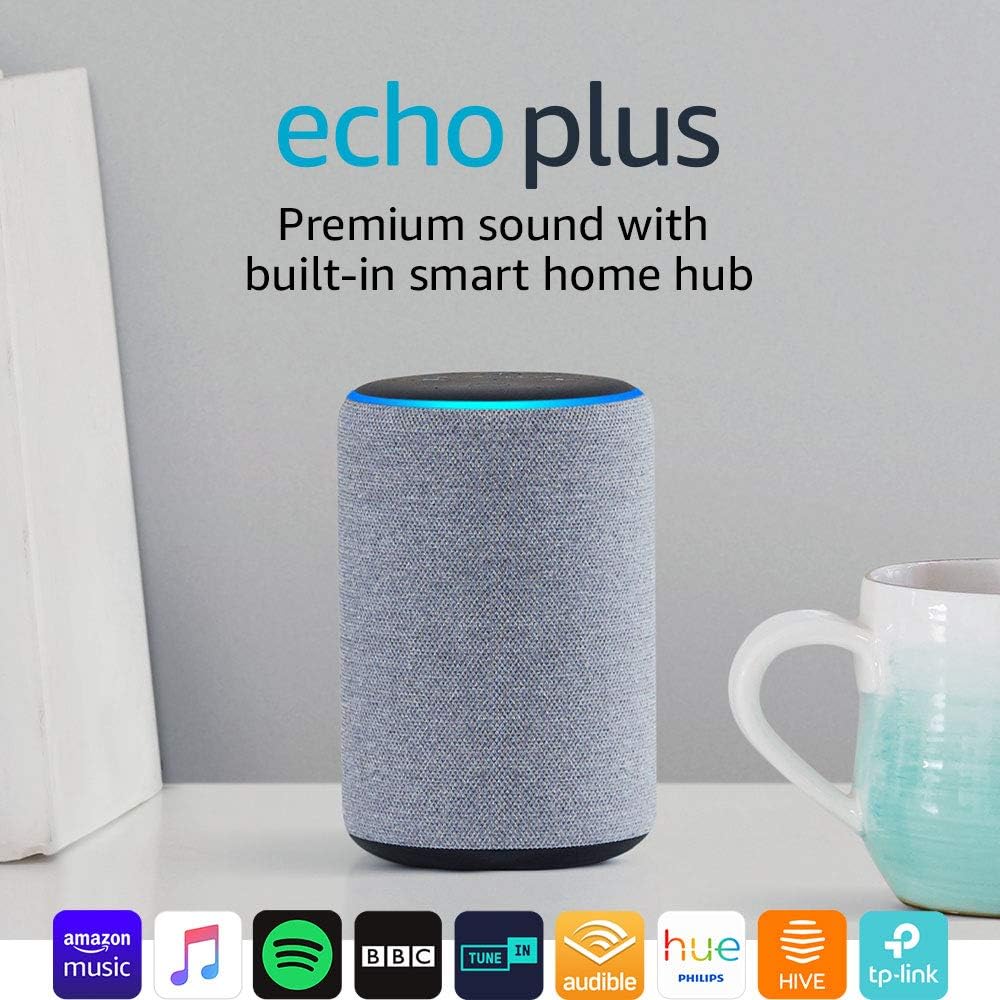
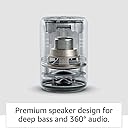
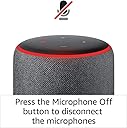
We originally bought these because my partner was expected to be partially disabled following spinal surgery, which was delayed because of the pandemic. The whole Echo range enables so may things to be controlled purely by voice commands, whether by turning on or off lights or dimming them, playing music, even controlling some TVs. The Echo Plus is a cylinder, which is available in several colours so that it will blend in well with your décor, or that can be hidden away. It has a solid and robust feel to its construction, with a rubberised non-slip base. It might survive being accidentally knocked off a shelf a couple of times by a cat or child, [please do NOT try this]. It has multiple high quality speakers built into it , which can be linked to a second Echo Plus for true stereo. If you have suitable cabling it can also be wired to play through an existing HiFi system. Its own speaker has a good bass tone. Although I haven't tried it, myself, apparently it can also be used as a very high quality Bluetooth speaker for other devices. On the top are four buttons, one to disconnect the microphone, which will make the light glow red, volume up and volume down buttons, and a fourth button called the 'Action Button' is an alternative to waking Alexa up to listen. The lighted rim shows different colours depending on what the Echo Plus is doing. For example, it shows red if the microphone is switched off, yellow if you have Amazon notifications, blue and green when accepting instructions. Turn up the volume on my short video to hear the Alexa Echo Plus in action. As with the Echo Dot, the array microphone on the Echo Plus is omni-directional and seems to work at up to 5m (probably further if you shout!). The power supply is a custom one, so if your cat chews through the cable you'll need to replace the whole power supply. It would have been better if Amazon had chosen to use an USB-type charger, with either USB-Micro or the modern USB-C connectors. You will need your wi-fi credentials available when you set up the device for the first time. On first start-up, the Echo Plus will give you voice instructions in several European languages. If you already have other Alexa devices it may be able to pick up wi-fi credentials and other similar settings from them, but not always. If your router supports a guest network, it is best to put it onto that for security. This applies to all the 'Internet of Things' devices in your household, as some Internet of things devices have security flaws that can be abused to get access to the computing technology on the same network. When you buy it for yourself it can arrive directly registered to your Amazon account, with access to your Amazon Music or similar accounts. If you wish to listen to international radio stations then a free Tune-In account, which I use for some Japanese stations, can be registered to the Echo, as can a range of BBC services or Spotify. If you have any books on Amazon Kindle then you can ask the Echo Plus to read the book to you. This is really useful if you are disabled or just plain tired. All of the Alexa devices in a house can be linked, so that you can make a call from one to the other, by saying something like: "Alexa, drop in on the Living Room". This also work for calling friends. Unlike some of the lesser Echo devices, this also supports ZigBee, allowing it to link to a range of smart devices, such as Philips Hue bulbs, but without the need for a specific hub. On initial set-up, using the Alexa app on your smartphone, it is a good idea to make a few tweaks: 1. Switch off ordering by voice, so you don't accidently acquire something the family were talking about. (More➡Settings➡Account settings➡Voice Purchasing➡Off) 2. If you don't want the Echo announcing all your deliveries and order information all the time, go to (More➡Settings➡Account settings➡Notifications➡Announcements) 3. Switch on Follow-up mode, so you can add on additional commands without restarting the dialogue. (Devices➡[New Echo Dot]➡Follow up Mode➡On) 4. Tell the Echo where it is in your home by creating a group (eg Bedroom) and adding any other devices, such as Hue lights that are in the same room, to that group. Then phrases like "Alexa, Dim the light" will work for the light in the same room.
C**T
Excellent , lives up to its reputation.
Speaking as someone who is entrenched in the Apple ecosystem, I previously viewed the Echo devices and Alexa with some scepticism about adopting a new smart system. Experience from a toe on the water with an Echo Dot bought on an Amazon special offer was however a revelation. Alexa turned out to be so easy to use and versatile and, before we knew it, we wanted to try smart lighting. The Echo Plus bundled with a Philips white Hue light seemed the ideal way to tray out the possibilities. The Echo Plus has a built in zigbee hub...what that means is that you don’t have to buy another hub to make smart devices (such as the Hue light bulbs) work. Set up was incredibly easy , we use ours with a BT broadband Smart Hub and have had no issues. Alexa voice control is simply amazing....the 8 microphones easily pick up instructions from anywhere in the room only rarely does Alexa get stomped. The Alexa app (for us on iPhones and iPads) was also simplicity itself to set up and from that we can amongst other things set alarms, reminders, control lights. You can also allow Alexa to access your iOS calendar. I would however point out with regard to Hue lighting that the Echo Plus on its won will allow you to do the majority of everyday control functions for the lights but, if you want access to all the Hue features such setting your own bespoke colours, then you will still need to buy the Philips Hue Bridge. We eventually did exactly that and the Hue Bridge also works seamlessly with all our Echo devices and Alexa. Sound quality of the Echo Plus is excellent and betters many Bluetooth speakers at this price level that we have used. Assuming that you are a Prime customer, you can of course access Amazon Prime Music. A limited albeit still fairly extensive music catalogue but, if you pay for one of the additional plans, unlimited access to all Prime Music is available. One point to note for Apple Music users (like us) is that Apple is evidently working with Amazon to bring Apple Music to Echo devices later this year, in a similar way to what is currently available in the US. That is excellent news and will only enhance the Echo’s capabilities and usefulness. The Echo Plus itself is a relatively good looking mesh covered cylinder with buttons on top and the famous blue ring that activated when Alexa is communicating or waiting for reaction. We bought the charcoal grey version which sits quite happily in our living room. You could easily position this in any room without it looking out of place. But beyond that is of coarse the undeniable fact that Alexa makes this and other Echo devices special. Ask her for a radio station, a joke, the weather, a news briefing....all easily done and set up. ‘Skills’ are easy to add from the Amazon site to enhance Alexa’s capabilities and all those we have adopted so far have been free. As described earlier, Add additional equipment such as the Philips Hue range and you can have voice controlled lights, motion sensors, cameras...it goes on and on and, be warned, once you start and see the possibilities, you find it difficult to stop! We have since eventually bolt a system including Echo dots in other rooms plus lights and sockets....once you use them, you don’t want to go back! The Echo Plus has been a big hit with us and has so impressed the wider family that others have also taken the plunge and bought one. Easily recommended.....even by a committed Apple user!
Trustpilot
5 days ago
1 month ago