




Fire TV Recast, over-the-air DVR, 1 TB, 150 hours, DVR for cord cutters
Product ID: 79785548
🎤4 Tuners
📺1 TB Storage
⏱️150 Hours Recording
Buy anything from 5,000+ international stores. One checkout price. No surprise fees. Join 2M+ shoppers on Desertcart.
Desertcart purchases this item on your behalf and handles shipping, customs, and support to KUWAIT.
📡 Cut the Cord, Not the Fun! 🎉
The Fire TV Recast is a powerful over-the-air DVR with 1 TB of storage, allowing you to record up to 150 hours of HD programming. With the ability to record 4 shows at once and stream content on various devices, it’s the ultimate solution for cord-cutters seeking flexibility and convenience in their viewing experience.
| Size | 7.1” x 7.1” x 2.9” (180 mm x 180 mm x 73 mm) |
| Weight | 2.4 lbs (1066 g) |
| Processor | Dual Core |
| ATSC Tuners | 4 Tuners |
| Transcoders (for playback) | 2 |
| Storage | 1 TB up to 150 hours of HDTV |
| Memory | 2 GB |
| Wi-Fi Connectivity | 2.4 G Wi-Fi 2x2 Wi-Fi b/g/n and 5 G Wi-Fi 2x2 Wi-Fi a/n/ac |
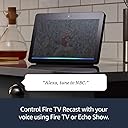
| Voice support | Fire TV Recast can be controlled using voice through supported Alexa endpoints like Echo Show, and the Alexa Voice Remote on Fire TV devices and Fire TV Edition televisions. |
| Ports | 1 x Type A USB 3.0 (storage supported on compatible external hard drives only), TV Antenna Input, Gigabit Ethernet, Power |
| System requirements | Fire TV streaming media player, Fire TV Edition television, or Echo Show, and compatible mobile device. |
| Output resolution supported | Up to 1440x720p |
| Setup requirements | Fire TV mobile app (available on Amazon Appstore, Google Play Store, or iOS Appstore) on a Fire tablet (5th Gen or newer), an iOS device running iOS10 or higher, or an Android device running Android 5.0 or higher |
| Required for playback | Any one of the following: Fire TV, Fire TV Edition television, Echo Show, Fire tablet (5th Gen or newer), an iOS device running iOS10 or higher, an Android device running Android 5.0 or higher |
| Warranty and service | 1-Year Limited Warranty and service included. Optional 2-Year and 3-Year Extended Warranty available for U.S. customers sold separately. Use of Fire TV is subject to the terms found here. |
| Regional support | Certain services may not be available outside the U.S. |
| Accessibility features | VoiceView screen reader enables access to the vast majority of Fire TV Recast features for users who are blind or visually impaired. Watch videos and TV shows with closed captioning displayed. Captions are not available for all content. Learn more here. |
| Included in the box | Fire TV Recast, 50W Power Supply, Quick Start Guide |
A**R
Take negative reviews with a grain of salt
I pre ordered this a couple weeks before the release and it arrived the day of the release. Points there for reliable shipment, for the option to make payments, and for crediting early buyers when they put it on sale. Having read through the other reviews allow me to clarify a few things that other reviewers are having issues with. First off this is really a top notch product that works well right out of the box. In sure there is a built in preamp for the tuners and it's obviously of extremely high quality. I'm picking up all of the channels that my old hdhomerun could get plus wpxi out of Pittsburg, which is over 70 miles away. Mote importantly to me, many of the channels I am getting are just plain more reliable with this box than any other setup that I've tried. Streaming is extremely reliable and I've had zero buffering even when both kids are home and making heavy use of the network. Let's talk interface for a minute. One reviewer mentioned that adding a channel to favorites did nothing except add a star next to it. This is not true. Any channels that you have favorited show up in their own section at the top of the channel guide. I'm currently using this to filter things out a bit as I have multiple options for CBS, NBC, ABC etc and added the one with the most reliable signal for each network to my favorites. A couple other reviewers said that when you set a timer to record a series it will record all of the old episodes and doesn't have an option to record only the new episodes. This is also not exactly true, although the interface could use a little work here. When you select a show to record it will pop up a dialog asking if you want to record this episode or the entire series. It's true that it will by default record all episodes including any old ones in syndication. However, if you click the hamburger button again it pulls up the recording options screen where you can set it to record only new episodes, along with other options such a setting a buffer time before and after the recording in case the program begins early or ends late. This screen can also be found in the dvr tan under recording options. What I would like to see, however, is a way to set the options I mentioned above globally. If that functionality is there I haven't found it yet. Instead I have had to go in and set options for every series I set to record, which is a little annoying. Many people have mentioned that they are disappointed that playback is limited to 720p. I'm a little bit disappointed on this point as well, especially since there it's literally nothing in the product description mentioning this limitation. I considered taking off a star just for this. However, I'm convinced that this was a conscious design choiceby Amazon. They advertise that this box has the most reliable streaming over Wi-Fi of any OTA dvr and I'm convinced that this claim is entirely valid. My old setup used an hdhomerun tuner connected in the attic via a powerline adaptor, mythtv on my computer and kodi as a front-end. It was notoriously unreliable and not very easy to use by my girlfriend or the kids. 1080p channels would quickly saturate the network and as soon as a second recording tried to start it would fail. Playback of recordings involved buffering from time to time as well. In comparison this box has been 100% reliable in both recording and playback so far. So I understand the design choices Amazon made and tend to agree with them. Also, the picture quality is really very, very good and if I hadn't read about the resolution limit I wouldn't have known to look for it. Continuing with the interface now. This is really very well integrated with the fire tv interface. I like that there isn't a separate apo to open. I have Pluto TV and a few of those channels now show up with my OTA channels now, too (pretty much all of the news channels). I would love it if the rest would be available here as well. My understanding is that PS Vue integrates here as well which I'm sure it's nice forthose using that service. Myself, I'm using Philo and still have to open the Philo app to access my cable channels. I'm hoping that they will get on the bandwagon here. I actually switched from Android TV to the fire sticks because of Philo, and was hesitant to do so because Android's live channels app was at that time something that I loved but that Amazon had no answer for. Well, if they can get a few more of the streaming services to integrate here it will be what the Live Channels app on Android TV promised but never delivered. So to make a long story short, while the recast is perfectly functional right out of the box I have a lot of hope that the changes Amazon made to accommodate it can open up an even more seamless experience in the future. I think that a lot of the other reviewers were being unfair to this box. It's actually quite excellent and I've never seen a better rollout of a completely new electronics platform. The negatives that several people mentioned are in some cases things they could have solved by clicking around with their remote for a few seconds more. Amazon could polish the interface a little more, and I'm sure they will, but it's already usable now if you spend a minute to figure things out. In short I highly recommend the Recast. It solved all of the problems I had with ota tv in our house. Edit: a recent update added some functionality that I had been missing. When you choose to record a series it now asks if you want to record on that specific channel or on any available channel. This is important and I wish that it had been integrated right from the beginning. To illustrate the importance of this feature, my attic mounted antenna picks up three different NBC affiliates. The strongest one is out of Youngstown, while I also pick up a weaker signal from Cleveland (the antenna is pointed at Youngstown) and a third, very unreliable channel out of Steubenville. I've had plump out a very small number of recordings ever fail, but when they did it was because the box tried to record one odd the weaker stations. This new setting prevents that happening. My only wish now is that the new setting would integrate with the recording options menu. As of right now it is only available in a pop up right after you select a series to record. As such I went in and deleted all of my scheduled recordings and then re-entered them to make sure that the box knows my preference for which station to use, which was a fairly tedious process.
S**K
First impression review - Updated, Second impression... - Updated, Third impression...
First: I am always impressed with Amazon's product packaging. They make the most beautiful boxes. This product shipped via UPS and was delivered when promised and in good condition. Second, setup: in my case probably most especially, it was too easy. I had a brief dalliance with a simple.tv OTR recording device that did not end well, so I already had a power outlet and antennas (two, with a coupler) in place; installing this device was a simple swap out of the base unit and power supply. I had planned to do a wired ethernet connection from this unit to my router in hopes that it might head off any potential performance obstacles but realized that I had no ports open, so wireless it would be Third, soft setup: I installed the Fire TV app on my Fire Tablet and practically followed my nose. Just a touch of silliness, but no show-stopping surprises. Actually, there was a rather nice surprise: I found all of my local major network channels (and I'll count PBS as one for purposes of this review) and a number of other channels that I had no idea would be available over-the-air, for a total of 30. I never saw most of those channels with the simple.tv unit. Fourth, live tv: I'll be honest, I very seldom watch live tv. On mornings when it snows to check traffic and road conditions, honestly, that pretty much all. But I checked the local major network channels and was again happily surprised by the quality of the visual streams I was seeing. To be clear, if the review were to end here, it would be six out of five stars. Fifth: recording a show. I went all through my Fire TV app to find how to schedule a recording. No dice. You cannot schedule a recording with the Fire TV app. Dear Amazon, this is a gaping oversight and seriously needs to be a priority. I do not schedule tv shows in a vacuum; with my existing cable dvr, when I am scheduling shows, it is invariably while I am also watching tv shows. To be forced to do one *or* the other at a time is a not-minor ding. This was however easy enough to look up and Amazon's Recast TV Q&A page is quite inclusive. First, I used the tv listings on my Fire TV to schedule a 5 pm local newscast. (It was 4:45 at the time.) Then I resumed watching a show on the CBS All-Access app on my Fire TV. As an aside, it should be perfectly obvious at this point that I live comfortably in an all-Amazon universe. (I do have and happily use many Apple devices including the MacBook Pro that I am using to write this review and an Apple TV, and I do have and use a Roku. I like them all a lot but prefer Amazon and the Fire TV world for entertainment purposes.) I'm comfortable with that. The hits always outweigh the misses. (Glad I never bought the Fire Phone.) So I went into this purchase with high hopes and I am grading this product on that scale. I also asked Alexa (my living room Echo Show) to record "Live with Kelly and Ryan." That just worked. (I had already changed the default settings for the Recast to record only new shows, and that was a little-bit klunky...) I was able to view my new, upcoming recordings and series on my Fire TV (again though, not while I was watching something else...). Sixth, playback: The quality of the stream was good. The sound was not pumping through all of my speakers, but I cannot yet confirm that that was because of the Recast or because it was the evening news; I'm inclined to think the latter. I'll update as this becomes more clear. That said, the vanilla stereo I got was very good for, again, the evening news. Navigating was the next test, and there again was a bit of a letdown. The fast-forward button on the Amazon Fire TV remote while playing back a recorded Recast video skips ahead 30 seconds. This will take some practice on my part to get used to. I prefer how my cable-company-supplied dvr works: I click fast forward and I see the stream zoom forward really fast until I see my show come back from commercials and click play... Dear Amazon again, if you can make *that* happen, you can kill cable tv. Just sayin'. If you can do *that*, you can own the world. I know you'll catch up on the resolutions and sound mixers and stuff, but if you can do *this thing*, you win. Forever and ever. I know this is a big, fat ask... I know what makes this difficult, but this is the holy grail... Final First Impression Score: Four Stars. So far, I'm pleased. Quite pleased. Happy, even. Am I delighted and subscribing to a sling-or-fubo-like internet tv service and phoning my cable company to strip my service with them down to Internet-only? Not quite there yet... But so close, but not... ***Update*** The playback scenario has much improved. On the advice of a commenter, I found that holding the fast-forward button shows the playback progressing forward in a smallish window along the progress bar at the bottom of the screen. As I mentioned, it's smallish, so I'm not overjoyed, but I am certainly more comfortable navigating through commercials this way. It's a little early to call on the whole sound system thing based upon what I've been watching so far, but the sound is good enough that I feel comfortable moving more of my scheduled recordings from the cable dvr to the Recast. I'll update further when I watch a recording of something with a little more audio heft... PS, Dear Amazon, the whole setting-up recordings thing is still an important issue... ***Next Update*** Okay, I am now comfortable with the sound. It turns out that HD broadcasts have the whole multi-channel audio thing figured out and it works. That the plus. Now the minus. I was listening to NPR this morning and they were touting a documentary that is scheduled to air tomorrow night on a local PBS channel that I am very interested in watching. (To anyone who might have read that sentence and found me particularly... something... I understand. And I do apologize.) For the record, it is a documentary about the southern city that I willingly chose as a home and how it has grown over many decades, truly heartstring stuff. I set out to record this show on my Recast and ran into a few really annoying things. Things that pile on to the already annoying things about setting up Recast recordings. Okay, I already knew the title of the show I wished to find. Only, there's a problem, there is no search-for-program option. Clearly, there never has been. So I scan my channels and scroll to the time-slot that I know the program is scheduled to air. I scroll down through all of my local channels looking for the show. Repeatedly. Nothing. I accept the possibility that I might not have that (very local) channel available. I rescan for channels. I find I have two more channels than I did before. Lather, rinse, repeat, I still can't find that show. I look closer at what I'm seeing. The channels that I can identify as local PBS channels are only by the *incredibly tiny* icons on the channel listings. No call letters, just itty-bitty, puny icons. Looking at other channels, I see the same thing. And the broader texts on the screen showing me show information offer no clues as to their source, e.g., the actual channel name or call letters. Dear Amazon once more, you have a device that can topple the cable companies on your hands, but glaring flaws stand in your way. You *have* to improve your recording setup routines and a few user-experience gaffs. I don't want to guess what channel I am looking at by microscopic icons. Show me, with crystal clarity, that I am looking at WTVI (for example). (Yes, for me, that local channel with that show, in this case.) And you *must* allow for *many* recording setup options in your FireTV app. Period. I heard about this impending show during my commute to work in the morning. What a treat it would have been if I could have logged in to my Amazon account and set up that recording straightaway, by searching for the program name, right there in my browser. Or on my fire tablet. Or, practically anything other than being forced to wait until I got home, forced to use my FireTV exclusively and even then failing miserably to accomplish my wishes. PS, I was able to search for the program, by name, on my cable box and schedule it to record. *That* process was a bit painful, but it was utterly successful. ***Yet Another Update*** Trust has been established. This is the one that makes me dearly wish there was a possible half-star rating increment. I canceled the scheduled recordings of several of my cable dvr programs that I can now record over the air with the recast. I have viewed enough recordings on the recast to know that it is at least as reliable as my cable box. I am happy with that. Again, this would be a four-and-a-half star review if that were possible. The final half star comes with my usual, repeated gripe. This device has been out for a while now. I'm certain that there are many talented programmers employed by Amazon who are responsible for creating and maintaining it's various software. The gaping hole remains: Users need alternative methods, aside from the recast itself, to schedule programming. I don't care what form that would take -- the Alexa app, the Fire TV app, a specialized website, smoke signals, whatever -- I just know that this product needs this. Scheduling program recordings for the Recast is still its last and most glaring weakness. I can tolerate the puny scrolling fast-forward preview screenlet. But if I want to record a show or series, I want to be able to do that at any time from anywhere and this is non-negotiable. I promise, Dear Amazon, this is what you are missing and this is what will allow you to take over the OTA HD DVR recording world. That redundant rant aside, I do still love this product. If you have read this far, first, I'm sorry, and second, if you understand and can live with the desperately missing functionality that I have been screaming about, buy this.
Trustpilot
1 month ago
5 days ago