Buy anything from 5,000+ international stores. One checkout price. No surprise fees. Join 2M+ shoppers on Desertcart.
Desertcart purchases this item on your behalf and handles shipping, customs, and support to KUWAIT.
⚡ Power your network like a pro—fast, smart, and hassle-free!
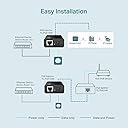
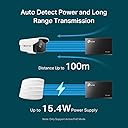
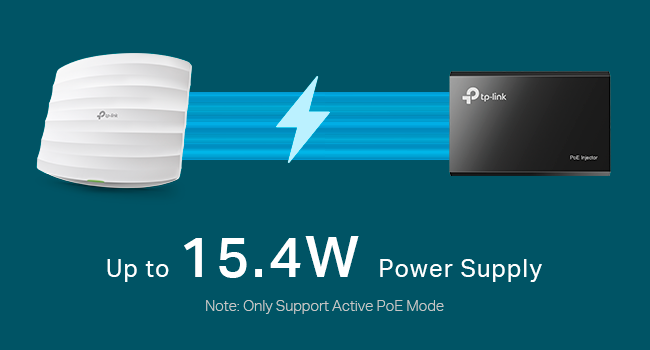
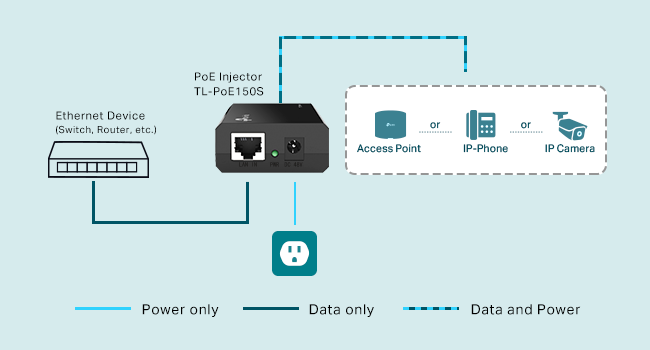
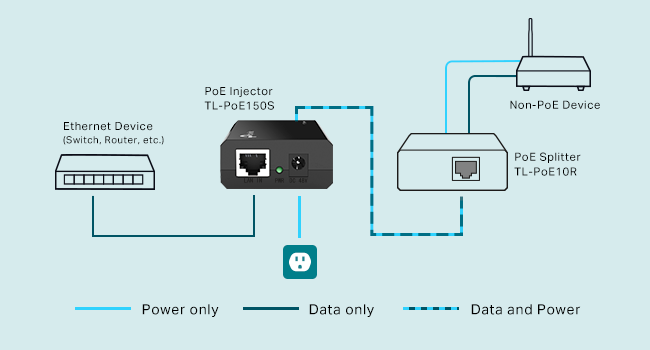
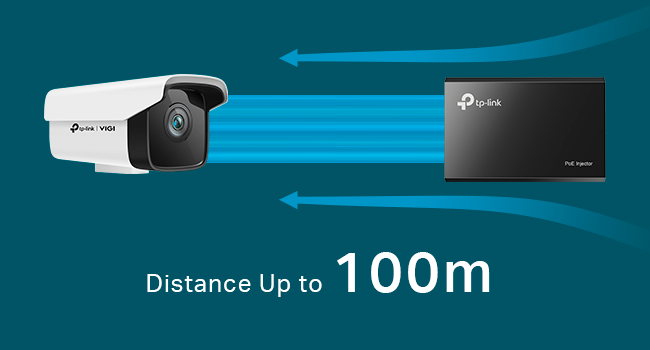
The TP-Link Omada PoE Injector (POE150S) effortlessly converts any non-PoE switch into a powerful PoE source, delivering up to 15.4W of power and gigabit data speeds over a single Ethernet cable up to 100 meters. UL certified and plug-and-play, it’s the perfect solution for powering IP cameras, access points, and other PoE devices without rewiring or complex setup—ideal for modern professionals seeking reliable, scalable network expansion.


| ASIN | B001PS9E5I |
| Best Sellers Rank | #10 in Powerline Network Adapters |
| Brand | TP-Link |
| Built-In Media | Gigabit PoE Injector POE150SPower AdapterRJ45 CableInstallation Guide |
| Color | Black |
| Compatible Devices | Compatible With IEEE 802.3af Compliant PDs Delivers Power Up To 100 Meters Auto-Determine The Necessary Power Requirements Compatible Devices Compatible With IEEE 802.3af Compliant PDs Delivers Power Up To 100 Meters Auto-Determine The Necessary Power Requirements See more |
| Customer Reviews | 4.6 out of 5 stars 7,467 Reviews |
| Data Link Protocol | Ethernet , Gigabit Ethernet |
| Data Transfer Rate | 1000 Megabits Per Second |
| External Testing Certification | FCC, CE |
| Global Trade Identification Number | 01210002617260, 06935364030506 |
| Hardware Interface | Ethernet |
| Item Dimensions L x W x H | 3.2"L x 2.1"W x 0.9"H |
| Item Part Number | TL-POE150S, TL-PoE150S |
| Item Weight | 300 Grams |
| Manufacturer | TP-Link |
| Mfr Part Number | POE150S |
| Model Number | POE150S |
| Product Dimensions | 3.2"L x 2.1"W x 0.9"H |
| UPC | 840460605298 |
| Unit Count | 1.0 Count |
| Warranty Description | 2 year - parts & labor |
R**G
Works perfectly, easy to setup and has good distance
Setup is simple, plug it in and you are done. My cable runs are between 50 and 200' long and this PoE injector works perfectly. I get great throughput. If you need to install a device in a location where a power connection doesn't exist, this makes that simple. Install your ethernet connected device, plug this in and you are done. As with any PoE connection, if you are trying to run high energy requirement switches or things like that, you should first check to see that this will provide enough power to run it. Setting this up takes less time than it takes to unpackage it from the box. Everything is included. Here is an installation tip, for maximum benefit, locate the adpater's power cube closest to the target device where power is available. Even though you can send power a long distance, like anything, the shorter the distance you need to transmit power the better. Remember, this is DC power, it will not power an AC device and the device you're trying to power must be PoE compliant. I really like this solution better than PoE routers because if you get a bad PoE port on the router, you are done, that port is no longer available. With this solution, trouble shooting is simple. If one run goes down, you can immediately check to see if the PoE is the trouble or the device your're trying to power has the problem. Just run an extension cord so you can use the regular power adapter and bypass the PoE injector. Then you will know immediately where the problem exists. I bought three of these and they all worked perfectly out of the box. If you have a WiFi access point or other PoE device that needs power this injector should work just fine. One caveat: Make sure your cabling is up to par. If you have old cables that have problems, this isn't going to fix that. This will work over Cat 5 Cat5e and Cat6 cabling. A lot of times when you read that someone is having problems with networked equipment, faulty cabling is right up on the list of other problems on that network. Always test with a known good cable. Bottom line is that this injector works just as described, has great throughput and is reliable to the maximum distances claimed.
K**N
Inexpensive PoE power injector that does what it's suppose to, A no-brainer choice!
I read many reviews on different brands of PoE injectors, and I decided to go with this one. This is a great little device that does the job that it was designed to do. I brought 3 of these injectors to power my PoE surveillance cameras around the house. Although this supports gigabit, my cameras and switch are only 10/100, so I can't comment on the speed of that. However, the data transfer rate seems to be pretty consistent. I have had these injectors for a two months now, and I haven't experience any data signal drop or power failure. And of course, they are ON for 24/7; they have been reliable. Depending on the location you put the injector, the unit doesn't feel hot to touch, only warm at most, which is normal. There is really not much more I can say about this injector. If you are looking for a PoE injector to power your surveillance camera, look no further, I would definitely recommend this one. My only complaint is that, the ethernet cable that comes with the injector is only 3 feet long, and it is too short for any of my camera setup location. But then again, for the price, it was still a very good buy. I brought some longer cables on Amazon, no big deal.
M**S
Great Gigabit injector on a budget
I had to laugh when I was asked to rate this on sheerness and thickness. Well, the plastic is umm....not rough so I guess that's a 5. And thickness...well....it's not the thinnest POE injector I've ever seen but not the biggest and the little ones are junk so..umm...a 5? Now the real question - does it work? Actually, it does. Now my preferred POE adapter is from StarTech and runs about $27. I buy those for my own stuff. But I had a boss who wouldn't stock things and never ordered injectors with APs and cameras (or the orders somehow took weeks) so I ended up buying a lot of product out of my own pocket to keep the clients happy. Bought these to keep my costs down and was quite surprised that this TP-Link stuff works just fine. Don't have years of experience or anything but deployed several (mostly for phones) and they worked just fine. I keep one in my trunk at all times. So I still prefer StarTech as company based on years of history, but if you you're looking for a budget POE GB adapter that does the job, I doubt you can go wrong here.
O**E
works fine for Unifi NanoHD, big power adapter
Using this to power a Unifi NanoHD access point. Seems to work fine, plug-and-play. I used this because the OEM's own version was out of stock and/or was more expensive after shipping. Connections are clean, there's a link LED. The drawbacks to the design are a relatively big (unnecessarily) AC adapter, and no wall-mount bracket. That'll limit installs outside of SOHO, and even at home means making sure there's enough space for it. Overall, it suits the need though it's not perfect. TP-Link is one of my "trusted" brands, but I'll update if the injector fails unexpectedly.
R**D
It fit.
It fit. It seems to function fine.
M**9
Easy POE solution for a TP-LINK EAP610 Access Point
I purchased this POE injector along with a TP-LINK EAP610 wireless access point. I installed the injector in my home network rack, and it's working just fine, powering the access point which is installed on a finished ceiling on the first floor of my 2 story house. Reasonably priced, and good quality. I will eventually purchase a POE switch to add security cameras to my home network, but this provides a nice interim solution until I install the security cameras.
D**L
Great product for the price!
Have used this for testing PoE cameras in an industrial bakery with over 20 cameras. It works flawlessly. Having a power outlet near usually is not a problem. Its size is small so keeping in my network bag is easy. The battery powered injector my boss uses is significantly large and moderately heavy and runs low on battery too quickly for all the settings to be adjusted on multiple (~5 or more) PoE cameras and costs 10x the price.
D**S
Perfect for powering my MIL's Google Fiber Jack
So my mother-in-law (MIL) just switched back to Google Fiber. She had a fiber jack in the basement, as they usually are, plugged directly into an outlet, and I ran a CAT6 cable and jack from it to her Google WiFi unit upstairs (for better connectivity than letting the hotspot sit in the basement). She then decided to move to the Google IP phone, but was concerned about making calls if the power was out. Well now, we got her a UPS and put it upstairs to power her laptop and WiFi hotspot and phone, but we still had the issue of powering the Fiber jack. This little unit was great. We were able to plug it into the UPS and directly to the CAT6 jack, and the other side to her WiFi hotspot, and boom! Power to the Fiber jack. Never mind "directional" indications on this unit with regard to data, direction applies only to power over ethernet (POE). For more details, I made and crimped my own cable for a cleaner install. I used Cat6 23AWG (bigger copper wires) and the T-568B wiring format in my cable and jack. Both were recommended by several websites as being better for POE. Your local big box hardware store likely sells it by the foot, and with the right tools, you can crimp your own cables for a nice clean run to a wall jack instead of a big hole in the floor.
Trustpilot
5 days ago
2 weeks ago