We remain fully operational. Our teams are working around the clock to ensure your deliveries continue safely.

DOWNLOAD THE APP


Copyright © 2025 Desertcart Holdings Limited
DOWNLOAD THE APP

Buy anything from 5,000+ international stores. One checkout price. No surprise fees. Join 2M+ shoppers on Desertcart.
Desertcart purchases this item on your behalf and handles shipping, customs, and support to KUWAIT.
⚡ Link Up, Level Up: Power Your RTX Duo with Style and Speed!
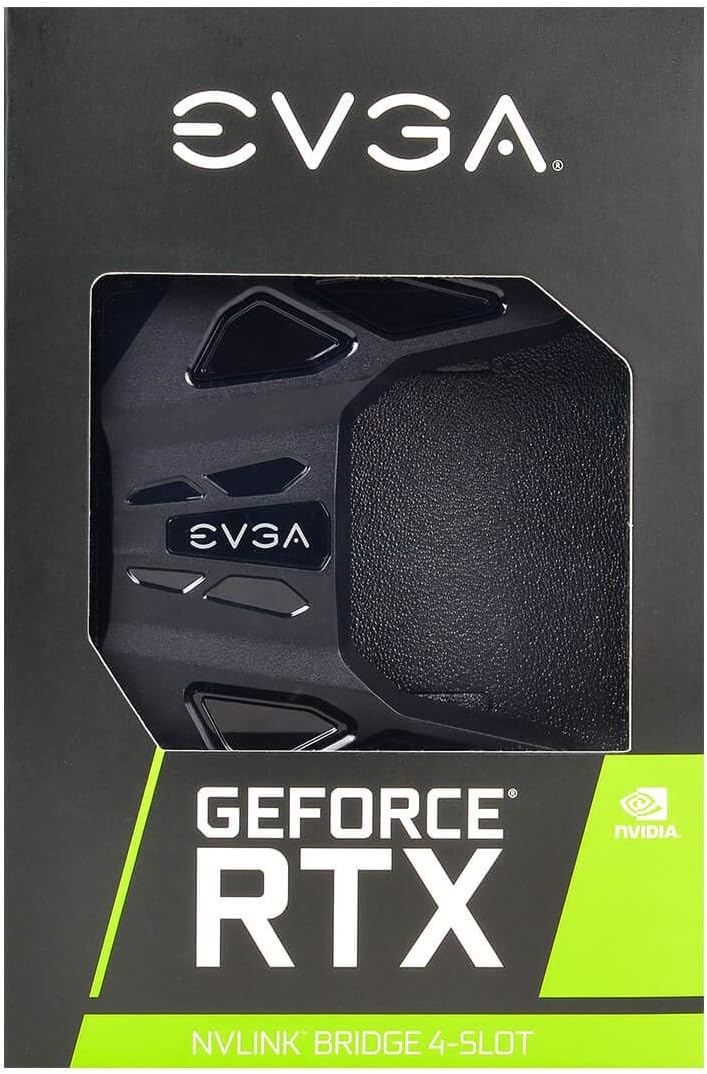
The EVGA GeForce RTX NV Link SLI Bridge enables dual RTX 2080/2080 Ti GPUs to connect with 50X the bandwidth of previous tech, supporting 4-slot spacing and customizable RGB LEDs via EVGA Precision X1. Perfect for gamers and pros aiming for flawless 4K+ 120Hz+ multi-GPU performance and immersive NVIDIA Surround setups.


| ASIN | B07HZD8P2R |
| Antenna Location | Gaming |
| Best Sellers Rank | #1,393 in Computer Graphics Cards |
| Brand | EVGA |
| Built-In Media | EVGA NV Link and installation booklet |
| Compatible Devices | Desktop |
| Customer Reviews | 4.3 4.3 out of 5 stars (179) |
| Display Resolution Maximum | 3840x2160 |
| Global Trade Identification Number | 00843368057862 |
| Graphics Card Interface | PCI-Express x16 |
| Graphics Card Ram | 8 GB |
| Graphics Coprocessor | NVIDIA GeForce RTX 2080 |
| Graphics Description | NVIDIA GeForce RTX 2080 |
| Graphics Ram Type | GDDR6 |
| Item Type Name | EVGA GeForce RTX NV Link SLI Bridge, 4-Slot Spacing, RGB LED (100-2W-0030-LR) |
| Item Weight | 3.2 ounces |
| Manufacturer | EVGA |
| Memory Clock Speed | 14000 MHz |
| Model Name | EVGA GeForce RTX NV Link SLI Bridge |
| Number of Fans | 1 |
| UPC | 843368057862 |
| Video Output Interface | HDMI |
| Video Processor | NVIDIA |
| Warranty Description | 3 years |
L**S
Works well
Took a bit of time to get working in windows 10. Make sure you find the correct driver version and update GPU drivers after installing! Works well and LEDs on top are subtle
G**Y
Works perfectly.
Graphics cards are linked (dual 2070 Supers).
Q**H
Performs the task successfully
Install this before screwing in your GPUs. Keep in mind you very likely have a 3 slot Mobo, don't make the same mistake I did >.< There are LEDs that come on with this component that can't be disabled even with EVGA's proprietary Precision x1 software. They are bright as a lamp, and consume close to no power. But an easy workaround is just to put some packing tape over it. I'd use a razor to cut it out if I was really concerned about aesthetics that much, but I'm not going to any trade shows or LAN parties any time soon. You could also get the standard NVlink bridge at a slight price hike if you really wanted to. I wouldn't have minded if I could disable the LEDs or at least get the software to disable it upon windows login. The workaround I used is adequate, however.
Y**G
its working well
Not applicable for my graphics card
D**K
RGB is cool, design a pain for EK block
I love the RGB for this bridge. It looks really cool. Bridge fits my SLI 2080 Ti's on my EVGA Z390 Dark mother board. It's a coincidence that I got a bridge that matches the rest of my system. It was the only 3 slot with Prime shipping. Although, it arrived a day late, thanks to the shipper not shipping it on time. Works great so far. I do have one major issue. I have EK Vektor water blocks on my 2080 Ti's. This bridge is unnecessarily wide. It's so wide it wouldn't fit on my cards due to the coolant routing fixture on the front of my blocks. So I had to tear it apart and cut off the edges on the left side so it would fit. It's difficult to tell without looking at it closely. But the fact I had to modify an already highly overpriced NV Link bridge, just so it would fit, is really irritating. The excessive design implementation is unnecessary and problematic. If you have water blocks, you may have to chop off a few cm of plastic to make it fit. Fortunately I'm good at that type of thing and I was able to make it look relatively natural. You can see in the pic where I had to cut it. If you're going to do this, take it apart and remove the circuit board before you modify it. Then put it back together. I have the latest version of EVGA Precision X1, but the RGB feature does not work even with the correct software. Fortunately I'm happy with the default color of green.
T**Y
Loosen your GPUs first!
Does exactly what its supposed to, it's great. My only gripe is that I seated the bridge on the proper spacing where it is supposed to seat and it clicked down ok, and seemed to be in the right position, but it wouldnt light up or be recognized by the PC. Eventually I found a YouTube instructional suggesting you loosen the screws on both of your gpus so there is enough play for the bridge to seat in perfectly. I did this and pressed the bridge down and it gave a firm, satisfying click. Lit up instantly when I turned everything on and is fine now. Just be sure to loosen your GPUs, click in the bridge and tighten them up again.
B**N
Bad software currently.
It is not real RGB, it offers about 5 colors total. Can't make white light. The rainbow effect doesn't even work at all. Future software updates could help.
J**A
Useless
Bought it a long time ago and never use it, sold it right away, SLI is dead.
Z**A
Fantastic shipping from this seller. I now have my two 2070 Super cards performing much better than my 2080ti.
A**O
No tengo opinión, el artículo nunca llegó a mis manos, me devolvieron el dinero.
D**G
Product already installed, so don't have any pictures. But it works fine. Price is quite reasonable. I have 2 x Gigabyte RTX 2070 Super and I'm glad the EVGA NVLink works with my GPU.
J**J
The distance between the connectors is actually 5 slots. Waste of time.
Trustpilot
4 days ago
1 week ago