


Desertcart purchases this item on your behalf and handles shipping, customs, and support to KUWAIT.
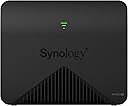
🚀 Elevate your Wi-Fi game with Synology MR2200ac — speed, security, and seamless coverage in one sleek package!
The Synology MR2200ac Mesh Wi-Fi Router delivers tri-band Wi-Fi 5 speeds up to 2.13 Gbps with MU-MIMO technology, ensuring fast and reliable connections for multiple devices. It supports seamless roaming with a single network name, offers advanced VPN capabilities, and features Safe Access parental controls for enhanced security. Easy to set up and manage remotely via app or web, it provides whole-home and office coverage backed by a 2-year warranty.


| ASIN | B07HPSQZKN |
| Antenna Location | Home |
| Antenna Type | Internal |
| Best Sellers Rank | #5,966 in Computers & Accessories ( See Top 100 in Computers & Accessories ) #211 in Computer Routers |
| Brand | Synology |
| Built-In Media | AC power adapter, MR2200ac main unit, Quick Installation Guide, RJ-45 LAN cable |
| Compatible Devices | Personal Computer |
| Connectivity Protocol | wi-fi |
| Connectivity Technology | rj45 |
| Control Method | App |
| Controller Type | android, ios, vera |
| Coverage | Whole home and office coverage |
| Customer Reviews | 4.5 out of 5 stars 987 Reviews |
| Data Transfer Rate | 1 gigabits_per_second |
| Frequency | 2.4 GHz |
| Frequency Band Class | Tri-Band |
| Global Trade Identification Number | 00846504003211 |
| Item Dimensions L x W x H | 2.56"L x 7.83"W x 6.06"H |
| Item Type Name | Synology MR2200ac Mesh Wi-Fi Router |
| LAN Port Bandwidth | 1000 Mbps |
| Manufacturer | Synology |
| Maximum Upstream Data Transfer Rate | 866 megabits_per_second |
| Mfr Part Number | MR2200ac |
| Model Name | MR2200ac (US) |
| Model Number | MR2200ac (US) |
| Number of Antennas | 2 |
| Number of Items | 1 |
| Number of Ports | 4 |
| Operating System | Synology Router Manager (SRM) |
| Other Special Features of the Product | Not_Performance_Used |
| Security Protocol | WPA2, WPS |
| Special Feature | Not_Performance_Used |
| UPC | 846504003013 846504003211 |
| Unit Count | 1 Count |
| Voltage | 240 volts |
| Warranty Description | 2 Years |
| Wi-Fi Generation | Wi-Fi 5 |
| Wireless Communication Standard | 802.11ac |
| Wireless Compability | 802.11ac |
K**R
Great HW/SW - Easy to use, fast, and satisfactory for complex home networks; i.e., BSD users
The MR2000AC HW has a nice design with no pointy antennae, and has 4 cores. The setup/configuration process was fairly straightforward and is not so smart that you can actually have an advanced network downstream of the device. The LAN and WAN ports are clearly marked and usable - no forced magic in trying to determine the router interface, though it can do that. Initially during setup the MR2000AC unit wants to be "the router" and communicate directly with the modem, but this step can be skipped. Ultimately, I want the pair (I bought two of the same for a mesh) to be just an AP (access point) - I already have a openbsd firewall gateway for my network. I was able to setup the wifi address range and carve out the high end of class C for DHCP, using the same class C ip range as my old netgear unit, but only allowing the synology the high end of the IP range - made for an easy migration. I was also able to connect/direct the synology wifi MR2000AC to talk to my local router, and then it all just started working! It took less than an hour to setup and adding the sub unit was a snap. Confusingly, I had difficulty with the manual in setting up the sub AP - that extends the mesh - I could not find the area in the manual to do it. But, after walking through the software - it looks like a virtual desktop in a web browser - I was quickly able to connect the 2nd MR2000AC via the "Wi-Fi Connect" applet. It's so cool that the MR2000AC uses a 5GHz back channel to talk to the main unit; that's how mesh works I guess . The software has a nice javascript overlay box with the status on each of the MR2000AC units, and you can observe and inspect bandwidth, mac, and frequency of each device connected. I notice it has support for SNMP, SMB, and can likely act as a sort of low redundancy NAS. I 'saw' the SMB endpoint on the network in my roku or firestick when trying to scan for screen mirroring. The software is extensive, and easy to use. I was able to upgrade the firmware easily and it's smart about it - staging the download before you install. A very polished product. It's only been a week, but I love the HW/SW. Our old netgear was getting crushed physically by the covid19 zooming, etc, and migrating to the MR2000AC pair resolved streaming problems. I placed the mesh units physically separate as to enable the 1300 sqft as best as possibly with minimal effort. The entire house is now covered, onto the deck, and into the backyard, and upstairs as well in the furthest room - still has sufficient connectivity. I put the MR2000AC synologyrouter in the basement connected to the gigabit switch, and the 2nd MR2000AC is on the first floor on the other side of the house - say 20 ft from the synologyrouter. It seems like clients reconnect to the other units with no disconnections. It's awesome.
S**R
Works like a champ, especially as a mesh point with other Synology products
I'm a professional network engineer and deal with commercial grade wifi installations and support every day. I literally feed my kids by using and understanding how wifi works in the real world. There are dozens of variables that influence the wifi coverage and speeds in your home or business. The MR2200AC is stellar as a home or small business wifi access point. It has almost all the commercial grade features I see in the Cisco, Meraki, and Ubiquiti gear I use every day, but it's all neatly hidden in the gorgeous little Synology interface. It also costs hundreds of dollars less while providing those features. For most single level ranch-style homes or offices with sheetrock and stud construction, a single one of these will likely be adequate for a 2000-2500 square foot home or space if you can centrally locate it. It could even provide some coverage, at a lower rate and range, for areas above or below the area it is installed in. Where it really shines though, is if your space has two or three levels and/or more challenging materials such as metal, brick, and plaster/lath. Particularly in older buildings where you cannot or do not want to modify the structure itself to run wires, you need a couple of these devices to take the place of hard wired connections. The Synology devices communicate with one another via a dedicated wifi band and can pass traffic between them with little impact to your user traffic. It's not as fast as a cable, don't be fooled. But it is far easier for the average person to implement without specialized help. I have my pick of commercial grade gear to run at home. Because commercial gear often has 24/7 hardware replacement support, it's expensive to buy and license for home use. Good news - you don't need it! My space is 3 floors with plenty of brick and rock surrounding and throughout the space. Combined with about 40 other wifi networks in my area (office park right behind my home), it's a very challenging wifi environment. I have tried many different solutions, but nothing can beat a Synology SR-2600AC with one or two MR-2200AC mesh points. So if you are frustrated with crappy wifi coverage in your home or office and don't want to pay a mint to have a commercial grade installation done, just grab yourself one or two of these, or a 2600 and a 2200 and you're in great shape. I use this combo and it is fantastic. Solved every single one of my challenges with zero fuss. They install easily and just run and run and run. They truly are commercial grade devices without the huge price tag. Buy them and give all your friends and neighbors a smug smile when they tell you that you have amazing wifi everywhere. :-)
J**S
The natural and best choice if you have an RT2600AC
If you are looking at reviews for this mesh router, then you either have an RT2600AC, or are considering buying one as well. Do everyone at home a favor and get this mesh router along with the RT2600AC. Two of the best devices I've bought for my home period. I bought the MR2200 to signal boost the downstairs floor of my duplex apartment. Here in South America, all the walls are solid concrete and it still does a great job of boosting the signal. Setup is easy and straight forward. The RT2600AC gives me more speed than I am actually paying for, and is reliable and easy to use. Both devices sync up to the app, and can be monitored, rebooted, and updated straight from your phone. No way of missing a step here, these are excellent devices.
C**R
Synology MR2200 ac is a great router!
To begin with, I have been through numerous routers (Netgear- 3 different models, Linksys- 4 different models, Tenda- 1 model, TP- 1 model) and they all had good and bad areas of performance. As a general rule, I found the 5GHz band in all of them lacking in strength of signal or the constant degradation of the band and the necessary rebooting of the routers and modem. So, continuing my search I came upon the Synology MR2200ac mesh router on Amazon. This is what I found exceptional: 1. Works well out of box as a standalone or mesh router with a lot of customization options (really!). 2. Strong performance in both the 2.4GHz and 5 GHz bands. So strong, in fact, that I no longer had to have a wifi extender in my house (1700 sq feet) 3. Consistency of performance. I have not had to reboot either the router or modem since install (6/5/19). 4. No longer have any pauses with streaming videos throughout the house. Synology has a really good traffic controller built in. 5. Excellent security built in. 6. Good looking and a very small footprint. 7. Very price competitive. 8. Can't comment on Synology tech support because I haven't needed any! As for any areas for improvement: 1. The SRM (Synology Router Management) system is not the easiest to navigate the first time. Give yourself time to go through and acquaint yourself with it. You will be amazed. 2. Amazon should list this under wifi routers. There is no subcatagory for Synology brand routers and the only way to find the MR 2200 ac is an exact search. Come on, this is a great standalone router. Let's get it some visability!
R**N
Makes a nice router, access point, but is restrictive when used as a mesh point.
First of all I have both the RT2600AC and 2 MR2200AC Router/Access Points. Initially I started with the RT2600AC, of which I’m on my third on; then I added the MR2200AC as a dedicated access point and not a mesh point, on my gigabit wired infrastructure. I then added another MR2200AC as a mesh point to function as a range extender and network bridge between locations that are not directly connected. When you use the MR2200AC on its own it has high functionality and interoperability; you can run numerous services from and through it; it has 2 RJ-45 (Gigabit) ports and a USB 3.0(3.1) port. You can have multiple SSIDs, two 5 GHz and one 2.4GHz main as well as guest networks on each; guest networks can be both connected as well as separates from your main network with device to device connections disableable on the guest network. The guest network does set up a secondary subnet so guests will have a different IP string from the main network, both can be setup with the Synology OS which operates on the router. You can access the router through its IP Address, remotely if set up, and through the Synology application on a smart phone or tablet; that is unless you set the router up as a mesh point, in which case you will not have independent access to the router and the USB port will no longer function. The loss of independent connection, setup, and the USB sucks. I have a large network that covers a large area and I don’t want to have the same SSIDs at both ends, but one you make a mesh the SSIDs are broadcast from all mesh points. Synology has some nice features but hey use proprietary software which can leave you wanting or forced to pay for features or for permission to use their features. For example the VPN features while their are a lot of option if you want to set up a site-to-site VPN you cannot unless you pay Synology for a license. I use a VPN, my own IPSec setup, as a method to remotely control the router as I do not trust third party companies to do that; that said I haven’t set up or paid for site-to-site instead using a dedicated VPN Bridge prior to the router; this took a little more technological knowledge but works in the background without anything going to Synology.
D**P
Finally I have wifi in the whole house
I typically don't write reviews but I am so happy about this product, I decided to write one. I have a Synology RT2600AC router which I love but because of the size and design of my house, cinder block in south Florida, the signal never made it all the way to the deck and bedrooms at the far end of the house. Partly because of the concrete design but also because the office where the router is located is at the opposite end of the house. I have had multiple different brands of wifi extenders over the years and they were all spotty at best. Once I purchased the MR2200AC, I now have an amazing mesh network that covers the whole house and deck. Easy to set up, took 5 minutes. Plus the added benefit that my wifi calls don't disconnect anymore as I walk around the house and my phone jumps from one network to the extender network. Works like a dream and I tested the signal strength at the opposite side of the house and it is almost as strong as in the office. Great product.
R**R
Excellent Mesh Wi-Fi System
I had to replace an out-of-date and discontinued Apple wi-fi system, complete with apple wireless extenders. After careful research, I installed a Synology RT2600AC. Set up was a breeze and the depth of router settings are welcome for security and convenience. What was now lacking was extending the network, which was easily accomplished with the Synology MR2200ac. The MR2200ac is an easy to install and capable solution to create a mesh network. Simply plug it in, tell the router to look for it, and you have a wi-fi point, which appears in the router interface where you can continue to manage your system. I needed more coverage to a separate building that houses a separate computer workstation. I already had a ethernet cable run there from my router, but wanted to add wi-fi coverage. I purchase another MR2200ac for this purpose. While near the router, I set it up the MR2200ac as a wi-fi point and let it update the firmware. Once completed, I moved it to the other building, and connected the ethernet cable that runs from my router to the WAN port for a backhaul. Powered it up and the router saw it as a wired connection. My entire home and building are now on one network with incredible speeds. More importantly, my entire system is managed via one interface on the router. My security and performance now eclipse what I had with apple equipment. Very satisfied!
B**N
Terrible WiFi but Amazing Router
I was using Orbi AC3000 for everything. I added this to the mix for the industry leading interface and configuration capability. I really just wanted a DHCP reservation list where I could sort the table. I like to keep all of my devices locked to a specific block of IP addresses and also named so I can locate them easily. The WiFi mesh feature is terrible, compared to Orbi though. I have a base near my modem and a repeater by my living room with 7 devices plugged directly into the repeater. This way, all devices are operating exclusively along the dedicated wireless backhaul. AC3000 is twice the max throughput of AC2200. But still, I ran a quick speed test for the Synology (it has a feature to run between nodes) and near each other I was getting a few hundred mbps (terrific). But when I put it in place (only about 50 feet away but on a different floor) I was getting around 10mbps....yea not acceptable. So Orbi will stay for WiFi and I disabled everything else on the Orbi so the Synology handles internet/DHCP/etc. I also tested tethering to my iPhone with a USB cable and it works amazingly. The Synology seamlessly fails over to the iPhone (when configured properly) and my whole network maintained connectivity. This will be great for emergencies because I can easily switch my entire network over to use my cellular connection as needed. I won't pay for a dongle given how infrequently this is needed, and will just stick to the tethering for the rare case where I need it.
J**K
Great router
This is a great piece of kit. Performance has been good and the price is very decent for what you get. The only gripe i have is the boot time is a little bit slow. Other than that this is a good purchase.
S**R
Very bad, unstable connection, keep disconnecting
M**L
Great product!
Received it on time. My main router (RT2600ac) is in the basement. I use this MR2200ac as WiFi Point. its plug and play, great Signal, no lag, no disconnect.
T**O
Excelente producto para ampliar wifi
Es un producto con la garantía Synology A la fecha lo utilizo para ampliar una red inalámbrica con un RT2600ac, la configuración aunque no es del todo sencilla una vez realizada la sincronización y la creación de la red mesh la velocidad es increíble y una estabilidad excelente. El único inconveniente que veo es que me hubiera gustado que el diseño fuera mas agradable o la opción de ponerlo acostado ya que no puede colocarse en la pared y tiene que ir en posición vertical. El modulo de administración para la red inalámbrica funciona de maravilla sobre todo las actualizaciones, donde no tiene competencia.
P**E
Muy buena cobertura
Definitivamente mas alcance, más velocidad, en áreas alejadas del equipo. Muy fácil de instalar. Compre 3 para casa de 2 pisos con muros de ladrillo. Excelente recepción donde sea. Puedes ver la capacidad de transmisión de datos de cada equipo, cuantos equipos conectados, bloquear equipos. Dar horarios de conexión a internet. Muy satisfecho con la compra. Un poco caro. Pero vale la pena.
Trustpilot
2 months ago
3 weeks ago