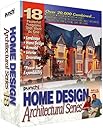
Punch! Home Design Architectural Series 18 [Old Version]
Product ID: 82922801
Product description PUNCH! HOME DESIGN ARCHITECTURA SERIES 18 SM BOX-US VERSION desertcart.com From layout to landscaping, Home Design Architectural Series 18 from Punch! Software delivers a complete home-design solution. Flexible and easy to use, this software integrates 18 programs and adds more than 60 new features and enhancements. Explore easy-to-use wall tools, robust text and dimension tools, additional 2-D geometric creation tools, photo-realistic lighting, enhanced framing and estimating, and much more. Help text and video clips explain and demonstrate how each tool is used. Plus, you can join the Punch! Developers Network, download the free developer's kit, and get started customizing your own PowerTools plug-ins. Review: Good software - This is a highly rates software for home design. I was never really able to use it because it seems to require some AutoCAD training. Review: Good for the price - This a great product for the price. It is feature rich and fairly easy to use. The documentation is well done and the videos inside the program are very helpful. There are a few rough spots in the programming. You can tell this product did not come from a huge company like Adobe or Microsoft. If it did, I'm sure it would be three times the price...
| ASIN | B00006SIJQ |
| Customer Reviews | 3.0 3.0 out of 5 stars (37) |
| Date First Available | October 11, 2002 |
| Is Discontinued By Manufacturer | Yes |
| Manufacturer | Punch! Software |
| Package Dimensions | 9.7 x 8.1 x 3.2 inches; 12 ounces |
B**E
Good software
This is a highly rates software for home design. I was never really able to use it because it seems to require some AutoCAD training.
R**S
Good for the price
This a great product for the price. It is feature rich and fairly easy to use. The documentation is well done and the videos inside the program are very helpful. There are a few rough spots in the programming. You can tell this product did not come from a huge company like Adobe or Microsoft. If it did, I'm sure it would be three times the price...
H**D
Many useful features, very easy to use, only minor glitches
Punch AS 18 is very stable, especially for the wide set of features and capabilities it provides. It has never crashed for me using Windows XP. This indicates a very professional development team rather than a collection of disparate packages cobbled together in one box. I liked its ease of use a lot. After a few hours of modifying some samples and then doing a few simple plans from scratch, I feel very capable of using all the features I need. A few years ago I tried HomeDesigner. It was painfully difficult to use and it had only a small subset of Punch 18's features. I finally I gave up using it. Every 3D CAD program has unique ways to place and draw objects, rotate, pan, zoom, scale, view, and navigate and so on in the 3D universe. Punch is definitely one of the easiest I've used. 3D LiveView is immensely helpful in showing a perspective view of the 2D plan you are working. You can navigate in two ways. WalkThrough is generally better for viewing inside the house and FlyAround better for outside. WalkThrough is at a constant (but adjustable) height where you move forward or backwards and can rotate (pan) to any angle. It's like walking through the design at eyeball level. The camera is always in a horizontal direction. Unfortunately this does not allow you to look up at the ceiling. But you can select a wide angle that shows some of the ceiling. FlyAround is like a view from a helicopter. You orbit a fixed point at variable altitudes and distances from the center point. FlyAround always aims exactly at the center of the orbit. It's shown on the 2D plan and can easily be moved. You are always looking downward from the helicopter. Unfortunately, you cannot look vertically down because the max downward angle seems to be only 30 degrees below horizontal, an unnecessary restriction. LiveView has 2 ways to render the picture. I especially like ClearView, which is a 3D B&W drawing that allows the transparency of walls and other objects to range from almost clear to fully opaque. Sometimes it's very handy to see what's on the other side of a wall of the room you're working in. ClearView rendering speed is very fast. ColorView is a little slower, with 4 quality (detail) settings and 3 shadow settings (off, low and high). LiveView is displayed its own window, which makes it easy to move and resize the 3D view as you work with the 2D plan. This feature is certainly more flexible and much more practical than forcing it into one of 4 corners, or such similar limitations, that some other 3D CADs impose... Every feature they claim they have, they actually do provide, and in a consistent and integrated user interface that all work well together. There are a few minor glitches. The limitations of view angles mentioned above should be relaxed. WalkThrough is tricky in that it is too easy to move forward/backward when you only want to pan (rotate). It's too easy to accidentally pop through a wall when you only want to look around the room. This could easily fixed with a shift key or such that would lock one movement direction and allow the other. 2D zoom and pan is inconvenient in that you must use the mouse (no keyboard commands for zoom) and it seems to get out of control -- often way too fast. Visio's zoom is the easiest I've ever encountered: Ctl-Shift keys plus mouse buttons do all pans and zooms instantly and easily, with fine control (every 2D CAD should use it!). Similarly, more of the toolbar selections should have keyboard commands. There are 20 provided floor plans that go from simple to complex designs. These are excellent to play around with and learn what's possible. But none of them have textures or objects! The walls, floors, roofs, landscapes, are bare, no furniture, fixtures or plumbing, totally devoid of human habitation. What a lost opportunity to exhibit many of Punch's really great features. The most serious deficiency is getting wall to properly intersect with the roof. Punch provides 6 roof types, plus some very useful free-hand roof designing tools. It is incredibly easy to add roofs to complex floor plans. But you are compelled to MANUALLY calculate the heights of all points on each wall where it intersects the roof (by using trig, or a drawing on a paper grid). While it is hard to describe this problem in words, I'll try a simple example. You have a large main area and a smaller attached room to the side. What does the roof look like for this L-shaped plan? One roof cannot cover the whole thing. With Punch it is *easy* to select and place a suitable roof design over the two areas. Here's the problem: the common wall of the large area attached the small area will extend up to the two roofs. The wall has a complex shape. Fortunately, Punch has this shape among its wall selections. But YOU must specify the elevations and lengths of the oddly shaped wall. If you make them too large, the wall sticks up above the roof. Too small and there is a gap under the roof. Big birds can fly through it. Some of the sample plans show this problem (P018). Ironically, LiveView must perform these calculations in order to render a 3D view. Punch desperately needs the command: Extent Walls Vertically to Roof. All in all, Punch-bang AS 18 is a fine piece of software, lots of features, easy to use and with minor nits.
P**R
Unsuitable for intended purpose.
My advice is to avoid this product. The manual is unclear and just plain inaccurate in places. Exact placement and manipulation of walls and groups of walls is very difficult and tedious. Many times I found myself having to delete several items and walls in order to change a specific wall. It would be extremely helpful if a wall could be locked in position with a menu toggle. Creating walls for vaulted ceilings was extremely frustrating. There is no automatic way to have a group of walls be the same maximum height and meet correctly with vaulted ceilings. This makes roofing design a painful process also. The 3d views are graphically very good, but the controls for manipulating them are inadequate. It is extremely difficult to do a walk thru from the 3d window. The only way I found to do a controlled walk thru was by using the viewpoint tool in the 2d window. This causes you to do a lot of scrolling and wastes desktop space the 3d view could be using so you end up with less of a perspective than you should have. I have also run into strange glitches with the 3d view that would cause windows and doors to become solid walls again, despite still showing up on the 2d plan. Some times closing the program and restarting would fix the problem and other times I would have to discard the plan and revert back to an earlier save. This is very annoying and time wasting. My biggest annoyance by far though is that there is no kind of feasibility checking in the program. With a consumer level product some kind of check to evaluate your plan should be present. Something to tell you that your floor needs support at a certain point or it will fall or the concrete pad you are pouring needs reinforcement at specific places. I know many other home design programs have some form of checking in them. It seems Punch software has no checking of any kind. This would be valuable to avoid many simple mistakes and to make the estimator tool much more accurate. If necessary elements are left out because you did not know they were needed, how is the program going to estimate the amount of materials needed with any kind of accuracy? This program actually seems to be geared to a professional contractor or architect with knowledge of good building practices, but I'm guessing it would be inadequate for them in many other ways. There is not nearly enough help for the amateur designers who only want to tinker with their own house or put a dream home down on paper.
D**K
Wow...you'll say that for a day and then it's over.
I had to buy this product for college and we used it to of course design homes. It is the stupidest thing in the world. First off, it takes up like 350GB of hard drive space. You HAVE TO HAVE 4GB of ram to load a picture. It is so slow and eats so much speed and space on your computer (because of all the little furniture and plants and features, etc) that you will want to punch your monitor anytime you get a little ways into creating something. The more detail you add, the slower this thing gets to do anything, even save or open. If you are designing dog houses, this is your product. If you want to try and hang windows and doors on multiple levels of a designed house, forget it. They are all mathematically calculated in a way that you will always be adding electrical outlets and doors on the first floor or basement when you meant to put them upstairs. It doesn't know where you are, and you won't realize until you see that the whole house's windows and doors and outlets and fans and furniture and staircases are all in the basement. Don't buy it.
Trustpilot
3 weeks ago
1 week ago