Buy anything from 5,000+ international stores. One checkout price. No surprise fees. Join 2M+ shoppers on Desertcart.
Desertcart purchases this item on your behalf and handles shipping, customs, and support to KUWAIT.
🌤️ Own your microclimate — be the neighborhood weather guru!
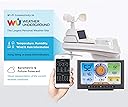
The AcuRite Iris 5-in-1 Home Weather Station delivers real-time, hyperlocal weather data including temperature, humidity, wind speed/direction, rainfall, and barometric pressure. Featuring a vibrant color LCD with adjustable brightness and Wi-Fi connectivity, it uploads your data to Weather Underground for remote access and community sharing. With over 25 detailed metrics, customizable alerts, and a personalized 12-hour forecast, this weather station combines professional-grade sensors with user-friendly setup and durable design, making it a top choice for home weather enthusiasts and pros alike.


| ASIN | B07D9D6CXW |
| Additional Features | Adjustable Brightness, Clock, Pre-Calibrated, Weather Resistant, Wireless |
| Are batteries included? | No |
| Best Sellers Rank | #13,989 in Patio, Lawn & Garden ( See Top 100 in Patio, Lawn & Garden ) #8 in Weather Stations |
| Brand | AcuRite |
| Brand Name | AcuRite |
| Color | Wi-fi Connection to Weather Underground |
| Connectivity Technology | Wi-Fi, 433 MHz |
| Customer Reviews | 4.1 out of 5 stars 3,625 Reviews |
| Display Type | LCD |
| Finish Type | Matte |
| Global Trade Identification Number | 50072397015405 |
| Included Components | Power Cord |
| Item Dimensions D x W x H | 0.6"D x 7.6"W x 5.5"H |
| Item Weight | 0.01 Ounces |
| Lower Temperature Rating | 32 Degrees Fahrenheit |
| Manufacturer | AcuRite |
| Material | Plastic |
| Material Type | Plastic |
| Model | 01540M |
| Part Number | 01540M |
| Power Source | Battery Powered |
| Recommended Uses For Product | Home |
| Sensor Technology | Wireless |
| Shape | Rectangular |
| Special Feature | Adjustable Brightness, Clock, Pre-Calibrated, Weather Resistant, Wireless |
| Specific Uses For Product | Heat Index |
| Style Name | Wi-Fi Connection to Weather Underground |
| Temperature Accuracy | +/- 2 degrees_fahrenheit |
| Temperature Reading Accuracy | plus_minus_2_degrees_fahrenheit |
| Unit Count | 1.0 Count |
| Upper Temperature Range | 122 Degrees Fahrenheit |
| Warranty Description | 1-year limited manufacturer warranty. |
R**A
Step by Step instruction to setup the WiFi connection With Update
It appears a lot of people are having difficulty connecting the Display unit to their WiFi. Just follow these instructions and it should work for you. Setting up this weather station is not that difficult. Just READ THE DIRECTIONS! Connecting to the WiFi just requires a gathering some information before you start the WiFi setup. First go to Wunderground.com and either login or create a new account. Go to 'My Profile' you will see a Tab labeled 'MY DEVICES', click on that Tab. Then click on the 'Add New Device' Button. Select 'AcuRite 5-in-1 Weather Station with WiFi' from the drop-down list. Then click on the 'Next' button. The next screen will display your Station ID and Station Key. Copy down this information, you will need this information BEFORE you start your WiFi setup Use these two values for the Wunderground Station ID and Wunderground Key when you have connected to the AcuRite WiFi. WiFi Setup Press the Gear button on the display. This will turn on the AcuRite Wifi for a few minutes. The instructions state it will be on for 30 minutes, but actually it's a much shorter time. Connect to that WiFi, go to a browser and enter in the IP Address 192.168.4.1 A webpage will display, enter in your WiFi name and password. Then below that enter in the Wunderground Station ID and Wunderground Key that was generated from Wunderground.com Now on the same page, near the bottom, click on the 'Save' button. The screen will change with a message stating to wait a few minutes. After a short time, the screen will change stating you have successfully connected to your WiFi. At any time you need to start the AcuRite WiFi, just press the 'Gear' button on the display. Don't forget to reconnect to your WiFi once you have completed the above. AcuRite App From the menu go to Setting, Manage Devices. Click on the 'Add Device' button. Enter the name for this device (i.e. Home). Enter the Device ID. The Device ID is found on a white label in the battery compartment when you remove the battery cover on the Display unit. Select your Country and add your Zip Code. Now follow the 'Next' button a few more times to setup that device. Your done. ************************************************************************************************************************ Update: I've had this PWS for a month. It's performance has been flawless. The connection to my WiFi has been rock solid. The only time it was not sending data was when my internet provider performed service on our connection. We were without internet a few hours. As soon as the our internet connection was reestablished this unit reconnect to our WiFi and begin transmitting data again. Within a few days of installing this, Weather Underground attached a Gold Star to the account for consistent reporting and consistent data. We've already had high winds here. The unit has set me numerous high wind warnings to me. I have the high wind warning set to 25 mph. So far our highest recorded wind speed has been 32 mph. I'm very pleased with the performance of this unit.
J**H
Great weather station
I am pleased with the new unit. I had a previous Iris 5-in-1 from about 2019 which I loved, but it was starting to have problems. With the new unit, the wind speed on the sensor was not working. AcuRite took care of it and sent me a new sensor via overnight, which was much appreciated. Everything now working. I really like the wifi connection and the app on my phone. For future improvements, it would be great to also have access to the inside temperature on the app when we are traveling, although I have a new "smart" thermostat that should do it, but have not yet installed it. The new unit also shows the strength of the signal from the sensor, which is great.
L**R
Good quality weather station, challenging set up
Purchased this as a replacement for our old acurite that stopped gathering rain data. Nice display and two solar panel areas. It seems to be durable and was a good value for the price. Our only complaint was difficulty in communicating with the router. The instructions for set up were poor. It took several hours of attempts to get it to connect. We can know see our data on weather underground and it appears to be reporting accurately at this time.
J**.
Solid Weather Station
I've had this product just less than a month. Right now it seems to operate perfectly and I am quite satisfied overall. Out of the box, the sensor was straightforward to install. But I had trouble connecting the display to my WiFi and saw reviews here describing that setup in greater detail than is given with the product. I would call that a deficiency - the installation instructions are sparse and say only "Connect to the Wi-Fi signal coming from your display”, lacking the necessary detailed specification to look for the network "AcuRite 01544MCB_XX” where XX is the last 2 digits of the display’s MAC address (shown inside the battery compartment). I had to find those instructions in these reviews. Even so, once I discovered that network, it was frustratingly difficult to hold the network connection to the display. The network would repeatedly appear and disappear, and this went on for over half an hour before I finally happened to time it perfectly to a) connect to the AcuRite network, then b) hit 192.168.4.1 in a browser to grab the setup page. Note this was virtually impossible using a phone or tablet, I was successful only using my computer. After a week or so, it appeared the measured barometric pressure seemed way off. I went to the AcuRite support site and sent a message reporting this. They quickly replied, asked a few questions, then promptly sent me a new display. The new display was far easier to connect to my Wi-Fi, in fact the AcuRite network came up immediately on my tablet and I had no trouble connecting to it and accessing the Wi-Fi setup page. This new display has been in full operation now for almost two weeks and shows a much more accurate barometric pressure (although still in “learning…” mode). Of note, I live at altitude (6800’) so must specify “Adjusted” vs “Station” Pressure in the device settings.
L**R
acurite 5 in 1 wifi no longer has a working app.
Review of Acurite 5 in 1 wifi weather station After writing this my weather station stopped sending updates to weather underground. So there is no updates on the app. WU blames acurite and acurite blames WU..Is there a ZERO rating? The Bad: The easy setup on the box is a joke… 1) Connecting my laptop to the acurite display wifi took 3 tries. And my laptop was right next to the display unit. First try didn’t connect. Second try connected and timed out before I could enter everything. Third try worked. (FYI my router is only 2 feet away). NOTE this is a tricky setup. You first connect your PC to the wifi signal in the display unit, then when your pc is connected to the display WIFI, you go to 192.168.4.1 on the pc web browser to finish the setup by inputting your network sign on information. 2) Getting a reading from the sensor also took way too much effort. After waiting several minutes after inserting new batteries in the sensor, nothing happened so I replaced batteries the new batteries with another set of new batteries.. No luck… Still nothing on the display. I Moved the abc switch in sensor from a to c and back to a, no luck… Did the same thing then in display and it connected…WHAT.. 3) There are no instructions at all about what app to use. I registered my unit with the weather underground site per instructions, then tried to use the acurite app to connect and view my sensors. Spent two hours getting failed to connect messages (even after completely redoing the entire startup procedure) so texted support. They responded quickly the day after thanks giving, so kudo’s for that. However support told me my model wouldn’t connect to the accurate app, I had to use the weather underground app…total of 3 hours lost for nothing. 4) Downloaded the weather underground app, and there was nothing to select my unit on the app. I went to their website on my pc, and there it was, on line and showing data…After several hours trying to find my weather station I finally figured it out. When the app starts it wants a location. I entered my zip code and the local weather displayed. Then I tried not entering anything and a map of the US showed up. I zoomed in on my area, and little dots showed up of personal weather stations. I tapped on one near me, and presto I found my data… 5) The Documentation includes a sensor manual and a display manual. Neither manual details what should happen first second third etc. in the setup process. A separate QUICK SETUP document is needed to show what order to setup the devices and what to expect with each step. 6) Total time to get the unit working and the app working was 4 hours…Not easy setup…and the documentation could be much better with some pictures, and links to videos. 7) By Far the dumbest design of this unit is the base. NO ADJUSTMENT AT ALL. Works great in one position and can’t see it another just slightly lower. 8) Your inside temperature does not get transmitted to weather underground. This a big disappointment as we travel a lot and need to check inside temperature during the winter. 9) There is no Day with the date. I NEED to know what day it is every morning. True I can use my phone but why when the first thing I look at is my weather station. 10) There is no telephone support. I could find only 1 video on their web site and it was to show how to mount the sensor (the easiest part of the process). You must text or e-mail. Probably due to language barriers. 11) Wind Speed displays; now, avg., and peak. The only problem is you have to push the up arrow button to cycle thru them (not covered in the manual). My lacross shows current and peak all the time. The apps do show current and peak so it’s not a total terrible. 12) The size of the wind speed font is only readable up close. All the other fonts are like 10 and 12 but wind speed below 10mph are like 6. Above 9 MPH and it jumps to a readable 8.. 13) After a month I had to reset my wifi for a camera issue I was having, and the weather station lost connection with wunderground .com. Reset it, not go. Went through the entire start up process again, no go.. The good and sorta good: 1) The display is very well organized and the colors make it easy to find and separate the readings. 2) The batteries in the display keep your settings saved for moving the display and power outages. 3) There is a procedure (had to contact support to get it I will post it at the bottom) for adjusting all the temperature and humidity readings. My in house temperature was 4 degrees off from everything else in my house. 4) As mentioned above, chat support was very quick to respond but would have preferred phone support. 5) Having manual entry (one time) of date and times is much preferred to having it provided from wifi. My lacross station stopped communicating with wifi after only 2 years, so it stopped displaying a valid date and time. 6) The apps: PWSmoniter was the easiest to setup and shows everything on a single page, both current and historical readings. Historical is displayed as charts.. After getting a device ID and KEY from weather underground, all you need to enter is the device ID. Nothing else…very simple. The weather underground app was more difficult to install and read. I Had to enter both values and finding my device after setup was quite difficult. myPWS app was impossible. You need a third entry; an API key, and getting it required me to use the PC on the weather underground site. Not a real obvious procedure either.. In the myPWS app, it’s a 32 digit entry, and even though I triple checked it, and could not get it to work.. PWSmoniter has it hand down over lacross view app. There is nothing good about their app 7) The three levels of brightness and a fourth option of automatic change are really a good idea. Finding the adjustment button was a stroke of luck though.
R**Y
Awesome
Just bought this to replace a acurite 5-1 that if had for years I wanted something I could monitor while not at home, this requires being connected to the weather underground network, it was easy to get setup, the display is very nice, I wasn’t sure I would like being connected to the WU network but it seems quite convenient and easy.
B**E
Easy physical setup, WIFI is challenging but I found a trick that worked for me
One of the reasons I purchased the AcuRite Iris was it being an all-in-one unit and it having mounting hardware that made it easy to attach to my pergola. Setting up Wi-Fi the first time just seemed to work. After a few days the Wi-Fi icon was blinking and I got an alert overnight that it had not been connected for over two hours. Trying to get Wi-Fi going again, setting it up again, was near impossible. I could not get the Wi-Fi screen to appear when I connected directly to the display unit. What worked for me was to punch the cog button again to get the display Wi-Fi access point to show up and then directly connect my laptop to the display. While it was connected and trying to find 192.168.4.1 (always the connection timed out) I reset the display (about 20 seconds on the reset button by the batteries) and after the display rebooted the laptop showed the Wi-Fi setup screen (so either the connection survived the reboot or else the laptop kept trying to connect and got it after it rebooted). YMMV Update 9/29/2021: The Wi-Fi connection is pretty worthless and unreliable on my unit which regularly flashes no Wi-Fi connection even though I can successfully ping the unit. My AcuRite (app and web) is at best hours behind and so seeing weather remotely is untimely and unreliable. With that said I threw good money after bad and bought the AcuRite 09155M to upgrade my remote monitoring and so far My AcuRite now stays up to date. The 09155M is actually further from the weather station then the flakey display is. So for another hundred and a quarter dollars I got the AcuRite Iris Weather Station to work as advertised. Three stars as it does work. YMMV
D**G
Works Perfectly! Replaces a 15 yr old unit, and is VERY NICE!
Bright, easy to read, and displays everything I wanted to see! It linked right up perfectly without any problems and has been installed since delivery. It's worked perfectly! No issues at all. Just follow the directions, and you won't have any problems. I DO love this brand! Our old one held up well under TX Sun/Heat/Freezes for over a decade (maybe 15 yrs...we can't rem when we bought it!) and we have never had a single problem with it. So, when it finally needed a repair, we just decided to just replace it. And we're VERY HAPPY with our purchase! It's easy to read, colorful and has a nice display, even with my less than stellar eyesight. :) It helps us monitor our watering schedule, and heat, here in TX, and that's important here. I'd like to say rain too...but it's TX! We did a chance to see it track 2 rainfalls, a major and a minor amount, and that worked well also. HIGHLY RECOMMEND this brand. We thought it was a fair price, knowing how long it'll last.
K**R
It works as described
Solid product with many mounting options. The only thing I would have liked to have seen is rechargeable batteries in the unit (using the solar panels to keep it charged). Wi-Fi connectivity is fiddly but it works.
A**Z
Buen producto
Es sumamente sencillo de instalar y usar, lo utilizo a bordo y en casa para lo q fué creado.
J**E
Funciona bien
Funciona bien
B**Y
southern hemisphere setup and wifi password
Adjusting the wind direction "vane" involves lots of force, luckily i didnt break it. Wifipasword lengh is limited to 31 characters by setup program to configure monitor to send info to WU.
Trustpilot
3 weeks ago
1 month ago