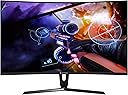
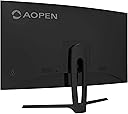
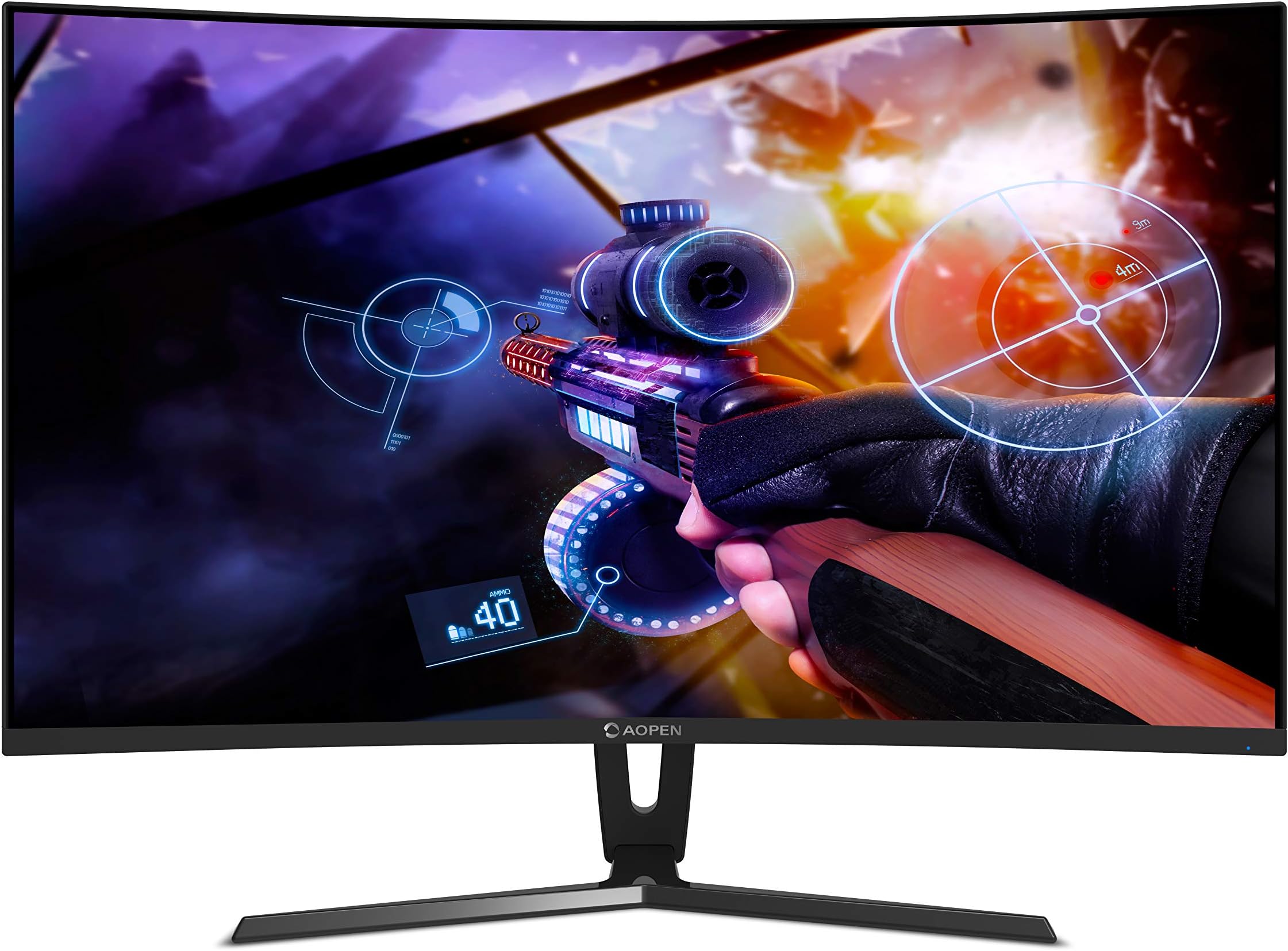
🎮 Elevate Your Game with Curved Brilliance!
The AOPEN Acer 32Hc1Q is a 32-inch curved gaming monitor featuring a stunning 2560x1440 resolution, 144 Hz refresh rate, and 4 ms response time, designed to deliver an immersive gaming experience. With advanced eye care technology and versatile connectivity options, this monitor is perfect for gamers seeking both performance and comfort.


| ASIN | B07L9CDPTC |
| Adaptive Sync | FreeSync |
| Best Sellers Rank | #1,692,078 in Electronics ( See Top 100 in Electronics ) #2,214 in Monitors (Computers & Accessories) |
| Box Contents | Monitor, Power Cord, HDMI Cable, Display Port cable and Manual |
| Brand | AOPEN |
| Brand Name | AOPEN |
| Colour | Black |
| Compatible Devices | Desktop, Laptop, Gaming Console |
| Customer Reviews | 4.1 out of 5 stars 932 Reviews |
| Display Technology | LCD |
| Display Type | LED |
| Hardware Connectivity | DisplayPort, HDMI |
| Has Color Screen | Yes |
| Image Brightness | 250 cd / m² |
| Importer Contact Information | ACER INDIA PRIVATE LIMITED Embassy Heights, 6th Floor, No. 13 Magrath Road, Next to HOSMAT Hospital, Bangalore, INDIA – 560025 |
| Item Dimensions D x W x H | 16.9D x 71.3W x 51H Centimeters |
| Item Type Name | Monitor |
| Item Weight | 6100 Grams |
| Manufacturer | Acer India Pvt Ltd |
| Maximum Display Resolution | 2560 x 1440 |
| Model Name | 32Hc1Q |
| Model Number | 32HC1Q |
| Mounting Type | Wall Mount |
| Native Resolution | 2560 x 1440 |
| Network Connectivity Technology | Wired |
| Packer Contact Information | ACER INDIA PRIVATE LIMITED Embassy Heights, 6th Floor, No. 13 Magrath Road, Next to HOSMAT Hospital, Bangalore, INDIA – 560026, Acer Incorporated, 8F, No. 88 Sec. 1, Xintai 5th road, Xizhi, New Teipei City, TW 221 |
| Product Features | Blue Light Filter, Curved, Flicker-Free, Wall Mountable |
| Refresh Rate | 144 |
| Resolution | QHD Wide 1440p |
| Response Time | 4 Milliseconds |
| Screen Finish Type | Curved |
| Screen Size | 32 Inches |
| Screen Surface Description | Curved |
| Shape | Curved |
| Specific Uses For Product | Gaming |
| Total HDMI Port | 1 |
| Total Video Out Ports | 3 |
| Unit Count | 1 Count |
| Viewing Angle | 178 Degrees |
F**S
Overall An Acceptable Monitor Considering The Budget
I have been using this curved monitor for a sometime now. THOUGHTS: Keep in mind that the product is targeted to budget consumers so do not expect to perform like an expensive monitor. COLOR/ACCURACY: It's a VA panel with 4ms of response. Acceptable for its price. Brightness and color accuracy is good but little inferior to msi or samsung monitors that I have used in the past. All within acceptable range. Custom profiles can be set to users liking. REFRESH RATE: Through hdmi upto 120hz output is available at 1080p. Refresh rate also varies on the version of hdmi cable being used (hdmi 1.0 or 2.0). Through display cable upto 144hz is available at 1080p. MONITOR TECHNOLOGY (FREESYNC & GSYNC): Yes it's a free-sync monitor and will work with all AMD cards. It works with gsync too. However there is one minor concern that can be easily ignored (not to be confused with a defect). When gsync is on, I observed faint screen flickering when using cinebench or gigabyte's system information viewer (to control fan speed/temperature). Only the black, grey and white areas of the screen would flicker as long as the programs are kept open on desktop. Your mileage may vary. SOLUTION: Turning off such programs or minimizing them will stop the flickering till you open the mentioned programs again. If you wish no flickering at all turning off gsync (from nvidia control panel) would solve it completely. Again It's not a defect. The VA panel used in the monitor has not been validated by nvidia to be used with gsync (as mentioned in nvidia control panel). For more information check out videos available in youtube. Nvidia is aware of this and has already addressed it in 2019. No flickering observed when playing games or using daily programs or watching movies/videos with gsync on. BACKLIGHT BLEEDING: Some users complained of receiving units with backlight bleeding. It's not a manufacturing defect...not necessarily. Sometimes a design flaw can also be the cause. It all depends on the manufacturing standards how they want to channel the light on screen with minimal leakage to the sides reducing bleeding effect. Mine works just fine. Overall a good product to be used as a daily driver.
B**A
Great product. Few caveats. Excellent value.
Unlike most people, I use this monitor with my laptop (which is very capable BTW) rather than a desktop. I would really recommend that you go for the 32-inch 2560x1440 version or the 24-inch 1920x1080 version as 1920x1080 is not really adequate for a 27-inch monitor. It is quite an immersive experience with the curved VA screen. On my unit, however, HDMI was very buggy. Video signal dropped to a blank screen pretty frequently which was very frustrating. Did not encounter this problem, however, with a DP to mini-DP cable (found a decent cable nowhere online except Amazon, the AmazonBasics version). The problem must be isolated as I have never heard anyone else have this problem. My specific unit has minor backlight bleed, fortunately. Could not figure out how to enable Freesync with a GTX 1060. Again, maybe it's just me. The good :- - Competitive price point. - Huge 32-inch TV-like real estate to work with, with features of a monitor. - Smooth 144Hz refresh rate. - VA panel. Other monitors in this range are mostly TN/IPS 60Hz - 75Hz/really small. - Freesync (Not useful to me, but useful for people with AMD GPUs, at least or those who could make it work with NVIDIA cards somehow). - Curved. Very immersive. - Relatively intuitive OSD. - Adequately deep black levels. The not so good :- - HDMI signal issues (at least on my unit). - Sub-par color calibration out of the box. - Minor backlight bleed on my unit (but tolerable). - One stuck/dead pixel right around the middle of the screen. - No 90 degree rotate/swivel. - No speakers, USB passthrough, etc (justified for the price, I guess). It's not perfect. But it's great overall, nonetheless. Totally worth a recommendation. Edit: Found one stuck pixel around the center of the screen. Edited the review accordingly.
S**J
Great bargain. Just got for it!!!!
Firstly I was too apprehensive going for this brand but trust me I took a leap of faith and I am quite glad about it. Apoen is a sister concern of Acer and trust me you will not be disappointed. The curve is neat, amazing and for racing gamers & FPS players this curve is addictive. The stand is solid and stable. You can use this for both usual use and intense gaming. I used this for 6 hours continuously and I did not suffer from any eye fatigue. Refresh rate is quite impressive. This is my first 144Hz monitor and I am really happy with it. The colors are rich and clarity is insane. I have played Doom (2016), Call of Duty 3, 4 and Bulletstorm on ultra setting and it has managed it superbly well. My final opinion, don't be apprehensive if you have no heard of the brand. Just go for but you need a good RIG to do justice to the monitor.
A**R
good monitor with VA panels
I was sceptical about buying this monitor. As I read lots of bad reviews about dead pixels and screen quality issues. After lot’s of research i come down to three options aopen, lg ips with 75mhz refresh rate and Samsung curved quantum dot. Lg is cheapest one but it t has lots of bad reviews and has only 75mhz refresh rate that I don’t think as upgrade. Samsung one is too costly so decided to buy this. I m not sure but aopen and Samsung using same panels or screen technology . Brought this on diwali sale and wait for 20days too see if i come across any issues mentioned in other reviews. And i m glad that device is working fine. There are minor blacklight bleed but its not noticeable. As this one is not IPS panels is was worried about colour vividness. But when i test some YouTube video on this monitor i was impressed with its wide range or colour . Curve features of this monitor but is bit useless for at least 24” I guess if u buy 32inch screen it may feel more immersive with curve. Overall i can say product is good and definitely recommended.
B**I
Perfect budget gaming monitor
Best thing about this monitor is the VA panel. Somehow despite being the cheapest 144hz monitor on sale, this still has a fantastic curved panel, has 3 inputs (and provides cables for all 3 in the box!), and has tilt adjustment. As a monitor it is an excellent buy - ticks all the right boxes such as high refresh rate, contrasty picture thanks to va panel, relatively decent bezels, decent viewing angles. It doesn't have speakers or a USB hub but come on, at just 11k this is the best value you can possibly get. Out of the box the colours aren't great, but just use a reference display (such as your laptop or a tablet) to tune it and it looks very good after that. Freesync is the cherry on top, makes gaming so much better! Edit: For smearing issues, put overdrive on extreme mode, that helps fix it by osme margin.
A**R
Absolutely 0 service
I bought this monitor 4 months ago and not gonna lie the product was pretty good until one day the monitors screen got cracked. Honest mistake right? It could happen to anybody! So i did what anyone would do and called the toll free to ask for non warranty service, since they said that this cant be done under warranty. I have tried calling various service centers of acer and all of them tell me that they do not service monitors. I called the HO and try to issue a complain and the representative called me to tell me that if i gave it to them it'll cost as much as buying a new monitor. Honestly, i am still paying emi for this crap. This isnt really a review on how the product is but even if you buy this and by mistake something does happen to it . Say goodbye to your money. These ppl dont care after the product is sold. Think about it before buying because multiple brands are there and they'll probably give you a better service.
M**N
Okaish for the price. Does the job
There is heavy back-light bleeding all across the edges and corners Viewing angles are poor. Image quality is ok at 60Hz with a lot of tuning of image settings. At 120Hz it seems to switch to a TFT display mode and the colors are really bad. If you are looking for a budget display just for gaming, then this will do the job. Otherwise it is a waste of money...spend 30-40% more and get a better display Update : Feb 2021 Displays are just dumb mirrors of GPUs. After switching from gtx750Ti to rtx3070 and switching from an old hdmi cable to display port, I am able to get the maximum promised performance (144Hz@2K). Previously I used to get max 120Hz@1K and 60Hz@2K. Image quality is significantly better now with the 3070 card.
S**D
Good value for money if you can get it cheaper
INTRODUCTION: I bought this monitor to replace an old TN panel that I'd been using forever. Its not without its issues but it does get quite a few things right. Hopefully this review will help you decide whether its worth your hard earned money. PRICE: I picked mine up during an Amazon sale when there was a discount offer and a lightning deal on the monitor. At that price, the feature set this monitor provides can't be beaten. The price seems to have gone up since then though. BUILD QUALITY: Build quality is solid. Stand is all metal, pretty sturdy and the monitor doesn't shake too easily. No swivel or height adjustment, but you can tilt the monitor from -5°~ 20°. No VESA mounts either. Bezels are not slim but not very thick either and have a slightly reflective finish. No stuck/dead pixels or any other visual defects to speak of. CURVATURE: The monitor has a curvature rating of 1800R. Curved monitors offer a larger perceived field of view. I had no problems going from a flat panel to a curved one, but it felt a little strange going back the other way once I got used to it. UI: UI is clean, easy to navigate and the exact same one found on the similarly priced Acer panel. Not surprising given AOpen is an Acer subsidiary. Fortunately, unlike the Acer panel which has normal buttons, this one uses a joystick which is much more convenient and intuitive but with one rather annoying design choice - turning off the screen requires you to keep it pressed for 5 seconds. Not ideal if you quickly want to turn off your screen before leaving the room. IMAGE QUALITY: Colors are ok out-of-the-box but you'll probably need to fiddle around with the settings a bit to get the picture you desire. I found the default presets a bit too warm for my liking so I had to tone it down a bit to get a more neutral image. You can switch the color temp between warm, cool, normal and lastly user mode which enables the RGB bias and gain sliders. The panel isn't very bright but a brightness level of 50-60 will be enough for most people. Blacks look pretty nice as they should be on a VA panel. All in all, with a bit of tweaking, you can get a pretty decent image out of the monitor. VIEWING ANGLES: There is gamma shift when looking at the screen at an angle. The image becomes washed out and less bright the further you move from the centre. But its not severe and its a non-issue if you sit right in front of the screen like most people do. 144HZ: Now, onto the two biggest selling points of this monitor: 144Hz and FreeSync. You have to experience a 144Hz monitor to truly understand why so many people recommend one. Forget games for a second - your desktop experience is just so much better. Simple tasks like moving the mouse pointer, dragging a window around, scrolling up and down feel so much more fluid. And once you get used to 100+ fps in games especially FPS, going back down to 60 is something you'll want to avoid. Its not quite the horrible experience going from 60 to 30 but its still jarring. FREESYNC: As for FreeSync, the difference it makes is very evident. No more picking between screen tearing and input lag. And with the latest Nvidia drivers, you aren't restricted to AMD gpus anymore to use FreeSync. As long as you have a Pascal or later series card and a DPI cable, you're good to go. Just enable FreeSync in the monitor menu, then go to the Nvidia Control Panel, click on Set up GSync and tick Enable GSync, Gysnc compatible, Enable for windowed and full screen mode, and Enable settings for the selected display model. That's pretty much it. The FreeSync range is between 48-144Hz but you can extend it using CRU (Custom Resolution Utility). I have extended my range from 40-144Hz because FreeSync is even more beneficial at lower fps. 40fps on a FreeSync panel feels much smoother than 40fps on a non-FreeSync panel. BACKLIGHT BLEEDING: The biggest con, as others have mentioned, is that these monitors suffer from quite a bit of backlight bleeding. Its normal for IPS/VA panels to have a bit of backlight bleeding but its rather noticeable on these panels. I've had two of these, and on a completely black background or even when viewing a dark scene/image, you can see patches near the top and bottom that are brighter than the rest of the screen. Compared to my old TN panel, the black uniformity really isn't good. I mean if you stand far back enough from the screen, it kinda looks like there's a Batman logo on the screen. Of course, the severity of the issue ranges from unit to unit - the replacement I got was better than the original - but its still an issue albeit one that's only evident during dark scenes. If you get a decent unit, keep the brightness at sensible levels, and don't go looking at the edges of your screen every time the screen goes dark, its not something that will really bother you. CABLES: The DP cable that came with the first monitor was not only non-functional, it would stop my PC from even booting into Windows. I had to buy a separate DP cable to troubleshoot the issue. So if you're buying this monitor and plan on using FreeSync, keep a spare DP cable handy just in case. No issues with HDMI or DVI cables though. SUMMARY: Coming from an old 22" TN panel, this monitor has definitely been a good upgrade. The pros sufficiently outweigh the cons in my opinion. Would I pay the current asking price for it? Probably not. But during a lightning deal and/or when there are discount offers, it certainly represents good value for money.
Trustpilot
1 month ago
5 days ago