
DOWNLOAD THE APP


Customer Services
Copyright © 2025 Desertcart Holdings Limited
DOWNLOAD THE APP


⚡ Turbocharge your network — because buffering is so last decade!
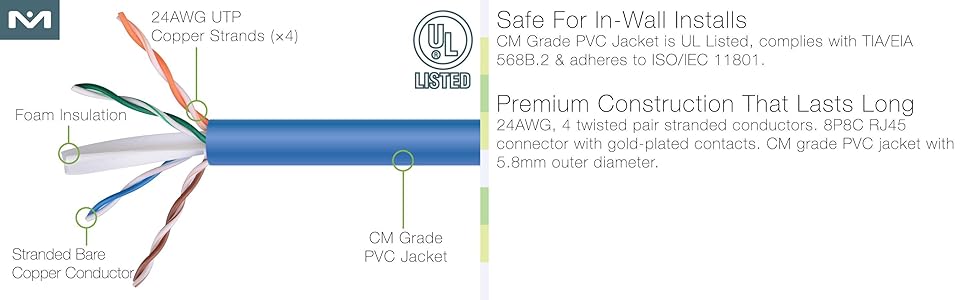
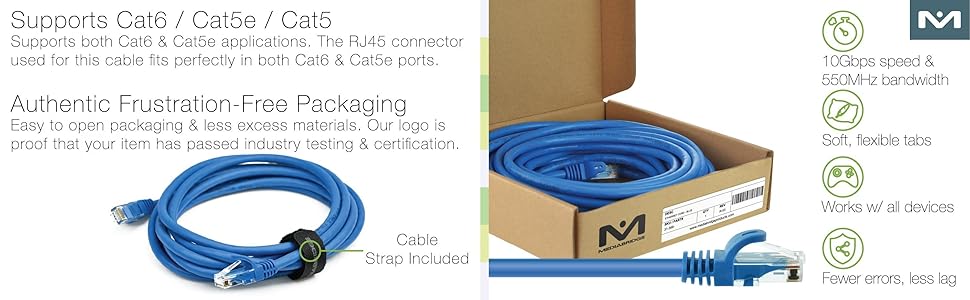
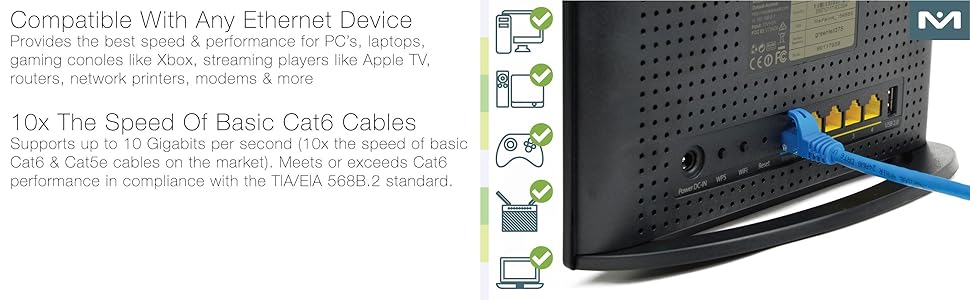
The Mediabridge Cat5E Patch Cable delivers lightning-fast 10 Gbps data transfer with a robust 250 MHz frequency, featuring durable RJ45 male-to-male connectors. Perfectly engineered for gamers, streamers, and professionals seeking reliable, high-speed wired connectivity that outperforms WiFi and keeps your digital life running smoothly.




| ASIN | B001W28L2Y |
| Are Batteries Included | No |
| Brand | MEDIABRIDGE |
| Cable Type | Component |
| Compatible Devices | Printer, Router, Server |
| Connector Gender | Male-to-Male |
| Connector Type | RJ45 |
| Country of Origin | USA |
| Customer Reviews | 4.7 4.7 out of 5 stars (15,389) |
| Data Transfer Rate | 10000 Megabytes Per Second |
| Date First Available | 13 August 2012 |
| Frequency | 250 MHz |
| Global Trade Identification Number | 00125763717634 |
| Item Dimensions LxWxH | 7.62 x 0.01 x 0.01 Meters |
| Item Height | 0.25 Inches |
| Item Weight | 231 g |
| Item Width | 0.25 Inches |
| Item model number | 31-399-25B |
| Manufacturer | Mediabridge Products |
| Outer Material | Other |
| Product Dimensions | 762 x 0.64 x 0.64 cm; 231 g |
| Shape | Round |
| Special Feature | High Speed |
| Specification Met | No |
| UPC | 813077010199 125763717634 |
A**S
I’ve been using the Mediabridge™ Ethernet Cable (25 Feet) for a while now, and let me tell you, it’s a game-changer. This cable is like the Usain Bolt of Ethernet cables—fast, reliable, and ready to sprint data packets across the digital universe. The Need for Speed: I plugged it in, and my internet speed went from a tortoise to a cheetah! Seriously, I think this cable has a secret turbo boost. My data packets now travel at warp speed, leaving buffering screens in the dust. It’s like they’re riding on a luxurious silk highway, sipping digital mojitos as they go. Unicorn Hair Weave: I’m pretty sure this cable is woven with unicorn hair. When I unboxed it, I half-expected rainbows to burst forth. My cat tried to chew it, but it just laughed and kept transmitting data. I’ve never seen a cable so determined to deliver packets. It’s like it whispers, “Fear not, dear user, I’ve got this.” Life of the Party: I’ve even started inviting friends over just to show off my cable. They’re all jealous. We gather around it like it’s the campfire of connectivity. Honestly, I’m considering framing it and hanging it on my wall. It’s that special. Maybe I’ll throw a cable-warming party. You’re invited, of course! No Tangles, No Drama: Other cables? Pfft. They tangle up like spaghetti in a blender. But not this one. It’s like it has a PhD in untangling itself. I’ve watched it perform acrobatics—loop-de-loops, figure eights—without breaking a sweat. It’s the Cirque du Soleil of cables. The Real Deal: So if you’re in the market for an Ethernet cable, look no further. The Mediabridge™ Ethernet Cable (25 Feet) is the real deal. Trust me, your internet will thank you. And hey, if you ever need a morale boost, just stroke the cable gently. It’ll whisper, “You’re doing great, sweet human.” Happy surfing, my fellow data traveler!
M**X
I bought this 25' cable to use with my PS3 because WiFi wasn't cutting it when it came to PSN, Home, and online gaming, especially with Killzone 3. My PS3 was in the same room as my Verizon Fios router (20mbs download and 5mbs upload speeds), and the wireless connection STILL wasn't reliable. Used this cable with my PS3 and router, and PSN's performance dramatically improved. I went to the network settings internet setup and made a new profile for wired connection. During the internet test everything passed with my NAT type at 2, Download speed was 23mbs, and upload speed was 4.1mbs (on wireless it wasn't even half those speeds). When playing Killzone 3 on a wireless connection I would lag out and get that annoying "Network Connection" error message, but I played for about an hour with no lag at all. The game icons in the PS store load up almost instantly. I was able get into Home with no network errors, and everyone's Home avatar loaded up a lot faster. I hope this info helps people who are looking to improve their PSN experience. I have yet to try streaming video media with a program called PS3 Media Server. Read additional info for network tips that I did that may help improve PSN's performance. Additional Network Tips: If PSN's performance is poor then read the following tips that I did to improve it. 1) Set up a static IP address for your PS3. You can find a step-by-step guide on portforward[DOT]com. On the main page go to "other guides", then "configuring a static IP address", then finally choose the one for PS3. During the set up for this you would be able to choose a wired connection and a wireless connection. For the best performance and reliability, I would suggest using a wired connection. 2) After you made a static IP address you should use that to forward ports in your router. Go to the same website from step 1, but under "port forwarding" choose "Port Forwarding Guides by Router". Select your router (not every router in existence is on there) and choose "PlayStation Network" in the next list that comes up (it should be near that top in the second column). Follow the guide and if everything works PSN should work a lot better. I hope this additional info helps you. UPDATE: I watched a movie by streaming it with PS3 Media Server, and it played flawlessly. When I was using a wireless connection it would always stutter, and the playback would just pause for a while because the bit rate would go up to like 40mbs. That poop doesn't happen anymore and playback is smooth as silk.
S**N
Ok
K**R
Works good, may buy again!
W**C
Nice blue color.
Trustpilot
3 weeks ago
4 days ago