Some deliveries may take a little longer than usual due to regional shipping conditions.

DOWNLOAD THE APP


Customer Services
Copyright © 2025 Desertcart Holdings Limited
DOWNLOAD THE APP

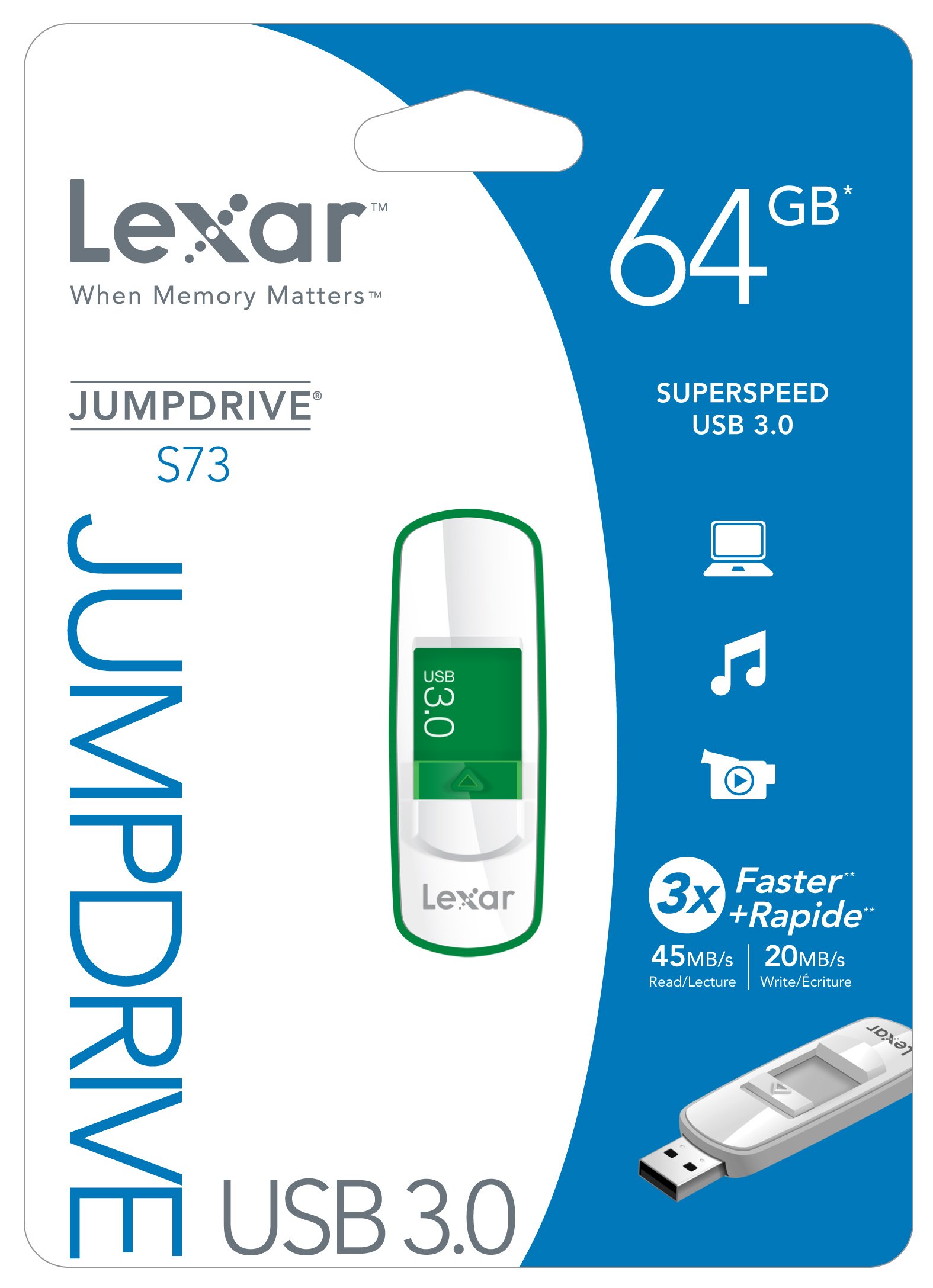
🚀 Elevate Your Storage Game!
The Lexar JumpDrive S73 64GB USB 3.0 Flash Drive offers a reliable and stylish solution for storing and transferring your important files, featuring a retractable connector, impressive read and write speeds, and compatibility with both PC and Mac systems.
J**N
Lexar JumpDrive S73 32 GB: Orange does it well on PC & Mac
Had looked at this Lexar JumpDrive S73 32 GB USB 3.0 Flash Drive LJDS73-32GASBNA (Orange) before, and had considered it as a potential product that might fit my needs. But when it showed up here on a Gold Box deal I couldn't resist. Had been looking at flash drives in the 32 GB capacity range, so this one seemed good, especially for the price.Please note: if you're looking for another review with plenty of tech specs on this flash drive, this one won't fit your needs. In the first place, both my Windows 7 PC notebook and my MacBook Pro offer only USB 2.0 ports, so mine don't qualify for the speed race. This review is based on practical day in and day out work, which in my case involves regularly transferring photo files in both RAW and JPG formats, along with MS Word files, back and forth between the MacBook Pro used in the field and the PC notebook, which has a 2TB HDD attached for backups.That being said, here's what I've found, and further details will be found below.Pros:+ Straightforward plug and play; immediately recognized by both PC and Mac+ Color coding by size; can distinguish among multiple flash drives at a glance+ Sturdy USB slide mechanism; clicks in place when fully extended+ USB 3.0; backwards compatible with USB 2.0 devices+ 3-year warranty; a little reassurance never hurtsCons:- The key ring loop is too small; no ring or lanyard includedDetails:I had been seriously considering the Lexar JumpDrive Triton 32 GB USB 3.0 Flash Drive and had also looked at the SanDisk Extreme 32 GB USB 3.0 Flash Drive . After finding this offer on the Lexar JumpDrive S73 here, had to jump on it... and please pardon the pun. At less than $0.60 per GB on the Gold Box deal, it was an easy choice.I formatted the JumpDrive S73 with the exFAT file system to ensure data compatibility between both the PC (Windows 7) and the Mac (OS X 10.6.8). My primary requirement was for reliable file transfers and data integrity; speed was a secondary concern. I don't typically do benchmarks since many of the other reviewers do, but here are my at a glance averaged speeds, and for all intents and purposes, they were quite similar on both the PC and the Mac:> Read: 9.2 - 9.7 MB/sec> Write: 6.5 - 7.1 MB/secShould mention again that both of my computers have USB 2.0 ports only. Both the PC and the Mac were under load, with browsers open and running multiple tabs. Was going to test the JumpDrive with CrystalDiskMark 3.x on the PC, but a need for quickly transferring some files arose, so formal testing was put in the background. Maybe someday, time permitting, but others have noted a wide range of specs on this in some excellent and well-detailed reviews.And kudos to Lexar for putting the drive capacity in a readable size on this JumpDrive. When the USB plug is extended, one can clearly see 32G in good-sized letter, a boon to those of us who wear glasses.Bottom Line:I've found the Lexar JumpDrive S73 32 GB USB 3.0 Flash Drive to perform well and without any problems. It runs fast enough for a flash drive this size, and when I upgrade to a computer with USB 3.0 ports, it's good to know that I'll be ready to experience the performance boost. Prices do fluctuate, but at a current cost of under $1.00 per GB as of this writing, it's a good value for a solid and reliable flash drive.9/15/2012
L**R
Lexar JumpDrive S73 16GB Flash Drive - Fast and effective...
This is the second Lexar S73 16-GB drive I ordered. I intended to use it as an external maintenance drive, so I installed Mac OS X Snow Leopard and maintenance software, which occupy less than 6 GB, and test-booted the drive. It worked fine, but after three boot-ups, the drive apparently was somehow corrupted, and could no longer be booted. I re-formatted the drive and re-installed the OS, etc., and experienced the same sequence. At that point, I restored the format to FAT-32, and now use the drive for data storage and transfer.For this purpose, this drive and the first 16-GB drive I ordered work perfectly. Although my computers have USB-2 ports, these USB-3 drives are noticeably faster than the earlier USB-2 drives I have had for 3 years or longer. The activity light is large and bright, so it is very visible through the "slider." The "slider" has firm detents, so it locks securely in both the extended and the retracted positions. The case's size makes it easy to grasp, but the plastic can be a bit slippery. The drive is light and sturdy, so the few falls it and the others have experienced have not damaged them. The lanyard hole on the back of the shell is small; it takes a bit of patience and skill to work some twine or thread through it.I also have 2 Lexar S73 32-GB and 2 S73 64-GB Flash Drives, and am very pleased with all of them. The 64-GB drives are for archival data storage. One of the 32-GB drives is for system disk images (for quick restoration of the system software, should it somehow be damaged or corrupted, or if it should for some reason be necessary to restore the initial installation), and the other 32-GB drive is now the maintenance drive. So far, it has not failed through about a dozen tests and uses, so it appears to be stable for this purpose.I have neither tools nor software to probe these devices and learn how they differ from each other, but empirically, and from many years of deep involvement in computer and other technologies, it is reasonable to conclude they are different in several important respects, the storage capacity being one obvious factor, and the processors and/or firmware in them are almost certainly different. These variations in design and construction are very likely the reason the 32-GB drives are stable as boot drives, while the 16-GB drives are not, but this statement is only enlightened speculation.Using flash drives as boot drives is unusual, and except for this one disappointment, I am very pleased with all the Lexar S73 Flash Drives I have, and definitely recommend them.
O**N
Not working anymore after 7 months
I bought this item on March 24th 2015, and today October 9th 2015, and basically only used for less than 20 times, and its not working anymore, not showing on my laptop or others laptop, i don't know what to do with that, and all my important files are in there, some of them don't have another copy.. seriously. only 7 months working life.i LOVED it before the problem, as an usb it has very big capacity and very fast when you transfer the files especially the big ones. but 125$ for half year is not worth it..and I won't buy Lexar products in the future anymore. feel like been deceived
S**K
but its copying like a champ so far
I received this key, and plugged it into usb 3.0. copying initial batch of 90 gigs of movies onto it in one shot off server over gigabit. it has been moving at higher than rated speed. solid 70 MB/s the whole way for 20 min straight.Very cheap feeling plastic, but its copying like a champ so far. Happy with purchase especially for price.
G**Y
It just stopped working.
This item worked at first but now it is not recognized by my computer.This is strange. It works on another computer which is Windows 8 but it will not work on my Windows 10 computer. ???????Can we ask the manufacturer - Lexar - if this is a Windows 10 problem?
J**H
but I do know that it performs far better than my USB2
I use this daily and it has performed superbly. I may not be taking full advantage of USB3.0 on this, but I do know that it performs far better than my USB2.0 memory sticks, so it does the job for me.
M**E
Good, high capacity drive
This drive is used to backup a laptop with an same sized SSD. The small size is perfect for archival storage as it rotates in an out of the safety deposit box.
Trustpilot
5 days ago
1 week ago