We remain fully operational. Our teams are working around the clock to ensure your deliveries continue safely.

DOWNLOAD THE APP


Customer Services
Copyright © 2025 Desertcart Holdings Limited
DOWNLOAD THE APP
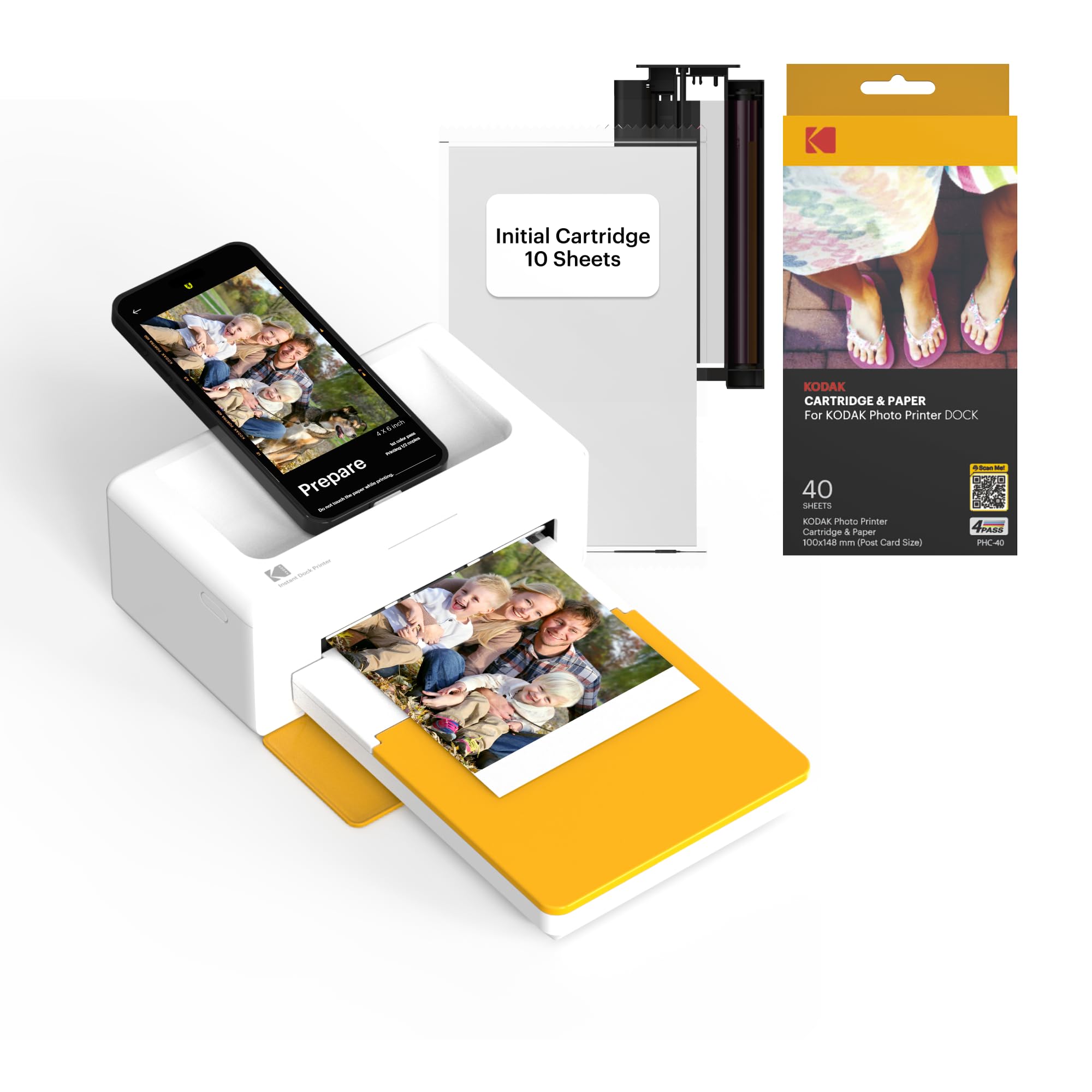
📸 Print your moments, dock your style.
The KODAK Dock Plus is a compact 4x6” photo printer with an integrated smartphone dock that charges your device while printing. Utilizing advanced 4PASS dye sublimation technology, it produces vibrant, durable photos resistant to fingerprints, water, and fading in under a minute. With Bluetooth connectivity and a dedicated app for iOS and Android, it offers effortless wireless printing and photo customization. Perfect for home use, it includes 50 sheets of glossy photo paper and ink cartridges, making it a ready-to-go solution for instant, high-quality prints.


| ASIN | B088PRX3BD |
| Additional Printer functions | Print Only |
| Batteries | 1 D batteries required. (included) |
| Best Sellers Rank | #1,360 in Office Products ( See Top 100 in Office Products ) #2 in Desktop Photo Printers |
| Color Depth | 36 bpp |
| Compatible Devices | KODAK 4PASS CARTRIDGE (ICRG-260), ICRG-360, ICRG-4120, PHC-80 |
| Control Method | App |
| Controller Type | Android, iOS |
| Customer Reviews | 4.2 4.2 out of 5 stars (12,499) |
| Date First Available | May 16, 2020 |
| Department | All Ages |
| Dual-sided printing | Yes |
| Duplex | simplex |
| Global Trade Identification Number | 00192143002628 |
| Hardware Interface | USB Type C |
| Included Components | Inkjet Cartridges, Paper |
| Ink Color | Yellow, Magenta, Cyan, Black |
| Is Discontinued By Manufacturer | No |
| Item Weight | 4.4 pounds |
| Item model number | CAR-PD460Y |
| Manufacturer | Prinics Co., Ltd. |
| Max Copy Speed (Black & White) | 1 ppm |
| Max Input Sheet Capacity | 20 |
| Max copy resolution black-white | 1200 dpi |
| Max copy resolution color | 1200 x 1200 |
| Maximum Black and White Print Resolution | 300 dots_per_inch |
| Maximum Color Print Resolution | 300 Dots Per Inch |
| Maximum Media Size | 4x6 inches |
| Maximum copies per run | 1 |
| Memory Storage Capacity | 64 MB |
| Model Series | Kodak Dock Plus |
| Number of Trays | 1 |
| Number of USB 2 Ports | 1 |
| Output sheet capacity | 50 |
| Print media | Glossy photo paper |
| Printer Ink Type | Solid dye-sublimation ink |
| Product Dimensions | 4"D x 7"W x 3"H |
| Scanner Type | Portable |
| Sheet Size | 4x6 Inches |
| Specific Uses For Product | Home, School |
| Supported Media Sizes | 4 x 6 inches |
| Total USB Ports | 1 |
| UPC | 192143002628 |
| Warranty Type | Limited Warranty |
A**Y
Great product!! Worth the money
Absolutely love this printer. After reading hundreds of reviews on this size and different brands, I chose this one and it did not disappoint. The 4pass is awesome, pictures turn out perfect and it's very easy to use, especially with the wireless feature. Wish the app had more border options but the printer works great!
G**N
Easy process and great pictures!
The Kodak Photo Printer is great!! The process is easy and the pictures are clear and perfect!!
C**I
Great gift
OMG it worked from the very start. Easy to assemble. Color was clear. Pictures came out perfect.
M**Y
Kodak Dock photo printer
It took awhile to get the printer working. Not sure if it was the internet or the printer. Overall we got it to print.
R**.
Good printer.
It prints really good pictures. I got this as a birthday gift for my wife. She now is printing pictures for scrap booking like crazy... lol
R**N
Great picture quality
It's kind of a loud little thing. But the picture quality it prints is 100^, beginner friendly instructions.. refill of ink/paper is a little costly, but nothing worse than any others
M**K
Easy to use
Got it for my mom who can barely work her phone. She's not good with tech. She's 70 years old and she can work the printer. Easy to set up and use. She absolutely loves it.
G**D
Waste of money if you don’t use it frequently.
The quality of the printer itself is well made. The print is not top notch. I have been trying to print my photo without having them coming out pixelated ( grainy ) but no matter what I did on the settings, it still comes out grainy. I shot with iPhone 13pro. tried RAW and regular format, photoshop lightroom edited vs original files, and it still have the same issue. Is there a way to turn the dpi higher on settings because I couldn’t find one. Updated: I just ordered new box of cartridge because the app says it’s empty. I got my cartridge, and I decided to “disassemble “ the catrlidge and find out I DID NOT RUN OUT my cartridges. For some reason, I only have 4 photos out of 40. This is such a waste when you don’t know how much “ink” you have left because of the app tells you your cartridge is empty which doesn’t make sense. Kodak, your item has manufacturer defect. Update 2/19/2026: Printer started jamming my photo. I removed the photo gently, and it still stuck. I reboot the machine, and it does not do the “spin” thing while start up and now the printer is finally done. I have printed about 60 photos since 2024, and the printer is done. Really frustrating. Found out the issue. If the printer is not used frequently, the cartridge film “dry out” and cause the printer to get stuck. The printer itself is also not able to disassemble, which makes it worst. This product need new design.
A**W
This printer is small and compact. Very easy to use. Printer quality is good.
B**T
tres belle photo
F**G
Bien reçu , installation facile , très belle impression de photo ! Applications bien adaptées, facile d’utilisation ! Rien à redire 🎉
H**O
スマホから簡単に写真が印刷できて大変便利
B**T
I received my Kodak printer dock today and absolutely live it, the only problem I had was my eyes aren't the best and the writing is so small that even with my glasses and using a magnifying glass I was struggling to read the instructions and when I did I still found it a little hard as there is not enough to enable me to connect up but with the help of Google and a lot of patience I was able to finally work it out and just love it
Trustpilot
3 weeks ago
2 weeks ago