
DOWNLOAD THE APP


Customer Services
Copyright © 2025 Desertcart Holdings Limited
DOWNLOAD THE APP


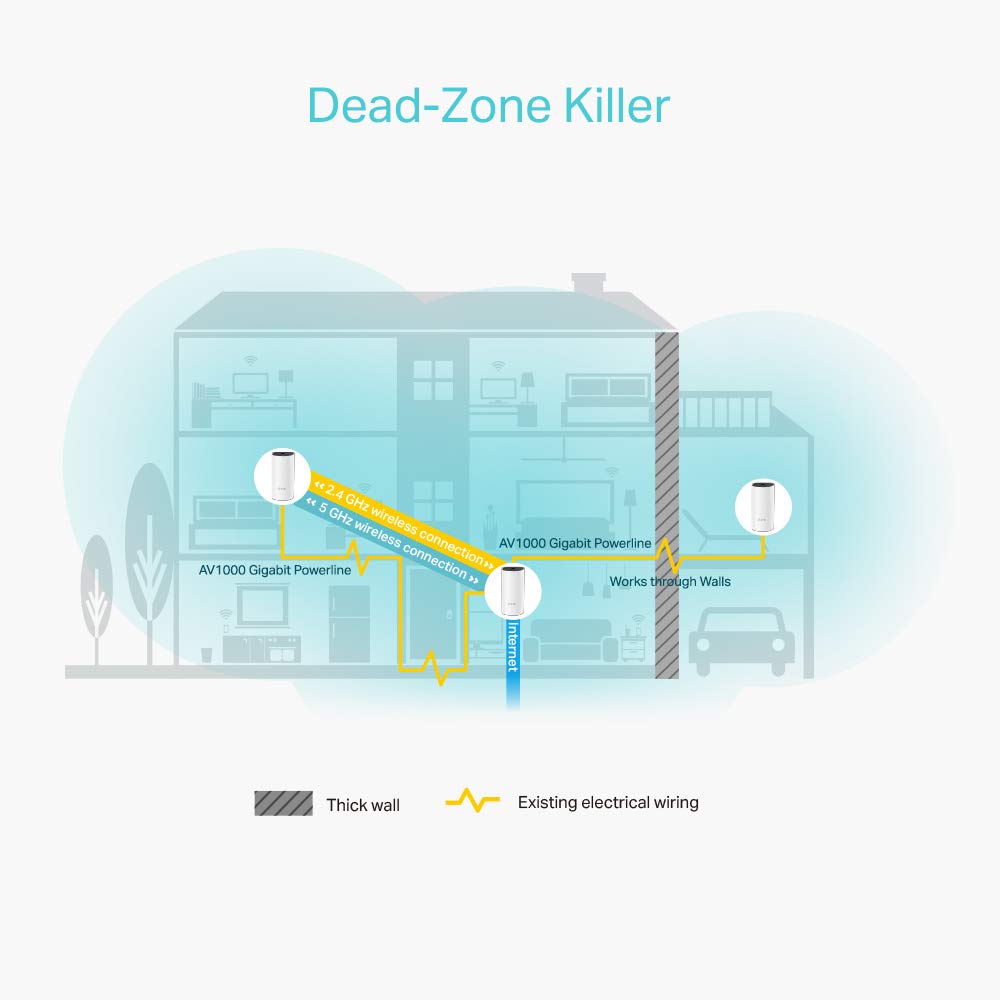
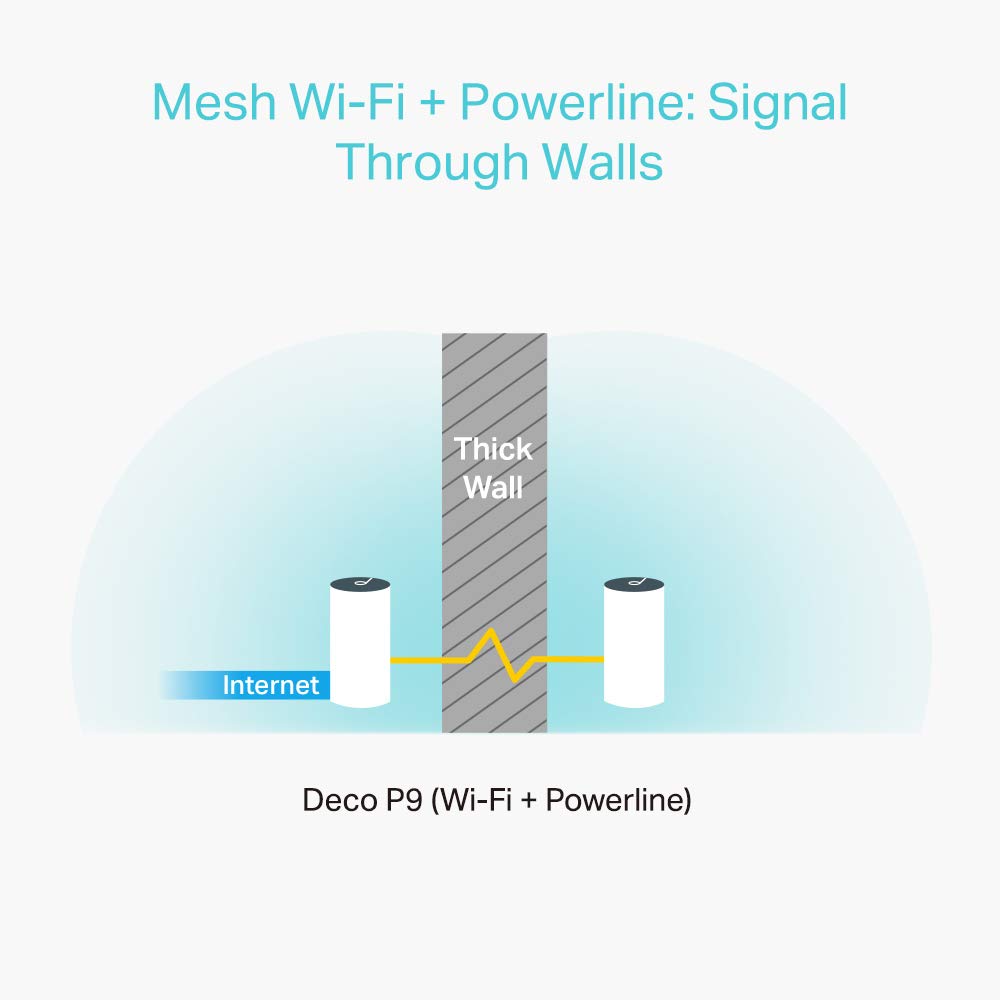

🚀 Power up your entire home with unstoppable Wi-Fi freedom!
The TP-Link Deco P9 is a powerful whole-home mesh Wi-Fi system combining AC1200 dual-band Wi-Fi with AV1000 powerline technology to deliver speeds up to 2200 Mbps across up to 4000 sq ft, even through thick walls. Featuring seamless roaming, MU-MIMO for multiple devices, and easy app-based setup with parental controls, it ensures fast, reliable connectivity throughout your home, compatible with Alexa for smart home integration.


| ASIN | B089YXJHHW |
| Are Batteries Included | No |
| Best Sellers Rank | 67,186 in Computers & Accessories ( See Top 100 in Computers & Accessories ) 173 in Whole Home & Mesh Wi-Fi Systems |
| Brand | TP-Link |
| Colour | white |
| Customer Reviews | 4.2 4.2 out of 5 stars (236) |
| Date First Available | 10 Jun. 2020 |
| Guaranteed software updates until | unknown |
| Item Weight | 1.56 kg |
| Item model number | DECO P9(2-PACK) |
| Manufacturer | TP-Link |
| Operating System | TP-Link OS |
| Product Dimensions | 19 x 9.1 x 9.1 cm; 1.56 kg |
| Series | DECO P9 |
| Wireless Type | 802.11ac |
D**C
Finally sorted my broadband issues :)
After many frustrating months of having really bad signal throughout my home I've finally managed to resolve it with these Deco P9's. I live in a long, old cottage with some thick walls and nothing was working after I switched away from my landline provider who I'd used discs with - so I knew it should work. I tried Devolo Magic2 units but they were awful and got very hot, and also the Deco M5's which were not up to the job. The Deco customer service was also questionable and the claim 'plug and go' becomes irrelevant when you're faced with many technical things to test and report on without without real guidance in an attempt to get things working. However, I found a claim that Deco P9's worked with thick walls so thought I'd give it one last go. I was amazed! They were simpler than other units to set up and worked straight away. Very happy now I can use my fibre broadband throughout the home.
D**T
Incredible WiFi Coverage
The TP Link Deco units are really visually appealing which look great whether mounted on a wall or placed behind a desk. They are fairly expensive for what they are, but then they become really good value for money when you consider that they do not need Bridging routers to carry WiFi Signals around a large building with thick walls. They link up seamlessly, and secure an encrypted connection between each WiFi Node, allowing the strongest connection between WiFi Nodes. They work really well with other TP Link Deco units, and the self healing technology allows you to be connected continuously, without having to switch between a number of different WiFi Network Names. (Once you’ve found the SSID, and input the password, you’ll be connected all over the building without having to check your wifi connection at each area of the site) The coverage of each node provides an excellent reach, event with this walls, and as the Internet connection is carried via the existing electric wiring in the building it allows you to get the strongest connection, when in WiFi Zones.
T**Y
Decent mesh setup
These seem to be a decent mesh setup. I am using the power line backhaul to connect the master and secondary, which seems to be quick enough, but not tested the speed. Setup was easy following the app instructions. The only issue I have is that the app limits how much info you can get, and what you can do as a power user. It's great for 90% of people probably, but I'd like a little more control personally.
D**D
Connectivity problems sorted!
The product is great, much better than all those plug in wifi extenders. I bought the two pack and now my daughter can have video calls from upstairs in her bedroom without the signal dropping out. Been using them for over a month and no issues whatsoever, really happy with the purchase
M**N
Awful product
I rarely write reviews but I was compelled to write one for this system given how absolutely awful it is. It’s 2022. This sort of product should be plug and play. You should not have to spend countless hours trying and failing to get the system to work properly. I get 920mbs (tested) out of my router. Wired directly into the router there is no earthly way of getting this system over 300mbs. I have 2 of these in my ground floor and THREE on the floor above and despite that the signal is unstable and does not deliver anything above 70mbps on the floor above. What is worse, if you Ethernet every single deco together for backhaul, the whole system disconnects itself. Absolute rubbish. Worst product I have purchased in a long time and I buy a lot of stuff. For the price this really should be zero stars.
A**C
Powerline connection loses Bandwidth
The units are easy to connect and set up, but the satellite units connected via the powerline lose significant bandwidth. My main hub gives download speeds of about 350 Mbps, but when I stand beside the satellite units, I get about 30MBbps. We have a house with thick concrete internal walls so I thought this would solve our dead spot issues. In fairness, it has done that with a strong connection everywhere, but once you're on the satellite unit connection, speeds are slow. I think the powerline connection is advertised as capable of carrying greater bandwidth, so overall I am a little disappointed with the product and would only tentatively recommend it.
M**N
Brilliant!
Easy to set up. Bought for my Starlink internet. Made WiFi much stronger. Good quality. Will purchase again.
G**H
Great improvement to wifi coverage - TP-Link Deco P9 with Powerlink x2 units
I bought the TP-Link Deco P9 (two units) to improve wifi coverage in our 3 bed 1100 square foot flat as the basic Sky router could not cover all areas and was a little slow with two of us working from home. With just two P9 units we have gone from 1mbps in some areas to over 50mbps. Our garden had no wifi coverage at all once outside but now we have over 50mbps at the farthest point away from a P9 in the garden in comparison. Set up is very easy with the app and we were up and running within 15 mins. Recommend you setup an account with TP-Link before starting the setup process to help things move faster. The only challenge was getting our wireless printer setup on the new network. It did not like the default security setup so we had to change to the other option available but all ok in the end.
E**O
Tutto perfetto
C**N
Très bon produit disposer dans la maison j ai du wifi partout
Trustpilot
1 week ago
3 weeks ago