

Desert Online General Trading LLC
Dubai, United Arab Emirates
Desert Online General Trading LLC
Dubai, United Arab Emirates


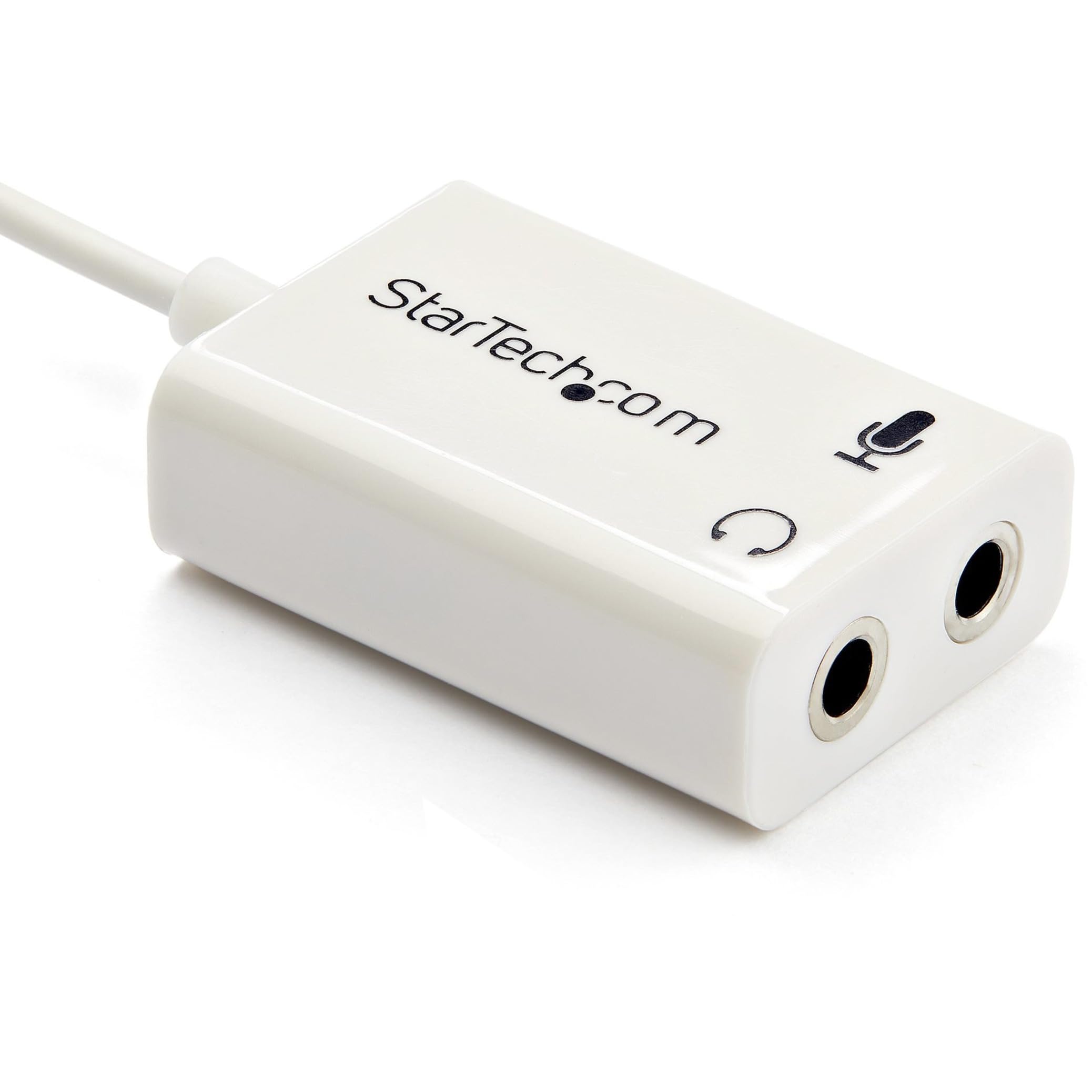

🎧 Split the Sound, Share the Experience!
The StarTech.com 4 Position Microphone and Headphone Splitter is a versatile audio solution that transforms a single 3.5 mm output into two distinct ports, allowing you to connect both a microphone and headphones simultaneously. Its compact design makes it ideal for travel, while its compatibility with a variety of devices ensures you can keep using your favorite audio accessories.



| Unit Count | 1.0 Count |
| Number of Items | 1 |
| Item Weight | 0.01 Kilograms |
| Package Quantity | 1 |
| Item Dimensions | 6 x 1 x 0.5 inches |
| Finish Types | White |
| Color | White |
| Warranty Type | Lifetime |
| Current Rating | 28 Amps |
| Power Plug | No Plug |
| Connector Type Used on Cable | Mini-phone |
| Number of Ports | 2 |
| Compatible Devices | iPhone, Laptop, Headset, Microphone, iPad, Audio Device, Headphone, iPod, Cellular Phone, Ultrabook, Speaker |
| Specific Uses For Product | personal, gaming, business |
G**E
Great for Xbox One stereo adapter on the controller
Worked exactly what it was intended for. People will get this confused with just two headphone females in which this is used for a microphone and audio. I used this with a Logitech G430's for my Xbox One controller with the Xbox One stereo adapter. I can confirm it works 100% for that use. I bought the adapter version because it seemed a bit more better built as far as being little tougher with the little box. Either the adapter or cable version will work with Xbox one Stereo adapter. Iv'e had this for about 4 months now and it's still working great. I Would recommend for Xbox One users and other people confirming this also works for PS4 as well. It's great for people that don't wanna buy specific brands that are just made for Xbox One or PS4 and prefer to use a computer headset with a lot more options and choose what they like.Pros: Works great with Xbox One stereo adapter, the little box part seems to be decent build, and snaps in hard to keep cables from popping out.Cons: The box part could be annoying for certain people because its a bit clunky to have while holding a controller then I would suggest getting the cable version if you would think that may be a problem. Other than that there is no other cons.
R**D
PS4 compatible
Why would would want this adapter that splits audio into headphone and mic separately? Well, if you have an expensive pair of headphones that doesn't have a mic then you will definitely be able to use this adapter with your PS4. However, it requires an extra purchase. You need to buy a mic on Amazon also, this is without question.See, when you plug this adapter into your PS4 controller, it splits the audio into 2 seperate entities (headphone and mic). Now, when you use another pair of headphones that has a MIC on it such as the mic that comes with the Playstation 4 or Apple headphones, this will split the audio coming out of the MIC part of the adapter again because it is now trying to not only relax your audio from your mic on your headphones, but push the audio to the earpiece. The MIC will work, but your voice will be too low for others to hear.That is why you need a STANDALONE mic, not a headphone/mic pair. I recommend the Zalman Mic here on Amazon or the Sony Sony ECMCS3 mic. I plugged my $200 pair of Bose headphones into the headphone part of the adapter, and the Sony Mic into the other and it works perfect. I now have a $200 pair of headphones with a mic, as opposed to $50 gaming headsets with Mics that sacrifice quality without question, it is a known fact among audiophiles.
J**N
Adds an annoying intermittent pop sound to Mac Mini
It adds a pop noise to my Mac Mini when I use this adapter. I used it to add a mic option since the Mac only has one input jack. When the Mac would wake from sleep or otherwise connect for network access while sleeping this loud pop occurred. Had to buy a USB mic in the end so this is simply wasted money. Took me until now to figure out what this annoying pop was and finally isolated it to this device which when removed completely eliminated the pop. So annoying.
A**R
Works great, but with caution
Product works as advertised and description is accurate. Product appears exactly as shown in picture. While this adapter works for my purpose I have to be careful with the cable. I cannot give it five stars because the overall quality of the product is not that great. The biggest problem is with the cable itself which is very flimsy and small which could end up breaking after repetitive use from plugging and unplugging. When plugging the male end into an audio device then attempting to unplug, it feels almost like you could break the wire if you are not very careful and handling properly. Because the male end is small it's hard to unplug without the feeling of damaging or breaking the wire unintentionally. Otherwise, the product should work fine for a permanent setup.
M**A
Works on ps5
I like to use my AirPods max to game since I don’t want to really spend any extra money on a gaming headset since I don’t game much. Anyways I purchased a mic to have headset and mic, then since I needed a way to connect both I found this star tech adapter which ended up being the perfect solution. The only thing I would note for this product is remember to have both jacks as 3-pole(trs) , I had to buy a separate adapter to have the 4-pole (trrs) turn into a 3-pole for the mic. But besides this I give it 5 stars so far
P**S
Great build quality but did not work for me
I bought this because my new Win11 PC (a Beelink mini) doesn't have a dedicated mic input (I guess they expect you to use a headset, which I don't have).While the splitter definitely passed through audio to my speakers, it did not work with any microphones I tried (do note that my mics are all quite old, so this may work perfectly for you).Anyway, it's not a bad product, it just didn't work with my microphones.
C**E
Using to split out sound from microphone
I'm probably not using this for the same reason as others. I use my phone to play Amazon Prime Music stations. I have a line in on my stereo amplifier that I use for listening. With a regular cable, it seems like the right channel (of 2.0 stereo) is loud while I can barely hear the left channel. Using this slitter fixes that problem as it provides a true stereo headphone jack.I now plug this splitter into the headphone/microphone port of my Galaxy S3. I then plug the cable for the amp into the headphone port of the splitter and plug nothing into the microphone port on the splitter. Both the left and right channels are nicely balanced and in stereo.The splitter seems like it is of good quality. I have to admit, I am partial to StarTech products as I've never had a bad one. :)
Trustpilot
3 days ago
1 week ago