




⚡ Elevate your workspace — power, speed, and multi-display mastery in one sleek dock!
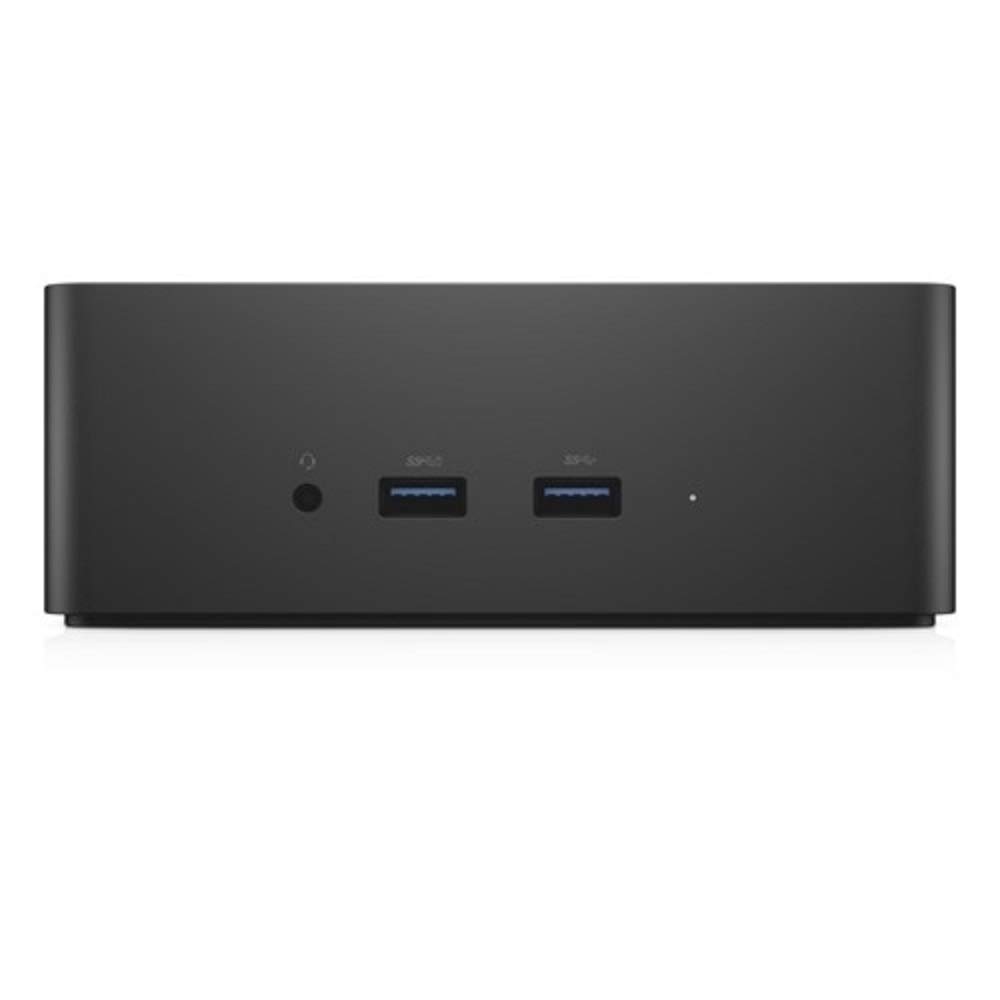
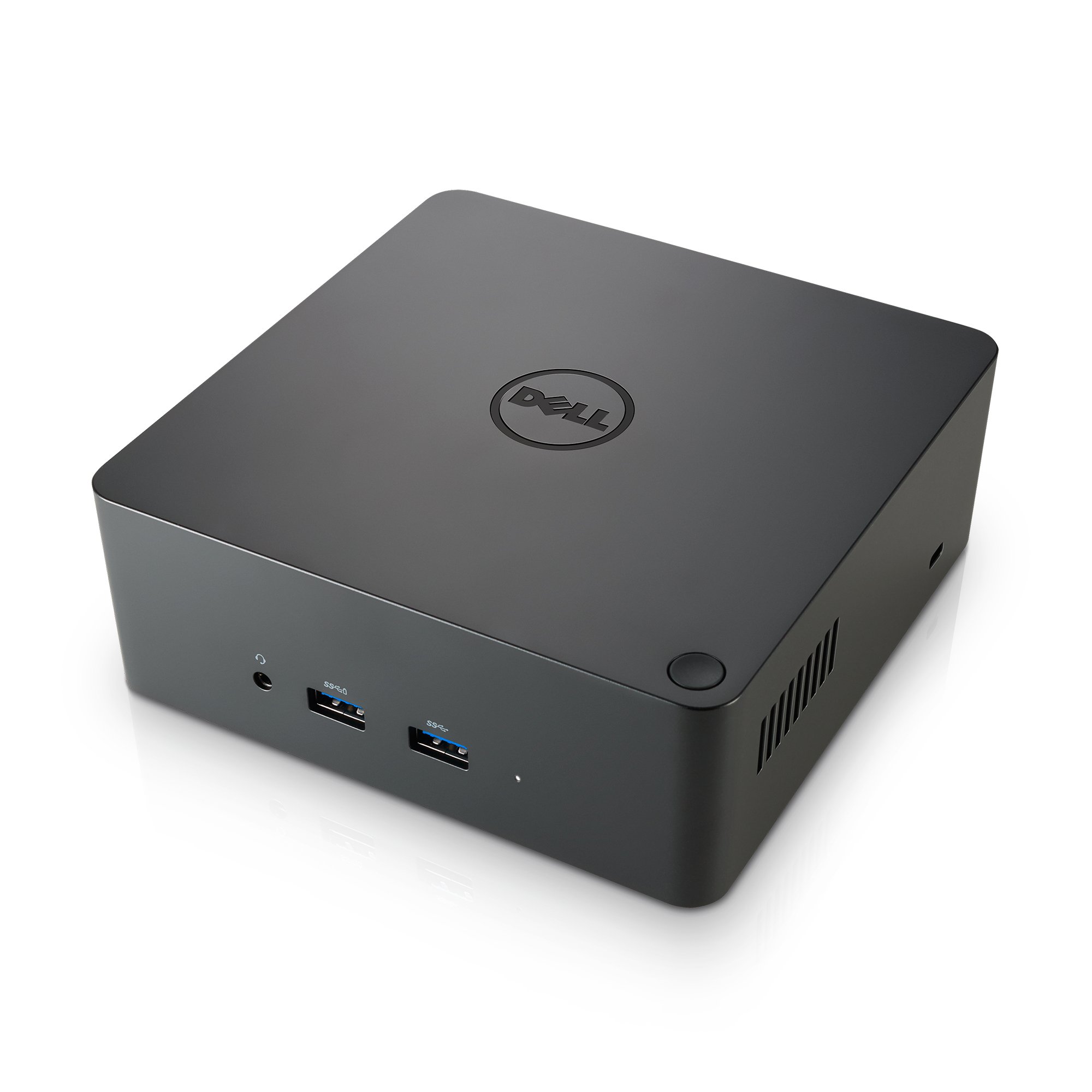
The Dell TB16 Thunderbolt 3 Dock with a 240W adapter is a professional-grade docking station designed for Dell laptops, enabling connection to up to three displays (including 5K at 60Hz), ultra-fast 40 Gbps data transfer, and robust power delivery. It features versatile ports including HDMI, VGA, DisplayPort, USB 3.0 with PowerShare, and Gigabit Ethernet, making it an all-in-one hub for enhanced productivity and secure workstation setups.

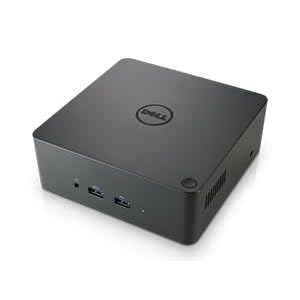
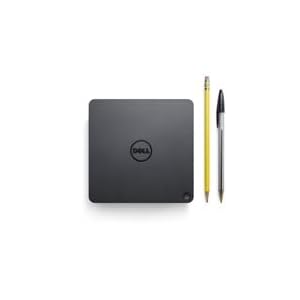
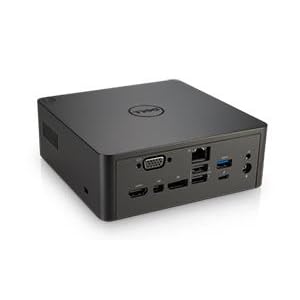
| ASIN | B06XN6XWD7 |
| Best Sellers Rank | #6,553 in Computers & Accessories ( See Top 100 in Computers & Accessories ) #546 in Laptop Docking Stations |
| Brand | Dell |
| Built-In Media | Dell Thunderbolt Dock TB16 |
| Color | Black |
| Compatible Devices | Dell Notebooks/Tablet PC |
| Customer Reviews | 3.6 out of 5 stars 817 Reviews |
| Global Trade Identification Number | 00884116256816 |
| Hardware Interface | Thunderbolt |
| Item Dimensions L x W x H | 10.63"L x 7.76"W x 5.53"H |
| Item Type Name | Dell 3GMVT Thunderbolt Dock TB16, 240W, black |
| Item Weight | 1.81 Pounds |
| Manufacturer | Dell Marketing USA, LP |
| Number of Ports | 2 |
| Product Dimensions | 10.63"L x 7.76"W x 5.53"H |
| Total Number of HDMI Ports | 1 |
| Total USB Ports | 5 |
| Total Usb Ports | 5 |
| UPC | 884116256816 689227629364 |
| Warranty Description | 1 year standard warranty |
| Wattage | 240 watts |
P**O
Seems like a hit or miss, mine was a hit!
I am using this with a Dell XPS13 connected to two U2715H monitors (startech USB-C adapter to dual display port), so my review is based off of that. When I first installed the device, I was running the latest BIOS from Dell's website and was having issues where the USB ports would stop working within less than a minute. After installing the Asmedia USB driver, the issue went away, but your mileage may vary as there are mixed reviews online. I have not had a single issue since then and I absolutely love being able to turn on the device while having the laptop closed. I was sceptical based on others experiences, but knew that if I wanted a compatible dock it's best to go with one straight from the manufacturer themselves. I would have given it a four stars for the gigantic 240W brick, but that's not a reason to do so, as it does not affect the usability of this product.
J**H
Does not work correctly with Dell Precision 5510
I can say that HDMI works @ 4k, DVI works at (at least) 2560x1600, and power delivery works. What doesn't work are the ethernet and USB ports. Ethernet was originally recognized and worked. After reboot the adapter doesn't even show in network devices, but is still listed in the Device Manager. Windows has blue-screened twice now with "Attempted execute of noexecute memory" while trying to reinstall or remove the ethernet driver from Dell's website. Same when trying to just uninstall it from the Device Manager. My next step is to try to remove it in Safe Mode. Whee. I have a wired Logitech trackball and a wireless Logitech K800 keyboard that I've previously been using on this laptop with no issues. When plugged into the dock, the trackball stops responding after less than a minute and the keyboard lags, misses keypresses, or repeats the last key it recognized until you hit another key. Occasionally, it stops working entirely. Windows is fully up to date, I've installed all the latest drivers and BIOS (1.30 as of now, originally tried with 1.29), have the power settings set to high performance mode, USB selective suspend is disabled, and I've rebooted more times than I can count. I bought this for my work laptop, so I could easily disconnect and take it with me when I am on-call. It doesn't really serve that purpose if I still have to plug my keyboard, trackball, Jabra wireless headset receiver, and a USB ethernet adapter directly into the laptop. UPDATE 2017-09-12: The screen on the dock's HDMI port (4K TV) which I have set as my primary monitor goes black for a second or two every so often. I haven't timed it but it feels like it's a few times per hour and I'm not sure if they're evenly spaced. My windows/icons don't get shoved to the other monitors so the adapter/monitor isn't "disappearing" as if it'd been unplugged, the video signal simply goes black and then returns to normal. I did manage to get the Ethernet adapter uninstalled, but still can't get it to actually show up in the networking devices so it's unusable.
R**H
Add incredible value to your XPS latptop!!!
This seller delivered superb value and expedience; I live in Colorado, placed my order late in the afternoon of August 14, 2017, and received the item in my mailbox on August 17, 2017, with no expedited shipping or preferential treatment. The item I bought was "used" but one could hardly tell other than the lack of manufacturer packaging. I received the dock in a vanilla brown box with no instructions or manufacturer packaging, but, the item itself was still enclosed in the adhesive protective plastic that a new item would arrive in. The device functions superbly and as advertised. Computer Kings was even kind enough to follow up with an email to contact them directly with any issues encountered in the transaction before seeking help from Amazon, without any indication from me that the device had any problems. I appreciate the "prime" level of service without needing to spend full MSRP to get a device in two days. A+ seller. Would have no qualms about buying from them again. Onto the device itself... Comes with the dock and a 240W power brick. The brick itself is MASSIVE, surprisingly so. Plan accordingly. Other than that, I have plugged in a DAS Keyboard, logitech wireless mouse, two Dell monitors (one via HDMI, the other via VGA, a nostromo gamepad, and an HP printer to the dock. The dock then connects to my Dell XPS 15 9550 via the included thunderbolt 3 cable. I do currently have Windows 10 installed on this laptop but frequently use Fedora as my main OS-- will update if decide to reinstall Linux as my dedicated OS on this machine, but for now, am content with the Windows 10 setup. From the setup described as above, I am able to charge the laptop with only the connection to the dock, while having a dual monitor setup not including the laptop screen itself. So far, absolutely no issues with the displays or the dock itself-- everything is working flawlessly. Will update after my wireless keyboard and mouse show up from Amazon (OnTrac was late as usual, requiring a customer service contact with Amazon to rectify the situation). I will update this review to reflect my experience after some more use, including use of the wired ethernet connection as well as the wireless keyboard and mouse I bought. As for now, could not be happier with this unit itself-- everything worked out of the box by just plugging in the cable. Granted, I have the most current bios and drivers for the machine installed before trying to connect the unit, so, I cannot attest to what your mileage might be.
I**2
Works great with my Dell, but not with my Lenovo
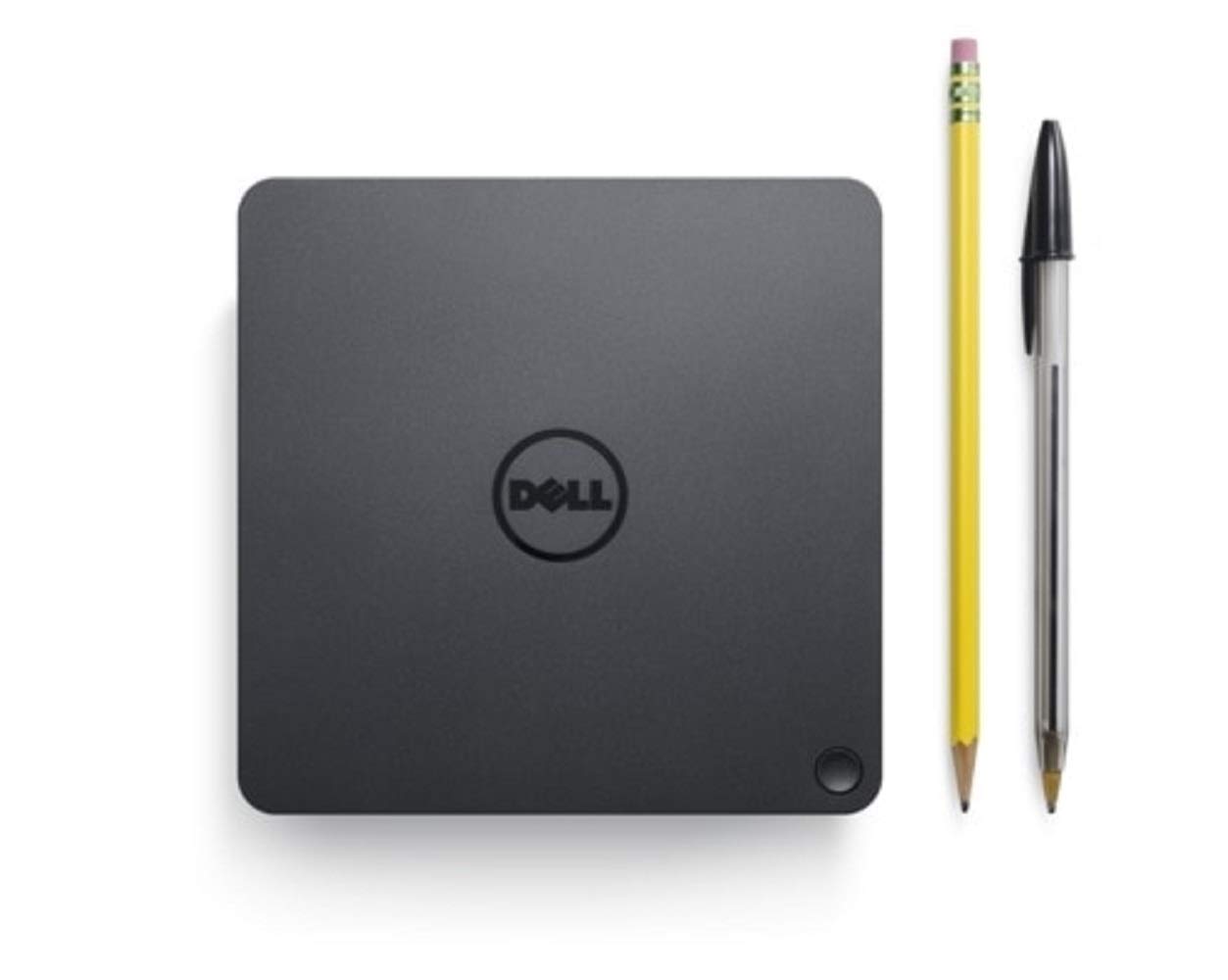
I got this item alongside my Dell XPS-13 (love the XPS-13 btw!) to make my desk more functional with a laptop. Overall, I'm very happy with the dock. There are some oddities about it and it doesn't seem to work well with non-Dell computers. Size, weight: It's pretty big for a dock. I'm coming from a Microsoft Surface Dock which is the about same width as this, but half as tall and half as deep. It's fairly light, but has a rubber bottom to keep it in place. I haven't had issues with it sliding around on the desk much. Ports: Honestly, you'll never have enough USB ports. That's just life. What bothers me a bit about this dock is that there are two USB ports and a speaker port on the front of it, but the USB-C connection to your laptop comes out of the left side and is pretty short. That makes these three ports utterly useless. The ports on the back are fine. 4 USB, ethernet, power, VGA, HDMI, mini and regular displayport. Reliability: There are some issues occasionally when switching from connected to not and the peripherals getting turned on when the laptop is connected but in sleep mode. That may be a Windows 10 issue though, not the dock. Compatibility: Only issue I've found is when connecting to my wife's Lenovo. It does not recognize anything but power and the monitor. She's fine with that, but it seems odd. I bought this as an open box Amazon Warehouse item, so I can't complain about the price. If I paid full price for this I'd be a little annoyed with some of these things, but I'd still be happy enough to keep it. There's a newer dock out there, so these issues may have been solved on the newer version.
J**G
Excellent Thunderbolt 3 dock -- as long as your BIOS and drivers are up to date
I had been using a Dell XPS 15 0530 for the past 3 years, and finally opted to upgrade to the current generation XPS 15 0560 just a few months ago to get the faster I7 Kaby Lake processor, 32GB of DDR4, 1TB SSD, NVidia graphics, 4K / UHD touchscreen, fingerprint reader, etc. I also wanted to be able to use this with an external monitor worthy of the machine, so I picked up a Dell P2715Q 27" 4K / UHD IPS display as well. I travel frequently for work, using my laptop on the road -- and also at the home office. I wanted to minimize the cables I have to deal with each time I come and go, and reserve options for easy expansion down the road in case I wanted to add more monitors, an attached drive, etc. I started researching Thunderbolt 3 docks, and was surprised to see how immature the market for these is. It took a bit of research and reading, but as I homed in on Dell TB docks, I learned that last year's TB15 model turned out to be a big disappointment. The newer one listed here -- the TB16 -- is another story. It works, and becomes an invisible part of your setup that just does its job -- perfectly. There are a few competitors that just finally hit the market over the past few months. But I still see the TB16 as a great option. The price has dropped from $299 down to less than $250 as I write this review. If you plan to use this dock with something like Dell's XPS 15 9560, be sure you get the version of the TB16 that ships with the 240W power brick: that's needed so the TB16 can output 90W over the USB C cable back to the laptop. It's positively delightful for me that I can put my laptop on my desk now, plug in the single USB C cable that connects to the laptop, and I immediately have power, audio, and the 4K 60Hz signal shared via the dock with my 27" P2715Q 4K / UHD Dell monitor as well. This is incredibly convenient...and it just works. Important note: Thunderbolt 3 seems to be just coming out of its infancy. With my laptop, it was important that I updated to the latest BIOS, and then install all the latest drivers for video, audio, USB, and - most importantly - anything related to Thunderbolt 3 and docks. Not doing this could leave you with a non-functioning configuration, but with current BIOS and drivers, it should work just fine. Very happy with mine. I've been watching competing products come up, but still haven't seen another one that I would have gotten instead of the TB16. My only disappointment is that I jumped on this a few months ago, and paid closer to original list price for it, whereas the price has dropped well below $250 as I write this. Excellent solid product -- highly recommended.
G**N
Works well, but there is latency, and it does require fiddling
UPDATE: After a few more days with the product, I've noticed weird intermittent issues involving my screen flickering and keyboard still not responding. As of now, the only workaround I have is a PC restart and unplugging/replugging the dock. Not the best user experience, so I've docked one star. Product certainly works as advertised, but it's not exactly perfect. Being able to drop my laptop (Dell XPS 9570) into my desk setup with one cable is awesome. No more digging through my bag to get the charger. No more connecting 5 wires to pretend you're using a desktop. It's a bit pricey for what it is, but I found it very useful. That said, I have gripes listed below: Firstly, the thunderbolt cable that connects to your laptop is very, very short. I realize that distance impedes signal and you don't want it to be too long when transmitting video, power, and data. I just wish it were a bit longer to make hiding cables connecting to the dock easier. Second, depending on your model of PC, you might have to install current drivers for the dock. For me, whenever I connected an Ethernet cable to the dock, I lost keyboard signal (hilarious). This was fixed with updating drivers via the device manager though, so no harm there. Third, if you are sensitive to mouse cursor latency, be warned that this device does introduce some input lag. I mostly notice it when moving my cursor, but If i stare, I can also see it in videos. This is the only reason I docked it 1 star. While it's not a deal breaker for someone looking to be productive, it does dampen the experience a bit.
T**A
Not as bad as some say
Update: All of my previously stated information is still accurate. Occasionally the dock doesn’t connect all peripherals on the initial connection, however a reconnect of the dock remedies the issue usually! There are no charging issues with the 180W adapter I’m using, I can throw anything at it and it charges while handling the load fine! Received my dock today. A few things to note from my use. First: Go to Dell's site and download the drivers. Install the drivers as originally when I first attached the dock it was freaking out while Windows tried to figure out the driver situation. Second: I have the XPS 9570, I ordered the 240W power adapter and it's set to deliver tomorrow. On Dell's website it says (and many others on Amazon say) you need the 240W adapter for this to work with my machine. I just ran a heavy workload on it where if the dock wasn't able to supply the proper power, I would've either seen CPU/GPU throttling or drain on the battery. NOTHING like that happened. So to note, it appears either I have a unicorn laptop, or everyone is wrong about the power required for my model. To further note, I have the maxed out i7, GTX 1050ti, 4K model. The adapter that ships with my machine is a 130W so, the power adapter for the dock being 180W should be able to handle video, audio, my gaming grade keyboard, mouse, and RGB mouse pad. So I was skeptical from the start, but it seems my skepticism was warranted. I have not seen any issues with display disconnects on my 1440p monitor, or any other issue with peripherals disconnecting. It takes about 5-10 seconds for everything to connect when you reconnect the dock. Sometimes the display doesn't cooperate on reconnect (though I can't speculate if that's my monitor, the laptop, or the dock). I'll update my review as time progresses and if anything previously noted ends up changing.
A**A
Plagued with problems and very not worth the price
It doesn't work the way it's supposed to, and I had to jump through hoops for a week to get it to work at all. I'm trying to use this with my Dell XPS 15 9560 running Windows 10 Professional. I updated all the drivers, went out and bought several extra cables/adapters to try to get it to work in different ways, and even let Dell take control of my computer remotely at one point. None of the issues actually got fixed. Here are the problems I'm still experiencing: - Won't output 4K at 60hz at all, much less on multiple monitors. I've tried both HDMI and the DisplayPort. Since the main reason I bought the hub was to output 4K at 60hz, this was pretty devastating. - Attached USB keyboard and mouse are not recognized at startup so every time I turn the computer on--or wake it up from sleep--I have to open the laptop and log in using the laptop keyboard and touchpad. - Every time turn the computer on, the speakers I attached through the hub (3.5mm jack) go crazy, popping and spitting, and then when I log in, I get ten to twenty "Device connected / Device disconnected" notification noises. - Didn't recognize my attached game controller, which works fine when I plug it into one of the USB ports directly on the XPS. I tried to look past its flaws, but just now when it wouldn't even recognize my attached game controller, I decided I'd had enough. If I'm going to buy a glorified USB hub for $250, I don't think I'm asking too much if I just want it to work as advertised. I'm going to seek a refund.
Trustpilot
1 week ago
1 month ago



