
DOWNLOAD THE APP


Customer Services
Copyright © 2025 Desertcart Holdings Limited
DOWNLOAD THE APP


⛳ Elevate your golf IQ with every swing — never miss a shot or stat!
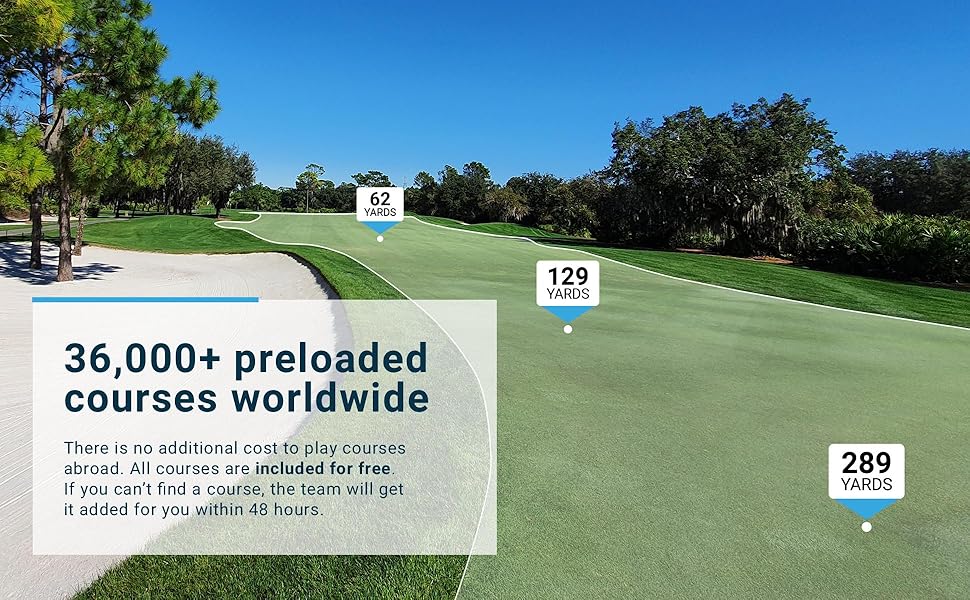
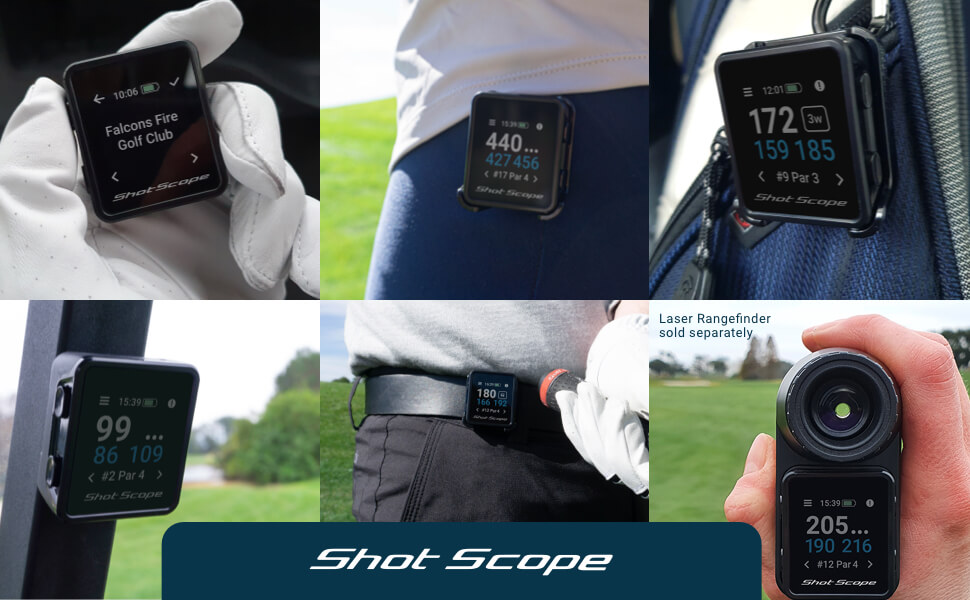
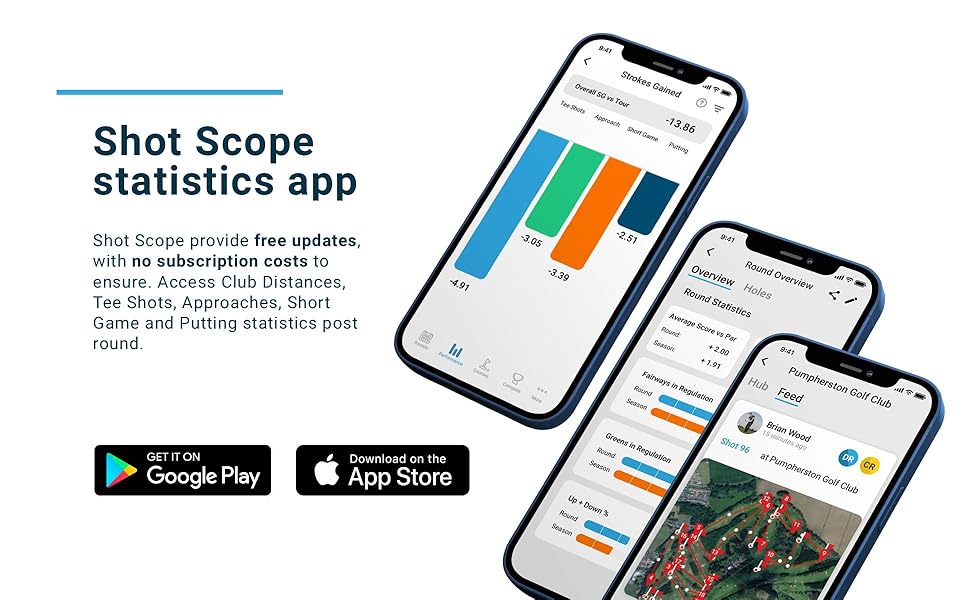
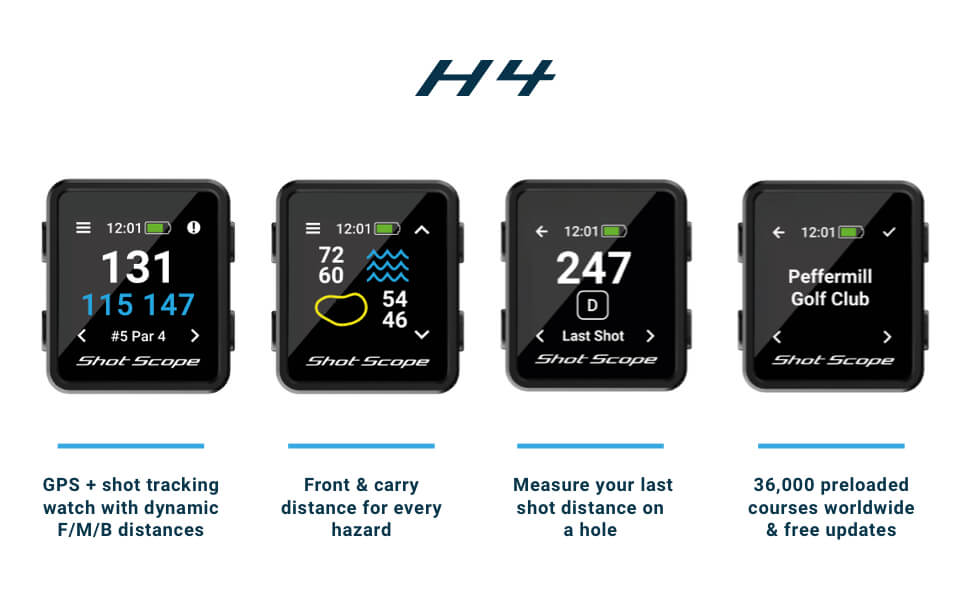
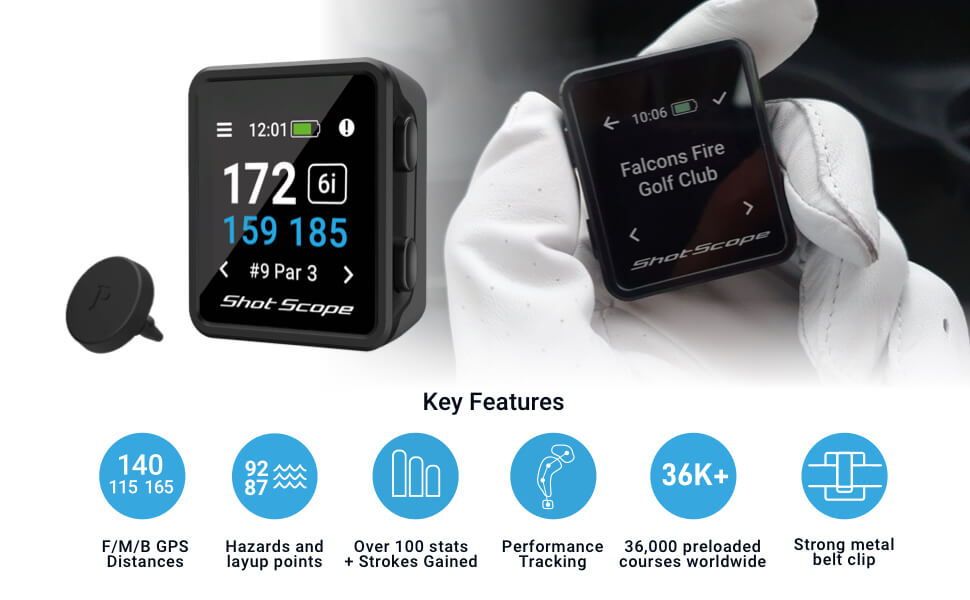
The Shot Scope H4 GPS Handheld is a cutting-edge golf performance tracker featuring over 36,000 pre-loaded courses worldwide, dynamic yardage measurements to front, middle, and back of greens plus hazards, and automatic shot tracking with 16 club tags. It delivers 100+ advanced statistics including strokes gained analysis to help golfers of all levels improve their game. Designed for convenience, it includes a metal belt clip, magnet, and carabiner mount, offers 15 hours of battery life, and requires no subscription fees—just pair with your smartphone app and start tracking instantly.

| ASIN | B09MTXVMH2 |
| Additional Features | Bluetooth |
| Are Batteries Included | No |
| Audio Output Mode | monaural |
| Battery Average Life | 15 Hours |
| Best Sellers Rank | #45,995 in Electronics ( See Top 100 in Electronics ) #44 in Golf Course GPS Units |
| Brand | Shot Scope Technologies |
| Built-In Media | x16 Performance Tracking Tags, x1 USB Charger and x1 Belt Clip |
| Compatible Devices | Smartphone |
| Compatible with Vehicle Type | Golf Cart |
| Connectivity Protocol | Bluetooth |
| Connectivity Technology | Bluetooth |
| Control Method | Push Button |
| Customer Reviews | 3.9 out of 5 stars 160 Reviews |
| Display Type | Daylight readable MIP (memory in pixel) |
| Human-Interface Input | Buttons |
| Item Dimensions L x W x H | 1.42"L x 0.51"W x 1.61"H |
| Item Height | 4.1 centimeters |
| Manufacturer | Shot Scope Technologies |
| Map Types | Worldwide |
| Memory Storage Capacity | 4 GB |
| Model Name | SS-HAN-H4-BLK |
| Model Year | 2022 |
| Mounting Type | Belt Clip and Carabiner Mount |
| Operating System | Windows |
| Resolution | 176 x 176 |
| Screen Size | 3.25 Centimeters |
| Special Feature | Bluetooth |
| Sport Type | Golf |
| Supported Satellite Navigation System | GPS |
| Touch Screen Type | Capacitive |
| Vehicle Service Type | Golf Cart |
M**S
Very Helpful Tool
I recently played a round of golf with someone that had something similar that was just for GPS yardage. Once I looked around I came across this product and decided to give it a try. This is an amazing tool for any golfer that wants to better understand what areas they need to work on. There is so much good data captured and it is super easy to use. I would recommend watching the YouTube video's the company sponsors showing you how to use it and how to get the most out of the data. Highly recommend it.
J**J
Does what it says.
So far so good. I have used it for 2,18 hole rounds and will be playing my 3rd this weekend. I golf rarely and suck bad... But I wanted to actually see what I'm hitting with each club. My first round I just used my 7 iron, pitching wedge and putter. The second was with my 6 iron. The tracking as long as you are tagging before you hit is awesome and showed my stats. Average distance and furthest... Already I'm excited to play again so I can be better at choosing the right club for how I play.... It's also proved I really need to work on my short game... So to use it, you need the accompanying app on your phone. You pair the device. (That took a bit) and then you have to download the course data for where you are going to play. Not too much of a pain. Finding the course out of 300 courses named glen eagle or valley view was ridiculous, since I couldn't narrow it down easily but once you find it. Super easy. Download the data once you're paired and it will update. Head to the course and you'll be good to go. I do think the distances were off a little because the moved the tee boxes from last week to this week. Not an issue of their data, It requires us to tag and upload the data for it to be corrected on their end. But just a caution that the distances may be a bit short or long due to box and pin changes... I suck so bad it doesn't really matter... It's not like I'm ending up on the green in regulation anyways... My last 2 rounds were +44 and +45 on the same course. Im giving it 4 stars due to the small frustration in the proprietary charger, editing putts in the app, and I think the "carry case" could be better. Also I can't seem to figure out how to add a penalty stroke for a water hazard ball during the round. (You CAN do it in the editing of the data at the end of your round and it's pretty easy. You tag the shot and there is an edit option and you just add the penalty stroke. ) The tags are pretty straightforward with instillation. Screw them into the back of your grips. Caution my grips have a domed top and the tags don't sit flush. And my putter grip is different and it's up maybe a ¼"... So I'm worried about it snapping off later. You'll have to create the habit of tagging your club before you hit. Not too much of a pain. I only forgot a few times, but when you upload your data to the app you can edit it before you save it. It's pretty easy but marking putts are a little difficult when they are close together. I found it best to mark way off and then use the nudge option to move the putt where it was. Best way to avoid that is to make sure you tag your putts and make sure you "tag the pin" by selecting how many putts you made, when you are next to the pin as you're grabbing your ball. I supposedly lost connection twice when playing on my second round. It took a few seconds and found me again but didn't notice any issue with it. Caution: I was running low on battery. (My bad I didn't check it the night before and it was dead... I think I forgot to turn it off after the last charge. ) So I had about a 50% charge before I got to the course using my car usb outlet and the charger. I was getting worried when I got to the 15th ish and had the charger and a battery pack with me. I threw it on the charger... It immediately ended the round... I was freaking out and took it off the charger and clicked start new round because there was no continue option. I was smart enough to hit the forward arrow to the next hole I was on and finished the round out. Good news is when I uploaded the data to the app on my phone it had the whole round and not just the last few holes. I would say it used 50_60% of the battery on the GPS and track option. I didn't have any issue with the magnet like some reviews mentioned. I caught it once with my hand and knocked it off. And I had an issue once when my shirt got in the way. I just clipped it onto my belt loop and it's pretty close to where your club is when you set up to hit. Just tap, feel the vibration, and you're good to go. The screen clarity has been great and I haven't had any issues seeing it when I'm on the course. I don't know if I could dim it to save some battery life.
M**N
Good data, but has its flaws
Took it out for a test run today. The data that it returns is pretty cool, and I am hoping that it helps me drop a couple of strokes once I get the hang of it. Controls are pretty straight forward, so it isn't difficult to figure out. The hard part is remembering to "tag" the club before you hit. There were several times I forgot to do that, so I needed to edit the round before finalizing it. There are some flaws however: 1) When you "tag" your club the unit vibrates. The vibration is very faint, so I am going to have to take it off of my belt and hold it in my hand in order to feel it. Several times last night I thought I "tagged" my club, but it didn't register. That resulted in some skewed numbers. 2) So far I have only been able to sync 2 courses. I have an email out to support, but they have not responded yet. It's been 3 day's now, so if I don't hear back shortly I'll have to return it. Hopefully we can get this thing to sync. I'd like to keep using it, but we'll see. Guess I am going to return it. I can't get more than 2 courses to sync/load on the device. I sent Support an email, and other than an "auto response" that they got the email I haven't heard a thing. Too bad, I really wanted this to work.
L**.
Best tracker by far in my opinion
Absolutely love this thing after initial setup and getting through minor quirks. The data you get here is truly remarkable once you figure out how to navigate the app and initially setup the device. This will tell you putt distances if you remember to tap your putter against the screen which was a huge selling point for me. This will also keep track of strokes gained from the tee to putting while being able to compare yourself to various handicap levels and even pro golfers. This was also a huge selling point for me. Last thing and the best of all is there is no subscriptions. The only thing I wish is that the magnet assembly itself was stronger and the charger itself was USB-C rather than their proprietary charger that’s tough to source if you lose it. I find the data 10x better than Golfshot or 18 birdies could provide.
S**A
Too difficult to use
Positives: 1) Great statistics and charts 2) No subscription fees 3) Well made with clear instructions Negatives: 1) I just can’t remember to tap the club sensor on the device, so I end up with a lot of missed shots and weird yardages. 2) Entering putting results on the green is awkward and slow especially when playing in a group. You have to go to the hole and enter the location, so you can’t just walk off the green if your playing partners concede your putt and toss you your ball. 3) Correcting and editing rounds is impossible in the app and not very fast or user friendly on the website. Overall I found this to interfere with the flow of my play and enjoyment of the game, especially when playing in a group. Other solutions are less intrusive and burdensome. You have to find the right balance between ease of use and statistical outputs. For me, Shotscope doesn’t make the cut unfortunately.
A**E
Great features
This gadget works great, I keep it at my belt and gotten used to scanning every shot. Process takes less time than range finder. The best part is the software, the more you play the better the information you get about your game and where adjustments need to be made. Unlike some other trackers this software is included with the hardware.
A**Y
Shotscope V3 vs Shotscope H4
I'm a huge fan of Shotscope having owned a v3 for more than 3 years. I love data and appreciate the insights it provides on my variable game! I bought the H4 after my V3 crashed and burned - I would have bought another V3 but they have discontinued that product in favour of the V5. Definitely pricier than both the V3 and the H4! The H4 appears to provide exactly the same functionality as the V3. Like the V3, Shotscope provides you with unique golf tags to attach to each of your clubs. In the set up of your Shotscope account, you specify which club is associated with which golf tag. The H4 is a small 41mm by 36 mm by 13mm box which can be clipped to your belt or golf bag or magnetically attached to a golf cart. The V3 was a watch you wore on your wrist. The V3 had a sensor in the watch band that communicated with the tag attached to your golf club. As you swung the club the tag and watch would communicate to register that swing as a shot at a particular GPS location. The watch would then run through the same process at the next GPS location (where your ball landed). The distance between those GPS locations is then calculated and assigned to the first shot, e.g. I hit my 7i 138m. The same process proceeds until the hole and ultimately the round is finished. After you download the data you can see every shot you hit for that round superimposed on a photo map on every hole on the course. That raw data is also summarised and presented in a huge array of statistics (some of which I still struggle to make sense of :) ) The only difference that I can see between the H4 and the V3 is that the watch detected which club you were swinging via some sort of RFID process. It was not necessary to touch the watch to the tag. With the H4 you MUST physically touch the box to the tag to register the shot. You know that you've made successful contact when you feel the box vibrate. I tried clipping the H4 to my belt but if it was cold my jacket or vest would hang over the H4, and then I need to fumble around to make contact with the tag. I thought about tucking all of my clothes into my pants but didn't really fancy the PeeWee Herman look! So then I tried attaching it to my bag - but I found that irksome too, as you had to hold the H4 steady to ensure that the golf tag made good contact. Ultimately, I chucked it in my pocket and now pull it out to touch the tag before every shot. As stated above, I love Shotscope and have adapted my pre-shot routine to encompass the foibles of the H4!
J**R
Great way to track stats
The gps function is similar to othe, and display is nothing special but functional. Where this shines is in logging your shots and tracking your stats over time. Other systems do it but this one is the cheapest that does it this well. After getting mine my golf partners have since switched from the garmins they were using
Trustpilot
2 months ago
1 month ago