
DOWNLOAD THE APP


Customer Services
Copyright © 2025 Desertcart Holdings Limited
DOWNLOAD THE APP

🔐 Elevate your entryway: Smart security that keeps you connected and in control.
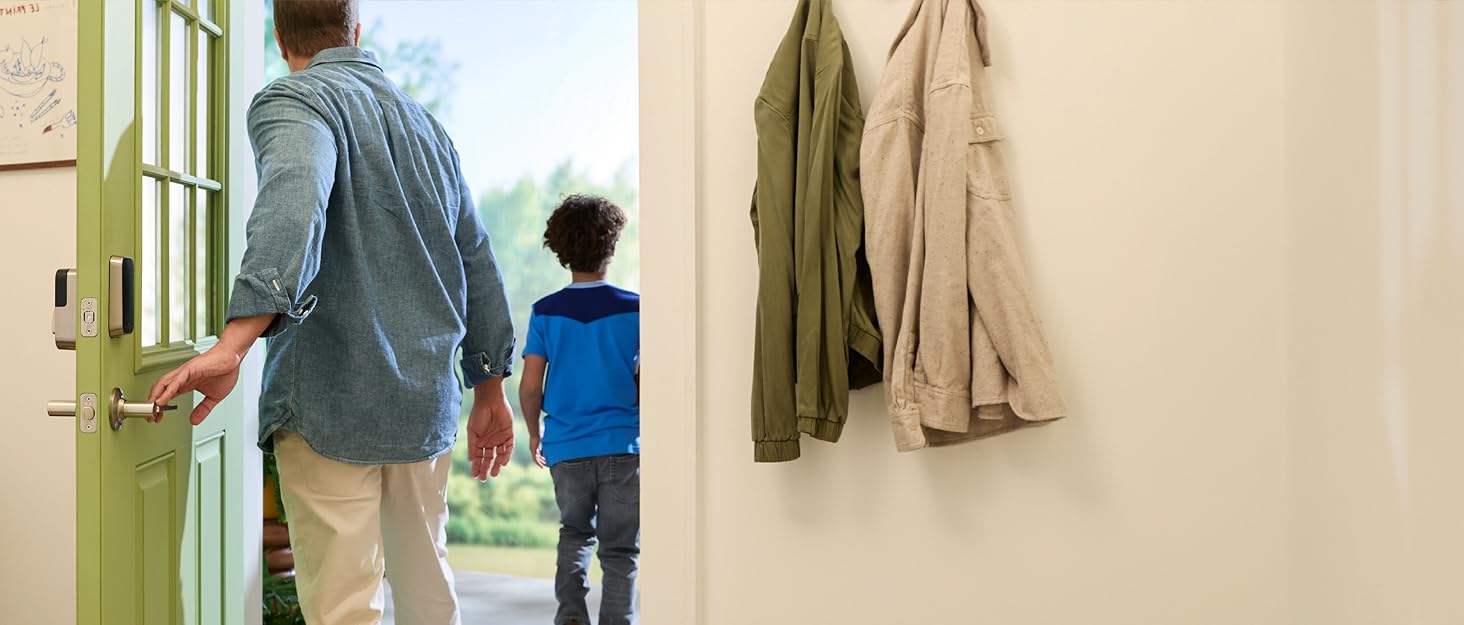
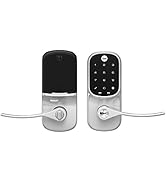
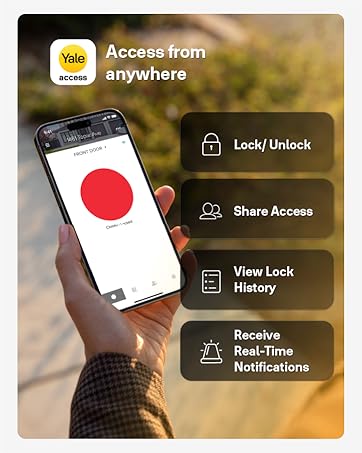
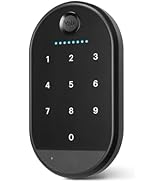
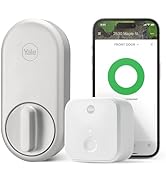
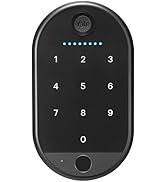
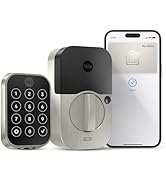
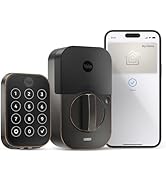
The Yale Assure Lock 2 with Wi-Fi is a sleek, black suede smart deadbolt designed for keyless front door access. Featuring multiple unlocking options—including keypad, smartphone app, voice assistants, and Auto-Unlock—it offers advanced security with two-factor authentication and biometric-resistant keypads. With built-in 2.4 GHz Wi-Fi, it enables remote monitoring, access sharing, and real-time notifications via the Yale Access App. Compatible with Apple HomeKit, Alexa, and Google Assistant, it integrates seamlessly into your smart home ecosystem. Easy to install on most standard US doors, this lock combines convenience, style, and peace of mind for the modern professional.


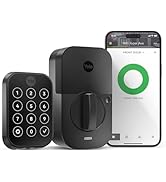
| Brand | Yale Security |
| Item dimensions L x W x H | 0.88 x 2.5 x 3.75 inches |
| Lock Type | Deadbolt, Keypad |
| Material | Metal, Zinc |
| Recommended Uses For Product | Entry Door, Front Door |
| Special Feature | Auto-Lock , Auto-Unlock, Battery Indicator, Passcode Unlock, Wi-Fi |
S**R
Secure, Sleek, and Very Convenient
I’ve been using the Yale Assure Lock 2 for a while now, and it has made a big difference in everyday convenience and home security. The keyless entry is super easy to use, and the keypad responds quickly every time. I love not having to worry about carrying keys anymore. Installation was straightforward, and the satin nickel finish looks modern and premium on the door. The lock feels solid and well-built, and it operates smoothly without any issues. Battery life has been good so far, and the app setup was simple and intuitive. Overall, this is a reliable and stylish smart lock that adds both security and peace of mind. I would definitely recommend it to anyone looking to upgrade to a keyless entry system.
K**O
Great lock for Smart Home Automation
I bought two of these, one for my entry door and one for the back door. I am on a let's make our home a smart home kick right now. Part of that is I want to eliminate all keys except for my vehicle key fob. And, it is also important for me to use one application to control my home, in my case, I am using Apple Home - therefore to some degree HomeKit compatibility is important. This review is about the the installation, lock itself, the Yale Access App, and HomeKit integration. After looking at a lot of locks I landed on this one, the Yale Assure Lock 2 with Wi-Fi. It looks nice, it is keyless, and it is HomeKit compatible. INSTALLATION: Installation was a breeze for me. I am replacing existing keyed deadbolts. So no need to align a door to a frame. The lock itself easily installed in the existing cutouts. I didn't even need to replace the door frame strike plate as my old one works fine. I found the instructions easy to follow, the lock installation of the physical device/lock took me about 15 minutes, most of that was just making sure I did it per the instructions. THE LOCK: At first my thought was this is a $200+ deadbolt and in my head I was comparing it to a normal deadbolt. This is absolutely the incorrect view. This is a computer that has a physical deadbolt it controls. When thinking like that the $200+ price tag is not all that bad. I would say good value for the money. The only criticisms would be that the physical locking mechanism (thing that turns the deadbolt mechanism to extend it into the door frame) is a simple flimsy piece of metal, versus in normal deadbolts it is typically a non-square type of peg to do that job. I am unsure if this really matters at all though, as long as it does the job it is kind of who cares. Another criticism, which if you think about it, would really be an unfair one, yet important to note, is the size of the interior part of the lock is HUGE (comparatively speaking) - reason for unfair - where would the batteries and computer portion go if it wasn't this big? YALE ACCESS APP: The working of the lock portion is good enough. The set up is horrible. You must watch (or scroll) through the installation instructions for each item, just to be able to set it up, would be much nicer to have a skip. My issue is that on one of them I had to do things more than once, and for my second lock, I knew it all already and just wanted to set it up. C'mon Yale, allow the "Skip". HomeKit INTEGRATION: There have been a lot of negative types of comments on this, which I don't understand because I easily added each lock to HomeKit. Scanning of the HomeKit QR code did not work on either lock, this has been commented on a lot with this reviews. For me, I merely manually entered the device IDs and it worked immediately without issue. Granted, you cannot scan the QR which is easier for sure, but not enough to rank lower. All in all, a great purchase IMO, could use some improvements, but really good just the same. Lock Feature rating is 4 stars due to what I comment on, I just expected better, not sure if better is necessary. Tech support I rated 4 stars, this is not by dealing with a tech support staff, it was the only place to rate the app and the setup issues I discussed.
A**R
Terrible Company, Do NOT Buy the Keyless Version
Some lessons are learned the hard way and I should have known better than to buy an electronic lock without a backup key. I bought FOUR of the keyless version for a new build. Setup was easy, if you know how to hold a screwdriver you will be fine. Setup with the app is also easy, however for each lock something minor would go wrong - sometimes the calibration would fail and you just have to redo it, sometimes it would lose connection with the lock, sometimes a step would take forever and I would put my phone down for a minute and do something else. It wasn't a problem until I got to the last lock, and it somehow froze during the setup process. I thought to myself it's not a big deal, something went wrong every other time and they worked just fine (the first two locks I had actually installed months prior and they were fine). Not this time, however. When I re-opened the app, the app had saved the last lock with a default name that was the same as the main lock to the guest house that I had installed months ago. Well guess what - for some reason now the app wasn't working with either lock, and the guest house was locked with no way in. I called customer support. Their answer - there is nothing we can do about this. Drill the lock. That's what they told me to do. Unbelievable. Oh, and they refused to refund me for the locks, my time, a locksmith, or the door should it break. They offered to let me apply for a warranty claim. When I asked if I could at least get the version with the backup key, they said "that is not possible". Best part is, I was able to actually drill into the lock and open the door, despite having no idea what I was really doing, without putting a scratch on the door itself. I immediately removed all 4 locks and threw them in the trash and they are being replaced with something that has a backup key from another company who keypad locks I have had forever without any issue. I would never risk buying something from this company again.
T**D
LOVE this lock! Very convenient to use! Easy to install.
Wonderful lock! Was easy to install (replacing a previous lock where all the holes/measurements were the same), and instructions were easy to follow. Lock looks stylish. Numbers respond well when punching in codes. But the biggest benefit is if you choose to allow it access to your location in the app settings, the unit recognizes when you arrive home. and when you get within blue-tooth range, it automatically unlocks. No need to even punch in your code. NOTE: key thing to know regarding installation. When you exit the house, you simply push the "Y" on the top of the outside lock and the unit locks itself. If you hear the lock trying to repeatedly lock itself, it could be an indicator that the depth in your door jamb is not deep enough to allow the bolt to insert all the way into the jam. So you just need to chisel out a bit more on the door jamb side to provide that space. Nothing in the manual warns you about this as one piece of troubleshooting.
J**G
Yale keyless door lock
Great lock easy to install it locks and unlocks the door when I come or leave the house. Battery life is not very good every month and a half you have to change batteries which is a day to do but you have to replace 4 AA batteries each time. I wish the batteries lasts longer a month or so
J**N
Well designed with some great features without complicated setup.
Yale Assure Lock 2 with Wi-Fi I replaced the previous Yale lock on our front door after the door had sagged and the deadbolt wouldn't engage the strike correctly, causing the internal gears to strip out. This is a newer version and it's working great now that I have shimmed the door hinge to make it better align. I like the fact that it has red and green flashing lights to indicate if the lock is open or closed so I can see it down the hallway without having to walk over to the door. The other benefit is that I can lock or unlock the door from anywhere in the world that has wi-fi and also check the status of the lock. It seems to go thru the 4 AA batteries a little faster than I would like but hey, it's the world we live in, right? It's solid and securely attached to the door. Not cheap but a great alternative to locking and unlocking a door with a key. Recommended.
S**R
Much more reliable than my old electronic locks
I bought this to replace a Keyvo lock (Bluetooth lock with very vulnerable cylinder) and an Obsidian Lock. The Keyvo was very unreliable and would sometimes crash and proceed to drain the battery and the final straw was the app was being de-commited. The Obsidian was better, but would sometimes get sluggish and take forever to respond. The Yale Assure Lock2 has been much better than either Kwikset lock I had. It is very responsive and it is much faster to get in than Obsidian. It is very reliable. I had to enlarge holes slightly because the Yale is much fussier on hole alignments, but I got it together.
E**R
Great lock, very configurable, batteries last months
These locks are a game changer. I almost never carry keys with me and I don't ever fear locking myself out of the house. You can put a number of codes for different people in it. Which is great if you have service people (dog walkers, house cleaners, etc) regularly coming to your house. The lock can join wifi so you can remotely administer it. The manufacturer says that can impact battery life (more frequent battery changes). That might be true, but even on wifi, batteries last about 5 months for us. Remote management came in HUGE for us when we were away on vacation and a dog sitter hired through Rover failed to show up. When she finally did she didn't even walk our dog and (I'm not lying) stole food out of our freezer and fridge. We were able to delete her code so she couldn't get back in the house and luckily found a neighbor to take in our dog while we were gone. Thanks to the logging this lock does and a security camera we have installed we were able to piece together her neglect. This lock is fairly easy to install if you have any sort of mechanical aptitude. If you can't turn a screw driver you'll probably find it complicated. The instructions are good and are fairly easy to follow. One complaint I do have: when we added a second lock there wasn't a way to apply codes already assigned to a person on the first lock to the second. In fact, you didn't even see the second lock under that person's profile. The work around was to delete their profile/account and then re-add. Once I added them back both locks appeared. This likely isn't a huge issue for most people, but if you have a bunch of people already keyed in with codes/accounts for the first lock you installed, needing to delete them to simply add them back in so their code/account can see the second lock is annoying. You can have different codes and limitations on entry (restricted to only certain days or times) for the same person on different locks. That's nice if you want your dog walker to be able to enter your front door, but not your separate in-law suite for example. Being able to restrict entry to only certain days/times is a really nice feature too. So, you can only allow someone in between 10am and 2pm M-F (not weekends) if you wanted. All in all I love this lock and gladly give is 5 stars. Hopefully they fix the account issue with a second lock down the road via an app update. If not, the workaround isn't too onerous.
Trustpilot
1 week ago
5 days ago